Python DocBlock Package
September 4, 2020 · View on GitHub


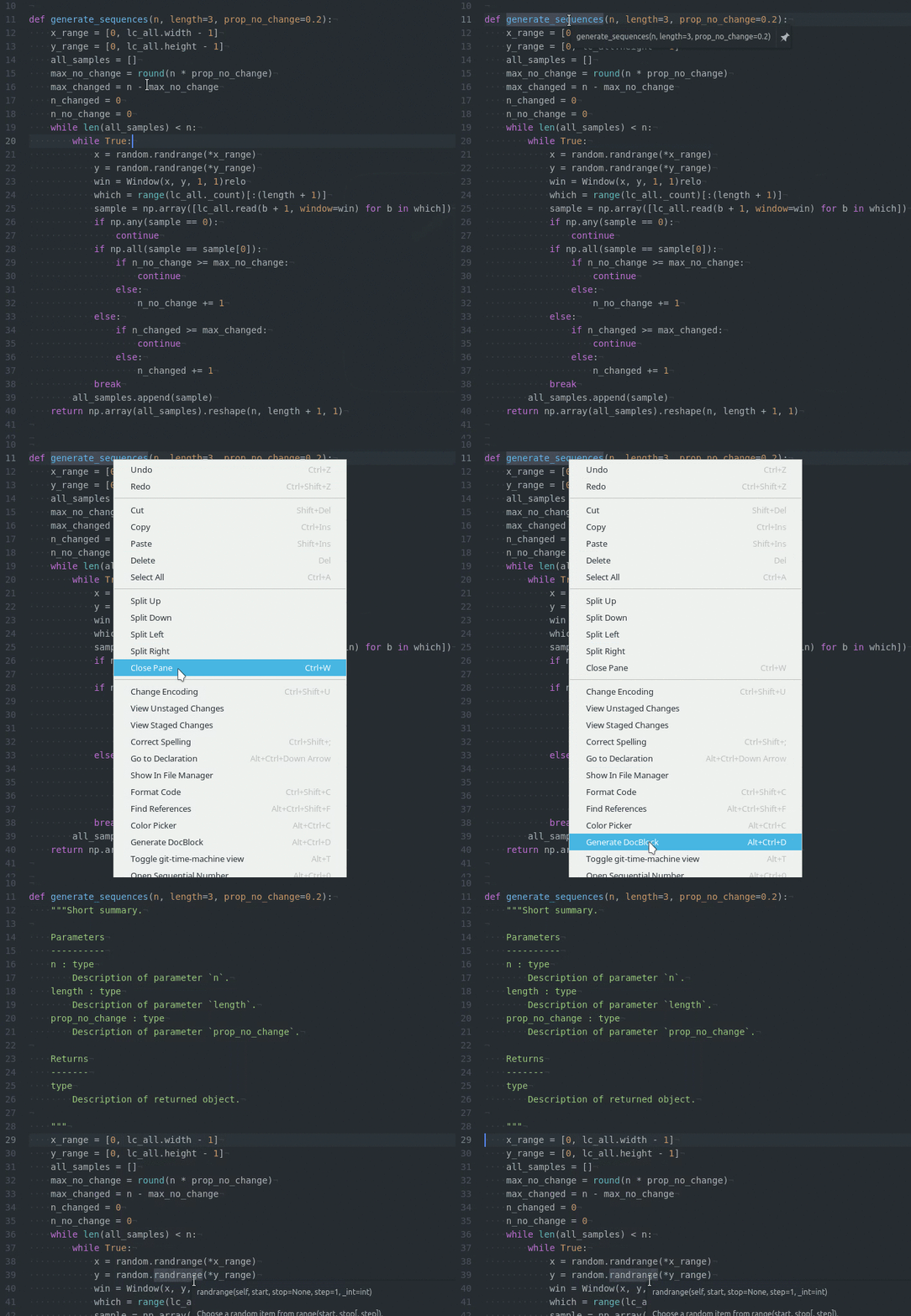
DocBlock is a package for Atom which helps you to document your python code.
Installation
From the command line run apm install docblock-python. You can also install it from the Atom Package manager.
Available styles
- Numpy style: A Guide to NumPy/SciPy Documentation.
- Google style: Google Python Style Guide.
- Sphinx style: Sphinx documentation.
- Epytext style: Epytext documentation.
Project configuration file
It is possible to set configurations for different projects. You just need to add a .docblock.json file to the project root directory including any of the package settings. Below you can see an example JSON with all the settings set to their default value.
{
  "style": "numpy",
  "indent": true,
  "parameters": true,
  "quote_type": "double",
  "default_desc_text": true,
  "use_defaults": true,
  "returns": true,
  "raises": false,
  "examples": false,
  "types": {
    "use_types": true,
    "separate_types": false
  },
  "lint": false
}
You can generate the .docblock.json file by
clicking on the Packages -> docblock-python -> Save current settings menu.
A full list of the options and their possible values are described below:
| Option | Value | Description |
|---|---|---|
| style | "numpy", "google", "sphinx" or "epytext" | Docblock style |
| indent | true or false | Initial indent |
| parameters | true or false | Describe parameters |
| quote_type | "double" or "single" | Type of triple quotes to use |
| default_desc_text | true or false | Show default description text ("Description of...") |
| use_defaults | true or false | Add default value to parameter description |
| returns | true or false | Describe returned value |
| raises | true or false | Describe raised exceptions |
| examples | true or false | Should illustrate how to use the function/class (doctest) |
| types.use_types | true or false | Parameter and attribute type |
| types.separate_types | true or false | Show types in a different line (sphinx style only) |
| lint | true or false | Enable lint to show missing documentation (experimental) |
Lint support
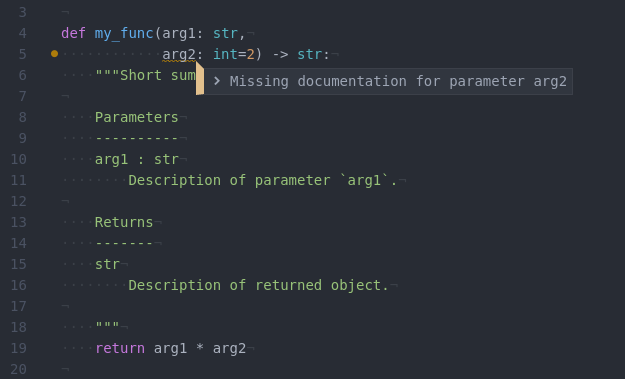
This experimental feature should show you when the documentation is not up-to-date. At the moment, it only checks if the current parameters and attributes are documented (not if you are documenting something that doesn't exist).
In order to this feature to work, you need to install Linter and enable the option in docblock-python settings.
TODO
This is a non-exhaustive list of future additions. If you have any suggestions, drop me an email.
- Add Google style
- Add Sphinx style
- Scan for
Exceptions - Convert between styles
- Add support for Type Hints (PEP 484)
- Add lint support to show incomplete documentation
- Project configuration file
- Add menu item to write current settings to config file.