DeepViolet Tools
April 2, 2026 · View on GitHub
TLS/SSL scanning tools for security professionals and developers


Documentation | Changes from Upstream | DeepViolet API | Project Blog
DeepVioletTools is a suite of TLS/SSL security scanning tools with graphical and command-line interfaces. It consumes the DeepViolet API to scan HTTPS servers and analyze certificate trust chains, revocation status, cipher suite strength, and security headers.
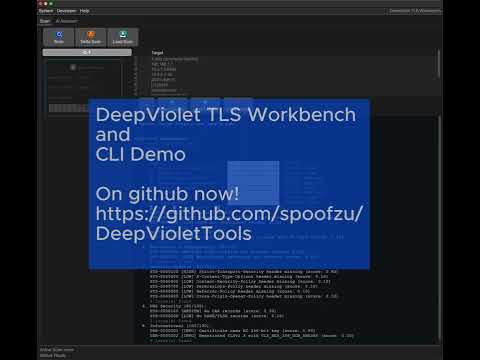
GUI Application
java -jar dvui.jar
Scan any HTTPS server and get a detailed TLS security report with risk assessment, certificate chain analysis, cipher suite enumeration, and more.

AI Assistant
Ask questions about your scan results using the built-in AI assistant. Supports OpenAI, Anthropic, and local Ollama models. Configure your provider and API key in System > Settings > AI.

Multi-Target Scanning
Scan multiple targets concurrently and compare results with heat map visualizations. Supports hostnames, IPs, CIDR blocks (10.0.1.0/24), IPv6, and dash ranges (10.0.2.1-50). Configurable worker threads (1–10) and throttle delay.
Report Export
Save scan reports in multiple formats: text, HTML, PDF, or JSON.

Command Line Tool
# Full scan
java -jar dvcli.jar -serverurl https://www.github.com/

# Specific sections (t=header, c=connection, s=certificate, f=fingerprint)
java -jar dvcli.jar -serverurl https://www.github.com/ -s tcsf

# Export certificate to PEM
java -jar dvcli.jar -serverurl https://www.github.com/ -wc ~/certs/github.pem

# Multi-target scan with concurrent workers
java -jar dvcli.jar --scan "github.com,google.com,example.com" --scan-threads 4

# Multi-target scan from file
java -jar dvcli.jar --scan-file targets.txt --scan-threads 4 -o scan-report.json

# Validate DV API results against openssl
java -jar dvcli.jar --validate google.com
java -jar dvcli.jar --validate expired.badssl.com

CLI Options
| Option | Description |
|---|---|
-u, --serverurl | HTTPS URL to scan (single-host mode) |
-s, --sections | Report sections to include (see below) |
-wc | Write server certificate to PEM file |
-rc | Read and analyze a local PEM certificate |
-f, --format | Output format: txt, html, pdf, json |
-o, --output | Write report to file (format inferred from extension) |
--scan | Comma-separated target list (mutually exclusive with -u) |
--scan-file | File with targets, one per line |
--scan-threads | Worker thread count for multi-target scans (1–10, default 3) |
--scan-throttle | Delay in ms between hosts per worker (0–10000, default 150) |
--delta | Compare two saved .dvscan files: --delta base.dvscan,target.dvscan |
--proto-sslv3 | Enable SSLv3 protocol testing |
--proto-tls10 | Enable TLS 1.0 protocol testing |
--proto-tls11 | Enable TLS 1.1 protocol testing |
--proto-tls12 | Enable TLS 1.2 protocol testing |
--proto-tls13 | Enable TLS 1.3 protocol testing |
--max-retries | Max retry attempts per section (0–10, default 3) |
--retry-delay | Initial retry delay in ms (100–10000, default 500) |
--retry-max-delay | Max retry delay in ms (100–30000, default 4000) |
--retry-budget | Total retry budget in ms (1000–120000, default 15000) |
--restore-point | Save checkpoint every N hosts (5–1000, default 20) |
--resume | Resume scan from last checkpoint if available |
--ciphermap | Custom cipher map YAML file (replaces built-in) |
--riskrules | User risk rules YAML file (merged with system rules) |
--sysriskrules | System risk rules overlay YAML file (replaces built-in) |
--password-env | Env var name containing transfer password for .dvscan files |
--password-file | File containing transfer password for .dvscan files |
-d | Enable SSL/TLS debugging |
-d2 | Enable debug logging |
--ai | Enable AI evaluation section in report |
--ai-provider | AI provider: anthropic, openai, ollama |
--ai-model | AI model name |
--ai-key | API key (overrides saved; prefer env var DV_AI_API_KEY) |
--ai-endpoint | Ollama endpoint URL (default: http://localhost:11434) |
--validate | Compare DV API results against openssl for a host (requires openssl) |
-h | Show help |
Report Sections (-s)
| Code | Section |
|---|---|
a | TLS risk assessment (score, grade, category graph) |
e | Runtime environment (Java version, OS, trust store) |
t | Report header (multi-target mode) |
h | Host information (DNS resolution) |
r | HTTP response headers |
x | Security headers analysis (HSTS, CSP, X-Frame-Options, etc.) |
c | Connection characteristics |
i | Cipher suites enumeration with strength evaluation |
s | Server certificate chain with trust state |
n | Certificate chain (alias for s) |
v | Revocation status (OCSP, CRL, OneCRL, CT/SCTs) |
f | TLS Probe Fingerprint |
Example: java -jar dvcli.jar -serverurl https://github.com/ -s aecsf
Features
- TLS Risk Assessment — YAML-driven scoring engine with 65 rules across 7 categories, numeric score, letter grade, and visual category breakdown. Supports user-defined risk rules merged with system rules.
- Certificate Analysis — Trust chains, validity, expiration, public key details (algorithm, size, EC curve), SAN enumeration, signing algorithms, OIDs
- Cipher Suite Enumeration — All supported ciphers with strength evaluation (IANA, OpenSSL, GnuTLS, or NSS naming). Replaceable cipher map via custom YAML definitions.
- Revocation Checking — OCSP, OCSP Stapling, CRL, OneCRL, Must-Staple, Certificate Transparency (SCT signature verification from embedded, TLS extension, and OCSP staple sources)
- Security Headers — HSTS, CSP, X-Frame-Options, X-Content-Type-Options, Permissions-Policy, and more
- TLS Probe Fingerprinting — JARM-inspired 10-probe fingerprinting that characterizes server TLS behavior for grouping and change detection
- DNS Security — CAA and DANE/TLSA record checking
- Fallback SCSV — RFC 7507 TLS Fallback Signaling detection
- Multi-Target Scanning — Scan multiple targets concurrently with configurable worker threads (1–10), throttle delay, and CIDR/range expansion. Supports hostnames, IPv4/IPv6, CIDR blocks, and dash ranges.
- Heat Map Visualization — 7-dimension color-coded grids comparing scan results across hosts (Risk, Ciphers, Security Headers, Connection, HTTP Response, Revocation, Fingerprint)
- AI Assistant — Ask questions about scan results using OpenAI, Anthropic, or local Ollama models
- Multi-format Export — Save reports as text, HTML, PDF, or JSON
- Card Layout Editor — Drag-and-drop grid editor for customizing scan host cards: element placement, multi-cell spanning, cell alignment (Shift+click), resizable grid proportions, and live card preview
- Theme Support — Dark, light, and system presets with full color customization
- Configurable Engine — Choose report sections, cipher naming convention, and protocol versions via System > Settings
- Test Server Library — Quick access to badssl.com test servers and recent scan history
- API Validation — Compare DV API results against openssl field-by-field for any server; verify accuracy with expired, self-signed, and EC certificate test cases
- PEM Export/Import — Save and analyze certificates offline
Requirements
- Java 21 or later
Building from Source
git clone https://github.com/spoofzu/DeepVioletTools.git
cd DeepVioletTools
mvn clean package
Produces two uber JARs in target/:
dvui.jar— GUI applicationdvcli.jar— Command-line tool
Development Build with Local DV API
A dev Maven profile activates automatically when the sibling DeepViolet API has been built locally (../DeepViolet/target/classes exists). This makes it easy to toggle between testing local API changes and the latest production release:
# In ../DeepViolet/
mvn install          # Builds DV API → activates dev profile in Tools (uses local SNAPSHOT)
mvn clean            # Removes target/ → deactivates dev profile (Tools grabs latest from Maven Central)
Documentation
See docs/DeepVioletTools.md for comprehensive documentation including JSON schema reference, vulnerability analysis details, and troubleshooting.
Acknowledgements
This tool implements ideas, code, and takes inspiration from: Qualys SSL Labs and Ivan Ristic, OpenSSL, Oracle's Java Security Team, and Thomas Pornin. Bundled monospace fonts by IBM Corp., The JetBrains Mono Project Authors, and The Mozilla Foundation and Telefonica S.A. AI coding assistance by Claude Code AI.
License
This project leverages the works of other open source community projects and is provided for educational purposes. Use at your own risk.
Disclaimer
The author is an employee of Oracle Corporation. This project is a personal endeavor and is not affiliated with, sponsored by, or endorsed by Oracle. All views and code are the author's own.