Timedown
May 26, 2021 · View on GitHub
Heroku Link *Please look at the dummy profiles below to sign in with.
Timedown is a flexible time management app designed to cultivate a healthy work-life balance while staying on top of your deadlines. It allows a user to submit a task and uses the information to determine how they should allocate their time spent working on it so they finish before the due date. It then synchronizes with a user's google calendar to suggest time blocks that fit into their schedule.
To Use
On Heroku
Timedown has not been officially verified by Google yet, so only designated test users can log in and try out this app. In order to try this app, you will need to either email the developer and ask to be added as a test user, or try out one of these dummy test user accounts.

- Email: sunny.codetester@gmail.com
- Password: qwerd123
- Persona: Sunny Codetester is a busy, 21-year-old college student working a part-time job as a kitchen assistant. Wanting to build up her portfolio and work experience, she's been trying to squeeze in time to do freelance design work.

- Email: cods7699@gmail.com
- Password: trewq321
- Persona: Sir Cody is knight from ye olden times, accidentally brought to the future via time machine several years back. He got a job as a consultant for movies and tv shows set in the middle ages. Sir Cody is managing to do surprisingly well for himself, given his strange circumstances, and is even considering writing a book.
*You are free to add/remove events from their google calendars
*Please don't add anything innapropriate/NSFW
*Profile pictures for these accounts were generated by thispersondoesnotexist.com
Locally
- You will need to install and run Docker.
- Fork and clone this repo
- Follow the first 15 minutes of this video to set up an API key and Client ID in order to use the Google API.
- Create a
.envfile in theapp/directory - Add two lines...
REACT_APP_API_KEY=<copy/paste your api key here>
REACT_APP_CLIENT_ID=<copy/paste your client id here>
- In your CLI, from the root directory, run the command
npm run db:initto set up the database - Also from your root directory, run the command
npm start - Timedown will be running on
localhost:3000
Technologies
- Technologies
- Postgresql Database
- Express
- React.js
- Node.js
- React Google Calendar API
- Google Calendar API
- OAuth 2.0 API
MVP
Users should be able to...
- Log in with their Google account
- Synchronize with their Google Calendar.
- Set custom scheduling settings
- Submit new tasks
- Generate suggested time blocks for a task based on est. time needed and due date
- Insert suggested time blocks as events into into their Google calendar.
Nice-to-haves
- Manually adjust time blocks on their calendar
- Check-off the time blocks when completed
- Clock-in/Clock-out feature
- Pomodoro timer that triggers when clocked-in.
- Push notifications for upcoming tasks
- Option to recalibrate time blocks when you miss or delete a block
- Indicators on tasks that show whether or not you’re on track to finish them by their deadline.
- Pattern recognition/insights feature.
Technical Risks
- Google Calendar API might be too complicated to implement in time
If this turns out to be the case, I will instead use a simple calendar API (such EZCalDev), create dummy account, and populate it with dummy events in order demonstrate the core features of the app.
- Running out of time to set up the customer User settings feature
In this case, I can hard-code in what would be the default scheduling settings, such as giving a 15-minute buffer around pre-existing events.
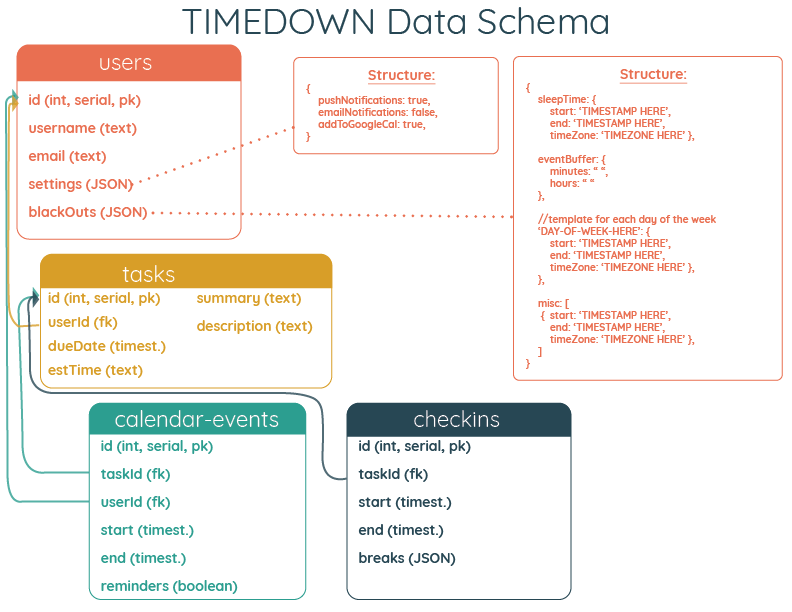
Data Schema
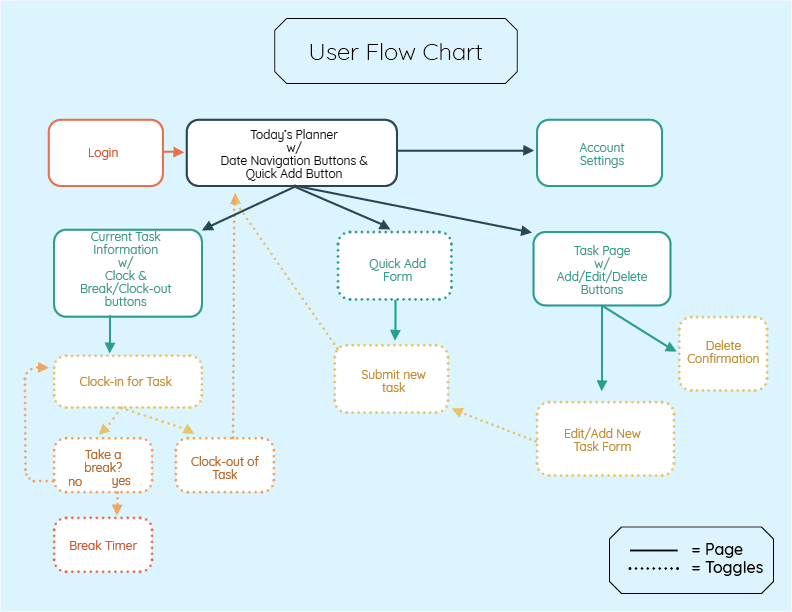
Userflow
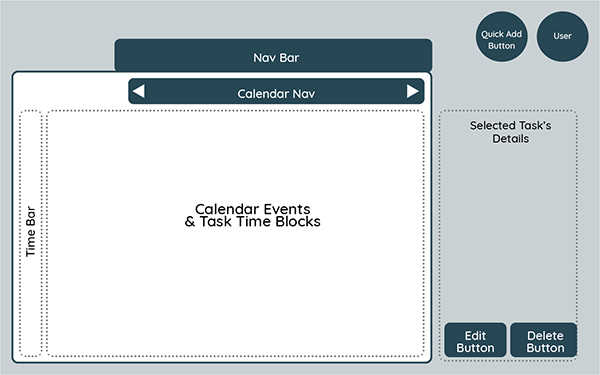
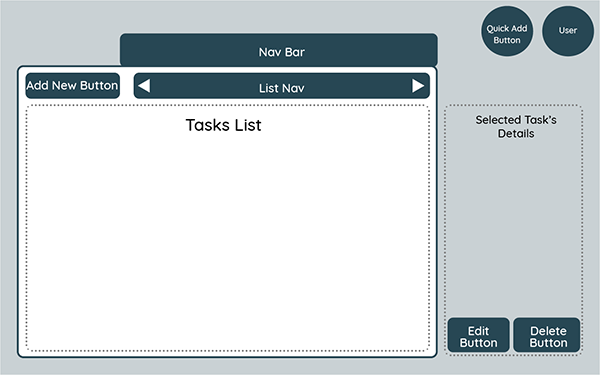
Landscape Wireframes
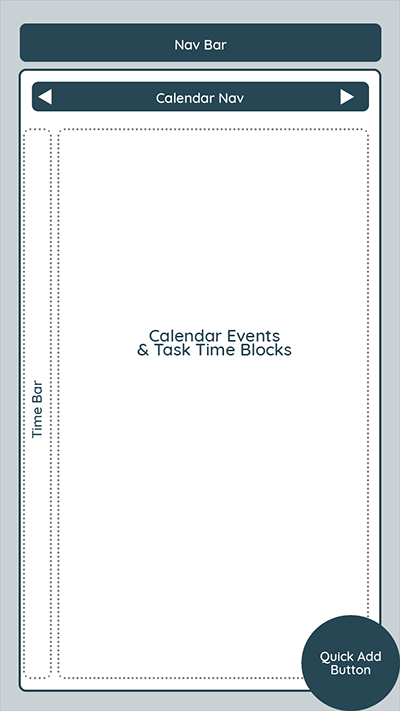
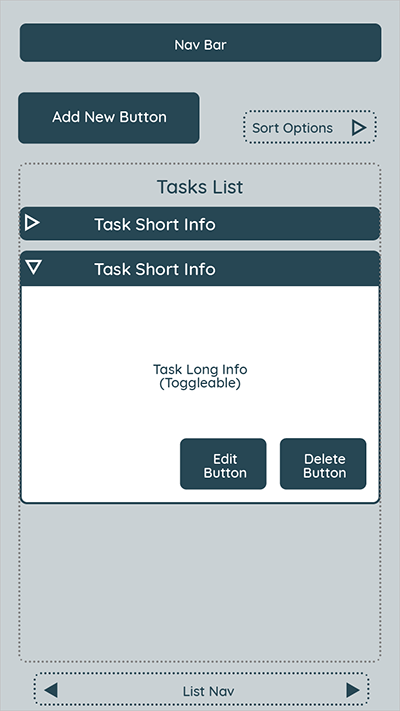
Mobile Wireframes