PactMacOSExample
February 5, 2021 · View on GitHub


An example macOS app demonstrating the use of PactConsumerSwift (https://github.com/DiUS/pact-consumer-swift) framework using Carthage with a macOS project.
Versions
- macOS 10.15+
- Xcode 12.4
- Carthage 0.37.0
- pact-ruby-standalone
Installation
pact-ruby-standalone
brew tap pact-foundation/pact-ruby-standalone
brew install pact-ruby-standalone
Dependencies
carthage update --platform macos
Setting up PactMacOSExampleTests test target
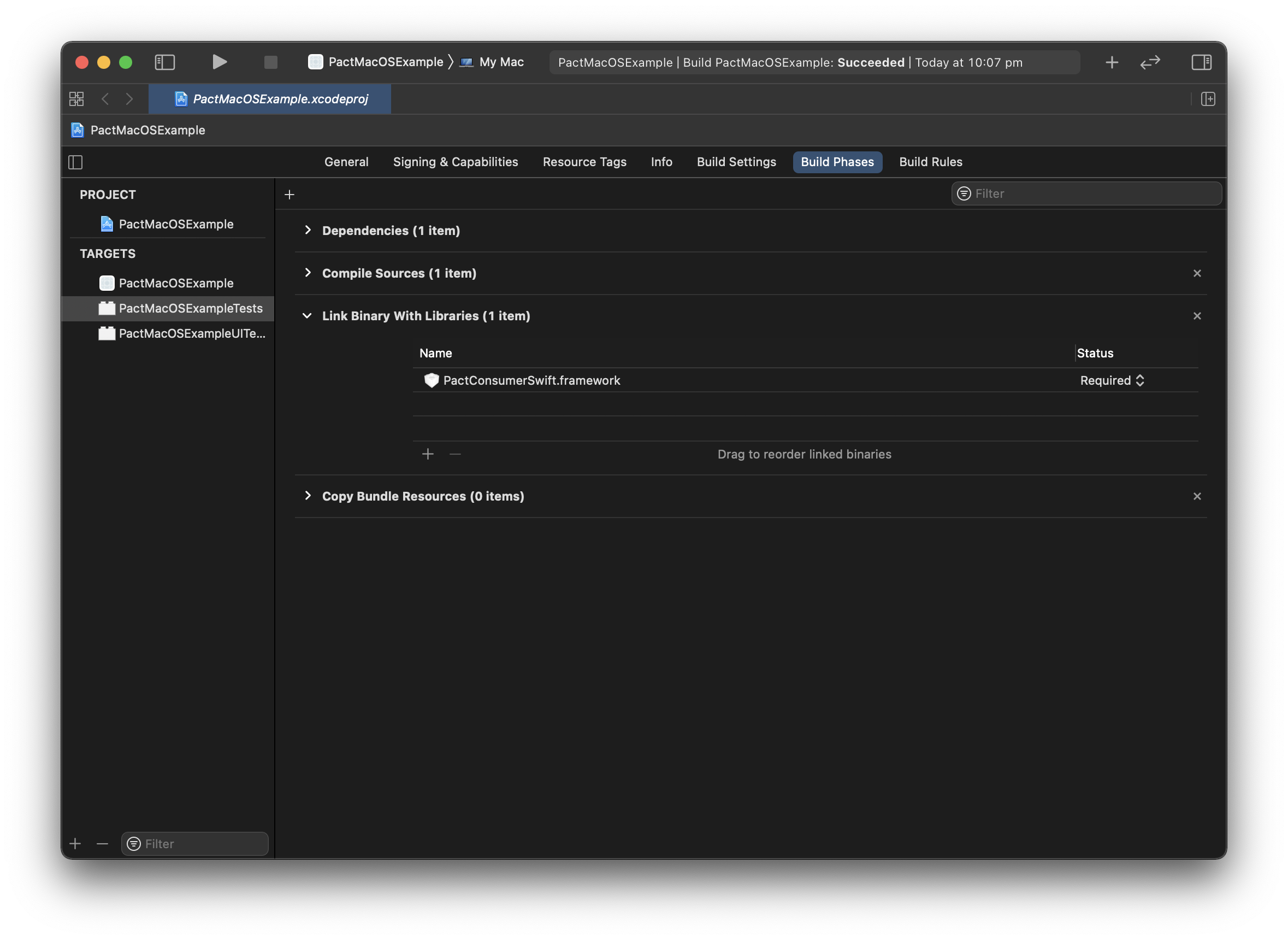
Build Phases
Link the PactConsumerSwift.framework in Build Phases step. Drag it from the /Carthage/Build/Mac/ folder onto the list.
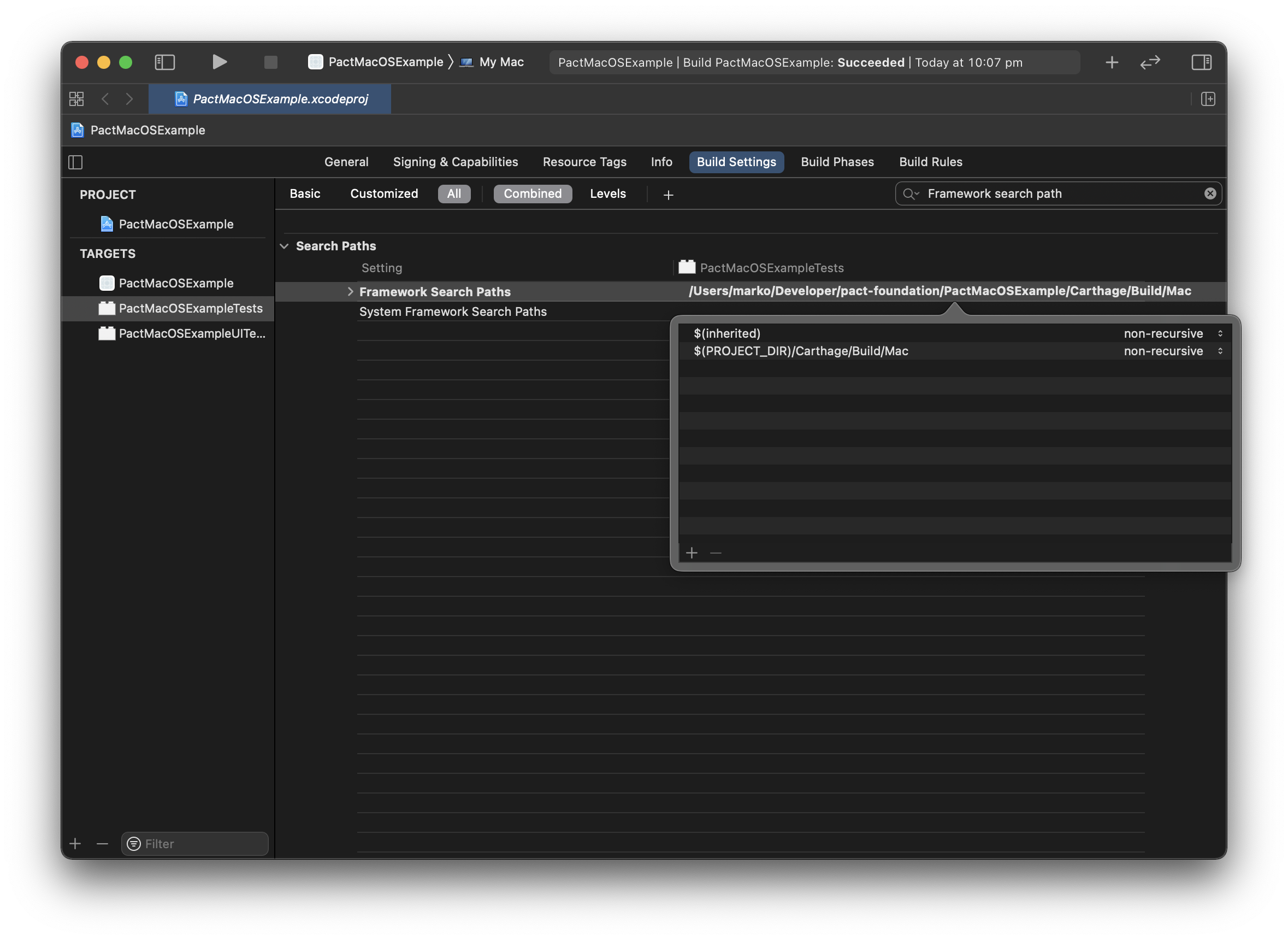
Build Settings
Add $(PROJECT_DIR)/Carthage/Build/Mac to Framework Search Paths
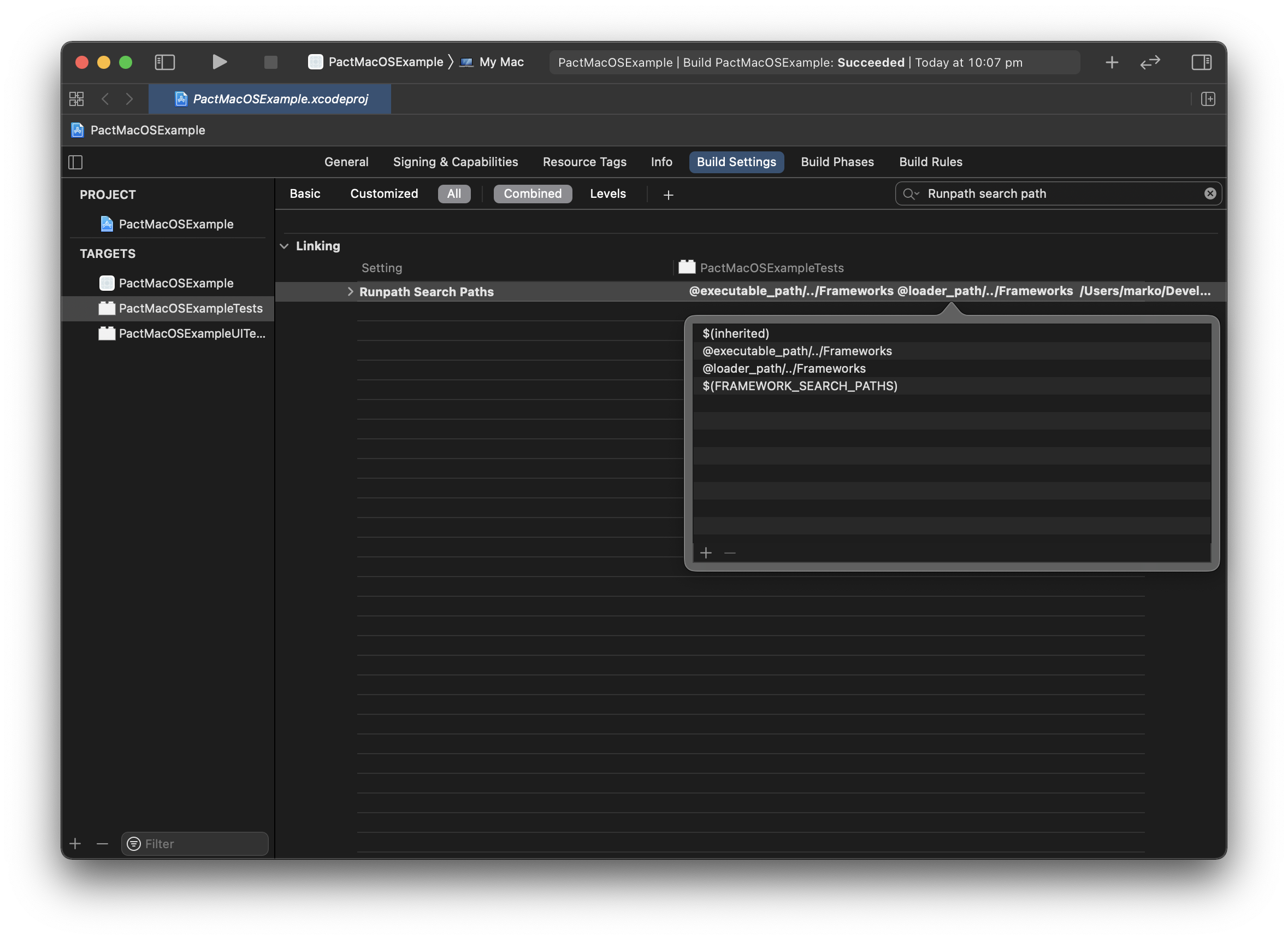
Add $(FRAMEWORK_SEARCH_PATHS) to Runpath Search Paths
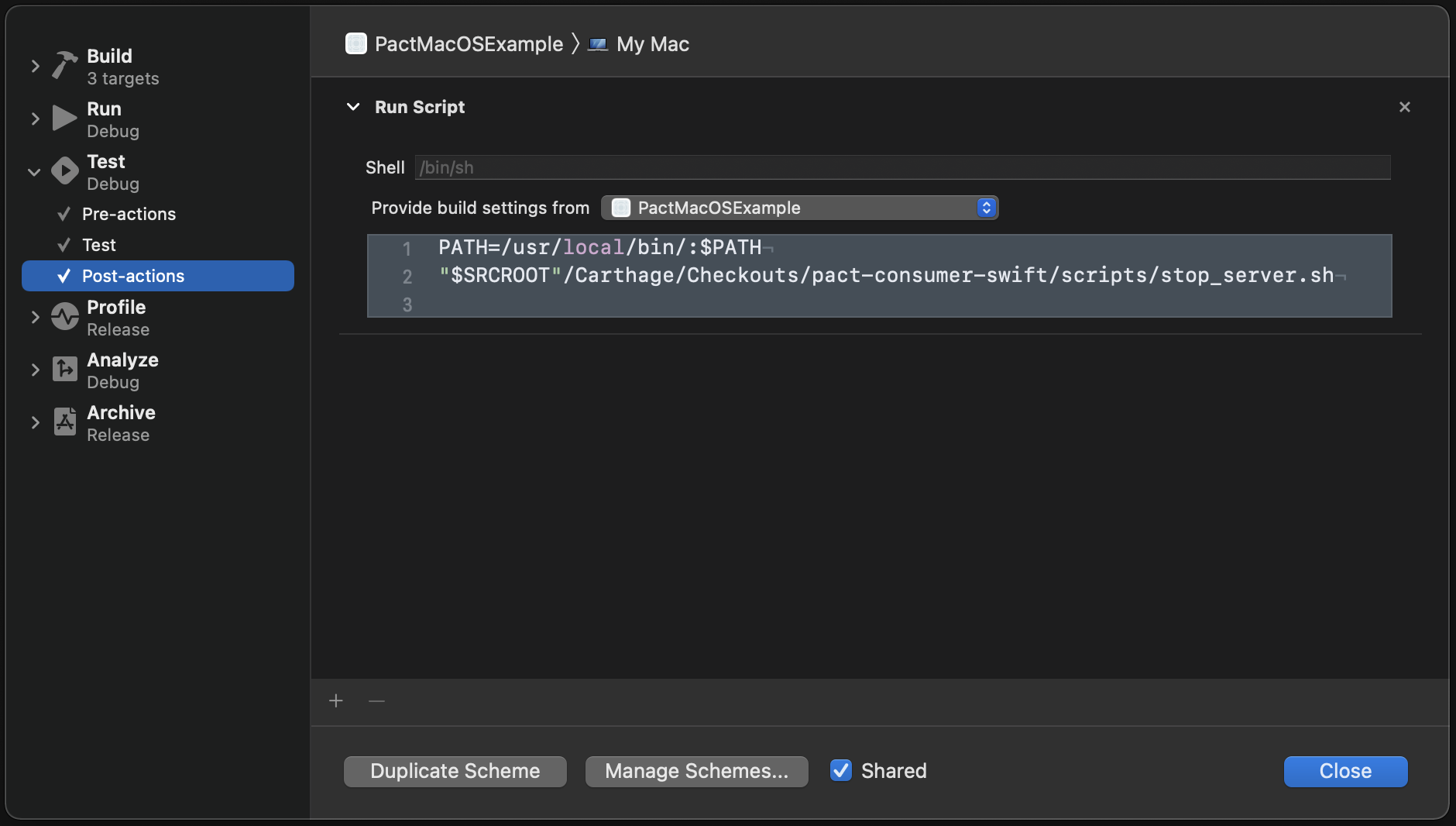
Test pre-actions and post-actions
Update test pre-actions to start the mock-server before tests are run.
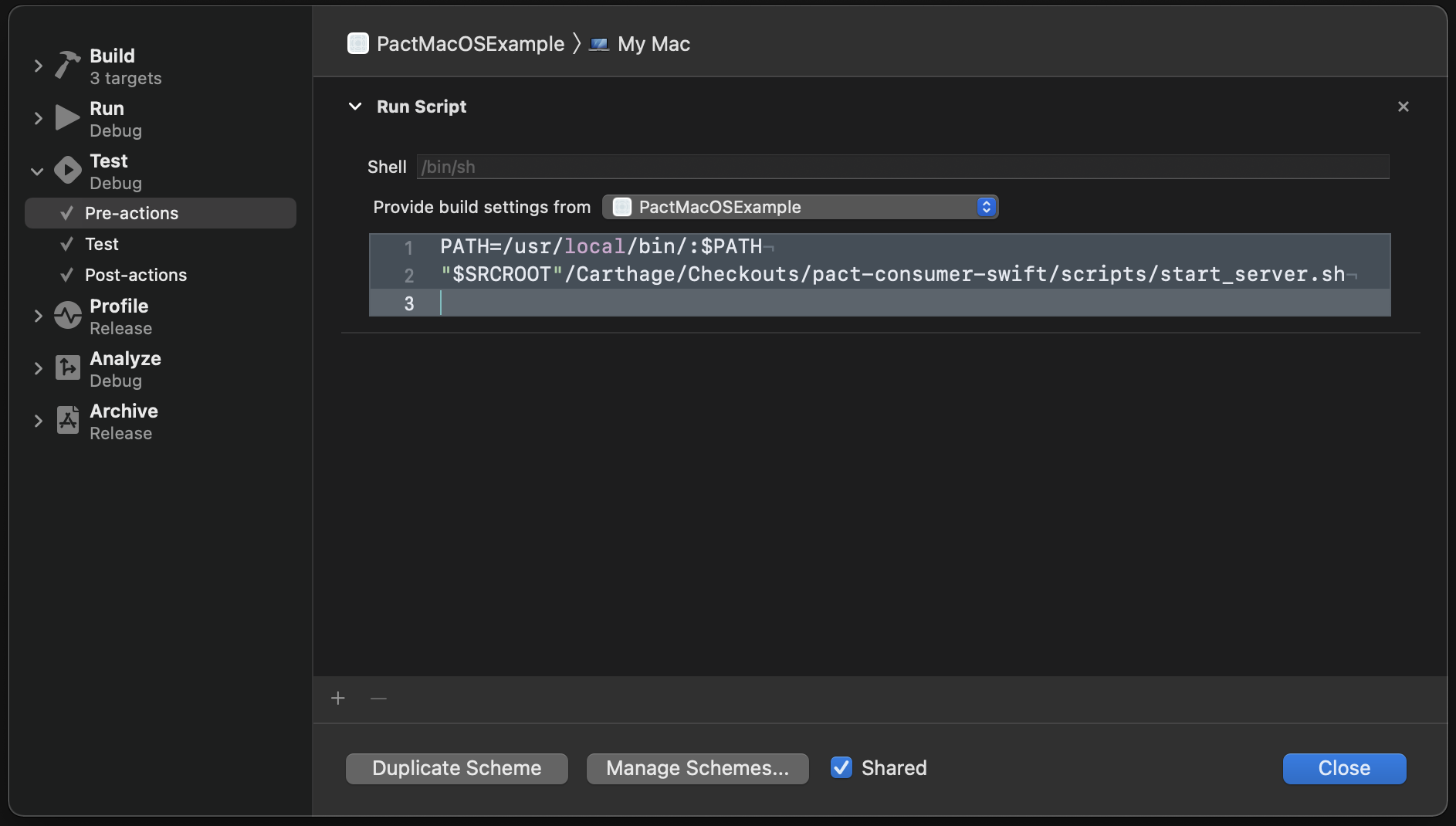
Update test post-actions to stop the mock-server when tests finish.
Where are the Pact contracts?
Once the tests pass you can find them in ${SRCROOT}/tmp/pacts-ssl/thisapp-swapi.json.