README.md
March 20, 2026 · View on GitHub

Sneat - Free Bootstrap 5 HTML Admin Template
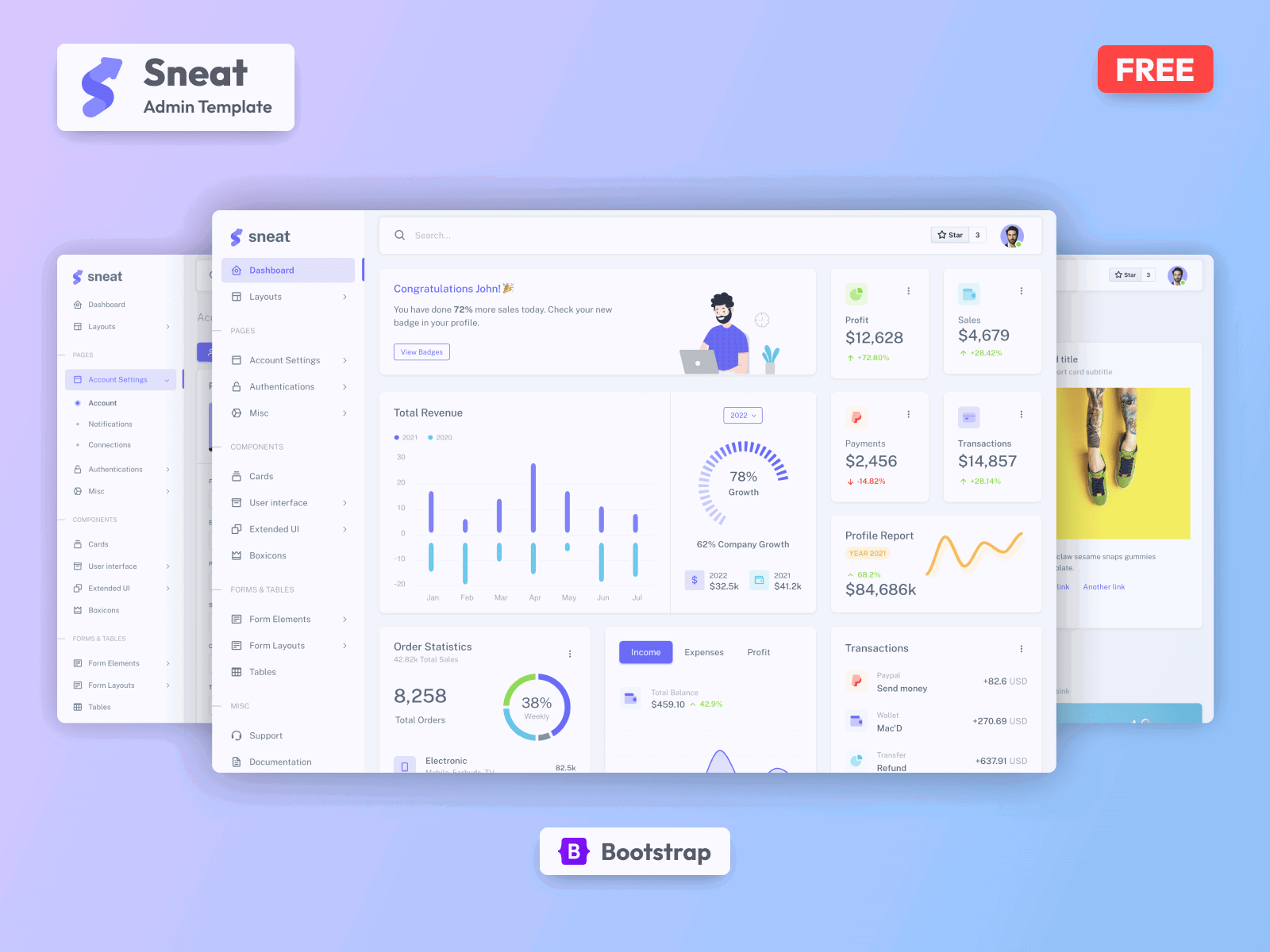
Most Powerful & Comprehensive Free Bootstrap 5 HTML Admin Dashboard Template built for developers!




Introduction 🚀
If you’re a developer looking for the most Powerful & comprehensive Free Bootstrap 5 HTML Admin Template built for developers, rich with features, and highly customizable look no further than Sneat. We’ve followed the highest industry standards to bring you the very best admin template that is not only fast and easy to use but highly scalable. Offering ultimate convenience and flexibility, you’ll be able to build whatever application you want with very little hassle.
Build premium quality applications with ease. Use our innovative bootstrap admin template to create eye-catching, high-quality WebApps. Your apps will be completely responsive, ensuring they’ll look stunning and function flawlessly on desktops, tablets, and mobile devices.
Installation ⚒️
Automate time-consuming or repetitive tasks in your development workflow using Gulp 🥤
Please note, that the use of Node, Webpack & Gulp, and their advanced settings are totally optional. You can use and customize the template without using them too.
Installing Node & Gulp and running it is super easy in Sneat, please follow these steps and you should be ready to rock 🤘
-
First of all, make sure you have installed Node (LTS). If Node.js is already installed in your system, make sure the installed version is
LTSand jump to step 2 -
Install the Gulp CLI: Open Terminal/Command Prompt and run the following command and wait until it finishes. If you have already installed Gulp CLI, you can skip this step and jump to step 3.
npm install --global gulp-cli
- Navigate to the Sneat root directory and run the following command to install our local dependencies listed in
package.json. You can usenpmORyarnas per your preference.
It is recommended to use Yarn
# For npm
npm install --legacy-peer-deps

# For Yarn
yarn
- Now, that you are ready to run
npmtasks, the below command will start the server and watch the code using browsersync. Open http://localhost:3000/ to check your development 🚀.
# npm
npm run serve

# yarn
yarn serve
Available Tasks 🧑💻
Open the console/terminal, go to the Sneat root directory, and run npm run {task_name}.i.e. To generate a build run npm run build.
Run a task with the specified environment(development/production) just execute the task with the --env={environment} option, i.e. npm run build --env=production.
Tip: Use the
npm runcommand to list all predefined npm tasks from thepackage.jsonfile.
What's Included 📦
- Dashboard
- Layouts
- Without menu
- Without Navbar
- Container
- Fluid
- Blank
- Pages
- Account Settings
- Login
- Register
- Forgot Password
- Error
- Under Maintenance
- Cards
- User Interface
- All Bootstrap Components
- Extended UI
- Perfect Scrollbar
- Text Divider
- Boxicons
- Form Elements
- Basic Inputs
- Input Groups
- Form Layout
- Vertical Form
- Horizontal Form
- Tables
What's in Premium Version 💎
| Sneat Free Version | Sneat Premium Version |
|---|---|
| Demo | Demo |
| Download | Purchase |
| Single vertical Menu | Vertical Menu + Horizontal Menu |
| Simple Light Style | Light & Dark Style |
| Default Theme | Default, Semi Dark & Bordered Themes |
| Fixed Layout(Menu) | Fixed & Static Layout(Menu) |
| 1 Simple Dashboard | 3 Niche Dashboards |
| - | Multiple Ready Applications like Calendar, Invoice, Users List, Users View, Roles and Permission, etc. |
| Simple From Elements | Advance form elements, validation & form wizard |
| Basic Cards | Basic, Advance, Statistics, Analytics, Gamification and Actions Cards |
| Basic User Interface(Components) | Advance and Custom User Interfaces(Components) |
| Two Extended Components | Twelve Ready to use Extended Components |
| - | Quick Search - Quickly navigate between pages (w/ hotkey support) |
| Basic Pages | Authentication Pages in 2 Variants + Ready-to-use pages like User Profile, Account Settings, FAQ, Help Center, Pricing, Misc, etc. |
| - | 3D Characters + Illustrations |
| Basic tables | Advanced tables |
| - | Quick customization using theme config file |
| - | Leaflet Maps |
| 1 Chart Library | 2 Chart Libraries |
| - | Multiple Navbar & Menu Options |
| - | Starter-kit |
| - | Internationalization support |
| - | RTL Support |
| Regular Support | Priority Support |
| Detailed Documentation | Detailed Documentation |
Documentation 📜
Check GitHub Wiki of this repository.
Check out our live Documentation
Browser Support 🖥️
*It also supports other browser which implemented latest CSS standards
Contributing 🦸
Contributions are always welcome and recommended! Here is how:
- Fork the repository (here is the guide).
- Clone to your machine
git clone https://github.com/YOUR_USERNAME/REPO_URLMake your changes - Create a pull request
Contribution Requirements 🧰
- When you contribute, you agree to give a non-exclusive license to ThemeSelection to use that contribution in any context as we (ThemeSelection) see appropriate.
- If you use content provided by another party, it must be appropriately licensed using an open source license.
- Contributions are only accepted through Github pull requests.
- Finally, contributed code must work in all supported browsers (see above for browser support).
Changelog 📆
Please refer to the CHANGELOG file. We will add detailed release notes to each new release.
Support 🧑🏻💻
For free products, enjoy community support via GitHub issues. Upgrade to Premium for dedicated support from our expert team.
License ©
-
Copyright © ThemeSelection
-
Licensed under MIT
-
All our free items are Open Source and licensed under MIT. You can use our free items for personal as well as commercial purposes. We just need an attribution from your end. Copy the below link and paste it at the footer of your web application or project.
<a href="https://themeselection.com/">ThemeSelection</a>
Also Available In
Looking For Premium Admin Templates ?? 👀
ThemeSelection provides Selected high quality, modern design, professional and easy-to-use Fully Coded Dashboard Templates & UI Kits to create your applications faster!
- Bootstrap Admin Templates
- VueJS Admin Templates
- Laravel Admin Templates
- Django Admin Templates
- React (NextJS) Admin Templates
- ASP.Net Core Admin Templates
- Free UI Kits
If you want to Free Admin Templates like Materio then do visit ThemeSelection.