7Zip4Powershell
May 27, 2026 · View on GitHub
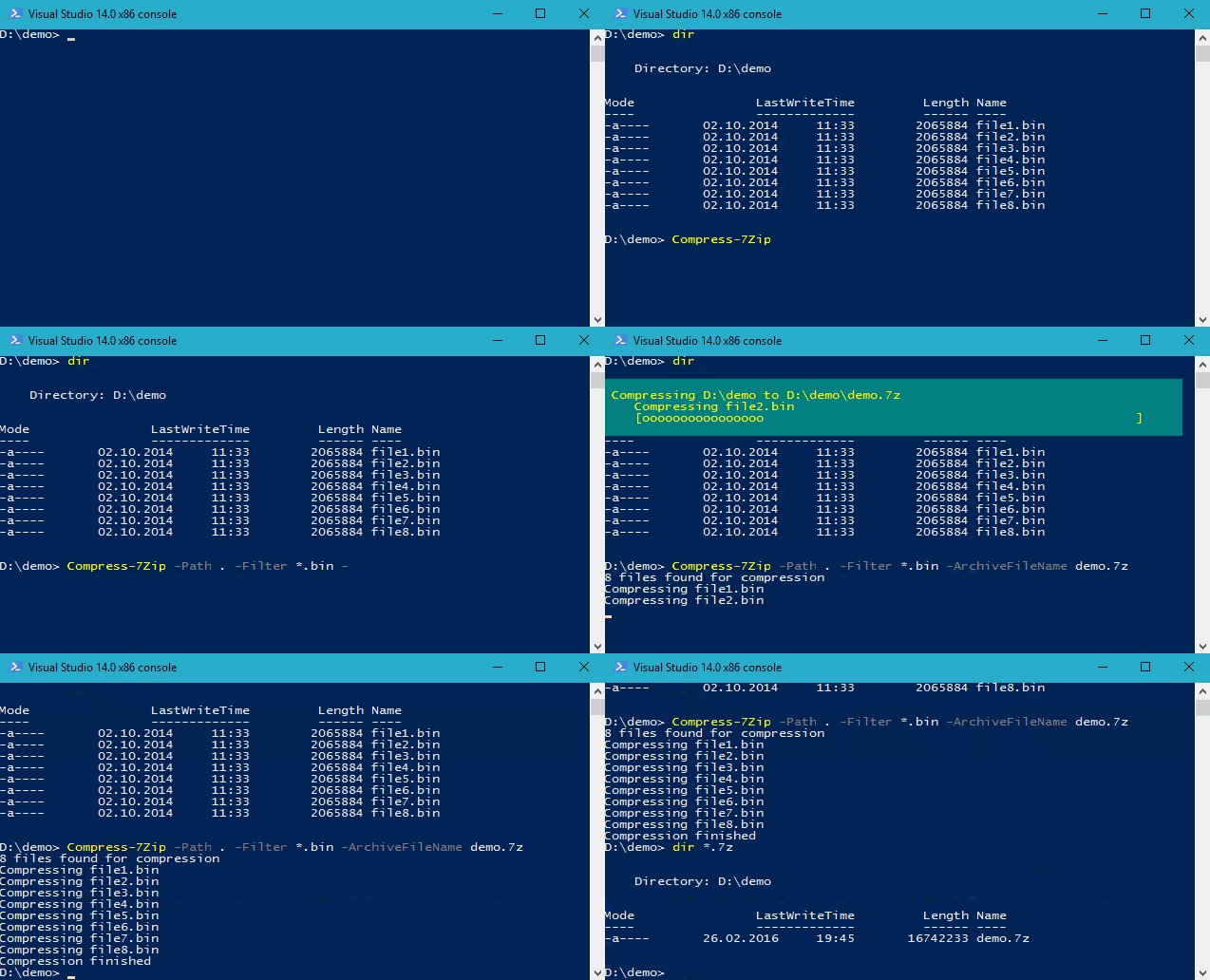
Powershell module for creating and extracting 7-Zip archives supporting Powershell's WriteProgress API.
Important
Please note that this repository is not maintained anymore. I've created it a couple of years ago to fit my own needs (just compressing a single folder). I love that lots of other users find my package helpful.
I really appreciated if you report issues or suggest new feature. However, I don't use this package myself anymore, and I don't have the time to maintain it appropriately. So please don't expect me to fix any bugs. Any Pull Request is welcome though.
Usage
The syntax is simple as this:
Expand-7Zip
    [-ArchiveFileName] <string>
    [-TargetPath] <string>
    [-Password <string>] | [-SecurePassword <securestring>]
    [<CommonParameters>]

Compress-7Zip
    [-ArchiveFileName] <string>
    [-Path] <string>
    [[-Filter] <string>]
    [-OutputPath] <string>
    [-Format <OutputFormat> {Auto | SevenZip | Zip | GZip | BZip2 | Tar | XZ}]
    [-CompressionLevel <CompressionLevel> {None | Fast | Low | Normal | High | Ultra}]
    [-CompressionMethod <CompressionMethod> {Copy | Deflate | Deflate64 | BZip2 | Lzma | Lzma2 | Ppmd | Default}]
    [-Password <string>] | [-SecurePassword <securestring>]
    [-EncryptionMethod <ZipEncryptionMethod> {ZipCrypto | Aes128 | Aes192 | Aes256}]
    [-CustomInitialization <ScriptBlock>]
    [-TempFolder <string>]
    [-IncludeHidden]
    [-IncludeSystem
    [-EncryptFilenames]
    [-VolumeSize <int>]
    [-FlattenDirectoryStructure]
    [-SkipEmptyDirectories]
    [-PreserveDirectoryRoot]
    [-DisableRecursion]
    [-Append]
    [<CommonParameters>]

Get-7Zip
    [-ArchiveFileName] <string[]>
    [-Password <string>] | [-SecurePassword <securestring>]
    [<CommonParameters>]

Get-7ZipInformation
    [-ArchiveFileName] <string[]>
    [-Password <string>] | [-SecurePassword <securestring>]
    [<CommonParameters>]
It works with x86, x64, and ARM64 and uses SevenZipSharp as a wrapper around 7zip's API.
Jason Fossen wrote the article PowerShell 7-Zip Module Versus Compress-Archive with Encryption (original article no longer available, archived version linked) where he describes some usage scenarios with 7Zip4PowerShell.
Where to get it
7Zip4Powershell is published at PowerShell Gallery.


Customization
Compress-7Zip accepts a script block for customization. The script block gets passed the current
SevenZipCompressor instance. E.g. you can set the multithread mode this way:
$initScript = {
    param ($compressor)
    $compressor.CustomParameters.Add("mt", "off")
}

Compress-7Zip -Path . -ArchiveFileName demo.7z -CustomInitialization $initScript
A list of all custom parameters can be found here.
Releases
Release notes are generated for tagged releases and published on the GitHub Releases page.
Motivation
I've written and maintaining the module just for fun and to serve my own needs. If it's useful for you too, that's great. I don't demand anything in return.
However, if you like this module and feel the urge to give something back, a coffee or a beer is always appreciated. Thank you very much in advance.
