Nori CLI
May 1, 2026 · View on GitHub




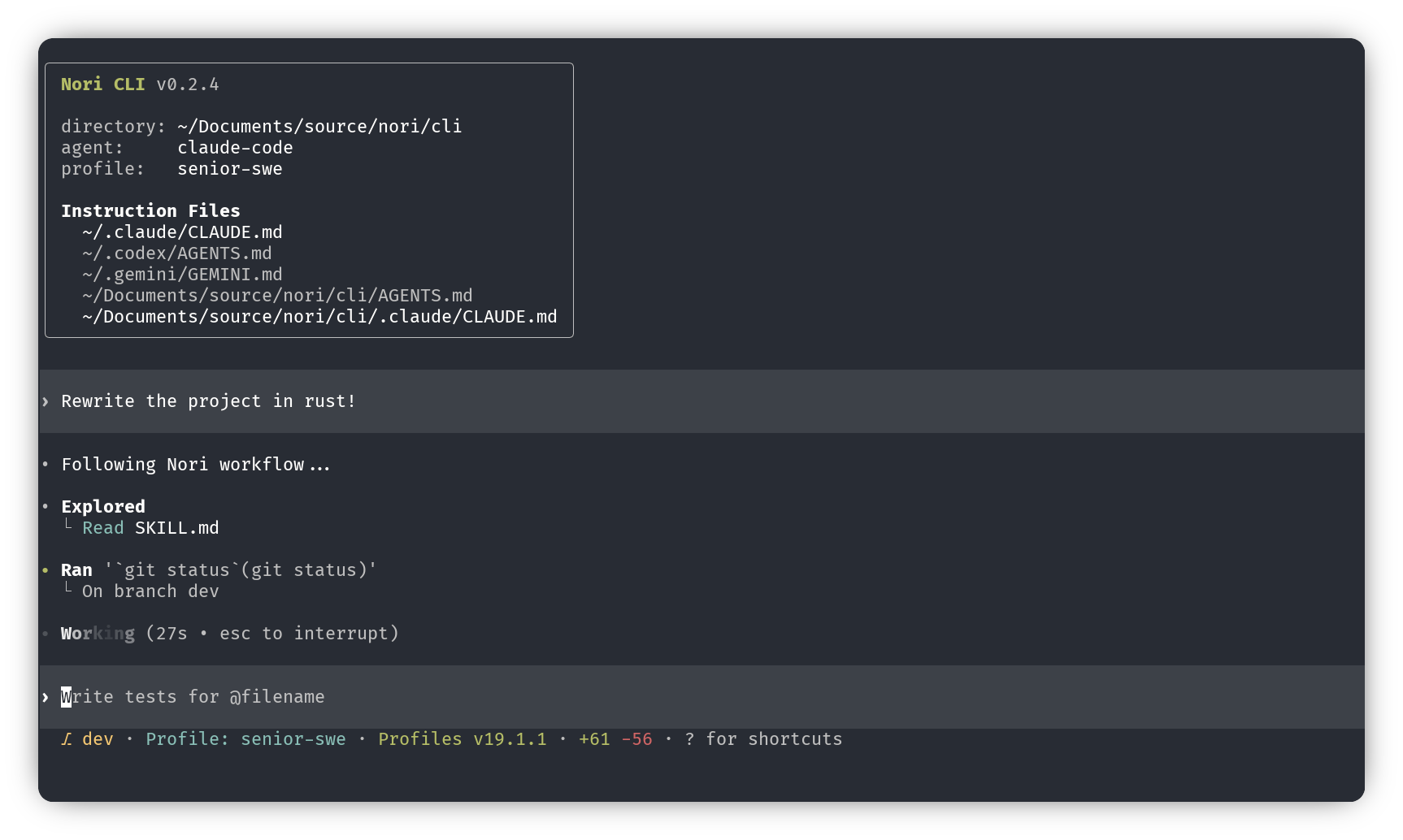
One CLI, multiple AI providers. Nori is a local AI coding agent that lets you switch between Claude, Codex, Gemini, or any ACP compatible agent. All from the same native CLI.
Install
npm install -g nori-ai-cli
Or download binaries from GitHub Releases.
Quick Start
nori
That's it. The agent you choose will rely on existing auth if you have previously been using Claude Code, Codex, or Gemini on this system (and if not, login instructions are below). Nori launches an interactive TUI where you can chat, run commands, and let the AI assist with your codebase.
Providers
Each provider you plan to use needs to be authenticated separately before use. Then switch between AI providers with the /agent command.
Currently each agent relies on an existing authenticated session on your system. If you're coming in from another CLI tool, great! You should be good to go. If not, first follow the authentication for your desired provider:
| Provider | Authentication |
|---|---|
| Claude | Run npx @anthropic-ai/claude-code in your terminal, then when the Claude CLI opens, type /login there. |
| Gemini | Run npx @google/gemini-cli in your terminal, then when the Gemini CLI opens, type /auth there. |
| OpenAI | In Nori, use /agent to switch to Codex, then run /login inside the Nori interface. Nori will prompt you to install OpenAI via npm if needed. |
Bring Your Own Agent
Have your own ACP agent? Add it to Nori CLI! Any agent that speaks Agent Client Protocol over stdin/stdout can be registered in ~/.nori/cli/config.toml and used alongside the built-in providers.
Add one or more [[agents]] entries to your config:
[[agents]]
name = "Mistral Vibe"
slug = "vibe-acp"

[agents.distribution.local]
command = "vibe-acp"

[[agents]]
name = "ElizACP"
slug = "elizacp"

[agents.distribution.local]
command = "elizacp"
args = ["acp"]
Then switch to your agent with /agent inside Nori.
Example agents to try:
| Agent | Install | Notes |
|---|---|---|
| Mistral Vibe | curl -LsSf https://mistral.ai/vibe/install.sh | bash | Installs both vibe and vibe-acp. Run vibe --setup to configure your API key. |
| ElizACP | cargo install --locked elizacp | Minimal Eliza chatbot, useful for testing. |
| Kimi | No install needed — uses uvx | First-time auth: run uvx --python 3.13 kimi-cli, then /login. |
Want your AI agent to configure this automatically? Point it at the raw skill file: https://github.com/tilework-tech/nori-cli/blob/main/.claude/skills/registering-custom-acp-agent/SKILL.md
Features
- Multi-provider: Use Claude Code, Codex, Gemini, or your own ACP-compatible agent from the same CLI.
- Fast native interface: Incremental Ratatui rendering, double-buffered scrollback history, and a Rust core keep long sessions responsive.
- Solid ACP client support: Nori supports ACP session listing, loading, resume, context and usage metadata.
- Agent Integrations: Your agents keep their configurations, whether that's slash commands, skills, and MCP server forwarding.
- Session continuity: Pick up prior work with resume, and rewind agent changes with escape-to-undo.
- Project context: Reference files with
@, flip between an editor or a file picker, and keep useful context visible without leaving the terminal.
See the ACP roadmap for what is done, what is in progress, and what is planned next.
Attribution
Nori CLI is built on the great work within OpenAI Codex CLI.
Nori CLI relies on the great contributions within the ACP project, from Zed Editor, JetBrains, and others.