Example Apps
April 4, 2026 · View on GitHub
This directory contains example applications demonstrating different levels of usage of the react-native-background-geolocation SDK.
Examples
Advanced Demo
Path: ./Advanced
A full-featured demonstration app showcasing advanced capabilities of the SDK, including:
- Live map visualization
- Real-time configuration editing
- Circular and polygon geofences
- Motion state management
- Demo server registration and tracking
HelloWorld Demo
Path: ./HelloWorld
A minimal, stripped-down demo focused on core SDK concepts, including:
- Starting and stopping tracking
- Manually controlling motion state
- Requesting the current location
- Displaying basic tracking and event state
No map view, no configuration UI — ideal for first-time users.
Which Should I Use?
- Start with HelloWorld if you want to understand the basics quickly.
- Use Advanced if you want to explore the SDK's full capabilities and UI patterns.
Demo Server
When the app launches it will ask you to register an organization and username. The example app posts your tracking data to Transistor Software's demo server at:
https://tracker.transistorsoft.com
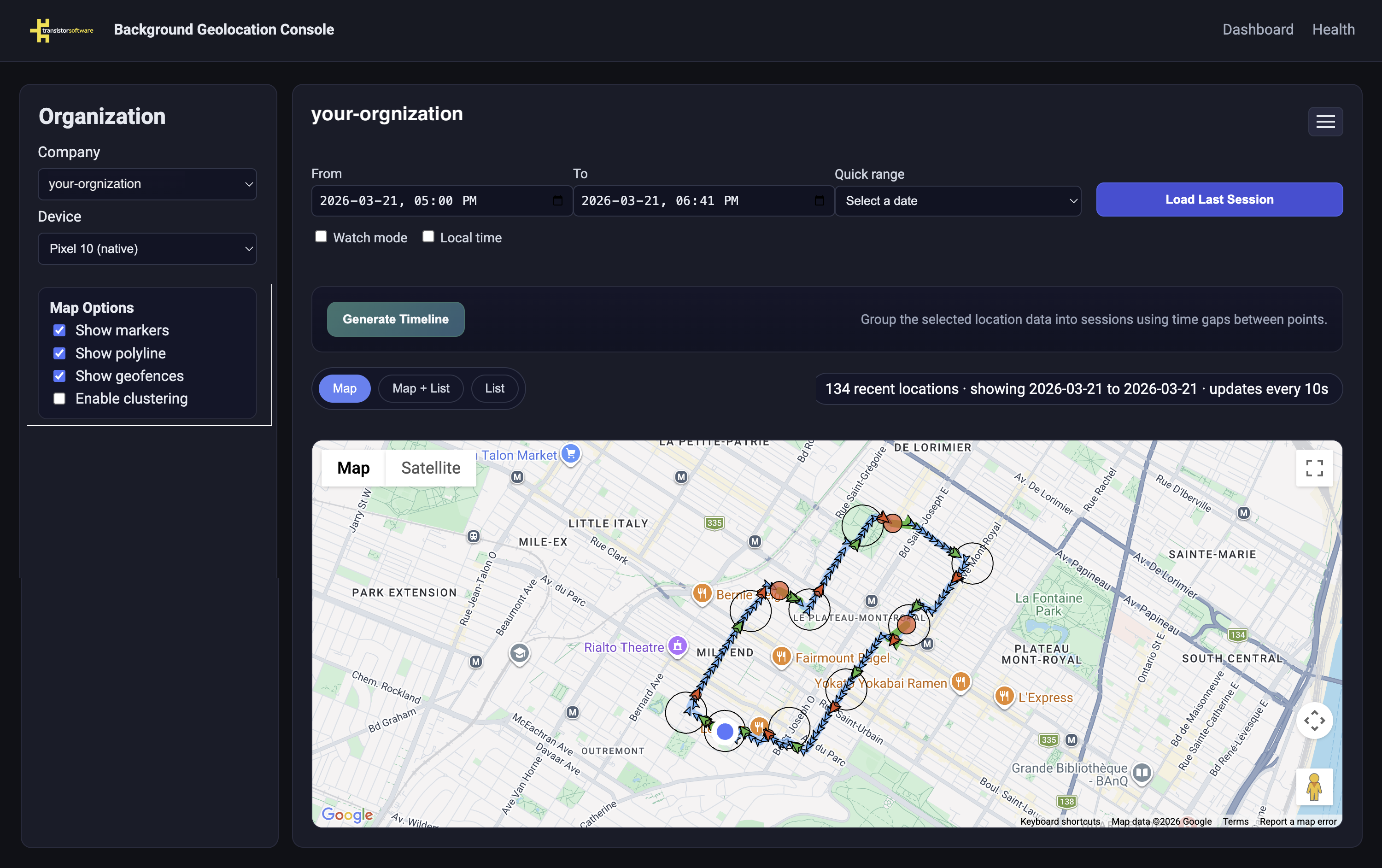
View your results live on a map by navigating to:
https://tracker.transistorsoft.com/<your-organization>
Note
The demo server is for testing purposes only. Use any organization name — it acts as a namespace to group your devices.
Setup
Prerequisites
- Node.js (v18+)
- React Native CLI
- Android SDK and/or Xcode
Clone and install
git clone https://github.com/transistorsoft/react-native-background-geolocation.git
cd react-native-background-geolocation

# Install SDK dependencies (required — examples reference the SDK via file link)
npm install
Run an example
cd example/Advanced    # or example/HelloWorld

# Install example dependencies
npm install

# Android
npx react-native run-android

# iOS
cd ios && pod install && cd ..
npx react-native run-ios