vscode-choosealicense
September 8, 2023 · View on GitHub






Choose a license for your project in VS Code via GitHub Licenses API
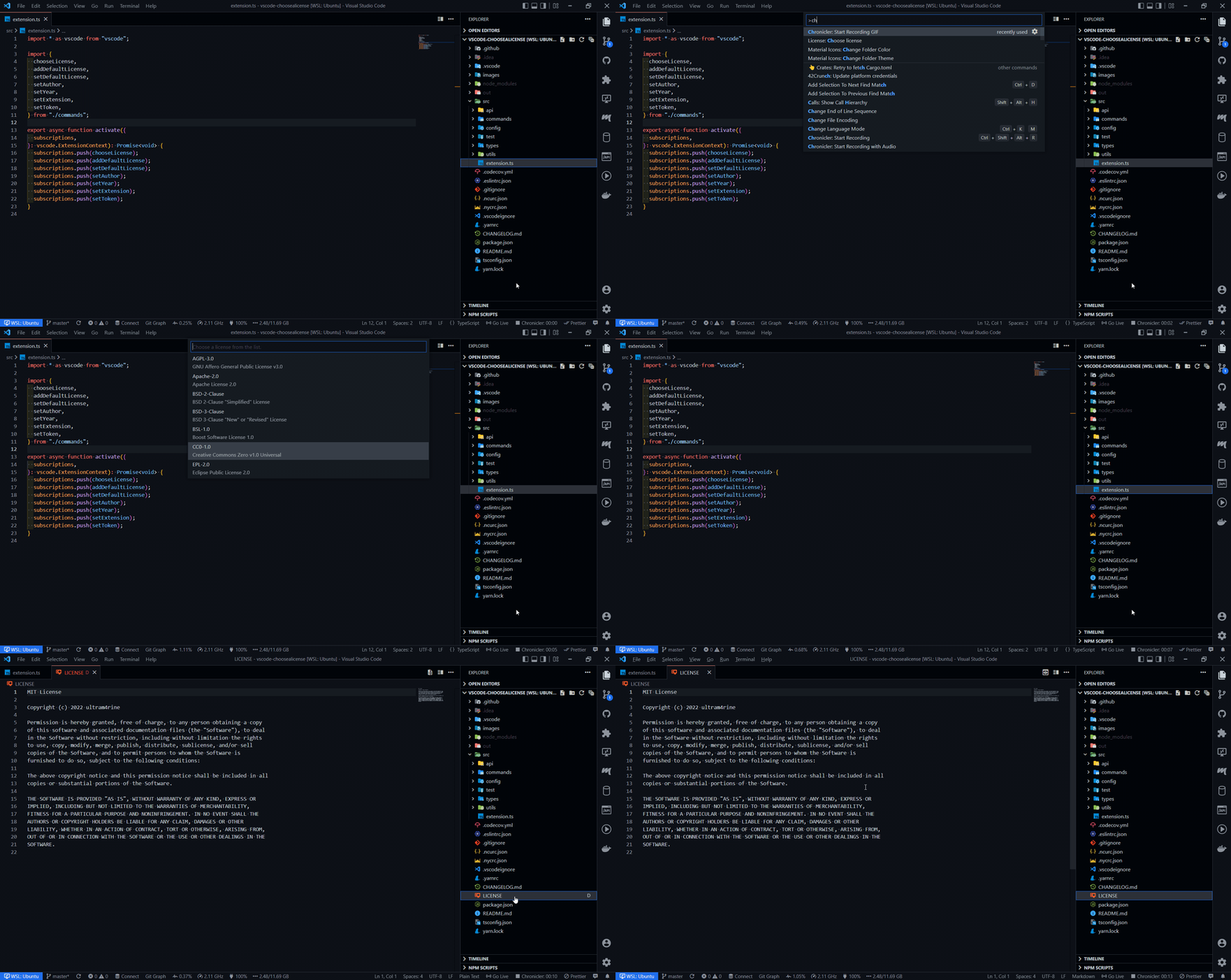
Theme: GitHub Dark Default
Usage
Use License: Choose license command to create a license file in your project. You can also set year and author properties for auto replacing this fields in license.
Commands
Press Ctrl + Shift + P (Windows) or Cmd + Shift + P (Mac) to open the command palette and type License.
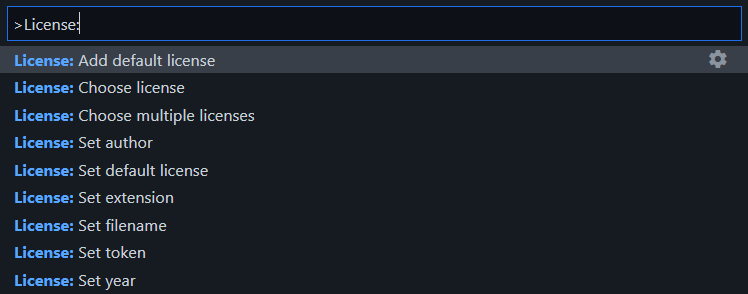
Theme: GitHub Dark Default
| Command | Description |
|---|---|
| Choose license | Choose a license to create. |
| Add default license | Add default license to repository. |
| Choose multiple licenses | Add multiple licenses. |
| Set default license | Set default license to use. |
| Set author | Set author for licenses. |
| Set year | Set year for licenses. |
| Set extension | Set extension for license files. |
| Set filename | Set filename for license files. |
| Set token | Set token for GitHub REST API access. |
About access token
Setting an access token is optional, but it's increases your API rate limit.
If you want to, you can start with creating token (no scopes are required).
Why not all licenses are available?
List of licenses is retrieved using the Get all commonly used licenses API method. Not all licenses are included in this list. If you need a license that is not presented in this extension, raise an issue.