ReoGrid
June 2, 2026 · View on GitHub




Fast and powerful open-source .NET spreadsheet component for building Excel-like experiences in WinForms and WPF applications.
🚀 Upgrade to ReoGrid V4
This repository contains ReoGrid V3 (Community Edition / MIT License).
ReoGrid V4 is now available with major improvements. V4 comes in two editions — Professional and Enterprise — with identical features. Choose based on support duration and deployment scale.
What's new in V4
| Feature | V3 Community (this repo) | V4 |
|---|---|---|
| WinForms support | ✅ | ✅ |
| WPF support | ✅ | ✅ (greatly improved) |
| Excel XLSX import/export | ✅ | ✅ |
| Formulas & charts | ✅ | ✅ (more functions) |
| Lazy loading (1M+ rows) | — | ✅ |
| Multi-row column headers | — | ✅ |
| Data source API (IDataSource) | — | ✅ |
| Conditional styles | — | ✅ |
| Custom conditional filters | — | ✅ |
| Excel-compatible format patterns | — | ✅ |
| 3-level cell lock control | — | ✅ |
| WinAppDriver UI test support | — | ✅ |
| Floating-point precision correction | — | ✅ |
| Rendering performance | Fast | Even faster |
| Technical support | — | ✅ (included) |
| License | MIT (free) | Commercial |
| Price | Free | See pricing |
Edition comparison
| Professional | Enterprise | |
|---|---|---|
| Deployable devices | Up to 3 | Unlimited |
| Technical support | 1 month | 3 months |
| Features | Full V4 | Full V4 |
👉 Learn more & Purchase V4 📧 Questions? Contact us at support@reogrid.net
ReoGrid for the web & cloud
ReoGrid isn't only for the desktop — the same Excel-like engine now runs in the browser:
- ReoGrid Web — a fast, canvas-based spreadsheet component for React, Vue, and vanilla JavaScript: xlsx import/export, formulas, styles, and conditional formatting, all in the browser. Free Lite tier — try the live demos or the free online XLSX viewer.
- ReoGrid Studio — a free, browser-hosted spreadsheet with a public MCP endpoint. Author sheets in natural language, or let an AI agent publish a spreadsheet and hand back a shareable live URL — no install, no download.
Moving a desktop tool to the web? See From ReoGrid .NET to ReoGrid Web.
Features (V3 Community)
- Excel (XLSX) import and export via OpenXML
- Rich cell formatting (font, size, color, borders, alignment, wrapping, rotation)
- Formulas and functions (SUM, COUNT, IF, VLOOKUP, and more)
- Charts, images, and drawing objects
- Merge cells, freeze panes, and split view
- Sorting and AutoFilter (column filters)
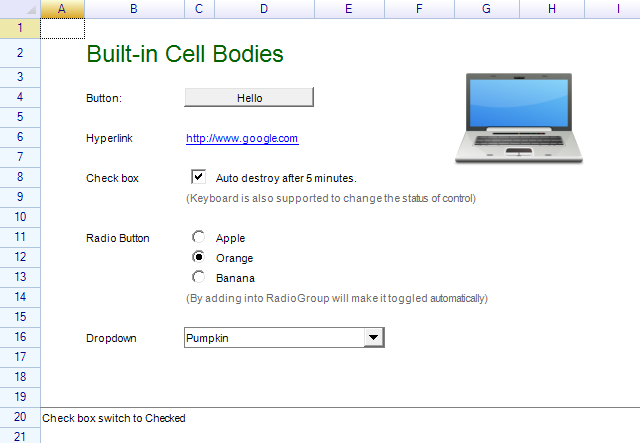
- Cell types and controls (checkbox, dropdown, hyperlink, button, etc.)
- Grouping and outline for rows/columns
- Printing and page setup
- High performance with large worksheets
- Extensible rendering and event model
Supported Frameworks
| Framework | Target |
|---|---|
| .NET 8 (Windows) | net8.0-windows7.0 |
| .NET Framework 4.8 | net48 |
Installation
.NET CLI
dotnet add package unvell.ReoGrid.DLL
Package Manager Console (Visual Studio)
Install-Package unvell.ReoGrid.DLL
Quick Start
WinForms
using unvell.ReoGrid;

var grid = new ReoGridControl { Dock = DockStyle.Fill };
this.Controls.Add(grid);

var sheet = grid.CurrentWorksheet;
sheet["A1"] = "Hello ReoGrid";
sheet.Cells["B1"].Data = DateTime.Now;

// Load / Save XLSX
sheet.Load("input.xlsx");
sheet.Save("output.xlsx", FileFormat.Excel2007);
WPF (XAML)
<Window
    x:Class="MyApp.MainWindow"
    xmlns="http://schemas.microsoft.com/winfx/2006/xaml/presentation"
    xmlns:x="http://schemas.microsoft.com/winfx/2006/xaml"
    xmlns:rg="clr-namespace:unvell.ReoGrid;assembly=unvell.ReoGrid"
    Title="ReoGrid WPF" Height="450" Width="800">
  <Grid>
    <rg:ReoGridControl x:Name="grid"/>
  </Grid>
</Window>
// Code-behind
var sheet = grid.CurrentWorksheet;
sheet["A1"] = "Hello ReoGrid";
sheet["B1"] = 123.45;
Screenshots
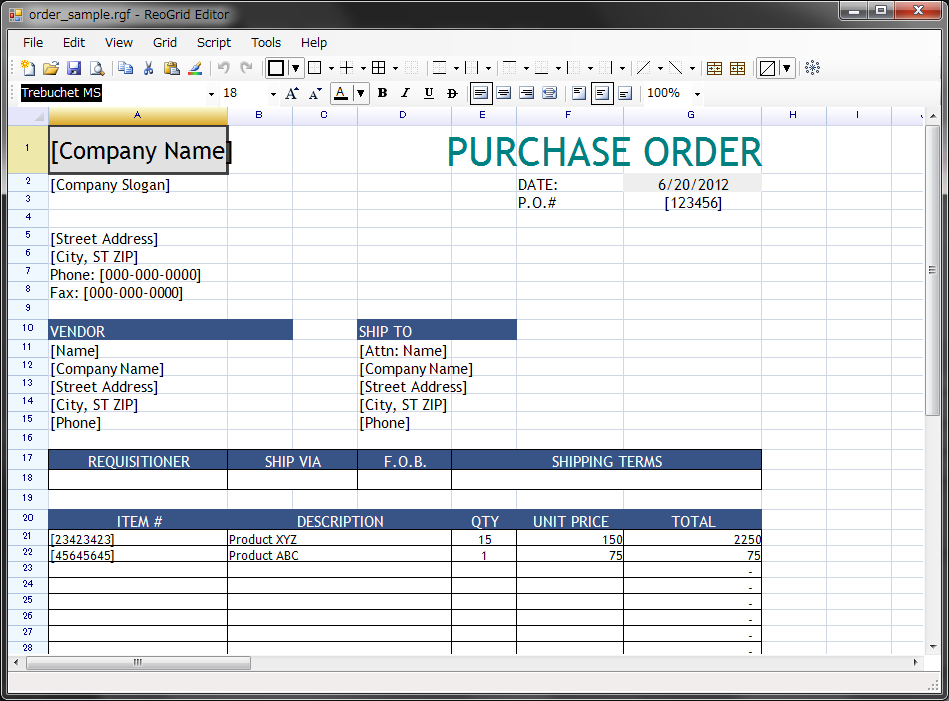
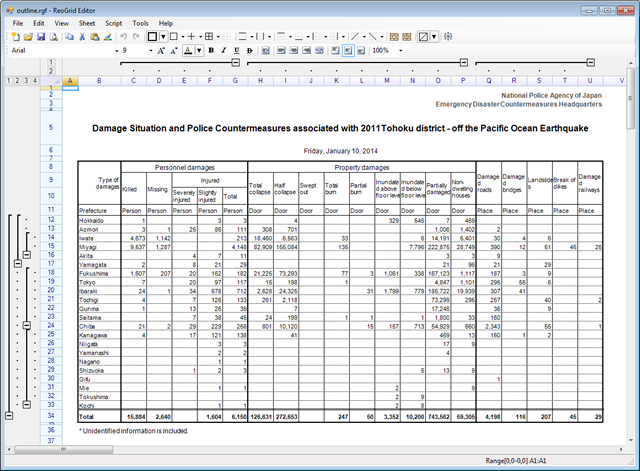
Read from Excel
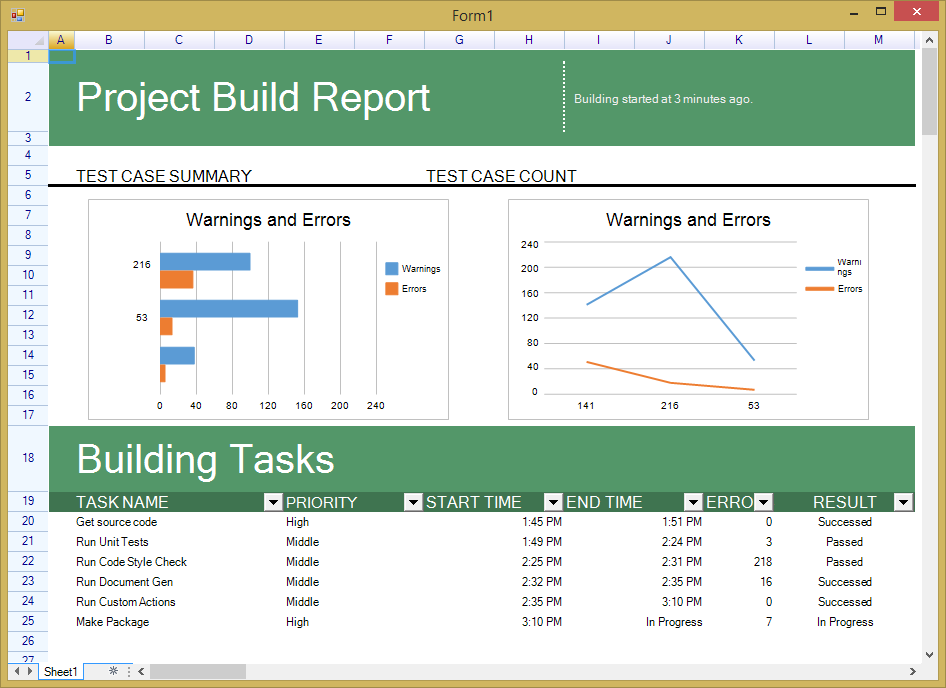
Charts
Cell Types and Controls
Freeze Panes
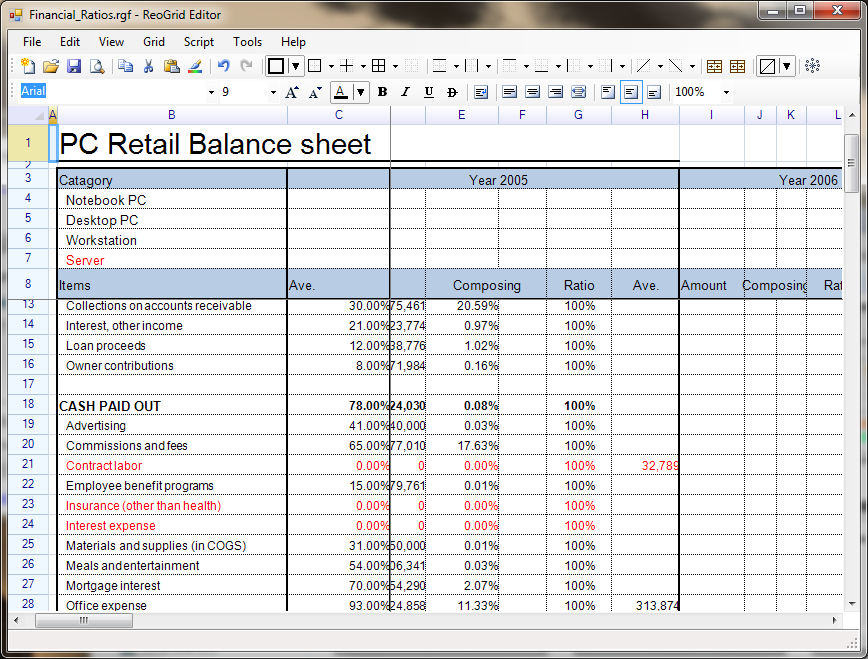
Group and Outline
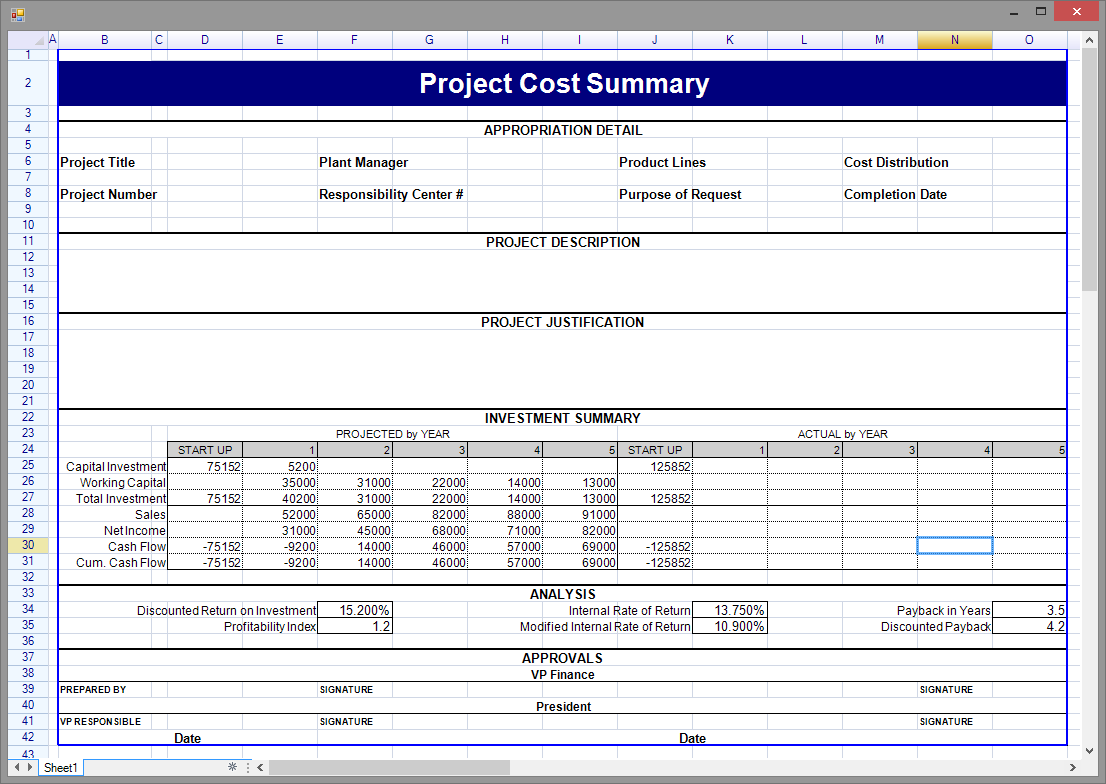
Print Settings
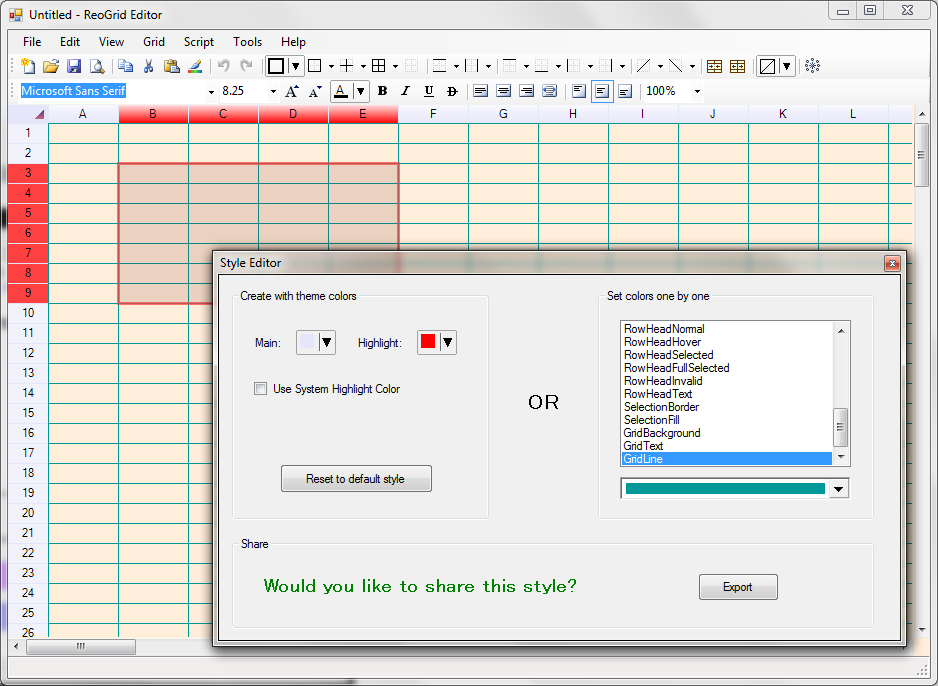
Custom Appearance
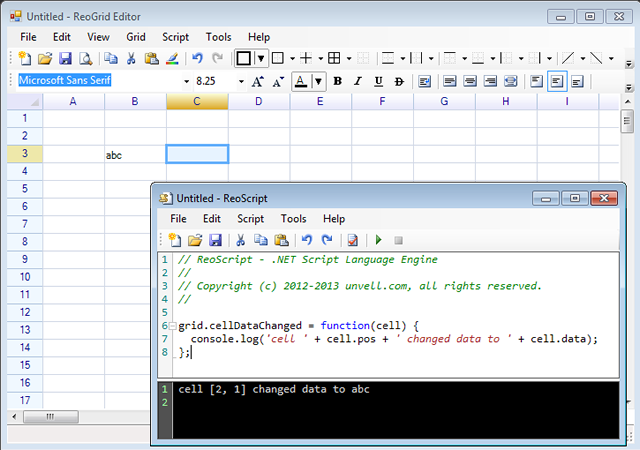
Script and Macro
Documentation
- Full documentation, API reference, and tutorials: https://reogrid.net/document
- Getting started guide: https://reogrid.net/document/getting-started/
Demo Project
A runnable WPF sample project is available under the DemoWPF directory.
Contributing
Contributions to V3 Community are welcome! See CONTRIBUTING.md for guidelines.
For feature requests that go beyond V3 scope, consider ReoGrid V4 Enterprise which provides a commercially-supported, actively-developed codebase.
License
MIT License — Copyright (c) UNVELL Inc. 2012–2026, All rights reserved.
See LICENSE for full text.
About UNVELL
ReoGrid is developed and maintained by UNVELL Inc., a software company specializing in .NET UI components.
- 🌐 Website: https://reogrid.net
- 🧩 ReoGrid Web (JavaScript / React / Vue): https://web.reogrid.net
- ☁️ ReoGrid Studio (online spreadsheet + MCP): https://studio.reogrid.net
- 📧 Support: support@reogrid.net
- 🇯🇵 Japanese page: https://reogrid.net/jp