Chester - veikkos' Game Boy emulator
January 5, 2020 · View on GitHub
Game Boy (Color compatible) emulator written in C with minimal dependencies and portable library part.
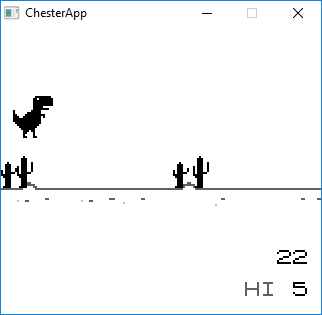
(Game shown above is Dino's Offline Adventure, see link for more.)
What it does
Chester has played all tested ROM-only, MBC1, MBC3 and MBC5 games excluding RTC titles. It also supports Game Boy Color games and in-game saving for battery backed cartridges. Its accurate CPU instruction implementation passes Blargg's CPU instruction tests including timing tests.
You can help by opening an Issue if you find one.
What is it missing
Most of the emulators have some inaccuracies but it doesn't mean they aren't usable in practise. Chester also has its limitations. It's missing sound support, and has some known timing inaccuracies, missing RTC cartridge support, full GPU accuracy... And probably few other things. But these are relatively minor shortcomings in practise.
Building
Library part doesn't have external dependencies and is portable C code.
Options
| Description | Options | |
|---|---|---|
| CGB | Game Boy Color support | ON / OFF |
| COLOR_CORRECTION | Color correction by default (CGB only) | ON / OFF |
| ROM_TESTS | Target for automated ROM testing with gtest | ON / OFF |
Bolded is default value.
Usage e.g.
$ cmake -DCGB=OFF ..
Color correction value can be enabled/disabled during runtime.
Option ROM_TESTS automatically downloads
gtest and test ROMs from
Blargg and Gekkio. Selected tests can be then run automatically with
rom-tests target. Test ROMS are cool because they output their
results not only to the LCD but also to Game Boy's serial port which
can be hooked with a callback.
SDL2 port
Depends on SDL2.
Keys
| Original | Emulator |
|---|---|
| Pad | Arrow keys |
| A | A |
| B | Z |
| Start | N |
| Select | M |
F4 toggles color correction on SDL port if CGB support is enabled and playing CGB game.
Debian-like systems
Make sure you have C compiler installed. Emulator has been tested with GCC and clang.
Install SDL2
$ sudo apt-get install libsdl2-dev
Build
$ mkdir build
$ cd build
$ cmake ..
$ cmake --build .
Run
$ ./bin/chester path/to/rom.gb
Optionally bootloader can be used by providing "DMG_ROM.bin" in working directory.
Visual Studio
SDL2 library can be downloaded from https://www.libsdl.org/.
For Windows you might need to specify SDL2 library path explicitly, e.g.
$ cmake -G "Visual Studio 15 2017 Win64" -DSDL2_PATH="C:\\<path>\\SDL2-2.0.9" ..
Android port
Needs Android SDK and NDK.
$ cd android/ChesterApp/
$ ./gradlew build
Thanks to
This emulator has been influenced by at least
- Imran Nazar's JavaScript article series
- Cinoop emulator by CTurt
And its development was eased by debugging with following great emulators
- NO$GMB
- BGB
Tested with ROMs from
Also thanks to numerous people over various emulator forums for their great research and help for others.
Status
