README.md
January 14, 2026 · View on GitHub

Voight
Track and review AI-generated code in VS Code.
voight.dev
What It Does
Voight detects code insertions from AI assistants and organizes them into reviewable segments. When you're moving fast with AI-assisted development, it keeps you oriented without requiring you to stop.
Features
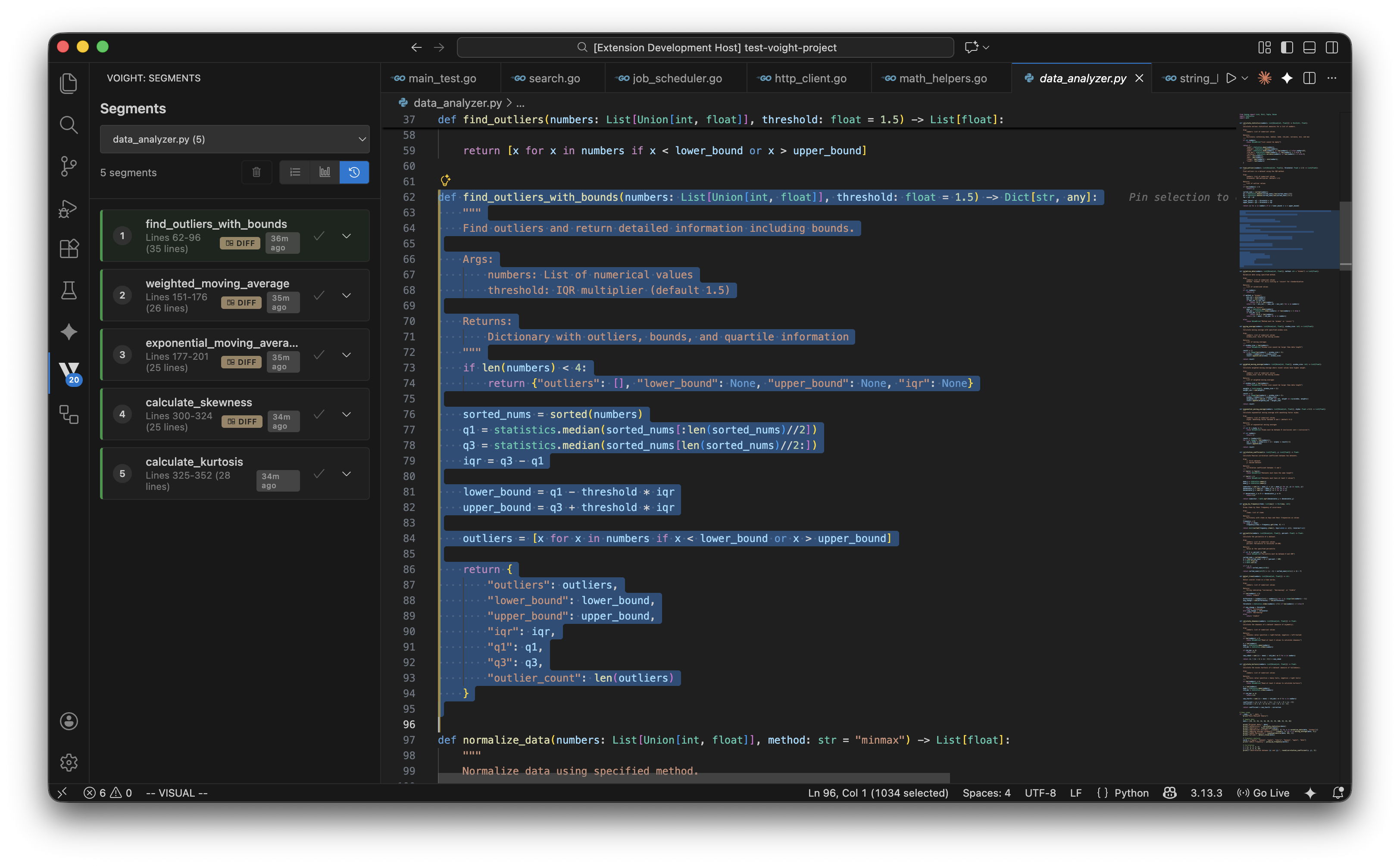
Timeline View
See all AI-generated segments across your workspace in chronological order. Switch between viewing all files or focus on a single file. Each segment shows when it was created and which file it belongs to.
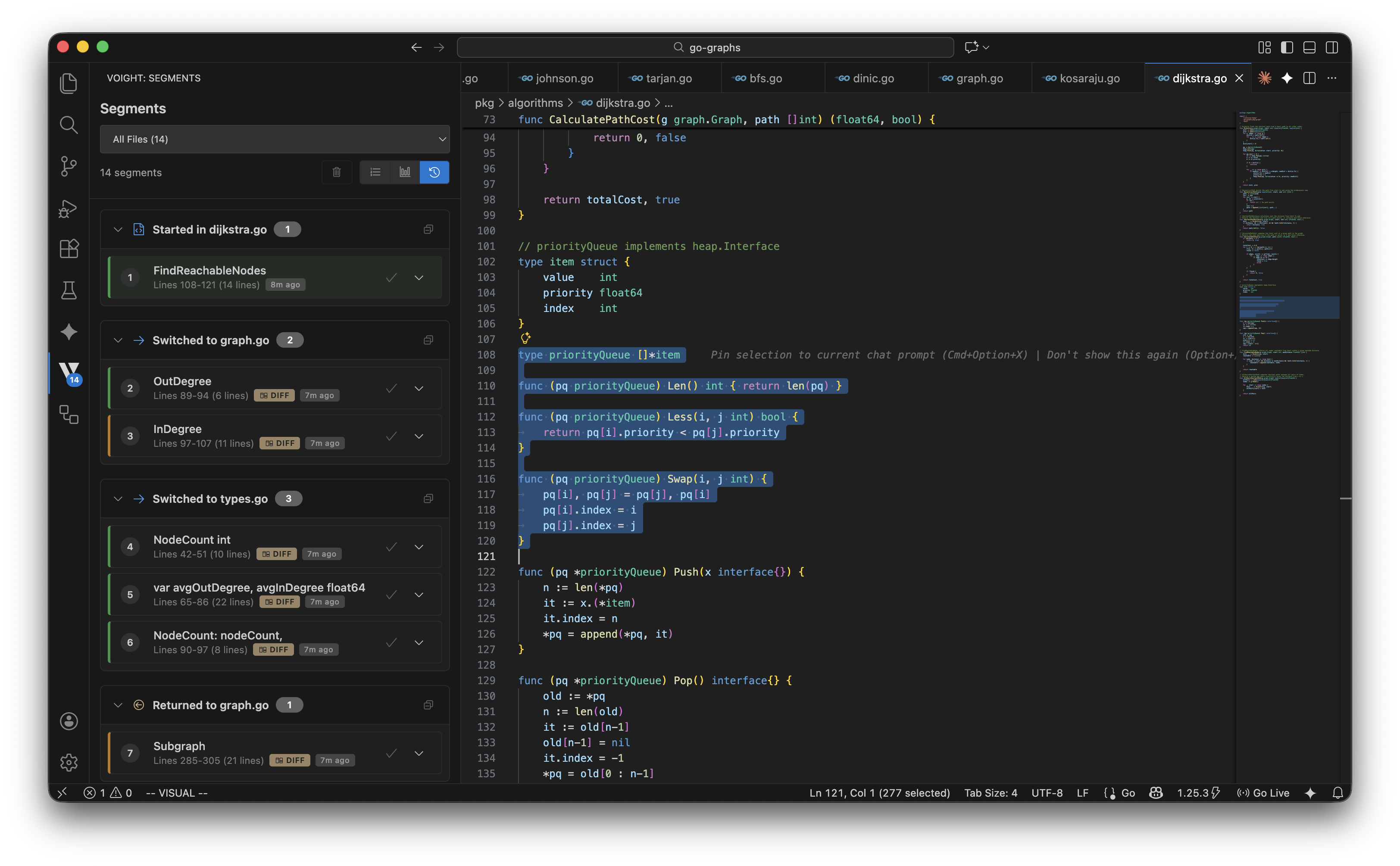
All Files View
When working across multiple files, the "All Files" view shows every detected segment with file switching indicators. Easily track the sequence of AI edits across your entire project.
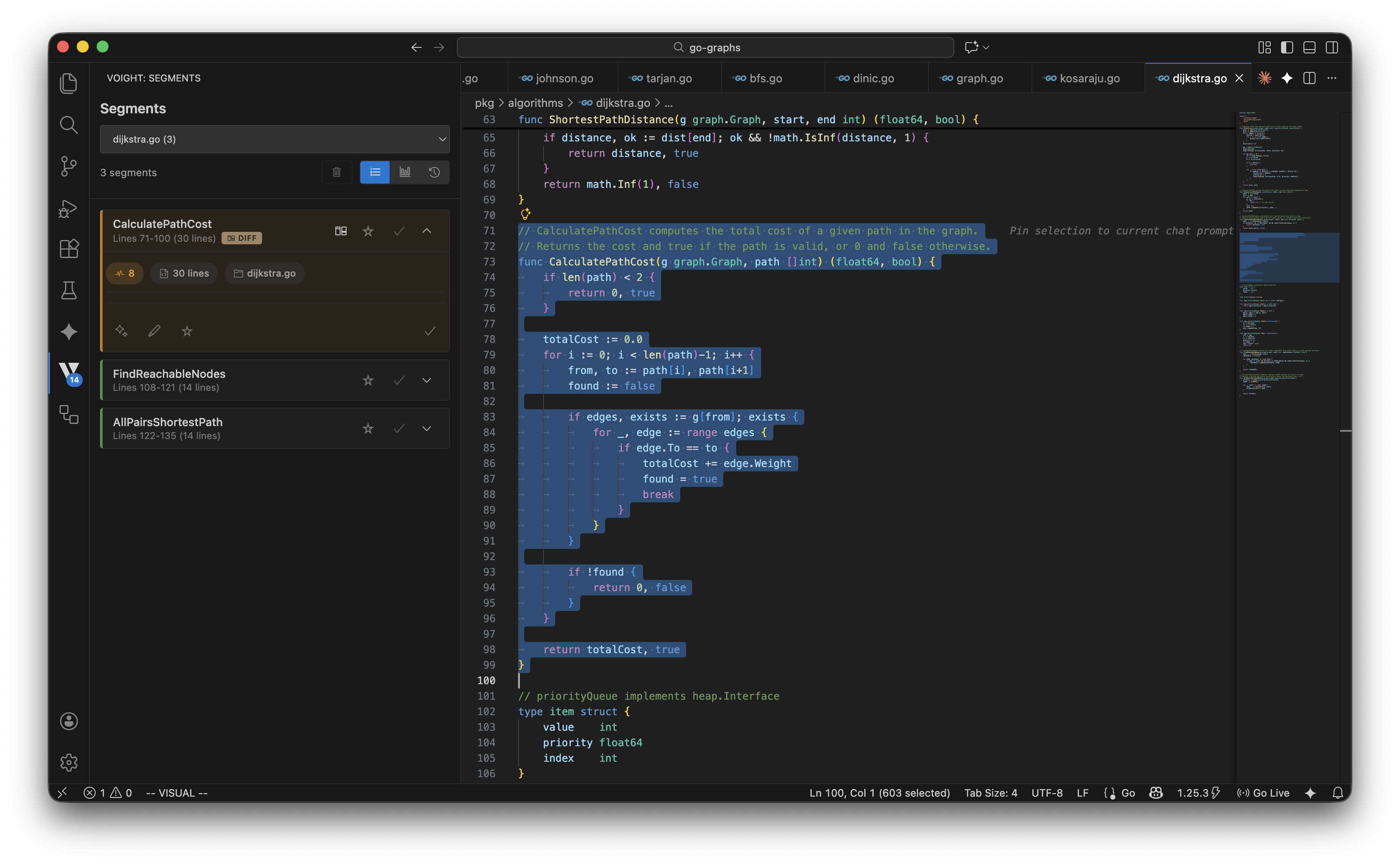
Complexity Indicators
Each segment displays cyclomatic complexity scores. Higher scores indicate denser control flow - useful for identifying code that may need closer review or refactoring.
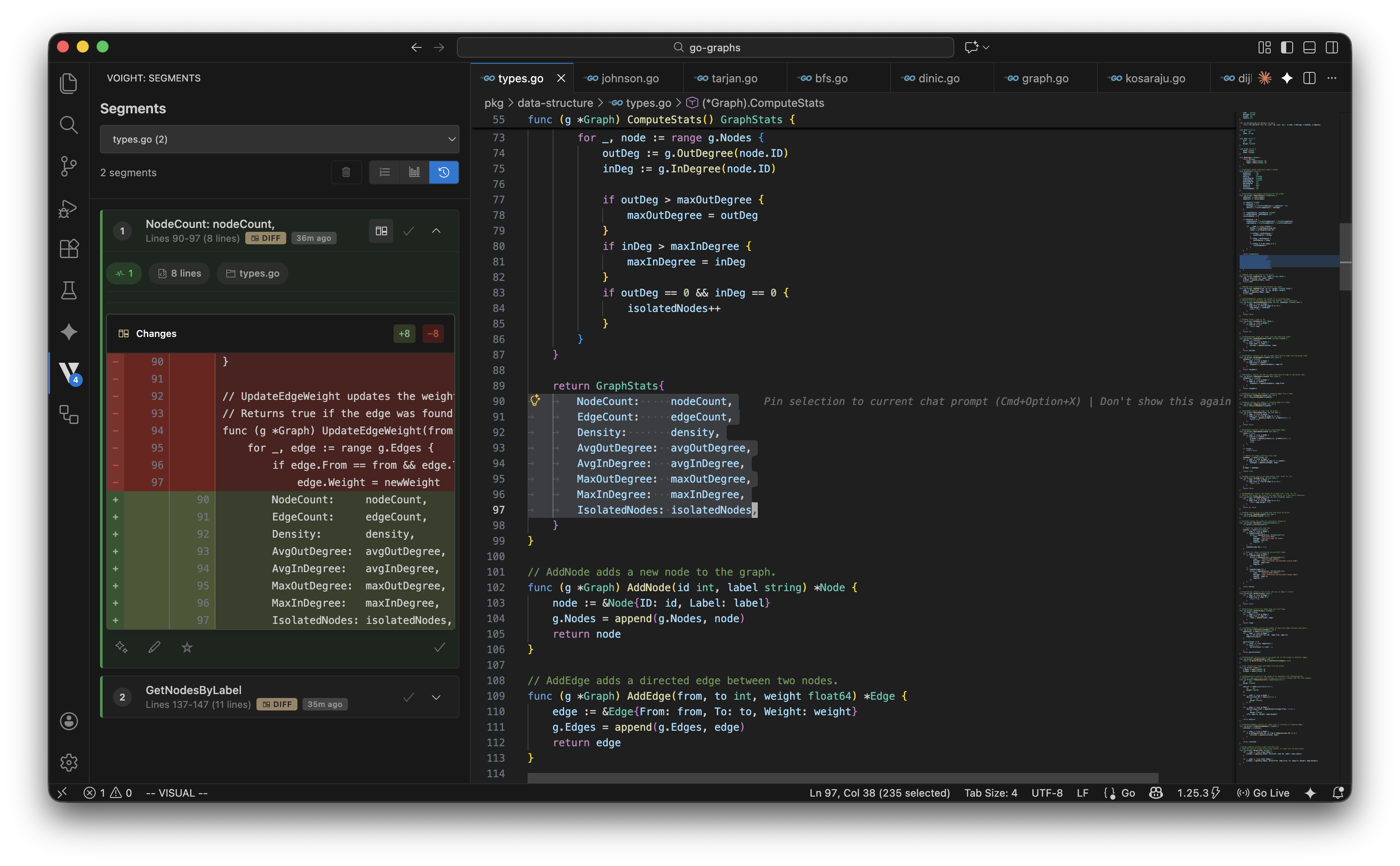
Diff View
Expand any segment to see what changed. The diff view highlights additions and removals, showing exactly what the AI modified in your code.
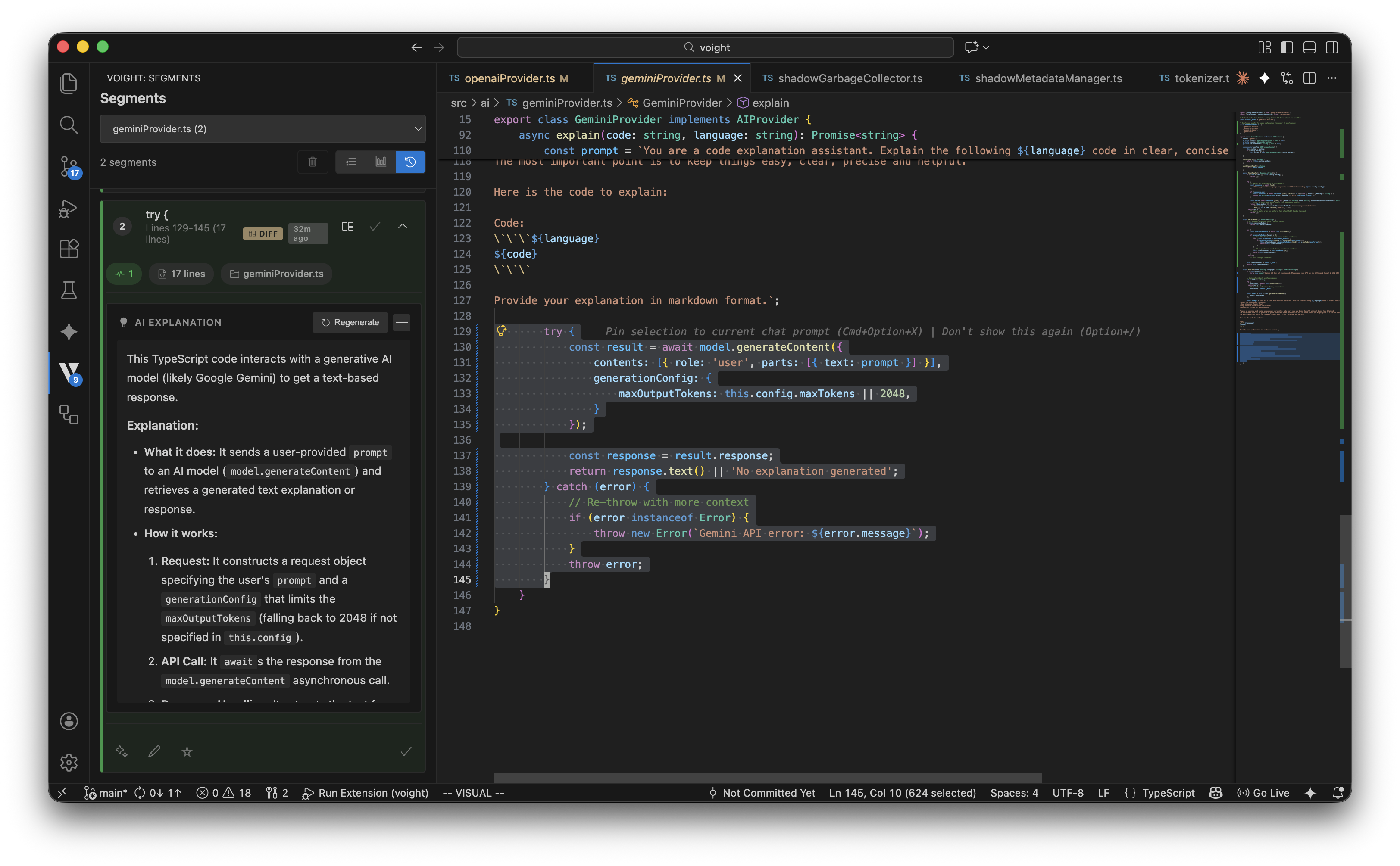
AI Explanations (BYOK)
Request an AI explanation for any segment using your own API key. Get a breakdown of what the code does, how it works, and what to watch out for - independent of the AI that generated it.
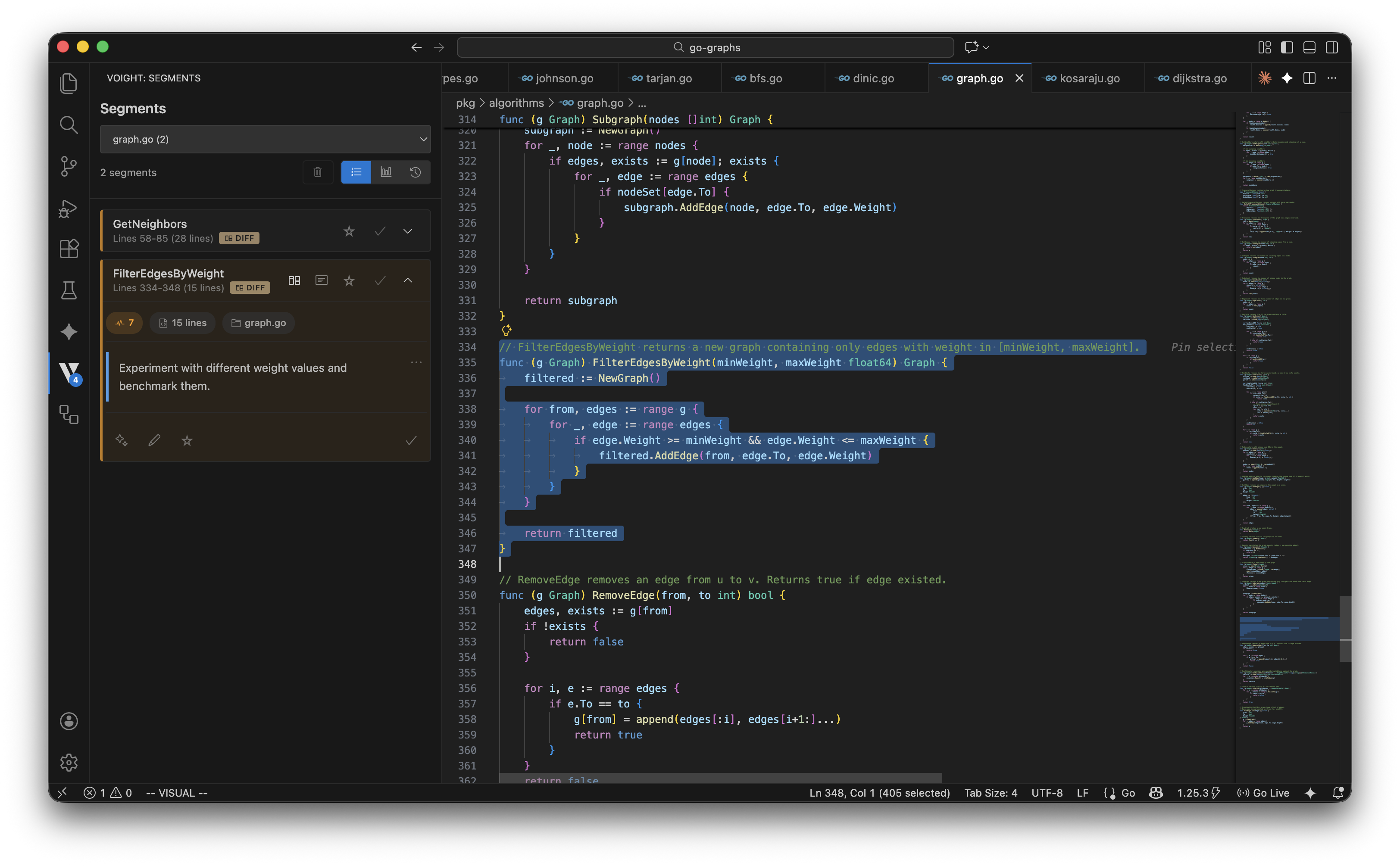
Context Notes
Attach notes to any segment. Flag code for review, document your intent, or leave reminders for yourself. Notes persist with the segment and help you stay organized.
Installation
From Marketplace
ext install SwaritPandey.voight
Or search "Voight" in the VS Code Extensions panel.
From Source
git clone https://github.com/voight-dev/voight.git
cd voight
pnpm install
pnpm package:prod
code --install-extension voight-0.0.5-prod.vsix
Configuration
Detection
| Setting | Default | Description |
|---|---|---|
voight.detection.minCharacters | 50 | Minimum characters for insertion detection |
voight.detection.minLines | 2 | Minimum lines for multi-line detection |
voight.detection.semanticExpansion | none | Context expansion: none, minimal, balanced, maximum |
voight.detection.excludePatterns | See below | Glob/regex patterns to exclude |
Default exclusions: **/*.min.js, **/*.min.css, **/dist/**, **/build/**, **/node_modules/**, **/.git/**
Regex patterns use ! prefix: !/test\d+\.js$/
AI Provider
| Setting | Default | Description |
|---|---|---|
voight.ai.provider | gemini | gemini, anthropic, or openai |
voight.ai.apiKey | - | API key for chosen provider |
voight.ai.maxTokens | 2048 | Response token limit (256-8192) |
The extension automatically selects the best available model from your provider.
Debug
| Setting | Default | Description |
|---|---|---|
voight.debug.enabled | true | Verbose logging |
voight.debug.saveDebugData | false | Save debug JSON to .voight-debug/ |
Commands
| Command | Description |
|---|---|
Voight: Health Check | Run diagnostics |
Voight: Show Paste Detection Stats | Detection statistics |
Voight: Show Block Statistics | Segment counts and metrics |
Voight: Clear All Blocks | Remove all segments |
Voight: Show Current File Blocks | List segments in active file |
Voight: Show All Context Notes for File | Browse annotations |
Voight: Show Top Edited Files | Files ranked by edit frequency |
Voight: Show File Tracking Statistics | Edit analytics |
Voight: Export File Rankings | Export as JSON |
Voight: Show Current File Tracking | Tracking info for active file |
Voight: Clear File Tracking Data | Reset analytics |
Voight: Show Shadow GC Statistics | Memory management stats |
Voight: Run Garbage Collection Now | Force garbage collection |
Supported Languages
Complexity analysis: TypeScript, JavaScript, Python, Go
Detection works with any text file.
Development
git clone https://github.com/voight-dev/voight.git
cd voight
pnpm install
pnpm compile       # Type check + lint + build
pnpm watch         # Watch mode
pnpm package:dev   # Development build with sourcemaps
pnpm package:prod  # Production build (minified, debug disabled)
pnpm test          # Run tests
pnpm dev-install   # Install locally, then reload VS Code
Releasing
The release script automates version bumping, building, git tagging, and pushing.
# Automatic version bumps (follows semver)
pnpm release:patch   # 0.0.5 -> 0.0.6
pnpm release:minor   # 0.0.5 -> 0.1.0
pnpm release:major   # 0.0.5 -> 1.0.0

# Manual version override
pnpm release 0.2.0   # Set specific version

# Dry run (preview without making changes)
pnpm release:dry patch
The release script will:
- Update
package.jsonversion - Build production vsix (
voight-x.y.z-prod.vsix) - Create git commit (
chore(release): vx.y.z) - Create git tag (
vx.y.z) - Push commit and tag to origin
Credits
Complexity analysis ported from Lizard by Terry Yin.
License
MIT