MD Preview
July 25, 2026 · View on GitHub
English · 简体中文





Multiple Markdown files, one lightweight window. Follow local document links, inspect counts, zoom the page, and edit with automatic save—without launching a whole IDE.
MD Preview is a fast, local-first Markdown previewer and quick editor built with Rust and the system WebView on desktop, plus native iOS and Android shells for opening Markdown from Files, WeChat, WeCom, and system share sheets. It does not bundle Chromium, does not require Electron, and keeps all rendering assets offline. Open several local documents as tabs, return to the same active document after restart, or create a Markdown file from Finder on macOS and start typing immediately.
Why It Exists
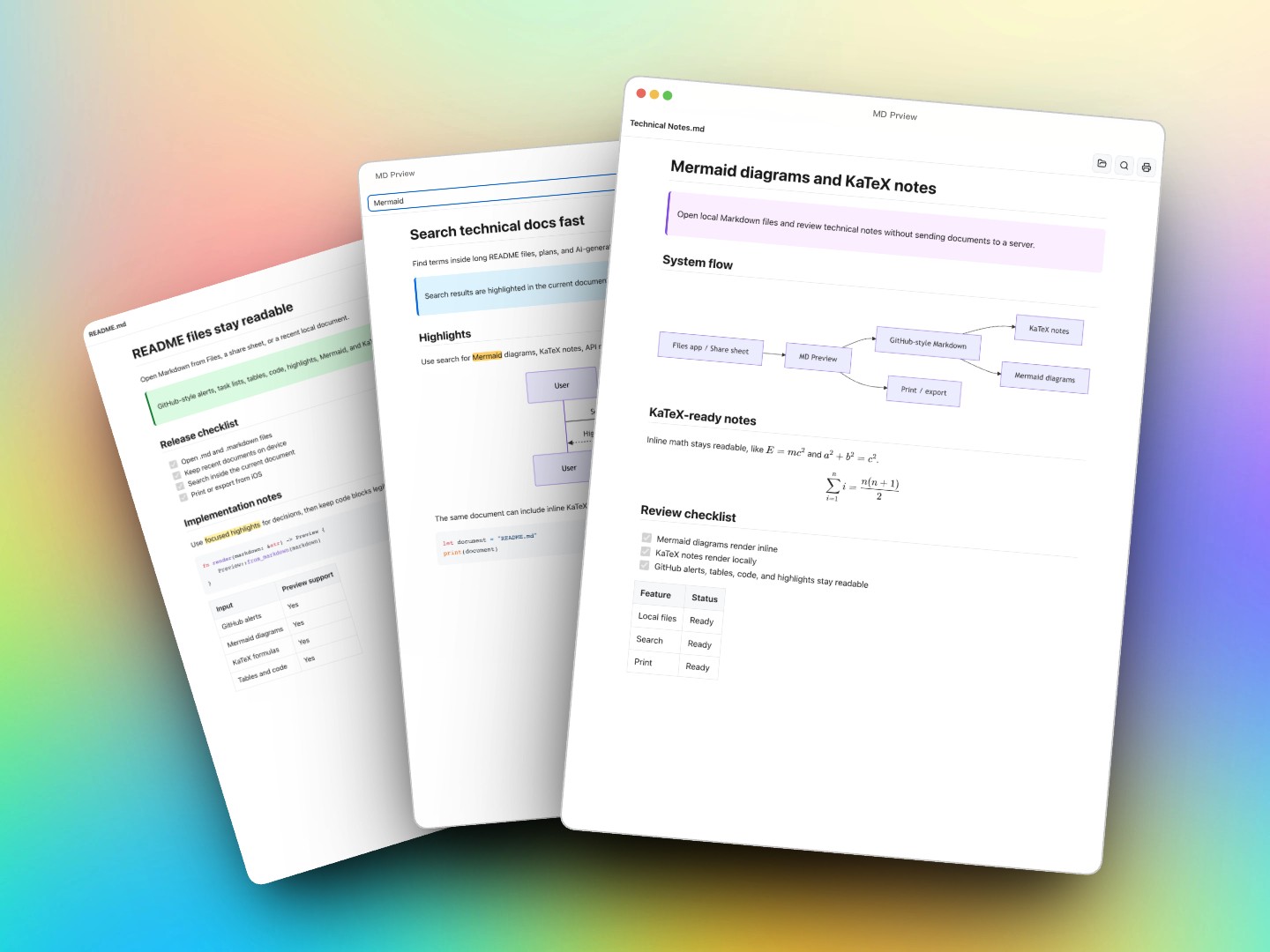
AI coding tools now generate a lot of Markdown: README.md, plan.md, task specs, architecture notes, changelogs, KaTeX formulas, and Mermaid diagrams. Most Markdown tools are still either full writing studios or editor plugins. MD Preview is deliberately smaller:
- Open fast - native binary, system WebView, no bundled browser runtime.
- Stay local - Markdown, syntax highlighting, math, and diagrams render on your machine.
- Keep documents together - open multiple Markdown and text files in one tabbed window and resume the session later.
- Navigate documentation folders - relative and absolute links to local Markdown or text files open or activate tabs instead of leaving the preview.
- Edit without detours - create Markdown from the tab bar or Finder, type immediately, and let debounced autosave persist the change.
- Read at your pace - keep scroll progress between preview and source, see live character counts, and zoom only the document content.
- Follow external edits - save the file in Vim, VS Code, Cursor, Zed, or anything else; the preview refreshes automatically.
- Keep reading clean - the toolbar only appears on hover, and the start screen gives you Open File plus recent files.
- Handle real Markdown - code blocks, tables, task lists, math formulas, Mermaid diagrams, images, links, and print all work offline.
Fits AI Coding Workflows
Use it as a small preview-first workspace for the documents your tools generate:
- Keep Claude Code / Codex / Cursor-generated plans, task notes, and READMEs open as tabs without opening a full IDE.
- Resume the same tab order and active document after restarting the app; inactive files load from disk only when selected.
- Make small source edits inside MD Preview, while still getting live reload when another editor writes the file.
- On macOS, create a new Markdown document from Finder and land directly in source edit instead of opening VS Code first.
- Print or export the rendered preview when you need a clean PDF.
Download
Get the latest build from GitHub Releases.
| Platform | Package | Notes |
|---|---|---|
| macOS | MD-Preview-macOS-universal.dmg | Universal app for Apple Silicon and Intel. Releases are signed and notarized. |
| Windows | MD-Preview-windows-x64.exe | Single-file app. The in-app updater downloads the next exe, verifies its SHA-256 digest, replaces itself, and relaunches. |
| Linux | MD-Preview-linux-x64.tar.gz | Requires the system WebKitGTK runtime. |
| iOS / iPadOS | Local Markdown Preview on the App Store | Native iPhone and iPad viewer for opening Markdown from Files and the iOS share sheet. |
| Android | MD-Preview-Android.apk | Native Android viewer for opening Markdown files from Files, WeChat, WeCom, and share sheets. |
Android builds are published as separate mobile releases, for example mobile-android-v1.0.7. The iOS build is now available on the App Store as Local Markdown Preview.
You can also build from source:
git clone https://github.com/vorojar/md-preview.git
cd md-preview
cargo build --release
./target/release/md-preview README.md
To create the macOS .app bundle locally:
chmod +x bundle.sh
./bundle.sh
cp -r "target/MD Preview.app" /Applications/
Usage
# Open one or several files directly
md-preview README.md plan.md task.md

# Or launch an empty window, use Open File, pick a recent file, or drag one in
md-preview
MD Preview accepts .md and .txt files through drag and drop, the open dialog, recent files, or the command line. Desktop documents open as tabs; opening the same path activates its existing tab. Use the tab-bar + or Cmd/Ctrl+N to create a Markdown file beside the current document and enter source edit immediately. Tab order and the active document are restored across launches, while inactive content stays on disk until selected. Relative images and supported local document links resolve from the current Markdown file's directory, so documentation folders render and navigate naturally.
If a tab's file is moved or deleted, the tab remains visible instead of disappearing silently. Select it to locate the file again or close the tab.
macOS Finder actions
The notarized macOS app includes a Finder extension. After dragging MD Preview.app to Applications, open it once. If macOS does not enable the extension automatically, use System Settings → General → Login Items & Extensions → Finder Extensions.
Right-click inside a Finder folder to create Markdown, text, JSON, or HTML files, copy the folder path, or open the folder in Terminal. New Markdown creates a non-conflicting filename and opens it directly in MD Preview's source editor.
On iPhone and iPad, Local Markdown Preview opens Markdown and plain-text files from Files and the iOS share sheet. On Android, MD Preview appears in the system "Open with" and share flows for Markdown files. Recent files are cached privately inside the app, so files opened from temporary providers such as WeChat or WeCom remain available later; stale recent entries are removed safely instead of crashing.
Features
| Feature | What it means |
|---|---|
| Desktop tabs | Open multiple Markdown or text documents in one window; duplicate paths activate the existing tab. |
| Session restore | Restore tab order and the active document after restart without caching inactive document bodies. |
| Missing files | Moved or deleted files remain as explicit missing tabs with Locate and Close actions. |
| Finder workflow | On macOS, create Markdown from Finder and start editing it immediately in MD Preview. |
| Reliable autosave | Source edits save after a short pause and are flushed before preview, tab switches, tab/window close, or quit; save failures keep the tab and text intact. |
| Local document links | Relative or absolute links to existing Markdown and text files open or activate a tab; invalid local targets do not replace the preview. |
| Front matter | YAML metadata at the start of a document stays readable as metadata instead of collapsing into a heading. |
| Live statistics | The tab bar shows non-whitespace and total character counts and updates while editing. |
| Content zoom | Zoom the rendered document or source text from 70% to 200% without resizing the tab bar or toolbar. |
| Scroll continuity | Preview and source edit preserve normalized reading progress when their document heights differ. |
| Start screen | Empty launches show Open File and local recent files, so the app is useful before anything is loaded. |
| Mobile open | iOS opens Markdown from Files and the share sheet; Android can open Markdown from Files, WeChat, WeCom, and Android share sheets. |
| Drag and drop | Drop a Markdown file into the window and it opens immediately. |
| CLI open | md-preview path/to/file.md opens directly from a shell. |
| Find in preview | Cmd/Ctrl+F opens a compact search bar for the rendered document. |
| Live reload | External edits refresh the rendered document automatically. |
| Inline source edit | Cmd/Ctrl+E switches to source mode; edits autosave, while Cmd/Ctrl+S forces an immediate save. |
| Native print | Cmd/Ctrl+P opens the platform print dialog and prints only the preview. |
| Syntax highlighting | highlight.js is embedded offline and injected after first paint. |
| Math | KaTeX renders $...$, $$...$$, \(...\), and \[...\] on demand. |
| Diagrams | Mermaid fenced blocks render locally when the document actually uses them. |
| GitHub Alerts | [!NOTE], [!TIP], [!IMPORTANT], [!WARNING], and [!CAUTION] blockquotes render as alert callouts. |
| Highlights | ==highlight== renders as marked text for notes and AI-generated docs. |
| Dark mode | Follows the system color scheme across macOS, Windows, and Linux. |
| GitHub-flavored Markdown | Tables, task lists, strikethrough, heading attributes, and anchors. |
| External links | http, https, and mailto links open in the system browser or mail app. |
| Window restore | Last size and position are restored when still visible on a connected monitor. |
| Updates | After first paint, MD Preview checks desktop GitHub Releases. macOS uses Sparkle for signed in-app updates; Windows self-updates the single exe after SHA-256 verification; Linux opens the matching release download. |
Keyboard Shortcuts
| Shortcut | Action |
|---|---|
Cmd/Ctrl + N | Create a Markdown file and enter source edit |
Cmd/Ctrl + O | Open file |
Cmd/Ctrl + F | Find in preview |
Cmd/Ctrl + E | Toggle preview/source edit |
Cmd/Ctrl + S | Save in source edit mode |
Cmd/Ctrl + P | Print preview |
Cmd/Ctrl + W | Close the active tab; close the window when no document tab remains |
Cmd/Ctrl + | Zoom document content in |
Cmd/Ctrl - | Zoom document content out |
Cmd/Ctrl 0 | Reset document content zoom |
Esc | Leave source edit mode and save if needed |
Markdown Support
MD Preview uses pulldown-cmark for the base Markdown pass, then enhances the rendered document only when needed:
- CommonMark plus GFM-style tables, task lists, strikethrough, and heading attributes
- GitHub-style alert blockquotes for notes, tips, warnings, and cautions
==highlight==text marks used by many Markdown note tools- Offline code highlighting for 40+ languages, including Delphi/Pascal
- Offline KaTeX math rendering with safeguards so Markdown emphasis does not break formulas
- Offline Mermaid rendering for fenced
```mermaidblocks - Relative image paths through a per-file
<base>URL - Relative and absolute links to supported local Markdown or text documents
- Readable YAML front matter delimited by
---or... - Print CSS that removes app controls from printed output
The cold path stays small: regular Markdown renders first, while heavier enhancers such as highlight.js, KaTeX, and Mermaid are deferred until after the first visible paint or loaded only for documents that need them.
How It Stays Small
MD Preview is not a Tauri or Electron app. It uses:
- Rust for the native shell and Markdown pipeline
- wry for the system WebView: WebKit on macOS, WebView2 on Windows, WebKitGTK on Linux
- tao for the cross-platform window/event loop
- pulldown-cmark for Markdown parsing
- notify for file watching
- rfd for native open dialogs
The release profile enables size-oriented optimization, LTO, one codegen unit, symbol stripping, and panic = "abort".
Privacy
MD Preview has no accounts, no telemetry, and no analytics. Your Markdown files stay on disk. Rendering happens locally. The only network request made by the desktop app itself is the optional update check after the first paint; failed checks are ignored and never block startup. macOS updates are verified by Sparkle using the app's embedded EdDSA public key. Windows self-updates verify the SHA-256 digest returned by GitHub Releases before replacing the running exe.
Troubleshooting
Linux does not launch
Install WebKitGTK 4.1 packages for your distribution. On Debian/Ubuntu:
sudo apt-get install libwebkit2gtk-4.1-dev libgtk-3-dev libayatana-appindicator3-dev
Linux opens a blank window on NVIDIA
MD Preview automatically applies a conservative WebKitGTK fallback on Linux systems with the NVIDIA driver loaded. If your distribution still shows a blank WebView, start it manually with:
WEBKIT_DISABLE_DMABUF_RENDERER=1 md-preview your-file.md
If that does not help, try:
WEBKIT_DISABLE_COMPOSITING_MODE=1 md-preview your-file.md
Windows cannot set MD Preview as the default app automatically
Windows does not allow apps to silently take over file associations. MD Preview registers itself in the "Open with" list; choose it from Explorer or Windows Settings.
A formula or diagram shows as text
Make sure the syntax is valid Markdown/KaTeX/Mermaid. Math and Mermaid are loaded on demand, so documents without those patterns do not pay the startup cost.
Development
cargo build
cargo test
cargo build --release
CI builds macOS, Windows, and Linux. Release tags matching v* produce a macOS DMG, standalone Windows EXE, and Linux tarball through GitHub Actions.
Maintainer release flow:
scripts/release.sh v1.2.3
The script runs verification, pushes master and the tag, waits for GitHub Actions, signs/notarizes/staples the macOS DMG in the foreground, uploads appcast.xml, and verifies the final Release assets.