README.md
March 9, 2026 · View on GitHub
📡 minimap.vim
Blazing fast minimap for vim, powered by 🛰 code-minimap written in Rust.




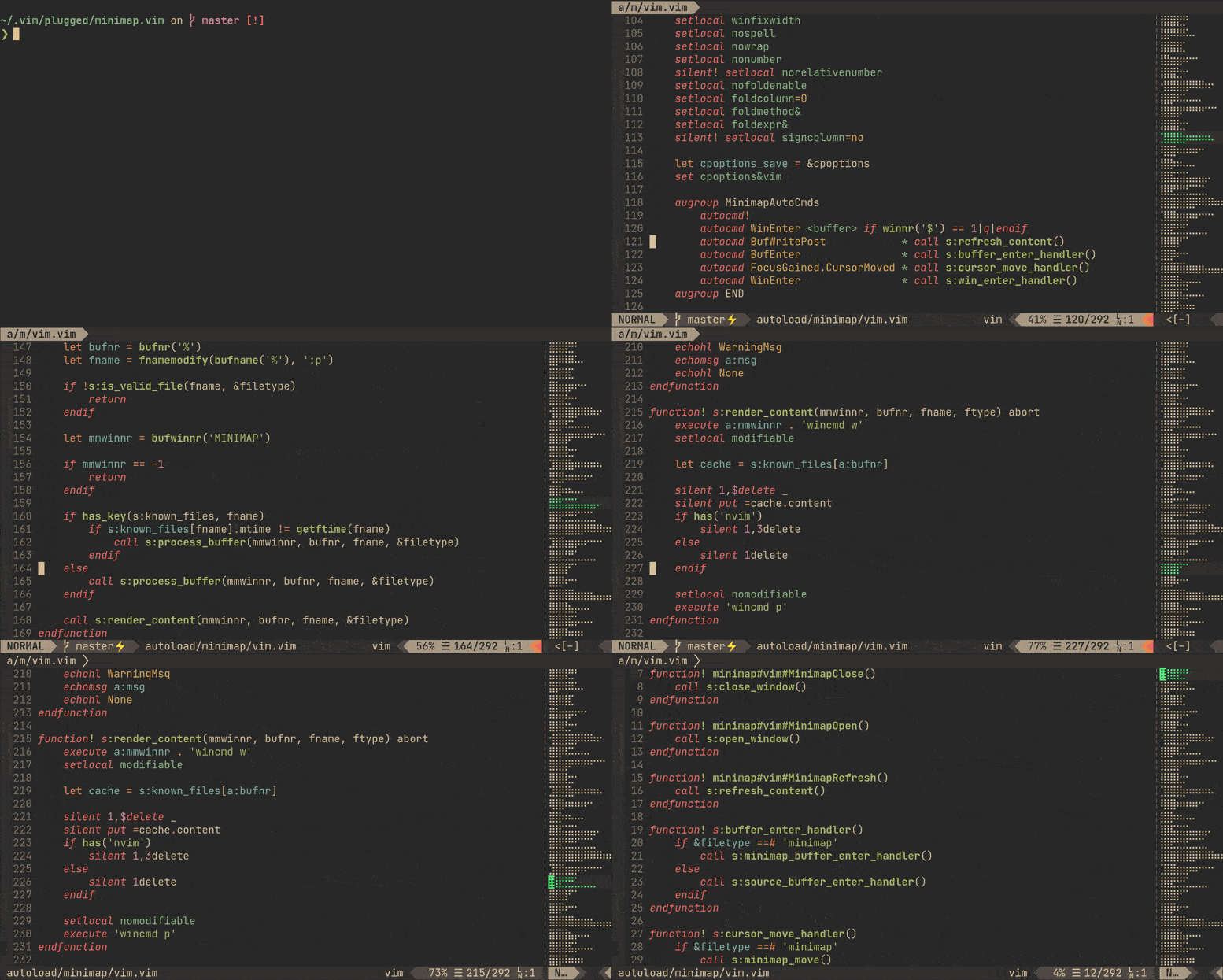
✨ Features
- Blazing-fast (see benchmark).
- Dynamic scaling.
- Real-time highlight.
- It can be used to scroll buffer (in vim's way!).
📥 Installation
Requirement
- 🛰
code-minimapis required. The plugin receives rendered minimap from it. - vim8.2+, or neovim 0.5.0+.
Use your favorite plugin manager, vim-plug for example:
Plug 'wfxr/minimap.vim'
If you need to install the plugin manually, you can refer to this issue: #2.
You can use cargo to install 'code-minimap' simultaneously (Only recommended for rust users):
Plug 'wfxr/minimap.vim', {'do': ':!cargo install --locked code-minimap'}
📑 Example configuration
let g:minimap_width = 10
let g:minimap_auto_start = 1
let g:minimap_auto_start_win_enter = 1
🛠 Commands
| Flag | Description |
|---|---|
| Minimap | Show minimap window |
| MinimapClose | Close minimap window |
| MinimapToggle | Toggle minimap window |
| MinimapRefresh | Force refresh minimap window |
| MinimapUpdateHighlight | Force update minimap highlight |
| MinimapRescan | Force recalculation of minimap scaling ratio |
⚙ Options
| Flag | Default | Description |
|---|---|---|
g:minimap_auto_start | 0 | if set, minimap will show at startup |
g:minimap_auto_start_win_enter | 0 | if set with g:minimap_auto_start, minimap shows on WinEnter |
g:minimap_width | 10 | the width of the minimap window in characters |
g:minimap_window_width_override_for_scaling | 2147483647 | the width cap for scaling the minimap (see minimap.txt help file) |
g:minimap_base_highlight | Normal | the base color group for minimap |
g:minimap_block_filetypes | ['fugitive', 'nerdtree', 'tagbar', 'fzf' ] | disable minimap for specific file types |
g:minimap_block_buftypes | ['nofile', 'nowrite', 'quickfix', 'terminal', 'prompt'] | disable minimap for specific buffer types |
g:minimap_close_filetypes | ['startify', 'netrw', 'vim-plug'] | close minimap for specific file types |
g:minimap_close_buftypes | [] | close minimap for specific buffer types |
g:minimap_exec_warning | 1 | if set, enables code-minimap not found warning message at startup |
g:minimap_left | 0 | if set, minimap window will append left |
g:minimap_highlight_range | 1 | if set, minimap will highlight range of visible lines |
g:minimap_highlight_search | 0 | if set, minimap will highlight searched patterns |
g:minimap_background_processing | 0 | if set, minimap will use a background job to get the longest line (requires gnu-wc on MacOS) |
g:minimap_git_colors | 0 | if set, minimap will highlight range of changes as reported by git |
g:minimap_enable_highlight_colorgroup | 1 | if set, minimap will create an autocommand to set highlights on color scheme changes. |
⚙ Color Options
Minimap.vim sets its own color groups to give a reasonable default.
| Flag | Default | Description |
|---|---|---|
g:minimap_search_color_priority | 120 | the priority for the search highlight colors |
g:minimap_cursor_color_priority | 110 | the priority for the cursor highlight colors |
g:minimap_cursor_color | minimapCursor | the color group for current position |
g:minimap_range_color | minimapRange | the color group for window range (if highlight_range is enabled) |
g:minimap_search_color | Search | the color group for highlighted search patterns in the minimap |
g:minimap_diffadd_color | minimapDiffAdded | the color group for added lines (if git_colors is enabled) |
g:minimap_diffremove_color | minimapDiffRemoved | the color group for removed lines (if git_colors is enabled) |
g:minimap_diff_color | minimapDiffLine | the color group for modified lines (if git_colors is enabled) |
g:minimap_cursor_diffadd_color | minimapCursorDiffAdded | the color group for the cursor over added lines |
g:minimap_cursor_diffremove_color | minimapCursorDiffRemoved | the color group for the cursor over removed lines |
g:minimap_cursor_diff_color | minimapCursorDiffLine | the color group for the cursor over modified lines |
g:minimap_range_diffadd_color | minimapRangeDiffAdded | the color group for the window range encompassing added lines |
g:minimap_range_diffremove_color | minimapRangeDiffRemoved | the color group for the window range encompassing removed lines |
g:minimap_range_diff_color | minimapRangeDiffLine | the color group for the window range encompassing modified lines |
You can create your own colorgroup by specifying the foreground and background colors for the cterm or gui:
:highlight minimapCursor ctermbg=59 ctermfg=228 guibg=#5F5F5F guifg=#FFFF87
For more information, see :help highlight
Note: some colorschemes will clear all previous colors, so you may have to add an autocmd to ensure your custom colorgroups are added back:
autocmd ColorScheme *
        \ highlight minimapCursor            ctermbg=59  ctermfg=228 guibg=#5F5F5F guifg=#FFFF87 |
        \ highlight minimapRange             ctermbg=242 ctermfg=228 guibg=#4F4F4F guifg=#FFFF87
If you prefer to disable this behavior, set g:minimap_enable_highlight_colorgroup to 0 / false. This is useful if you have a color scheme that sets the minimap highlight groups explicitly.
💬 F.A.Q
Highlight and scroll are not working properly.
Check the vim version you are using. minimap.vim requires vim 8.2+ or neovim 0.5.0+.
Integrated with diagnostics or git status plugins?
Git integration is supported. See g:minimap_git_colors and #72.
Minimap window is too wide for me, how to use it as a simple scrollbar?
You can reduce the width of the minimap window:
let g:minimap_width = 2
Or use scrollbar.nvim instead if what you want is a pure scrollbar indicator.
How do the color priorities work?
A higher priority color group will override a lower priority color group. By default, search > cursor/window position > git colors
I don't like the default highlight group, how to change it?
Choose any one of the highlight groups (or define a new one) and just set it for minimap like this:
hi MinimapCurrentLine ctermfg=Green guifg=#50FA7B guibg=#32302f
let g:minimap_cursor_color = 'MinimapCurrentLine'
All existing highlight groups can be displayed by :hi.
Minimap shows up as a jumble of characters?
Check that your encoding is set to utf-8 and not latin1 (for Vim users).
Also, ensure that you're using a Unicode-compatible font that has Braille characters in it.
What is g:minimap_highlight_range and how do you use it?
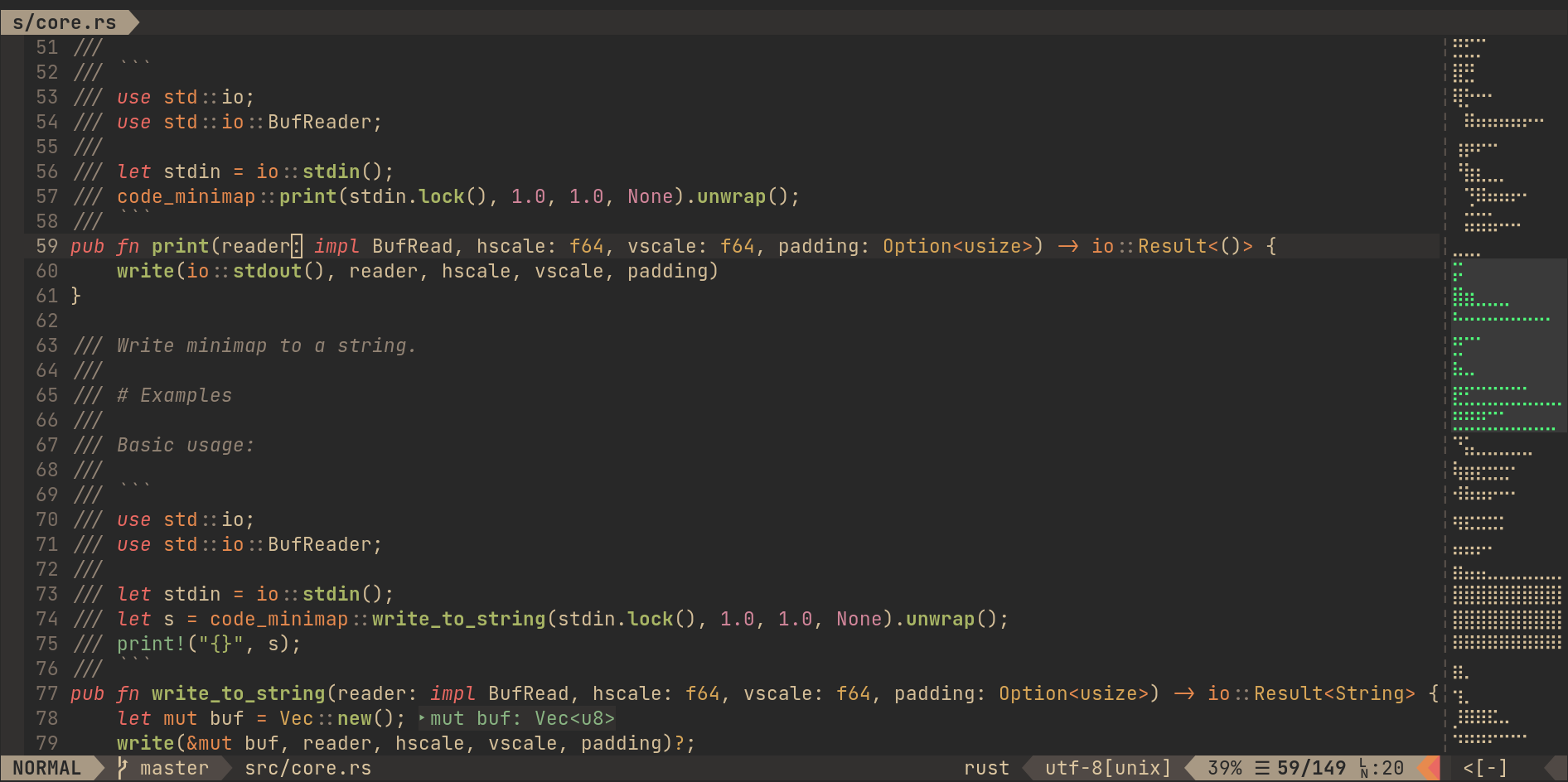
You can have the minimap highlight all the visible lines in your current window
by setting g:minimap_highlight_range. If you use Neovim, and your version
is recent enough (after November 7, 2020), you can set this option to update
the highlight when the window is scrolled.
I'm using g:minimap_highlight_search and the highlighted searches don't go away until I :nohlsearch and save!
It is recommended that you create a mapping to run :nohlsearch and clear the
minimap all in one action. For example:
nnoremap <silent> `` :nohlsearch<CR>:call minimap#vim#ClearColorSearch()<CR>
I'm using g:minimap_background_processing on MacOS and the minimap isn't working!
The version of wc that ships with MacOS does not have support for the -L flag.
To use background processing on MacOS, install gnu-wc. Example via homebrew:
brew install coreutils
📋 Running Unit Tests
- Install Testify.
- From the top level directory (minimap.vim/)
vim +TestifySuitefor a yay/nay from your shell. - For a more detailed run, open vim at the top level and run
:TestifySuite.README.mdworks, but an empty buffer at the top level works too. - To hone in on one test file, open that file (located in the
t/directory) and run:TestifyFile.- (As a note, the
t/directory is named such as a requirement from Testify.:TestifySuiteruns all the tests in thet/directory)
- (As a note, the
📦 Related Projects
- code-minimap: A high performance code minimap render.
- scrollbar.nvim: A pure scrollbar indicator for neovim (nightly).
- vim-minimap: A minimap plugin written in python.
🌼 Maintainers
 |  |  |
|---|---|---|
| ZNielsen | wfxr | rabirabirara |
📃 License
MIT (c) Wenxuan Zhang