Error following package installed from multiple sources
February 14, 2019 · View on GitHub
Problem
Stata can install packages from multiple sources. The most common source is the SSC code archive from Boston College. But you can also use net install to install from multiple locations, for example, directly from GitHub. The best practice is to make sure to uninstall any package using ado uninstall packagename before installing from a different source.
However, Stata does not require you to formally uninstall before installing from a new source, and eventually Stata might end up being confused as it is trying to track the same package from multiple sources. Especially if two or more sources has the same version number.
When this happens and you are trying to uninstall or update a package, you can get an error similar to this one:

Solution 1 - Automatic solution
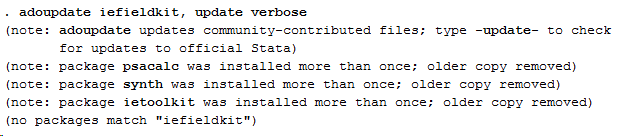
All Stata packages has a version date. If that date is different between the multiple sources, then Stata can automatically clean this up by only keeping the most recent package. This clean up is done each time you run adoupdate and look for the "package installed more than once; older copy removed" message you can see in the image below.
If you have many user-written packages installed, then you might have to scroll up to right below adoupdate to see Stata gives you that output. You do not have to run adoupdate for a specific command as in the image below, just the command name with no other input is sufficient.
Regardless if you see the output from the image below in your Stata window or not, after running adoupdate try to uninstall or update the package again and see as you get the same error message again. If you get the same error, move to next solution below.
While it is not related to this error, it is always good to follow the instructions outputted by adoupdate if any of your user-written commands are out of date.
Solution 2 - Manually uninstall
If you got this error when you tried to do ado uninstall packagename, then you can skip this solution and go to next solution.
If you did something else than ado uninstall packagename, then try that now, and then re-install the paackge. Then try if you get the same initial error when you re-try to do what you were doing when you go that error.
If you still get that error, then move to next solution.
Solution 3 - Manual solution
If the error persist after running adoupdate, then it is most likely due to two or more of the packages you have installed from different sources have the same version date. Stata does then not know which package to remove and which to keep. You will have to do it manually.
First, make sure that there are indeed multiple versions of the package installed. You can use adoupdate again for this, but this time you should specify the specific package name you get this error for, and use the option verbose, see the image below.
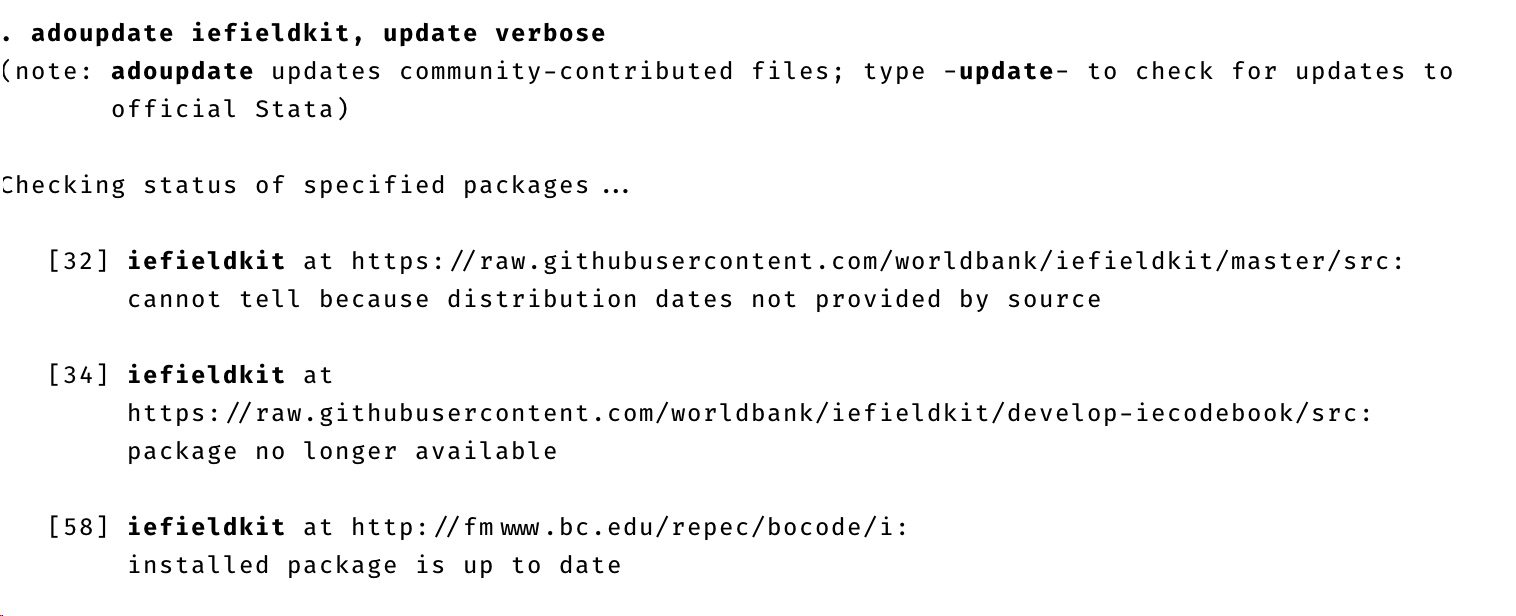
In the picture you can see that the package iefieldkit was installed from three multiple sources, and at least two of these has the same version date.
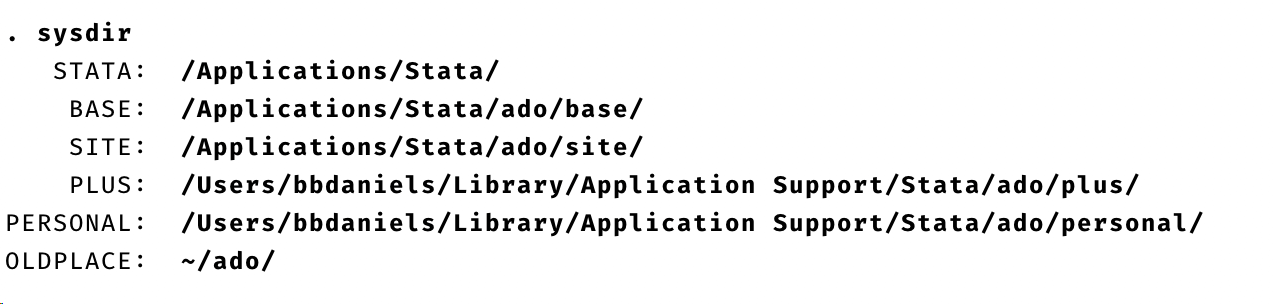
Now you have to go to the file where Stata tracks the packages installed, called stata.trk. You find it in the PLUS folder, and you find the path to the PLUS folder on your computer by typing sysdir. See image below.
Open the stata.trk file in a text editor like Notepad, TextEdit, any code editor, or the Stata do-file editor. Then go back to the adoupdate output and decide which packages you want to delete. Any package with a source URL that starts with http://fmwww.bc.edu/repec/bocode/ is from the SSC code archive, and that is the one you want to keep.
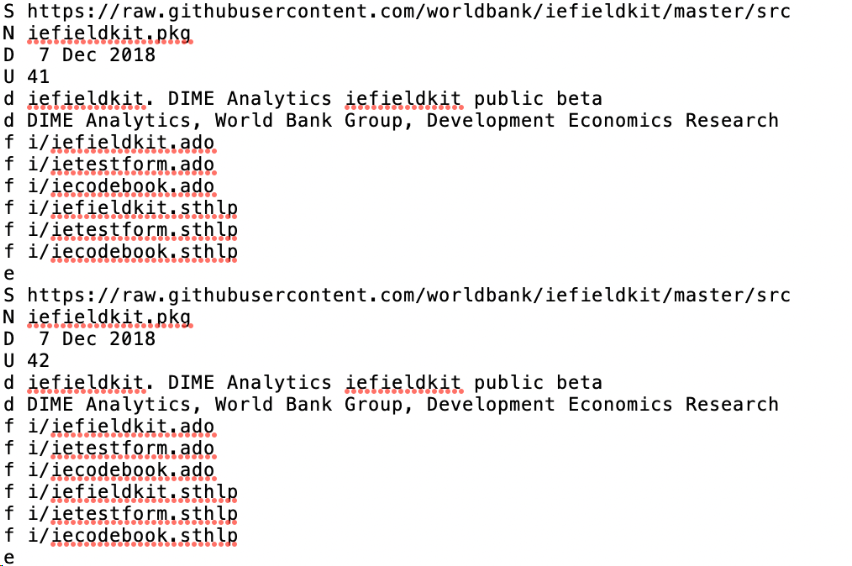
Copy the location for a package that you want to remove and search for that in the stata.trk file. When you find a package with that source, make sure that it has the same package name. Multiple packages with different names can have the same source. It will look something like in the picture below, although, the two packages might not be next to each other in your case.
WARNING: Do the next step very carefully, as you might have to reinstall Stata if you do something incorrectly. To be on the safe side, make a copy of the stata.trk file first, so you can try to restore your current seetings if anything goes wrong.
For the packages you want to remove, delete all rows from the row starting with a upper case S to the row starting with lower case e. The S and the e rows should be included when you remove these rows. Repeat this for all the packages you want to remove.
When you have removed all the packages you want to remove, save the stata.trk file, run adoupdate again, and then uninstall or update the package and see if you still are getting the same initial error.