README.org
August 26, 2024 · View on GitHub
👉 [[https://github.com/sponsors/xenodium][Support this work via GitHub Sponsors]]
- macosrec
Take screenshots or videos of macOS windows from the command line (also includes [[https://en.wikipedia.org/wiki/Optical_character_recognition][OCR]]).
See [[https://xenodium.com/recordscreenshot-windows-the-lazy-way][Recording and screenshotting windows: the lazy way]].
#+HTML: 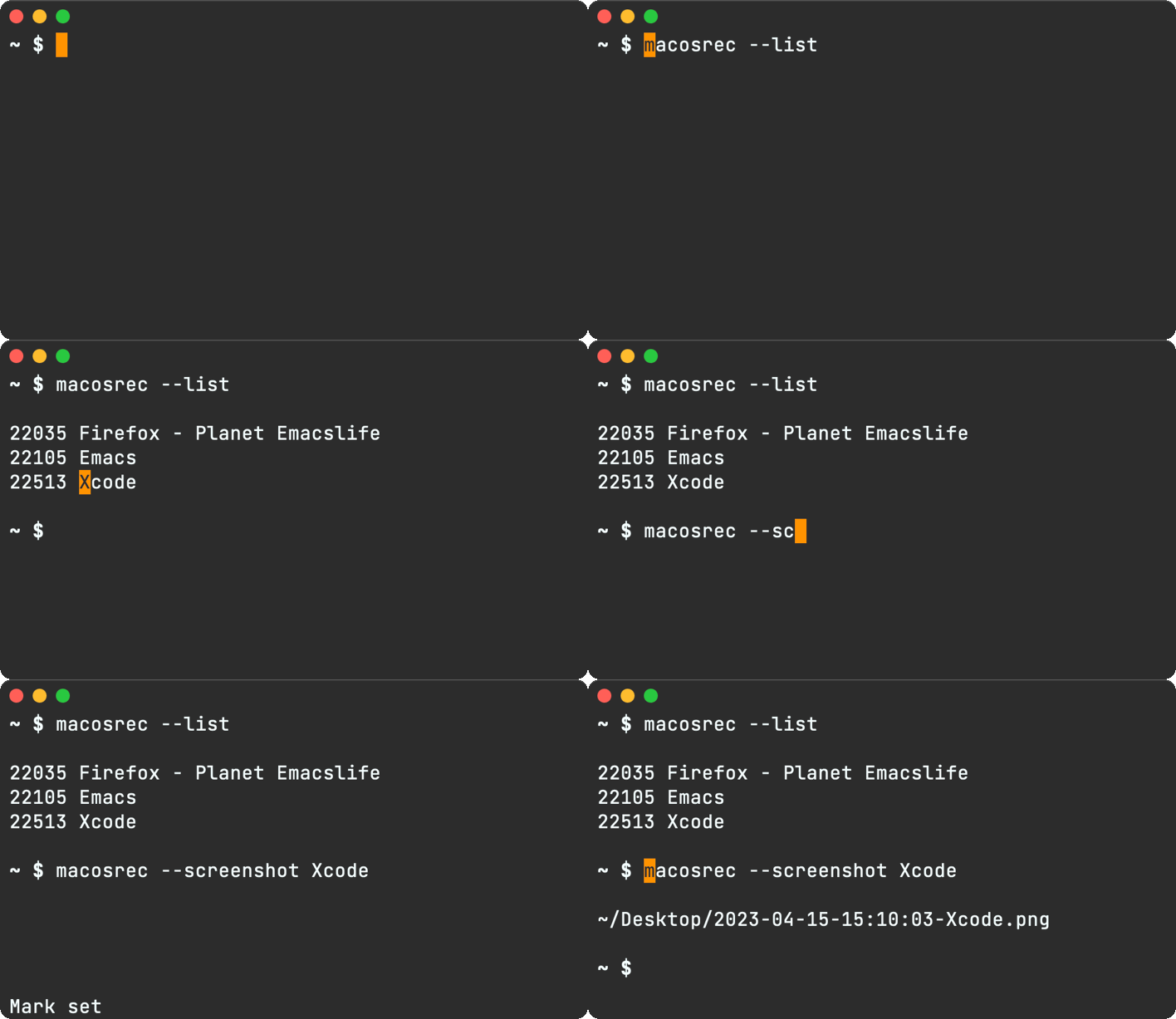
Note: This gif was captured with macosrec
#+begin_src shell
$ macosrec
USAGE: record-command [--version] [--list] [--hidden] [--screenshot
OPTIONS:
--version Show version.
-l, --list List recordable windows.
--hidden Also include hidden windows when listing.
-x, --screenshot
- Install ** Homebrew #+begin_src sh brew tap xenodium/macosrec brew install macosrec #+end_src ** Build #+begin_src sh swift build #+end_src
- Screenshot
Before taking a screenshot, identify the window number using =--list=.
#+begin_src sh $ macosrec --list
21902 Emacs 22024 Dock - Desktop Picture - Stone.png 22035 Firefox - Planet Emacslife #+end_src
Use =--screenshot= + window number to take a screenshot.
#+begin_src sh ~ $ macosrec --screenshot 21902 ~/Desktop/2023-04-14-08:21:45-Emacs.png #+end_src
- Videos
Before taking a video, identify the window number using =--list=.
#+begin_src sh $ macosrec --list
21902 Emacs 22024 Dock - Desktop Picture - Stone.png 22035 Firefox - Planet Emacslife #+end_src
Use =--record= + window number to start recording a video (gif).
/Note: you can also use application name and it will use the first window it finds belonging to it./
To end recording, send a SIGINT signal (Ctrl+C from terminal). Alternatively, running =macosrec --save= from another session would also end the recording.
#+begin_src sh ~ $ macosrec --record 21902 --gif Saving... ~/Desktop/2023-04-14-08:21:45-Emacs.gif #+end_src
/Note: you can also use application name and it will use the first window it finds belonging to it./
#+begin_src sh ~ $ macosrec --record emacs --mov Saving... ~/Desktop/2023-04-14-08:21:45-Emacs.mov #+end_src
** Optimizing gif
The gifs can get pretty large fairly quickly depending on the lenght of the recording. Consider using something like [[https://www.lcdf.org/gifsicle/][gifsicle]] to reduce size. For example:
#+begin_src sh gifsicle -O3 large.gif --lossy=80 -o smaller.gif #+end_src
-
OCR ** Selecting a region The =--ocr= flag defaults to selecting a screen region (unless =--input=) is given. #+begin_src sh $ macosrec --ocr
Hello this text was recognized #+end_src
** From existing image
Use the =--input= flag:
#+begin_src sh $ macosrec --ocr --input /path/to/image.png
Hello this text was recognized #+end_src
** Save to clipboard
Use the =--clipboard= flat:
#+begin_src sh $ macosrec --ocr --input /path/to/image.png --clipboard
Hello this text was recognized #+end_src
- Speech to text Recognizing text with in speech =--speech-to-text= is only supported via =--input= audio file (i.e. .mp3).
#+begin_src sh $ macosrec --speech-to-text --locale "en-GB" --input path/to/audio.mp3
Hello this text was recognized #+end_src
- Disclaimer
I built this util to record demos I post at [[https://xenodium.com][xenodium.com]]. Does the job so far, but can likely take improvements, specially around image handling efficiency. PRs totally welcome.
** Resizing windows while recording (not supported)
While a video will be recorded if you resize the window during the recording session, it's unlikely to produce a file with the expected outcome. This feature is currently unsupported and out of scope. Having said that, if anyone's keen to implement it, a PR is totally welcome.
👉 [[https://github.com/sponsors/xenodium][Support this work via GitHub Sponsors]]