🧛🏻♂️ Darcula Dark for Neovim
January 12, 2026 · View on GitHub
The Darcula Dark theme is a Neovim colorscheme that's designed to emulate the popular Darcula color scheme from JetBrains' GoLand IDE. It is ideal for long hours of coding, offering a dark theme that's easy on the eyes. Despite trying various alternatives in Neovim, we found nothing quite matched up, hence we embarked on creating this color scheme ourselves.
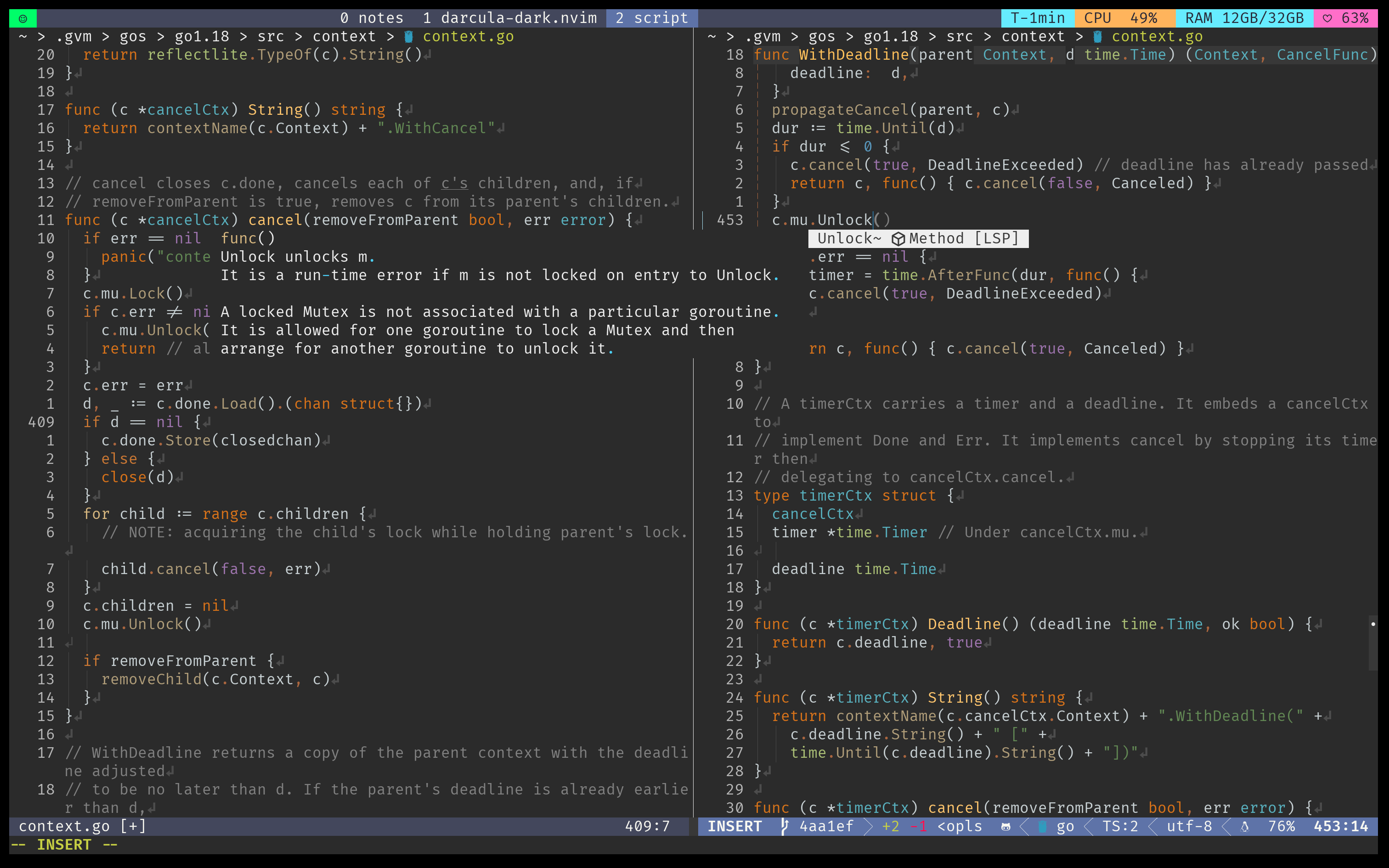
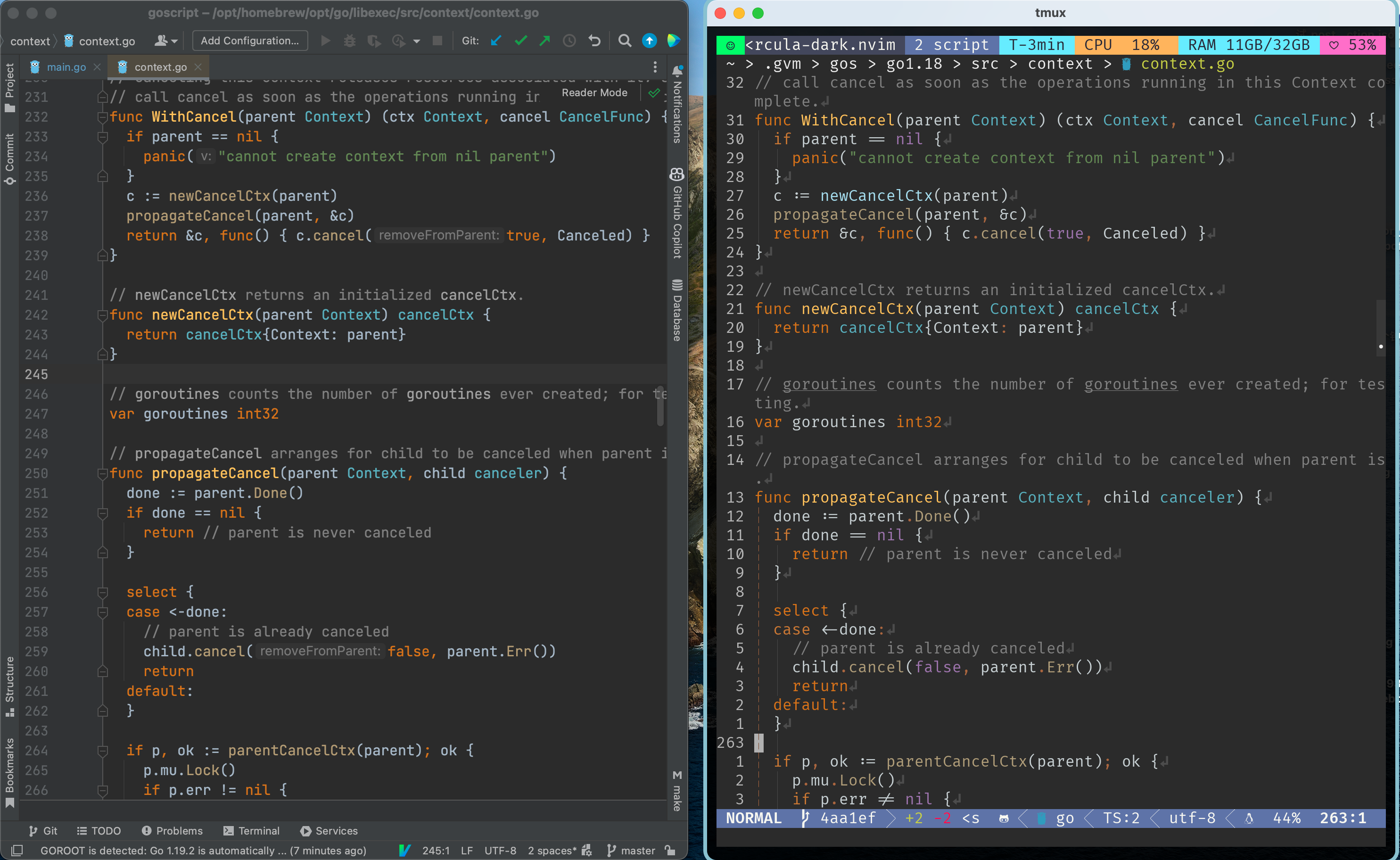
comparing with the original Darcula theme in GoLand:
Installation
To install this color scheme, add the following to your plugin configuration:
lazy.nvim
{
    "xiantang/darcula-dark.nvim",
    dependencies = {
        "nvim-treesitter/nvim-treesitter",
    },
}
Customization
You can customize darcula-dark in several ways:
Option 1: Disable plugin integrations
return {
	{
		"xiantang/darcula-dark.nvim",
		config = function()
			-- setup must be called before loading
			require("darcula").setup({
				opt = {
					integrations = {
						telescope = false,
						snacks = true,
						lualine = true,
						lsp_semantics_token = true,
						nvim_cmp = true,
						dap_nvim = true,
					},
				},
			})
		end,
	},
}
Option 2: Override specific colors
require("darcula").setup({
	override = function(c)
		return {
			background = "#333333",
			dark = "#000000"
		}
	end,
})
Option 3: Use custom theme file (NEW!)
You can create your own theme JSON file and load it:
require("darcula").setup({
	theme = "darcula"  -- loads built-in colors/themes/darcula.json
})

-- Use Darcula Solid theme (darker backgrounds, flatter UI)
require("darcula").setup({
	theme = "darcula-solid"  -- loads built-in colors/themes/darcula-solid.json
})

-- Use Dracula theme (official Dracula spec-compliant theme)
require("darcula").setup({
	theme = "dracula"  -- loads built-in colors/themes/dracula.json
})

-- Or load from custom path
require("darcula").setup({
	theme = "~/.config/nvim/themes/my-darcula.json"
})

-- Combine theme with override
require("darcula").setup({
	theme = "darcula",
	override = function(c)
		return { background = "#1E1E1E" }
	end
})
Creating Custom Themes
You can create your own theme by making a JSON file with the following structure:
{
  "name": "my-custom-theme",
  "version": "1.0.0",
  "colors": {
    "green": "#98be65",
    "red": "#f43753",
    "dark": "#2B2B2B",
    ...
  }
}
Key points:
- The
colorsobject must contain color definitions in#RRGGBBhex format - You can define only the colors you want to override (partial themes are supported)
- Missing colors will fall back to default values
- See
colors/themes/darcula.jsonfor a complete reference of all available color names
Color names reference:
Primary colors: green, red, grey, dark, background, etc.
See the full list in colors/themes/darcula.json
packer.nvim
  use {
    'xiantang/darcula-dark.nvim',
    requires = {"nvim-treesitter/nvim-treesitter"}
  }
Built-in Themes
- darcula - The original Darcula theme (default)
- darcula-solid - Darcula Solid theme with darker backgrounds and flatter UI
- dracula - Official Dracula theme (spec-compliant)
TODO
- support Darcula Solid Theme https://plugins.jetbrains.com/plugin/13920-darcula-solid-theme
- support Dracula Theme https://spec.draculatheme.com/
- support more plugins
Supported Plugins
- telescope
- Treesitter
- cmp-nvim
- copilot.vim
- dap.nvim
- eyeline.nvim
- gitsign.nvim
- hop.nvim
- nerdtree.vim
- lspsaga.nvim
- scrollbar.nvim
- lualine.nvim
- snacks.nvim
Usage
Lua
-- Use default Darcula theme
vim.cmd.colorscheme("darcula-dark")

-- Use Darcula Solid theme
vim.cmd.colorscheme("darcula-solid")

-- Use Dracula theme
vim.cmd.colorscheme("dracula")
VimScript
" Use default Darcula theme
colorscheme darcula-dark

" Use Darcula Solid theme
colorscheme darcula-solid

" Use Dracula theme
colorscheme dracula
Requirements
This color scheme requires Neovim v0.8.3 or higher, as it uses LSP Semantic tokens. It also depends on nvim-treesitter/nvim-treesitter.
Health Check
Run :checkhealth darcula to verify your setup and troubleshoot any issues:
:checkhealth darcula
The health check will verify:
- ✅ Neovim version compatibility (>= 0.8.3)
- ✅ True color (24-bit) support detection
- ✅ Terminal configuration (COLORTERM)
- ✅
termguicolorssetting - ✅ Required dependencies (nvim-treesitter)
- ✅ Theme loading status
- 💡 Terminal-specific configuration advice (tmux, alacritty, kitty, etc.)
Auto-fix for termguicolors
If the health check reports that termguicolors is not enabled, you can:
Temporary fix (current session):
:lua vim.o.termguicolors = true
Permanent fix - add to your config:
Lua (init.lua):
vim.o.termguicolors = true
VimScript (init.vim):
set termguicolors
Troubleshooting
If you're experiencing color issues:
-
Run the health check first:
:checkhealth darcula -
Test your terminal's true color support:
curl -s https://gist.githubusercontent.com/lifepillar/09a44b8cf0f9397465614e622979107f/raw/24-bit-color.sh | bashYou should see smooth color gradients. If not, your terminal needs configuration.
-
Common issues and solutions:
- Colors look wrong: Enable
termguicolors(see health check) - Using tmux: Add to
~/.tmux.conf:set -g default-terminal "tmux-256color" set -ag terminal-overrides ",xterm-256color:RGB" - Using Alacritty: Add to
alacritty.yml:
Orenv: TERM: xterm-256coloralacritty.toml:[env] TERM = "xterm-256color"
- Colors look wrong: Enable
-
Complete terminal setup guide: https://gist.github.com/andersevenrud/015e61af2fd264371032763d4ed965b6