Syndicationd
July 29, 2026 · View on GitHub




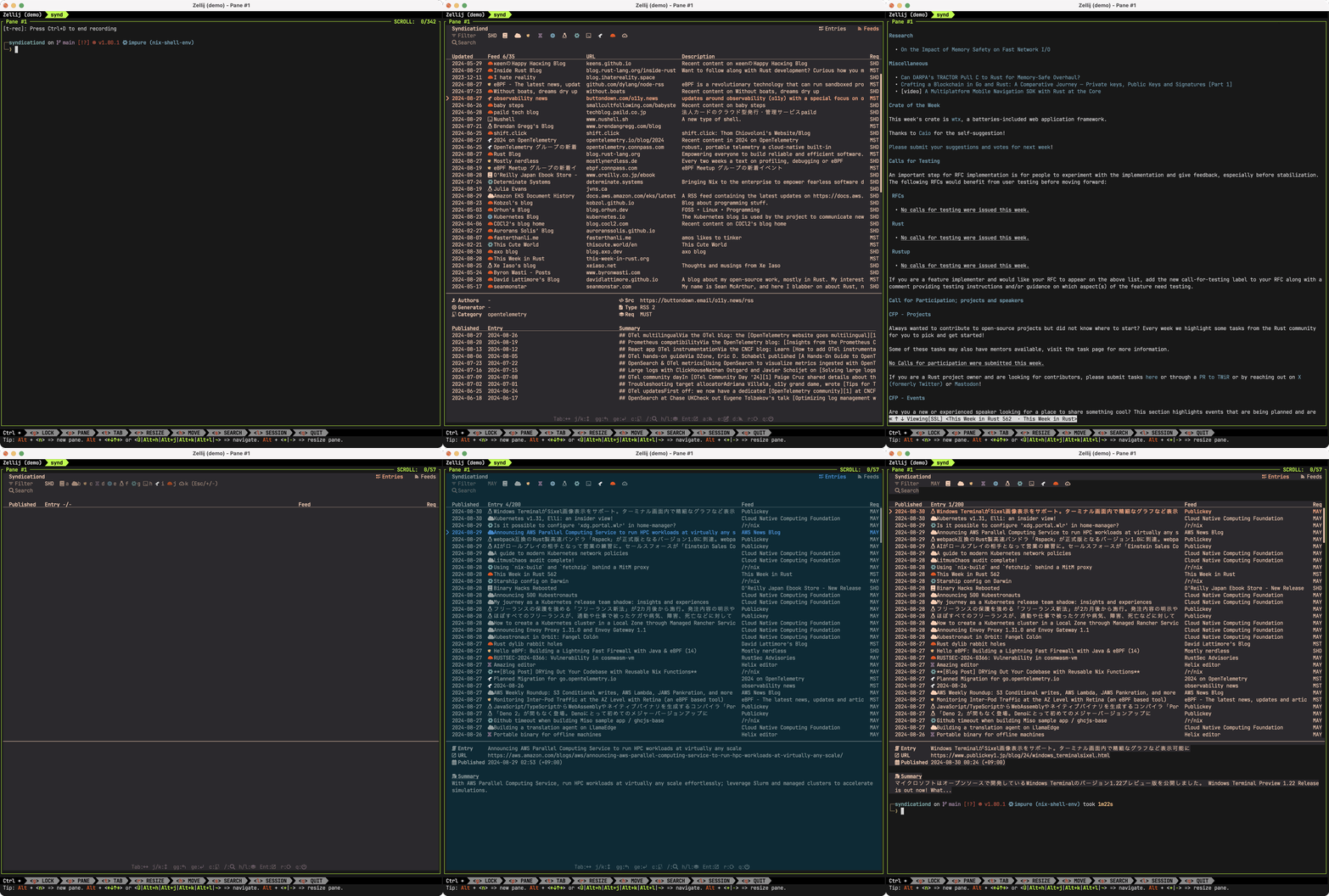
synd is a terminal feed reader for RSS and Atom.
It lets you subscribe to feeds, browse entries, filter them by priority, category, and keyword, and open entries in your browser.
Subscriptions, entries, and reading state are stored in SQLite by default.
Table of Contents:
- Installation
- Quick Start
- Usage
- Configuration
- Diagnostics
- Documentation
- Development
- Project Goals
- License
Installation
Install from crates.io:
cargo install synd --version 0.4.0 --locked
Other installation methods
nix
nix profile add github:ymgyt/syndicationd/v0.4.0#synd
homebrew
brew install ymgyt/syndicationd/synd
shell
curl --proto '=https' --tlsv1.2 -LsSf https://github.com/ymgyt/syndicationd/releases/download/v0.4.0/synd-installer.sh | sh
npm
npm install @syndicationd/synd@0.4.0
powershell
powershell -ExecutionPolicy Bypass -c "irm https://github.com/ymgyt/syndicationd/releases/download/v0.4.0/synd-installer.ps1 | iex"
docker
docker run --rm -it ghcr.io/ymgyt/synd:0.4.0
pre-built binaries
Pre-built binaries are available in the
v0.4.0 GitHub release.
source
cargo install --git https://github.com/ymgyt/syndicationd/ synd
Use the source install to try the current main branch behavior before the next release.
Note
synd requires Nerd Fonts to be installed on your system for rendering icons.
Quick Start
Start the TUI:
synd
To add a feed, switch to the Feeds tab with Tab, press a, and enter one
subscription line in the editor:
MUST rust https://this-week-in-rust.org/atom.xml
Select an entry and press Enter to open it in your web browser. Press Space
to open it with the configured text browser command.
Usage
Run synd --help to see the full command and option list.
Keymap
Basic keys:
Tab: switch tabsa: add a feed on the Feeds tabEnter: open the selected entrySpace: open the selected entry with the configured text browser command/: search entriesq: quit
See the keymap documentation for the full keymap and custom key binding syntax.
Subscribe Feed
To subscribe to a feed, switch to the Feeds tab with Tab, then press a.
synd uses edit to launch your editor.
Enter the feed in this format:
Requirement Category URL
When you close the editor, the feed is saved to the local SQLite database by default.
Requirement
Requirement is the priority of the feed.
It uses the names MUST, SHOULD, and MAY by analogy with
RFC2119.
It can be one of:
MUST: most importantSHOULD: normal priorityMAY: low priority
Category
Category represents the category of the feed. You can specify any value.
The values that synd recognizes as categories are defined in
categories.toml.
Default values and additional categories can be added from the configuration
file.
Edit or Unsubscribe Feed
To change the requirement or category of a feed, select it in the Feeds tab and
press e.
To unsubscribe from a feed, select it and press d.
Filter Feeds and Entries
Feeds and entries can be filtered as follows.
By requirement
To filter by requirement, press h or l.
If the filter is MUST, only MUST feeds and entries are displayed.
If it is SHOULD, MUST and SHOULD feeds and entries are displayed.
If it is MAY, all feeds and entries are displayed.
By categories
To filter by category, press c. This shows keys for toggling each category.
Press - to deactivate all categories. Press + to activate all categories.
You can exit category filter mode by pressing Esc.
The icons for categories can be specified in categories.toml.
Open Feed Entry
To open a feed entry in a web browser, select the entry and press Enter.
To view the entry in a text browser within the terminal, press Space.
The command used by Space can be specified with the $SYND_BROWSER
environment variable, or through related flags or configuration files.
The command is executed as $SYND_BROWSER $SYND_BROWSER_ARGS <entry url>.
Import and Export Feeds
Export subscriptions as JSON and import the same format:
synd feed export > feeds.json
synd feed import feeds.json
Print the JSON schema when needed:
synd feed export --print-schema
synd feed import --print-schema
Remove cache and logs
synd clean removes known cache files and logs. Use --cache or --logs to
limit the target.
synd clean
synd clean --cache
synd clean --logs
The cache directory itself is preserved, and only known cache files are removed.
synd clean does not remove the local SQLite database. Database operations are
handled separately from cache/log cleanup.
Configuration
Configuration can be set with flags, environment variables, or a config file.
synd config init prints a configuration template to stdout. Redirect it to a
file to use it as a starting point:
synd config init > config.toml
synd config view shows the resolved configuration after command-line flags,
environment variables, the configuration file, and defaults have been applied:
synd config view
synd config view -o json
See the configuration documentation for config file locations, available settings, and keymap customization.
Diagnostics
synd doctor checks the paths and runtime state used by the resolved
configuration. This includes the configuration, cache, log, and SQLite paths,
as well as the local daemon placement and status.
synd doctor
synd doctor -o json
Checks are reported as PASS, WARN, or FAIL. The command exits with status
1 when any check fails.
Documentation
Development
See CONTRIBUTING.md to get started with development.
Project Goals
-
Terminal-first feed reader. Build a feed reader for terminal users. No recommendations, no curation, no behavior analysis.
-
Local storage by default. Store subscriptions and feed state in SQLite by default.
-
Long-term maintenance. Prefer simple designs and stable dependencies so the project can be maintained for years.
License
This project is available under the terms of either the Apache 2.0 license or the MIT license.