mypy-playground
February 24, 2026 · View on GitHub


The mypy playground provides Web UI to run mypy in the sandbox: https://mypy-play.net
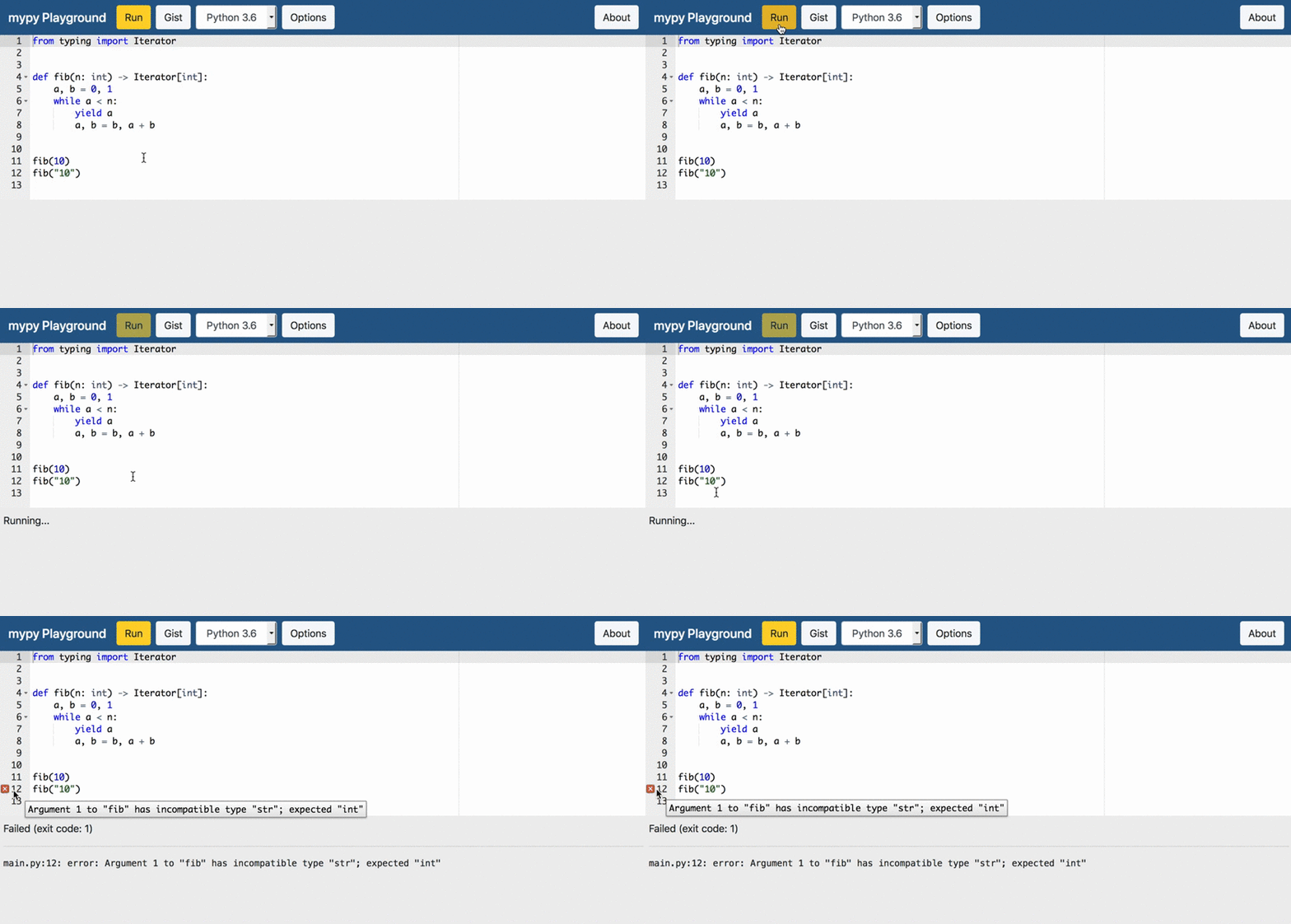
Features
- Web UI and sandbox for running mypy easily and safely
- Simple and nice editor with syntax highlighting and error reporting
- Share snippets with your friends using GitHub Gist
Development
- Run
docker compose up -dto start an app and Docker for running mypy - Run
docker compose exec docker docker build --pull -t ymyzk/mypy-playground-sandbox:latest /sandbox/latestto build a Docker image - Open http://localhost:8000
Components
- app: Application server
- app/frontend: Frontend
- sandbox: Sandbox environments for running mypy
Configuration
Configurations are considered in the following order:
- Environment variables
- Dotenv file (
.env) - Configuration file (
config.toml) - Default configurations
| Name | Type | Required | Description |
|---|---|---|---|
DEBUG | bool | No | Enable debug mode (default: False) |
PORT | int | No | Port number (default: 8080) |
SANDBOX | str | No | Sandbox implementation to use (default: mypy_playground.sandbox.docker.DockerSandbox) |
SANDBOX_CONCURRENCY | int | No | The number of running sandboxes at the same time (default: 3) |
GA_TRACKING_ID | str | No | A tracking id for Google Analytics. If not specified, Google Analytics is disabled. |
GITHUB_TOKEN | str | No | A token used to create gists |
ENABLE_PROMETHEUS | bool | No | Enable Prometheus metrics endpoint (default: False) |
MYPY_VERSIONS | list | No | List of mypy versions used by a sandbox (default: mypy latest:latest) |
DOCKER_IMAGES | list | No | Docker images used by sandbox (default: latest:ymyzk/mypy-playground-sandbox:latest) |
CLOUD_FUNCTIONS_BASE_URL | str | No | URL of Cloud Functions without function name |
CLOUD_FUNCTIONS_NAMES | str | No | Map from mypy version ID to name of Cloud Functions |
CLOUD_FUNCTIONS_IDENTITY_TOKEN | str | No | Identity token for development purpose |
Endpoints
/: Entrypoint/api/: APIs provided by FastAPI/private/metrics: Prometheus metrics (when enabled)/static/: Static files
Sponsoring
mypy Playground is looking for sponsors to host mypy-play.net using GitHub sponsors
Development of mypy Playground is supported by JetBrains software. See https://jb.gg/OpenSourceSupport for more details.