dotfiles
July 9, 2026 · View on GitHub








Overview
My home dotfiles
Supported OS
GUI
- NixOS (recommend)
- Arch Linux (You must install various GUI apps yourself)
CLI
- NixOS
- Arch Linux
- Ubuntu
- Fedora
Install (NixOS)
-
Download
git clone https://github.com/yutkat/dotfiles.git cd dotfiles -
Edit Configuration
vi flake.nix # myHosts = { -
Install nix (+flake +home-manager)
./install.sh -
Setup (installing tools and linking to dotfiles)
sudo nixos-rebuild switch --flake .#<hostname> -
zsh plugin install
exec zsh -
mise upgrade-all
mise upgrade -
neovim plugin install
vi --headless -c 'Lazy! sync' -c 'qall' -
Enjoy!
Install (Other OS)
-
Download
git clone https://github.com/yutkat/dotfiles.git cd dotfiles -
Edit Configuration
vi flake.nix # myHosts = { -
Install nix (+flake +home-manager)
./install.sh -
Setup (installing tools)
# Default user and hostname home-manager switch --flake .#<hostname> # If you override NIX_USERNAME NIX_USERNAME=your_username home-manager switch --impure --flake .#<hostname> -
Link dotfiles (managed by
[dotfiles]in.config/mise/config.toml)# First run: ~/.config/mise is not linked yet, so point mise at the repo config mise trust .config/mise/config.toml MISE_GLOBAL_CONFIG_FILE="$PWD/.config/mise/config.toml" mise dotfiles apply # After the first run mise dotfiles applyLink sources are relative to the repo's
.config/mise/, so any clone location works without extra configuration. -
zsh plugin install
exec zsh -
mise upgrade-all
mise upgrade -
neovim plugin install
vi --headless -c 'Lazy! sync' -c 'qall'
Temporary Install
If you do not want to dirty your home directory
-
Setup the container
docker run -it --rm archlinux:latest /bin/bash -
Setup the environment
pacman -Sy --noconfirm sudo git useradd -m -s /bin/bash test echo 'test ALL=(ALL) NOPASSWD:ALL' >> /etc/sudoers su - test -
Download
git clone https://github.com/yutkat/dotfiles.git cd dotfiles -
Install
./install.sh --single exec bash -
Setup (installing tools and linking to dotfiles)
home-manager switch --flake .#test -
zsh plugin install
exec zsh -
mise upgrade-all
mise upgrade -
neovim plugin install
vi --headless -c 'Lazy! sync' -c 'qall'
Components
- zsh
- neovim
- wezterm
- (optional) Hyprland
Usage
Frequently used shortcuts
wezterm
| key | action |
|---|---|
| Alt-h/j/k/l | switch window |
| Alt-j | close window |
| Alt-k | create window |
| S-Up/Down/Left/Right | switch pane |
Hyprland/i3/sway
| key | action |
|---|---|
| Mod-h/j/k/l | switch window |
| Mod-S-h/j/k/l | move window |
| Mod-C-S-h/j/k/l | move workspace |
Insight
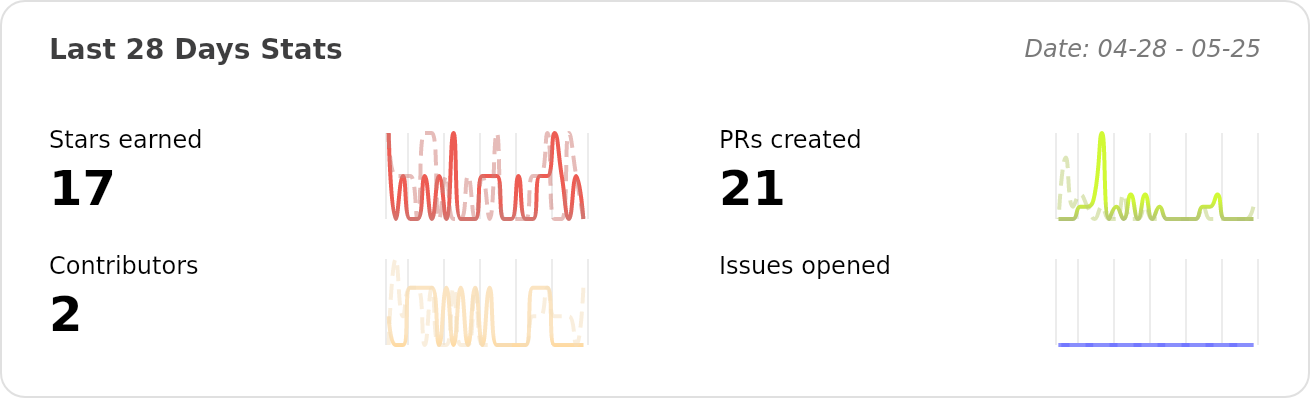
Activity
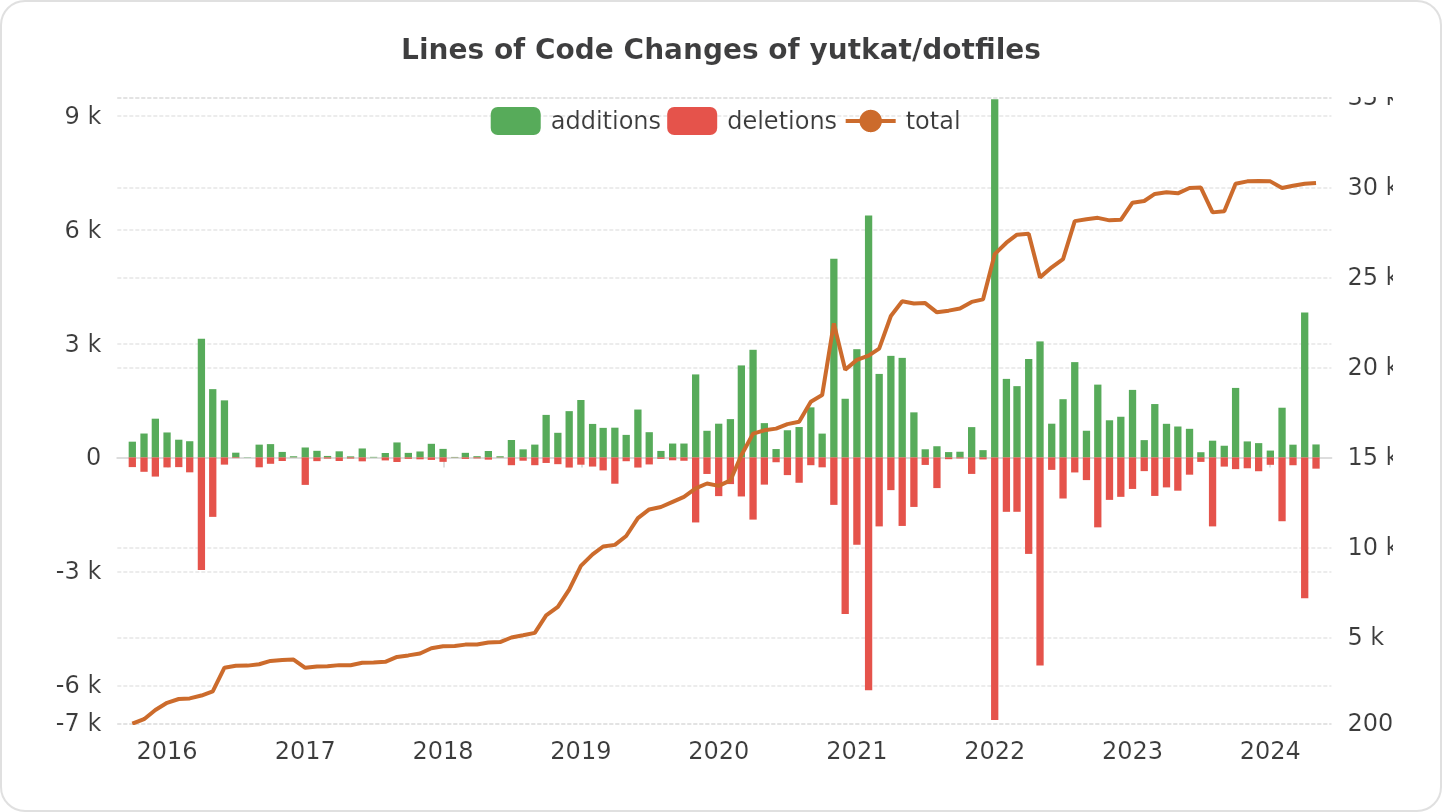
Changes
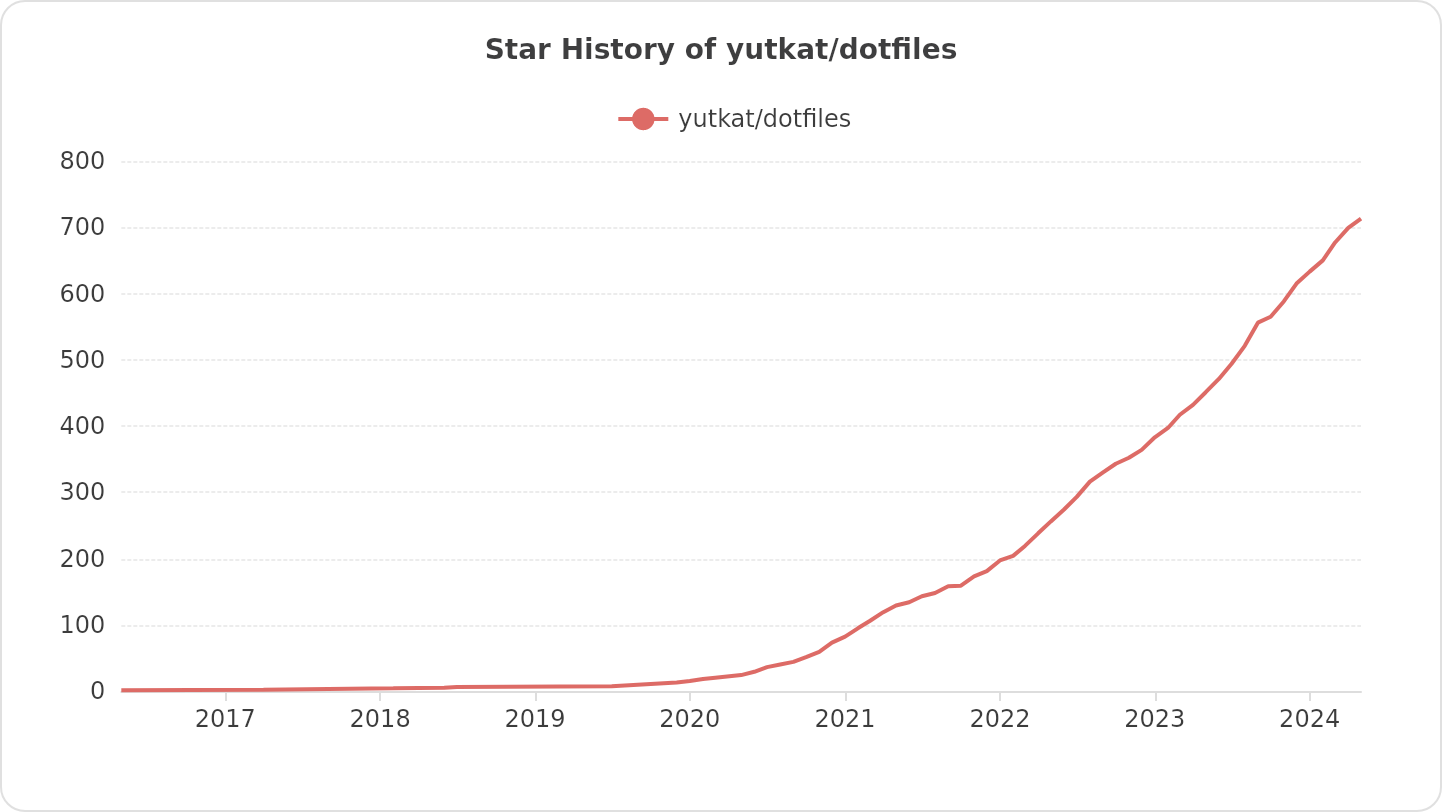
Star History