🔍 ZoomEye GPT Extension
April 30, 2025 · View on GitHub
Smarter Asset Search, Faster Information Extraction ZoomEye GPT is a browser extension designed specifically for cybersecurity professionals and researchers. It combines ZoomEye’s powerful global cyber asset search with AI-based analysis to help you collect and process information more efficiently than ever.
🔗 Download Link
ZoomEye GPT is available on the Chrome Web Store. Click the link below to install:

🚀 Features
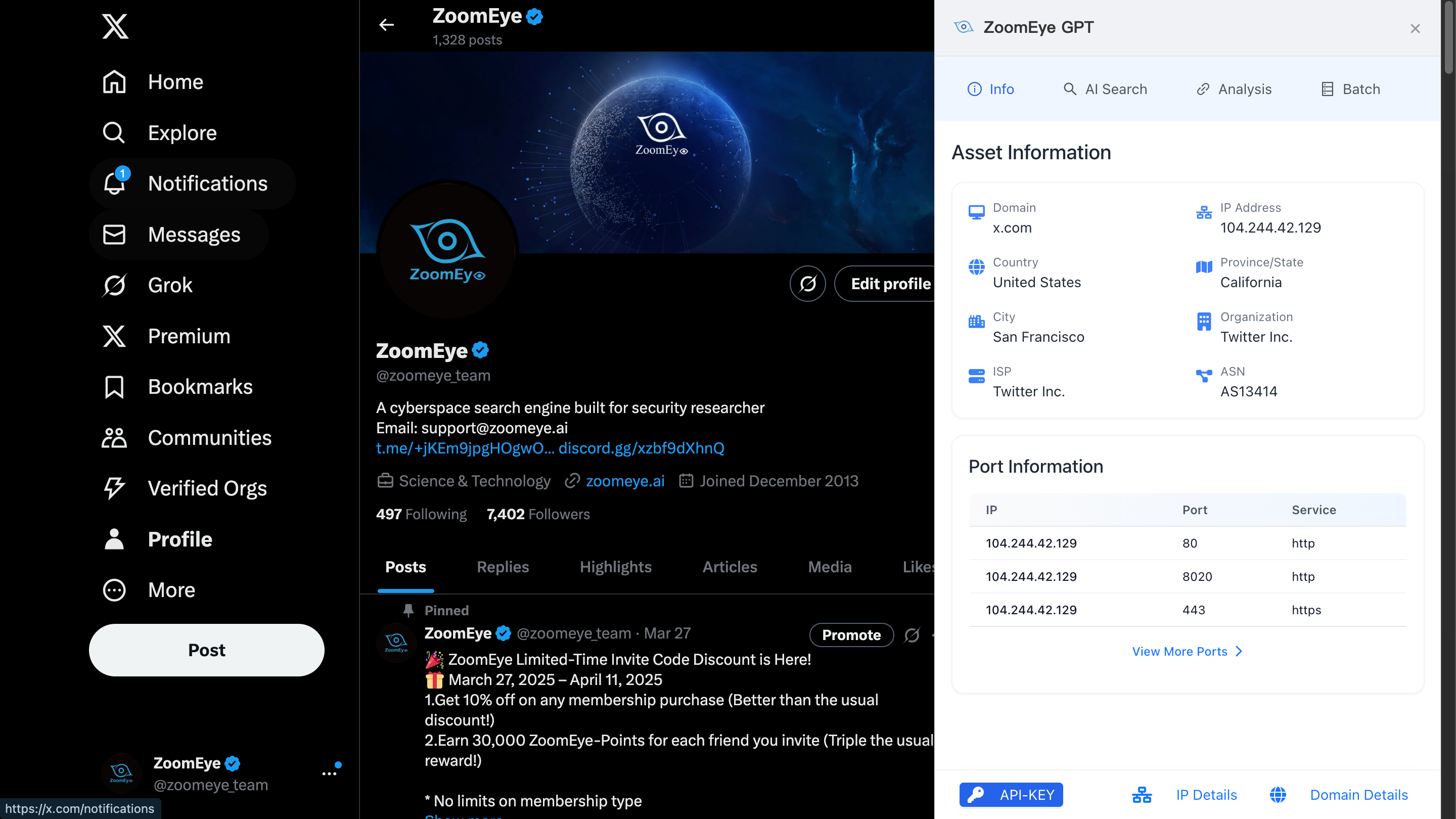
🔍 Site Asset Overview (No Login Required)
Instantly view asset information related to the current website, including open ports and services — no login needed.
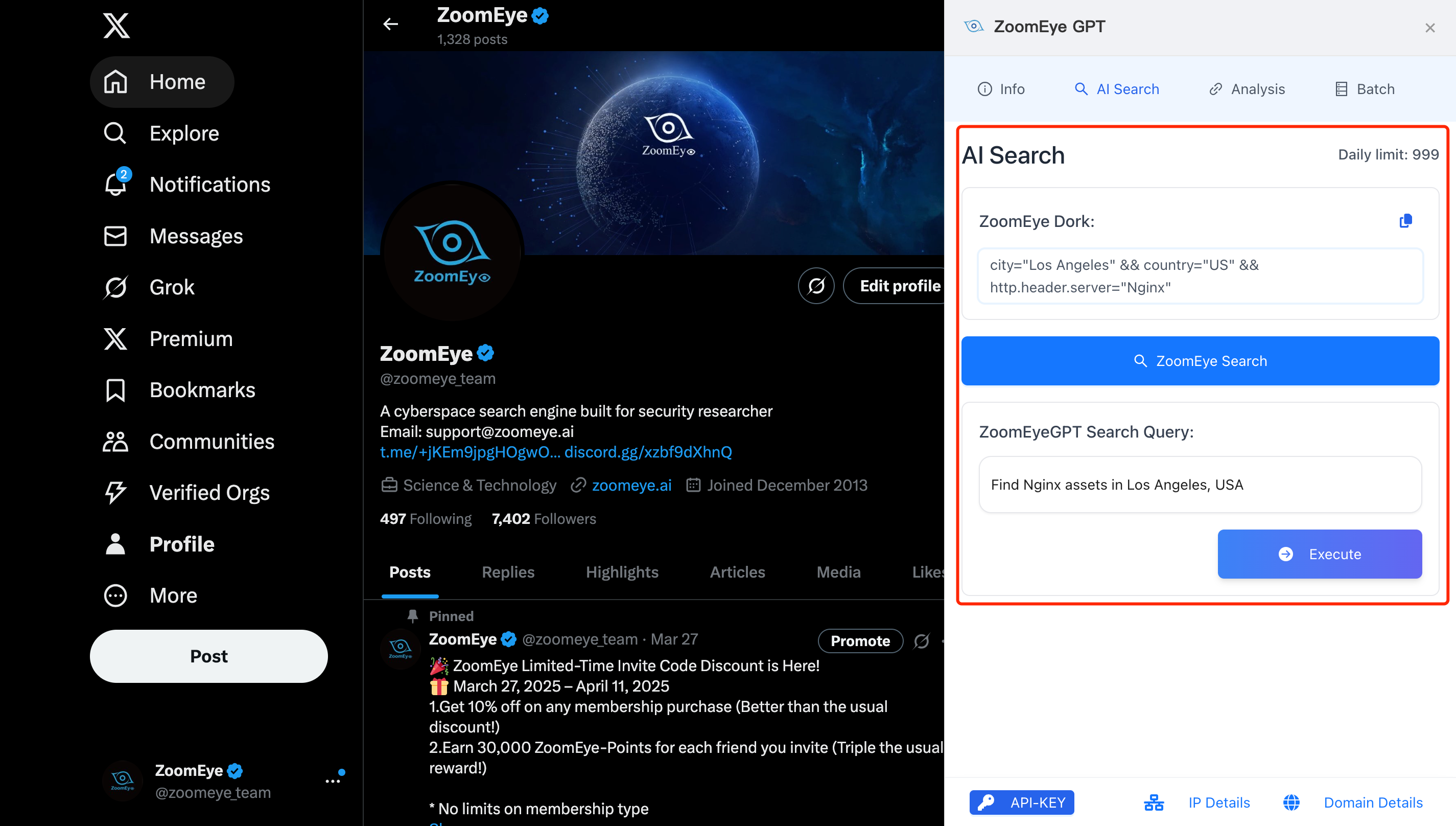
🧠 AI Search Assistant (Requires ZoomEye API Key)
Enter natural language queries such as: "Find open Redis services in the United States" The extension will automatically convert them into professional ZoomEye Dork syntax, helping you complete complex searches with ease.
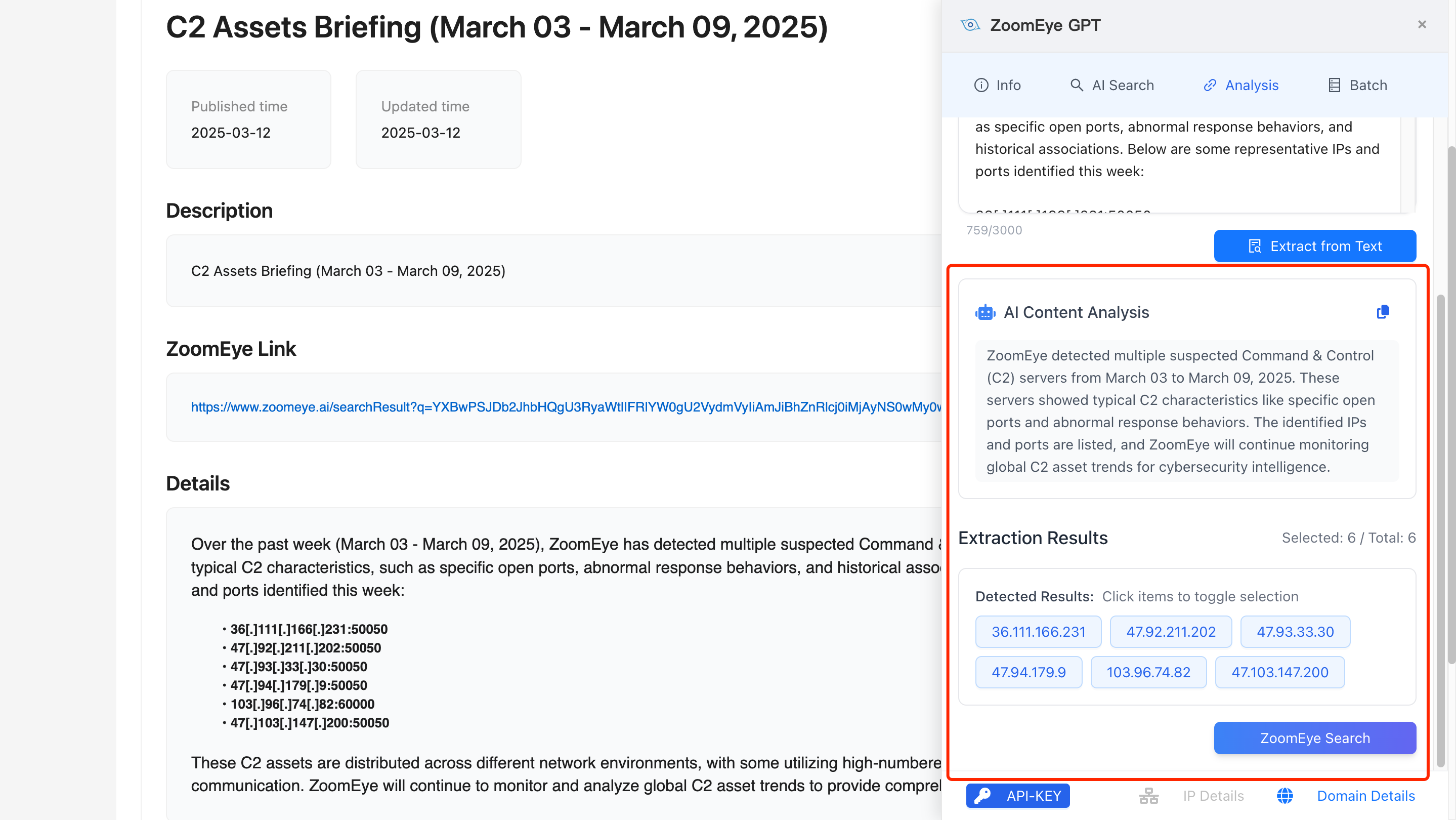
📄 Intelligent Article Analysis (Requires ZoomEye API Key)
With one click, analyze the current webpage to extract domains, IP addresses, and generate concise summaries for fast understanding.
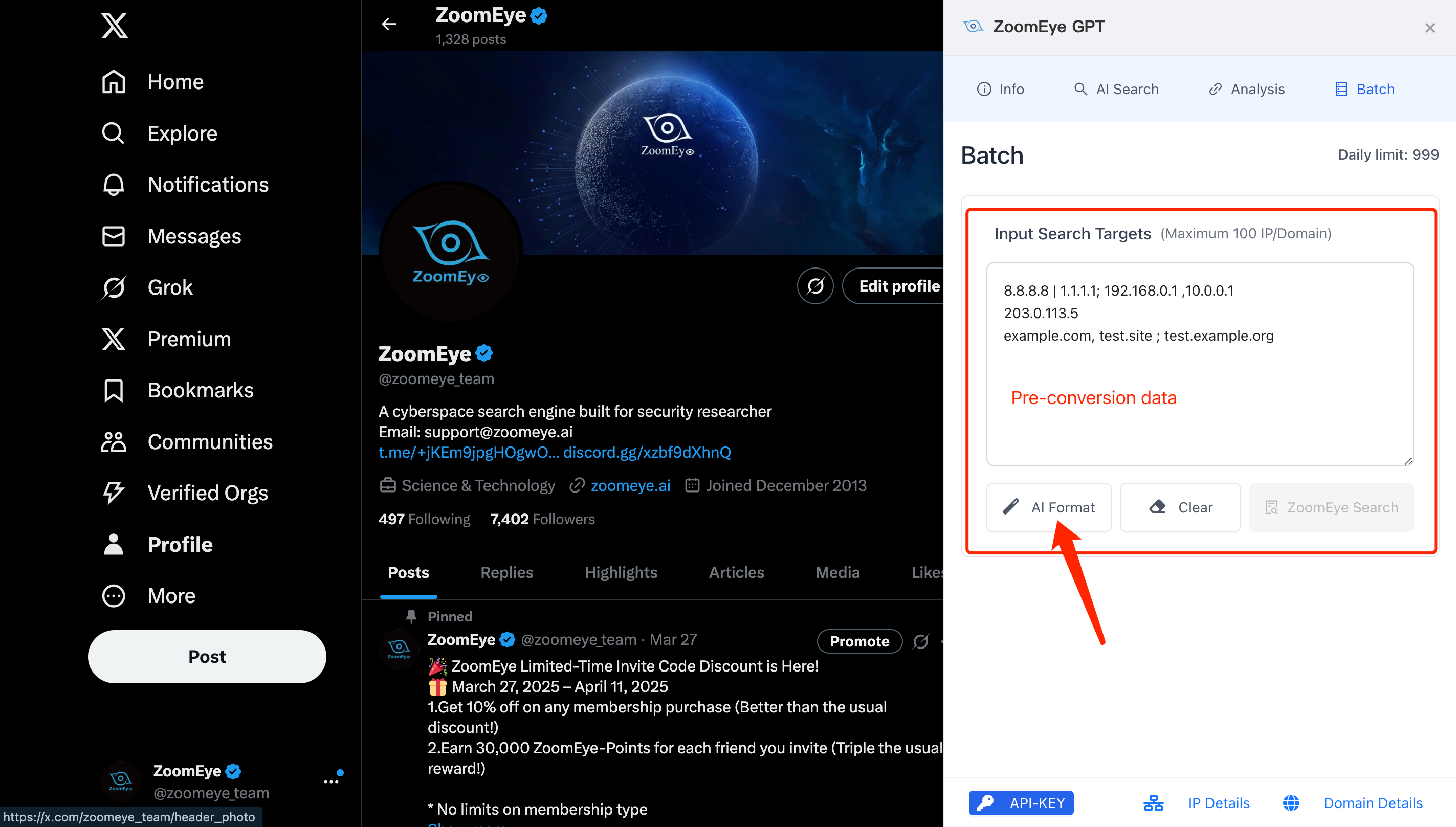
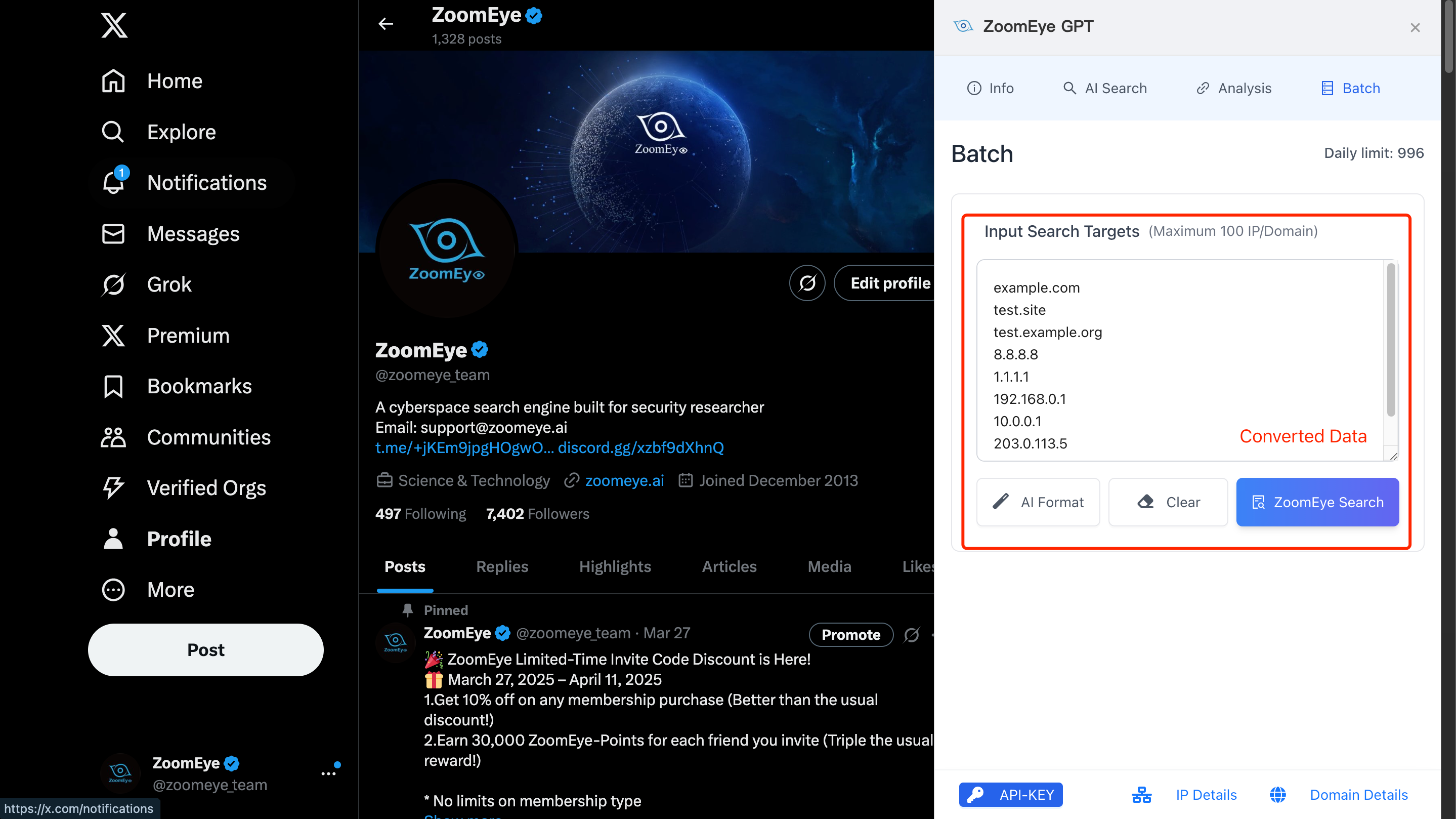
📦 Bulk Asset Lookup (Requires ZoomEye API Key)
Supports various formats of IP/domain input to help you quickly search a large number of assets.
📥 Installation Process
For Google Chrome:
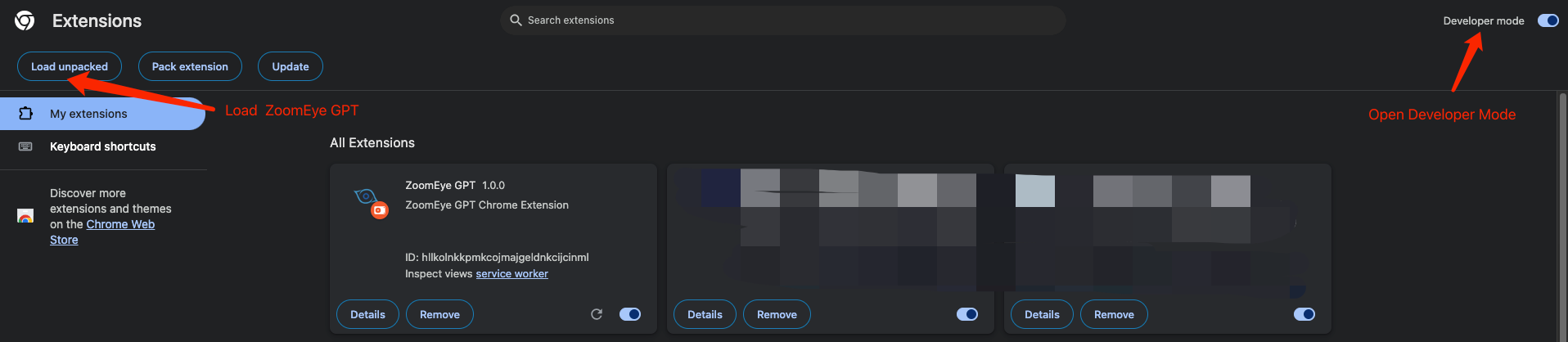
- Download the "ZoomEyeGPT" zip file.
- Open "Manage Extensions"
- Click "Load unpacked extension" to install the extension.
- After the installation is complete, you will see the ZoomEye GPT icon in the browser toolbar.
🔑 How to Get and Bind Your ZoomEye API Key
Step 1: Register and Log In to ZoomEye
Visit https://www.zoomeye.ai to create and log in to your account.
Step 2: Get Your API Key
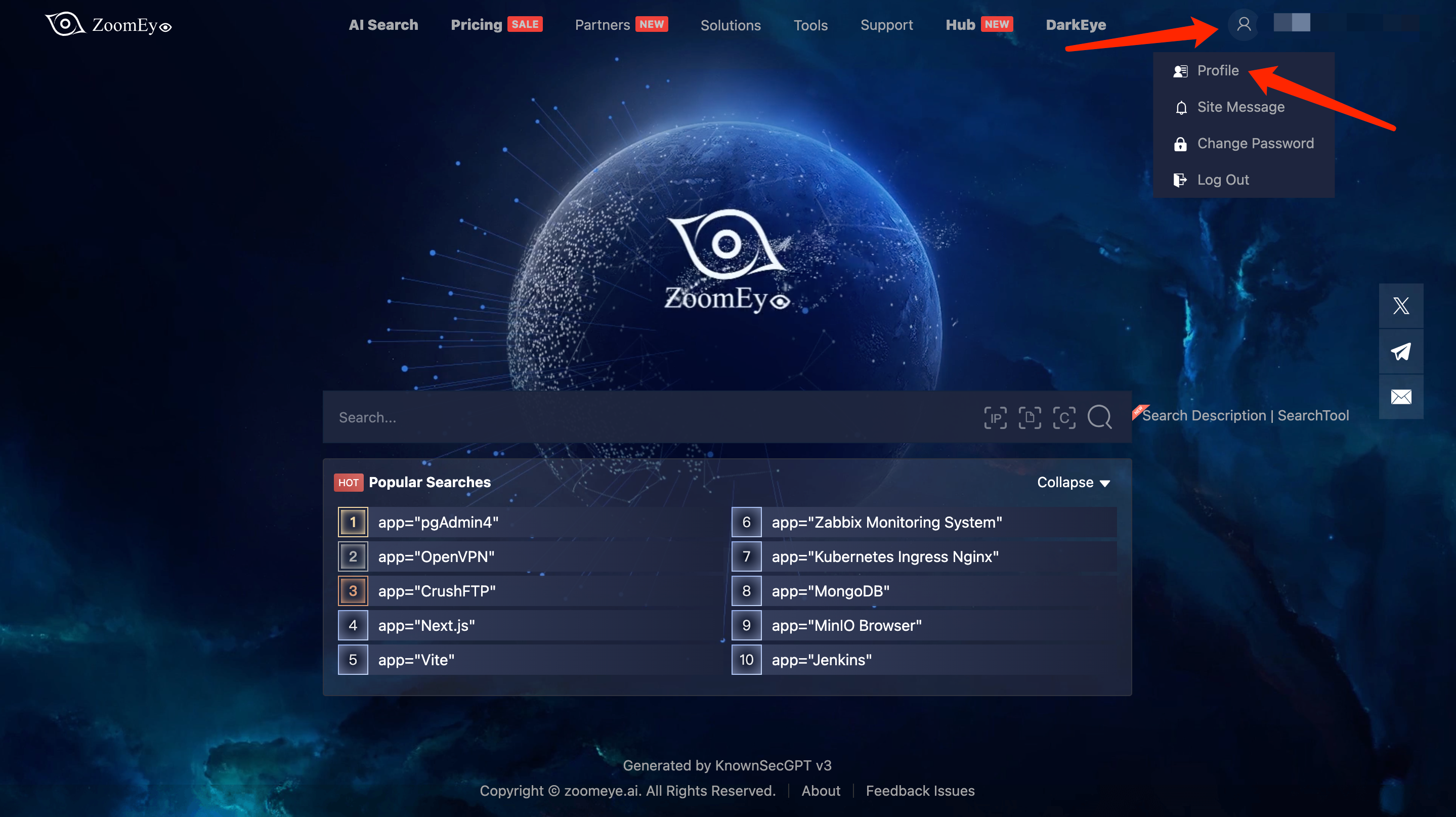
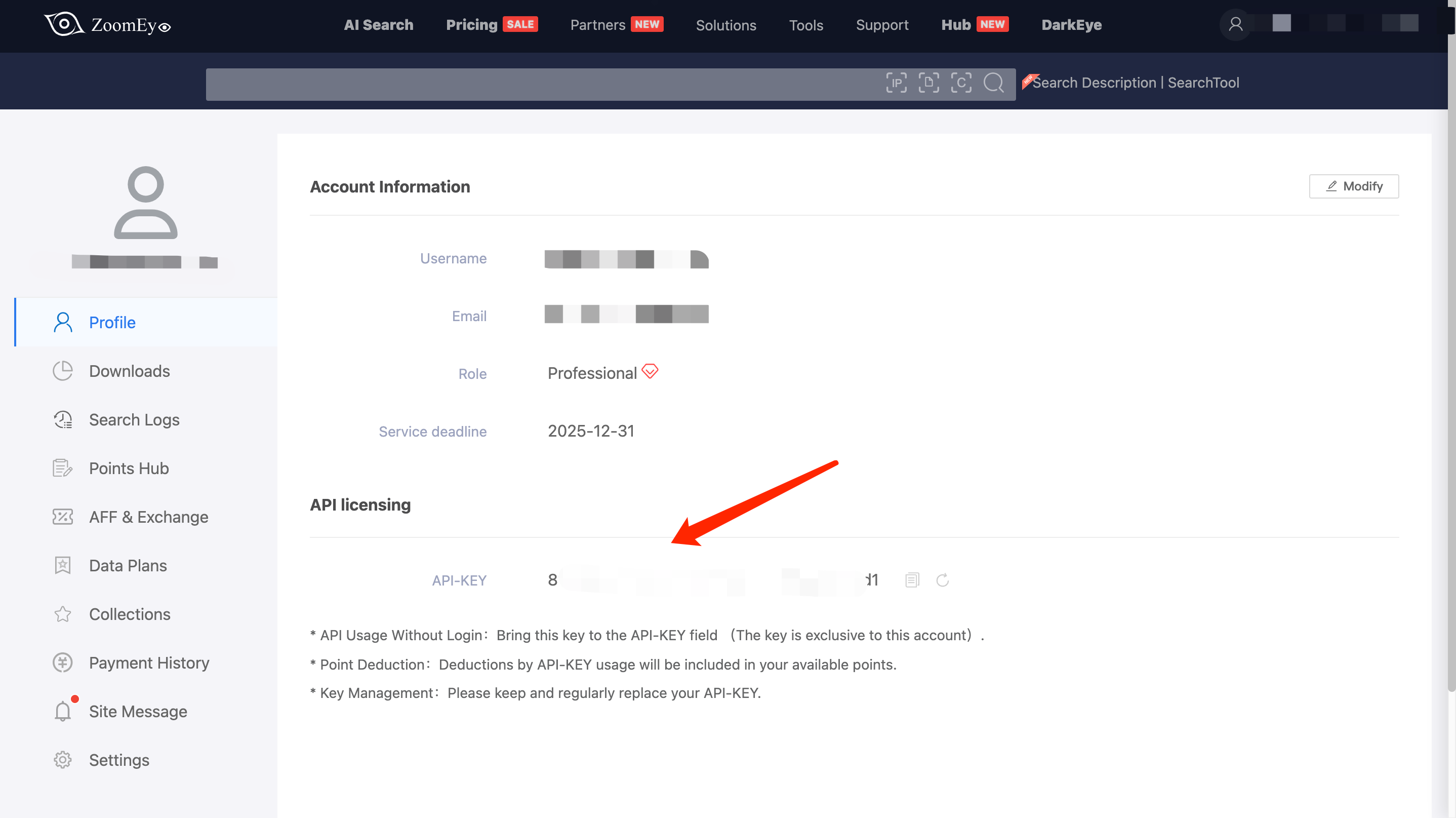
After logging in, click your profile avatar at the top right and go to “Profile” to copy your personal API Key.
Step 3: Bind the API Key in the Extension
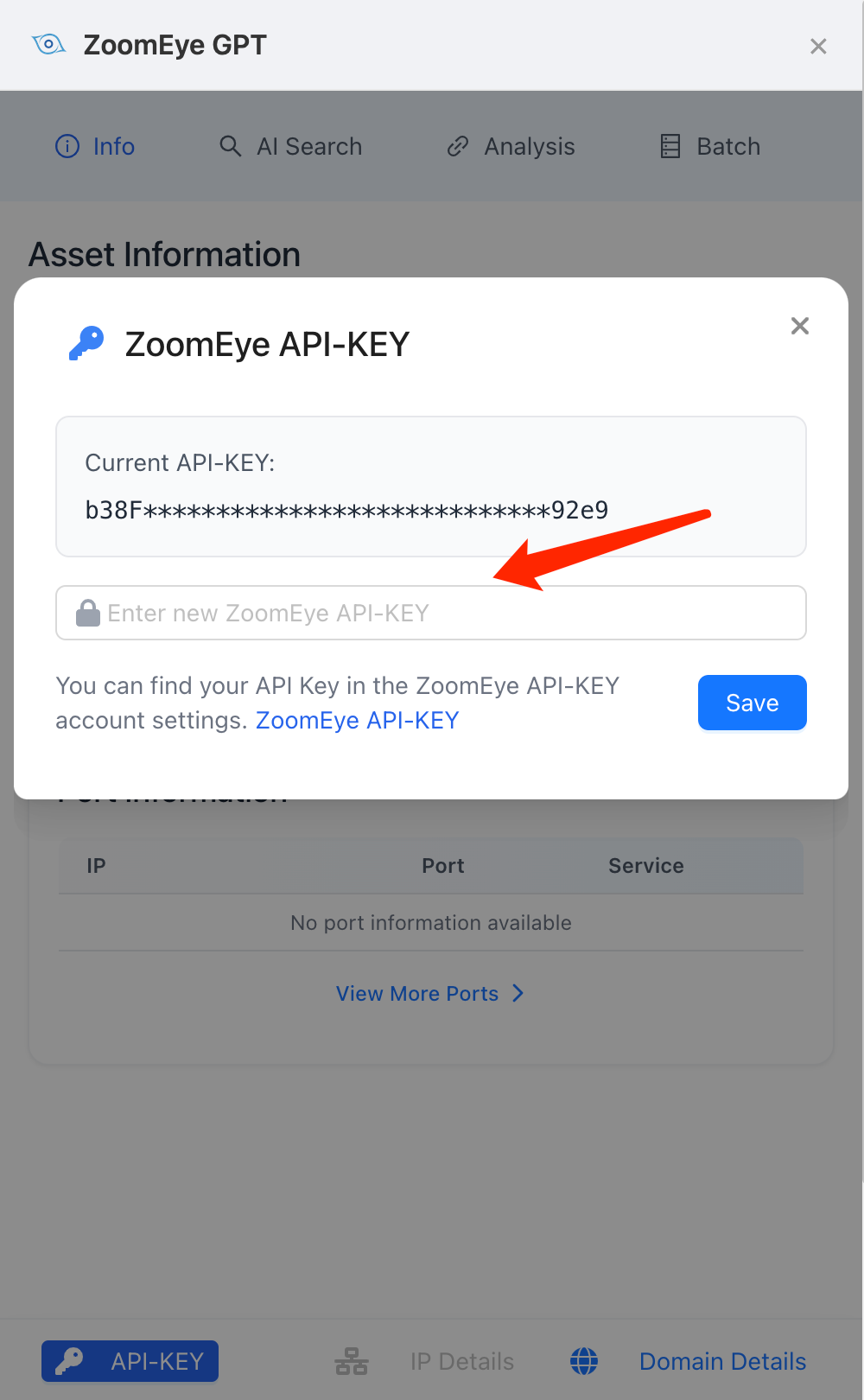
Paste your copied ZoomEye API Key into the extension settings and click “Save” to unlock full functionality.
💡 Feature Showcase
- Site Asset Information – Instantly view related global asset data for the site you're visiting
- AI Search – Input natural language, get accurate ZoomEye queries
- Article Analysis – Extract domain/IP info and generate summaries
- Bulk IP Search – Supports complex and mixed-format batch input
🛠️ Contact & Support
If you have any questions or suggestions, feel free to reach us:
🌐 Visit our website: https://www.zoomeye.ai