chatgpt.js-chrome-starter
May 21, 2026 · View on GitHub

English |
简体中文 |
繁體中文 |
日本 |
한국인 |
हिंदी |
Deutsch |
Español |
Français |
Italiano |
Nederlands |
Português |
Việt
 chatgpt.js-chrome-starter
A starting point for developing your own Chrome extension using chatgpt.js

⚡ Installation
-
Click Fork -or- Use this template > Create a new repository on https://github.com/KudoAI/chatgpt.js-chrome-starter
-
Clone your newly created repo locally
-
Visit
chrome://extensionsin Chrome (or any Chromium browser) -
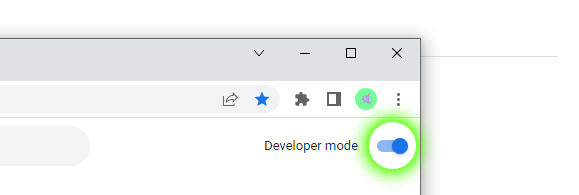
Ensure Develper mode toggle is activated
-
Click Load unpacked

- In pop-up window, select the extension folder > click Select Folder

That's it! ChatGPT Extension will now appear in extension list:

💡 TIP: To reflect changes from source code, click Reload on extension tile + reload any Chrome tabs content scripts are running on:


For advanced Chrome API methods, see: https://developer.chrome.com/docs/extensions/reference/api
🤖 Made with chatgpt.js
These are some of the extensions featured by Google that use chatgpt.js:

