ONLYOFFICE app for Box
May 20, 2026 · View on GitHub
The ONLYOFFICE app for Box allows users to open, view, and co-edit office files directly within Box environment using ONLYOFFICE Docs.
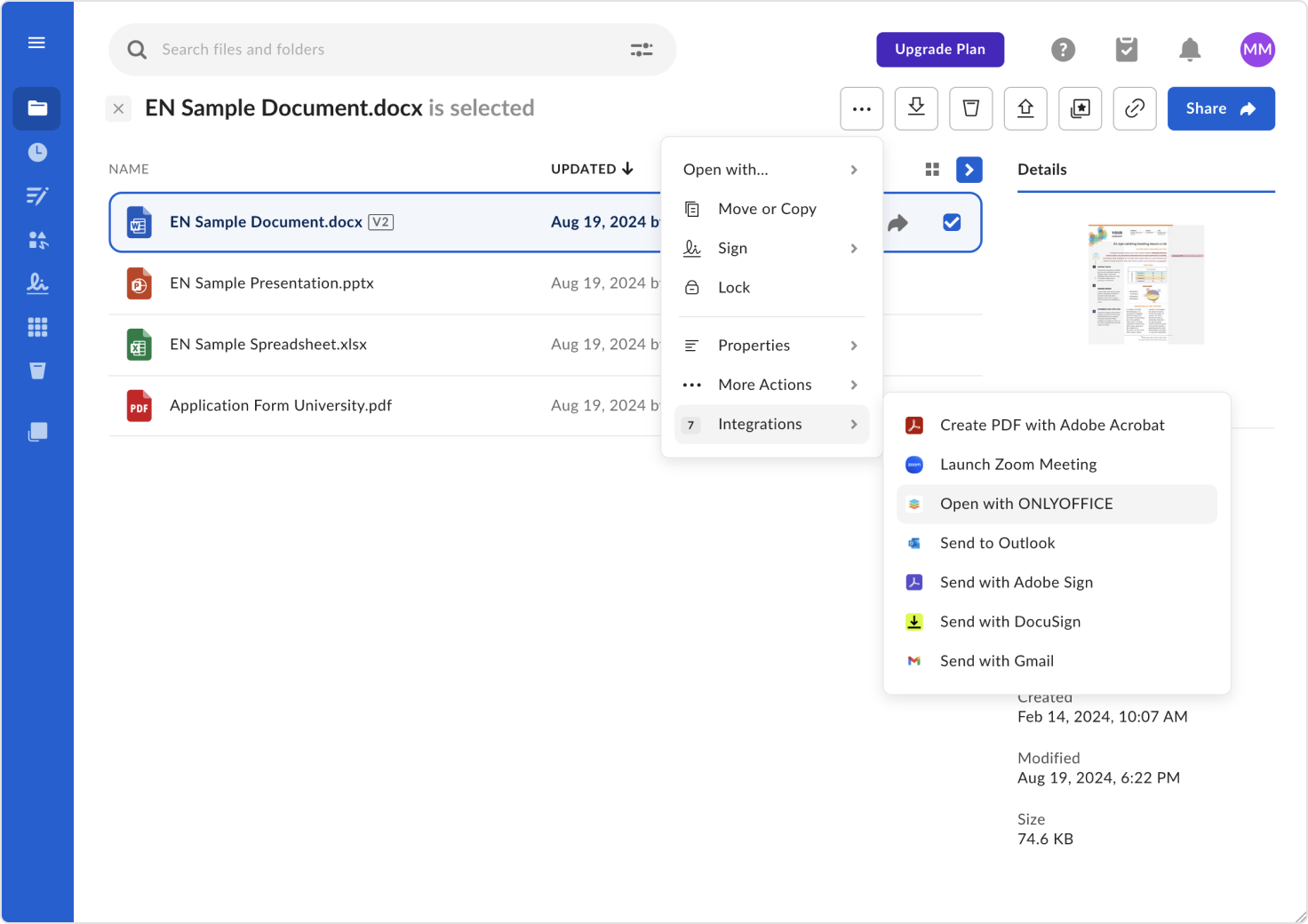
▶️ How it works
- Open the three-dots menu (⋮) → Integrations → Open with ONLYOFFICE.
- The selected document (text, spreadsheet, presentation) opens in a full-screen ONLYOFFICE editor in a new tab.
- Collaborate in real time by sharing files with other Box users.
✍️ Note: The app uses a pre-configured ONLYOFFICE Docs Cloud tenant — no setup or manual configuration required.
⚙️ Installation
You can install the ONLYOFFICE App for Box directly from the Box App Center:
- Sign in to your Box account.
- Go to Box App Center.
- Click Add to connect ONLYOFFICE.
📁 Supported file formats
The ONLYOFFICE App for Box supports the following file formats:
| Formats | Editing behavior | Notes |
|---|---|---|
| OOXML (DOCX, XLSX, PPTX) | Full editing in ONLYOFFICE | — |
| ODT, ODP, ODS, TXT, CSV, RTF, EPUB, FB2 | View-only or limited editing | Convert to OOXML for reliable editing |
| DOC, XLS, PPT, DOT, ET, FODP, HTM, POT, etc. | View-only or convert to OOXML | Editing requires conversion |
| PDF, DJVU, OXPS | View-only | No editing support |
⚠️ Tip: Non-OOXML formats may display layout differences or data loss when edited.
Project information
Official project page: onlyoffice.com
Source code: Repository
Box App Center: ONLYOFFICE Docs
💬 User Feedback & Support
We welcome community participation, technical insights, and feedback. For questions, issues, or troubleshooting, visit:
- Report issues: GitHub Issues
- Community forum: ONLYOFFICE Community
- Help for developers: API documentation