kubesess(ion)
January 18, 2026 · View on GitHub
Table of Contents
Important
Upgrading from v2.x? Version 3.0 introduces breaking changes. See the Migration Guide below.
Showcase
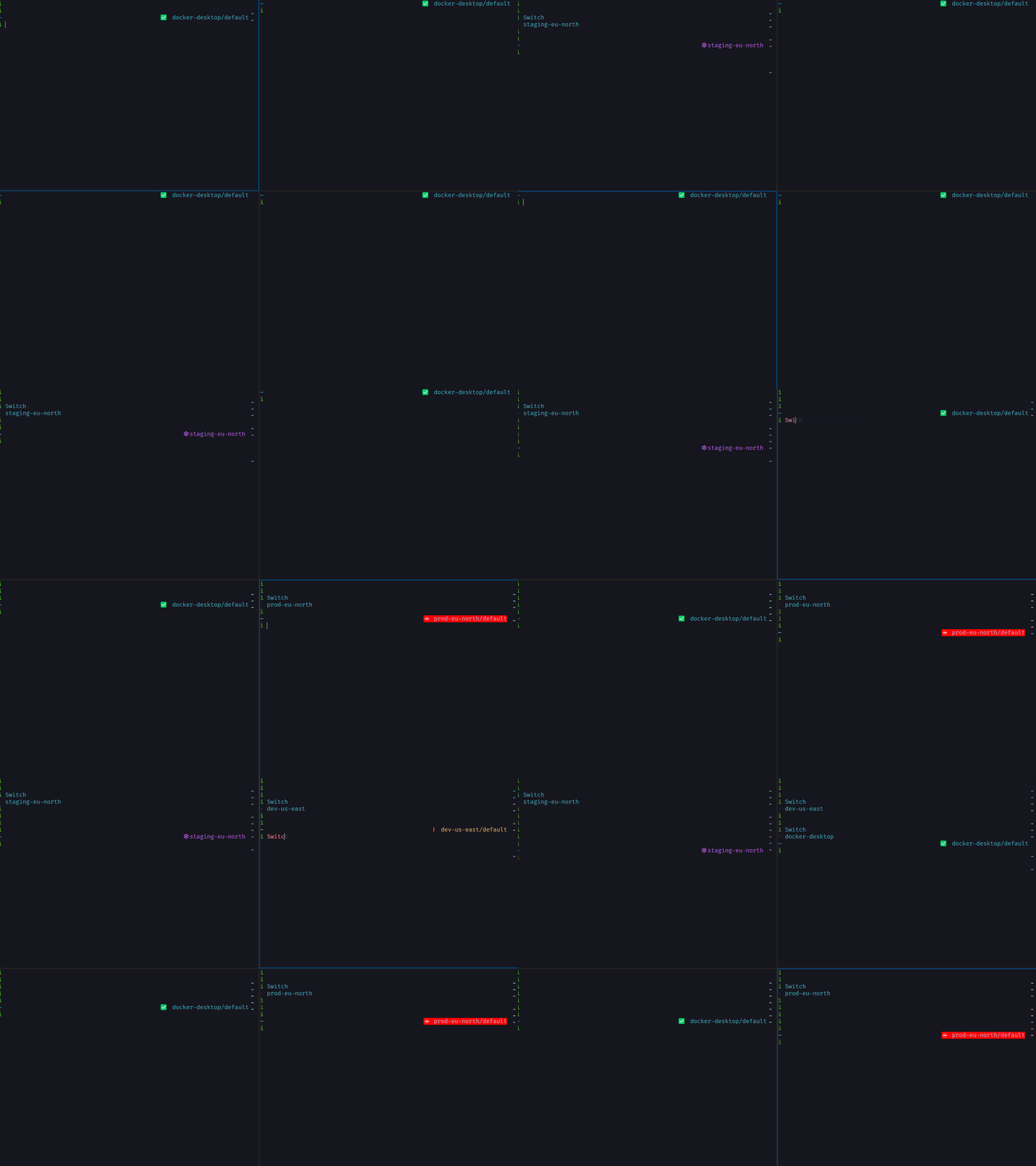
The showcase demonstrates the multiple sessions per shell feature, selecting items and fuzzy searching for them. The same features apply for handling namespace as well
About The Project
What
This BLAZINGLY FAST plugin written in Rust makes it possible to have one context per shell active.
Why
Why isolated context? Typically when you switch context in kubectl (with ex. kubectx), the change happens on all terminal instances. That is because the change is saved in your $HOME/.kube/config file and is read on every interaction with kubectl.
This will lead to the inevitable scenario of working on a local cluster, and needing to do something quickly in production. You open another terminal, switch context, do your work and then go right back to your old terminal. The issue is that the prompt has not visually refreshed to the actual context. Often the following command you type will not be dangerous, and you will notice that you did it in production, but sometimes the damage is severe💥.
How
We will use the config merge capability of kubectl to override the current-context setting. By creating a file with the correct context and prepend it to the KUBECONFIG environment variable
The program will output the SESSION_CONTEXT and the alias created in Installation will do the prepending
export KUBECONFIG=$SESSION_CONTEXT:$KUBECONFIG
Benchmark
Tool: custom script
| Command | kubesess | kubectx |
|---|---|---|
| 20 runs with no ctx switch and no kubectl calls | .024931342 | 1.744966963 |
| 20 runs with ctx switch and no kubectl calls | .049247181 | 3.775905777 |
| 20 runs with ctx switch and calling kubectl get nodes | 11.167763585 | 15.265837926 |
I am using the input argument variant for both tools, using fzf or tab completion is harder to do.
Tool: hyperfine
| Command | Mean [ms] | Min [ms] | Max [ms] | Relative |
|---|---|---|---|---|
kubesess context -v docker-desktop | 1.3 ± 0.2 | 1.0 | 2.2 | 1.00 |
kubectx docker-desktop | 91.8 ± 3.3 | 85.1 | 100.7 | 71.23 ± 13.64 |
| Command | Mean [ms] | Min [ms] | Max [ms] | Relative |
|---|---|---|---|---|
kubesess namespace -v monitoring | 0.8 ± 0.1 | 0.7 | 0.9 | 1.00 |
kubens monitoring | 215.3 ± 27.0 | 199.5 | 288.9 | 270.22 ± 38.34 |
* Disclaimer * kubectx and kubens are a wonderful tools, been using it allot but my workflow is different and thus this tool was created. Probably most of the speed gains are because I am bypassing kubectl and just editing config files.
Getting Started
Prerequisite
- No dependencies
Installation
Binary
Download and extract the binary.
KUBESESS_VERSION=3.0.0 && \
KUBESESS_OS=x86_64-unknown-linux-gnu && \
wget "https://github.com/Ramilito/kubesess/releases/download/${KUBESESS_VERSION}/kubesess_${KUBESESS_VERSION}_${KUBESESS_OS}.tar.gz" && \
tar zxpf kubesess_${KUBESESS_VERSION}_${KUBESESS_OS}.tar.gz && \
sudo mv kubesess /usr/local/bin/kubesess
Initialize shell integration by adding one of the following to your shell config:
Bash (add to ~/.bashrc):
eval "$(kubesess init bash)"
Zsh (add to ~/.zshrc):
eval "$(kubesess init zsh)"
Fish (add to ~/.config/fish/config.fish):
kubesess init fish | source
PowerShell (add to your PowerShell profile):
Invoke-Expression (&kubesess init powershell)
Brew
brew install kubesess
Add shell integration to your config (same as above):
Usage
See the available commands by running kubesess --help. The shell integration (via kubesess init) provides convenient wrapper functions that handle the KUBECONFIG export automatically.
Functions provided by shell integration:
kc  #kube_context: Sets session context

kcd #kube_context_default: Sets context across all shells

kn  #kube_namespace: Sets namespace

knd #kube_namespace_default: Sets namespace across all shells
Multiple config files
We have two ways of handling multiple config files, the first one is to use kubectl recommended way of adding multiconfig files found here. Example:
export KUBECONFIG=$HOME/.kube/config:$HOME/.kube/config-demo:$HOME/.kube/config-demo-2
Note
*The order is important: the first file will be the master config!
The second way is to let Kubesess handle it by adding one or more config files under the $HOME/.kube folder and it will be automatically merged.
Add information to prompt (there are other good tools for this, kube-ps1 and p10k)
prompt_context() {
    KUBE_CTX=$(kubesess context -c)
    KUBE_NS=$(kubesess namespace -c)

    if [[ $KUBE_CTX == *"dev"* ]]; then
      echo "❗%{$fg[yellow]%}|$KUBE_CTX%{$reset_color%}:%F{6}$KUBE_NS%f"
    elif [[ $KUBE_CTX == *"prod"* ]]; then
      echo "⛔%{$fg[red]%}|$KUBE_CTX%{$reset_color%}:%F{6}$KUBE_NS%f"
    elif [[ $KUBE_CTX == *"staging"* ]]; then
      echo "⛔%{$fg[red]%}|$KUBE_CTX%{$reset_color%}:%F{6}$KUBE_NS%f"
    else
      echo "✅️%{$fg[green]%}|$KUBE_CTX%{$reset_color%}:%F{6}$KUBE_NS%f"
    fi
}

RPROMPT='$(prompt_context)'

Roadmap
- List all contexts
- Present it with fzf
- Write selection to file
- Output link to file
- Add alias to handle output
- Cleanup after use
- clean prepended env variable
- output files to $HOME/.cache/kubesess
- Handle different namespaces per context
- Use rust tui instead of fzf
- Add option to make changes stick (default-context)
- Add option to make changes stick (default-namespace)
- Add tests
- Add tab completion - https://github.com/clap-rs/clap/issues/1232
- Add to brew
- Add support for multiple .kube/config files
- Add support for multiple namespace per session
- Add error handling
Migrating from v2.x
Version 3.0 introduces breaking changes to simplify shell integration.
What Changed
-
CLI argument order: Options now come after the subcommand
# Old (v2.x) kubesess -v docker-desktop context # New (v3.0) kubesess context -v docker-desktop -
Shell integration: Now built into the binary via
kubesess init
Update Your Shell Config
Replace your existing shell setup with:
Bash/Zsh:
# Remove old source commands and add:
eval "$(kubesess init bash)"   # or zsh
Fish:
kubesess init fish | source
PowerShell (new!):
Invoke-Expression (&kubesess init powershell)
See CHANGELOG.md for full details.
Troubleshooting
Just fix it
A hard reset will fix most issues, to do that just remove the ~/.kube/kubesess/cache folder.
*The downside is that your last visited namespace per context will be lost.
Why is it happening?
There are only two places that can go wrong, either the $KUBECONFIG env is
not set correctly or the generated file is corrupt.
This is how the $KUBECONFIG should look like (replace ${USER} with your user name):
/home/${USER}/.kube/kubesess/cache/docker-desktop:/home/${USER}/.kube/config
This is how the generated file should look like:
clusters:
- name: docker-desktop
  cluster:
    server: https://kubernetes.docker.internal:6443
    certificate-authority-data: REDACTED
users:
- name: docker-desktop
  user:
    client-certificate-data: REDACTED
    client-key-data: REDACTED
contexts:
- name: docker-desktop
  context:
    cluster: docker-desktop
    user: docker-desktop
    namespace: default
current-context: docker-desktop