Additional Context Menus
May 27, 2026 · View on GitHub

Additional Context Menus





Supercharge your development with intelligent right-click menus for file operations and code refactoring.
About the Project
The "Why"
Developers constantly lose time to repetitive, manual code refactoring — extracting a function from one file, switching to another, pasting it in, then hunting down every missing import. There's no built-in shortcut for that in VS Code. The same friction shows up with file operations: bulk-saving, opening a terminal at the right directory, renaming to a project convention — all small tasks that add up to a real drag on flow.
Additional Context Menus brings those workflows to your right-click menu. With a single click you can move a function, carry its imports along, rename a file to convention, generate boilerplate, or launch a terminal — without ever leaving the editor.
Features
- AST-Based Function Extraction: Copy or move functions precisely using the Babel parser (
@babel/parser) and@babel/types— no regex, no guessing. - Smart Import Management: When copying or moving selected code, existing imports are automatically merged into the target file.
- Save All & Terminal Integration: Bulk-save all open files securely, or open an integrated/external terminal pointed at any file's directory.
- Generators: Generate TypeScript Enums, interactive Cron expressions, and
.envtemplate files from the context menu. - File System Workflows: Rename files to common naming conventions, duplicate them, or copy their contents directly from the Explorer.
Tech Stack
- TypeScript
- VS Code Extension API
- Node.js
- Babel parser (AST parsing)
Visuals
Click to view feature demos (GIFs)
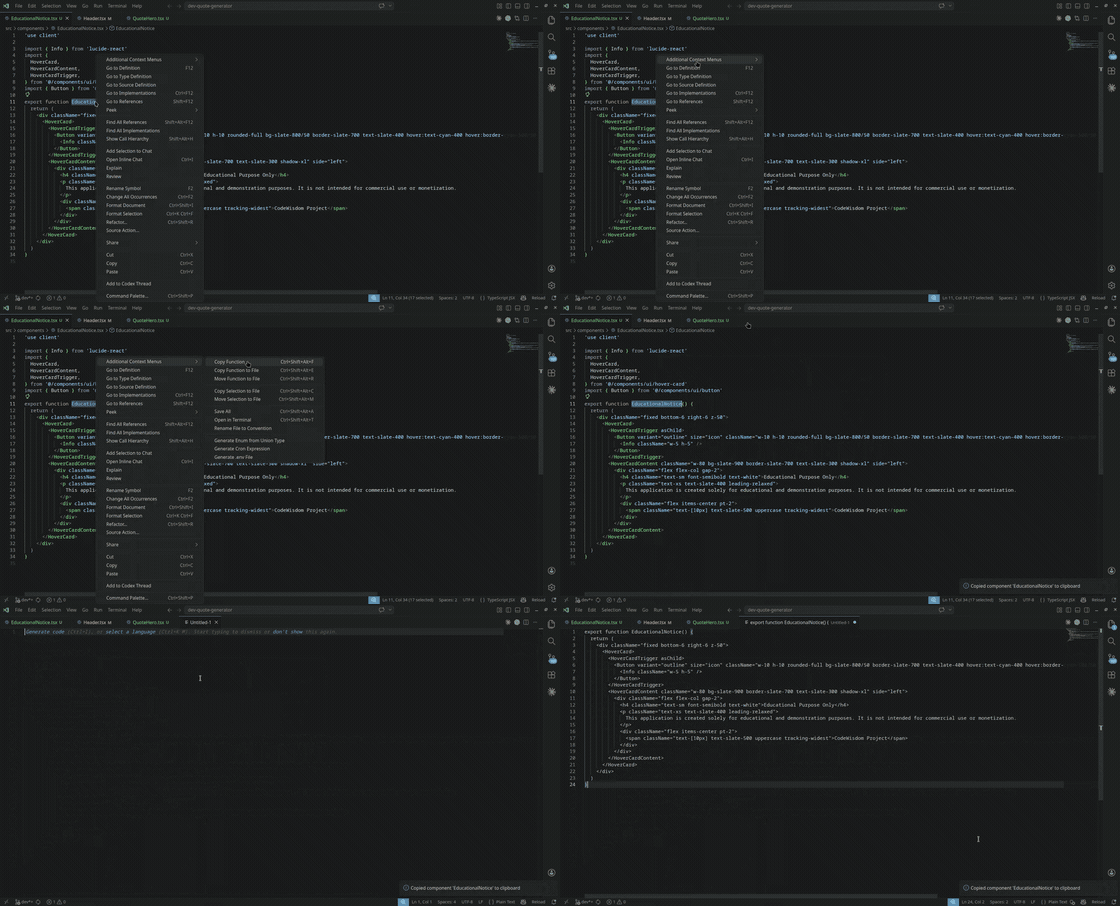
Copy Function
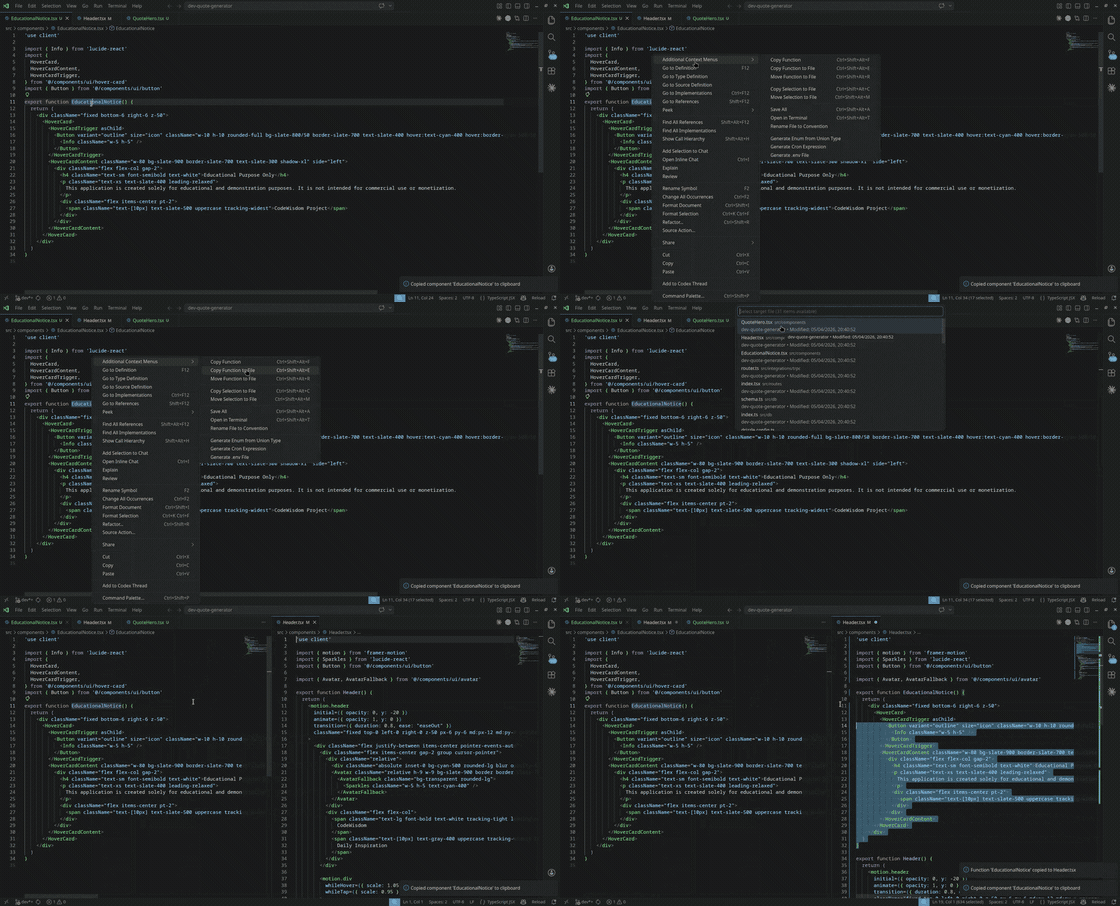
Copy Function to File
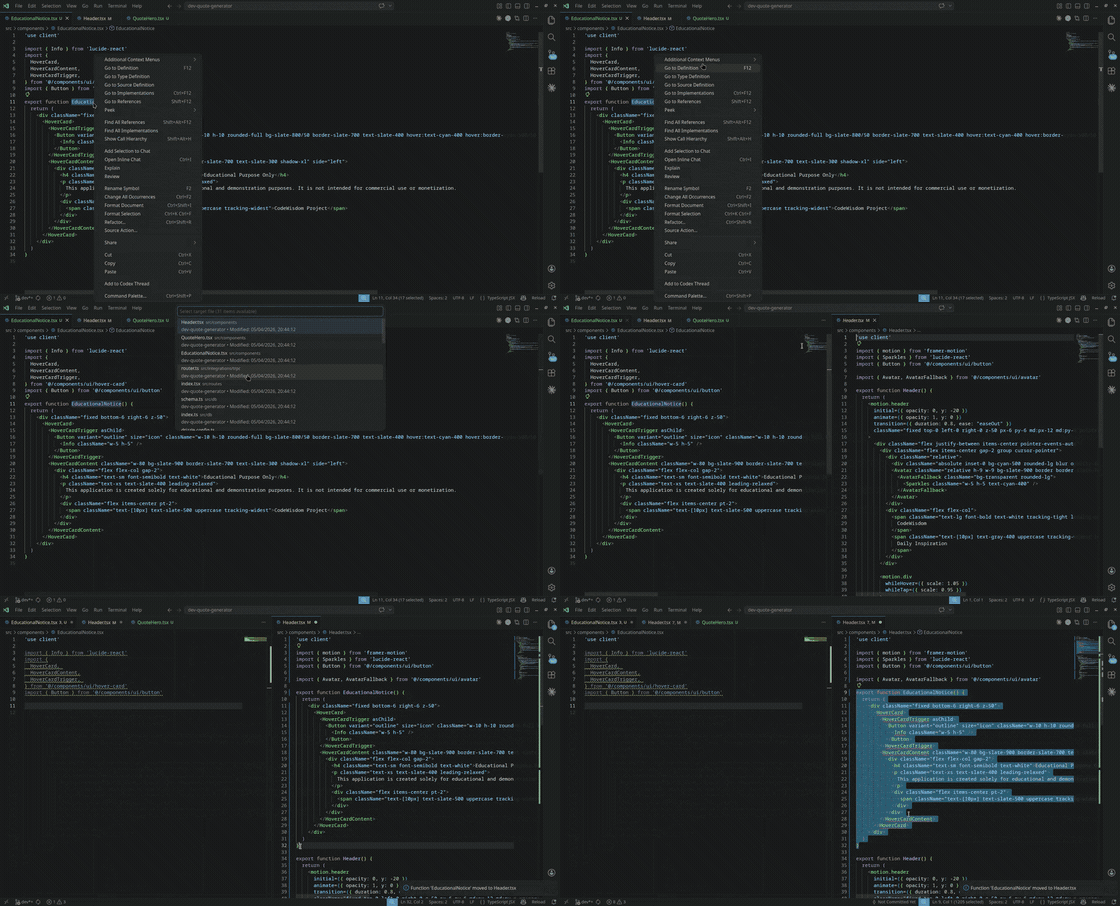
Move Function to File
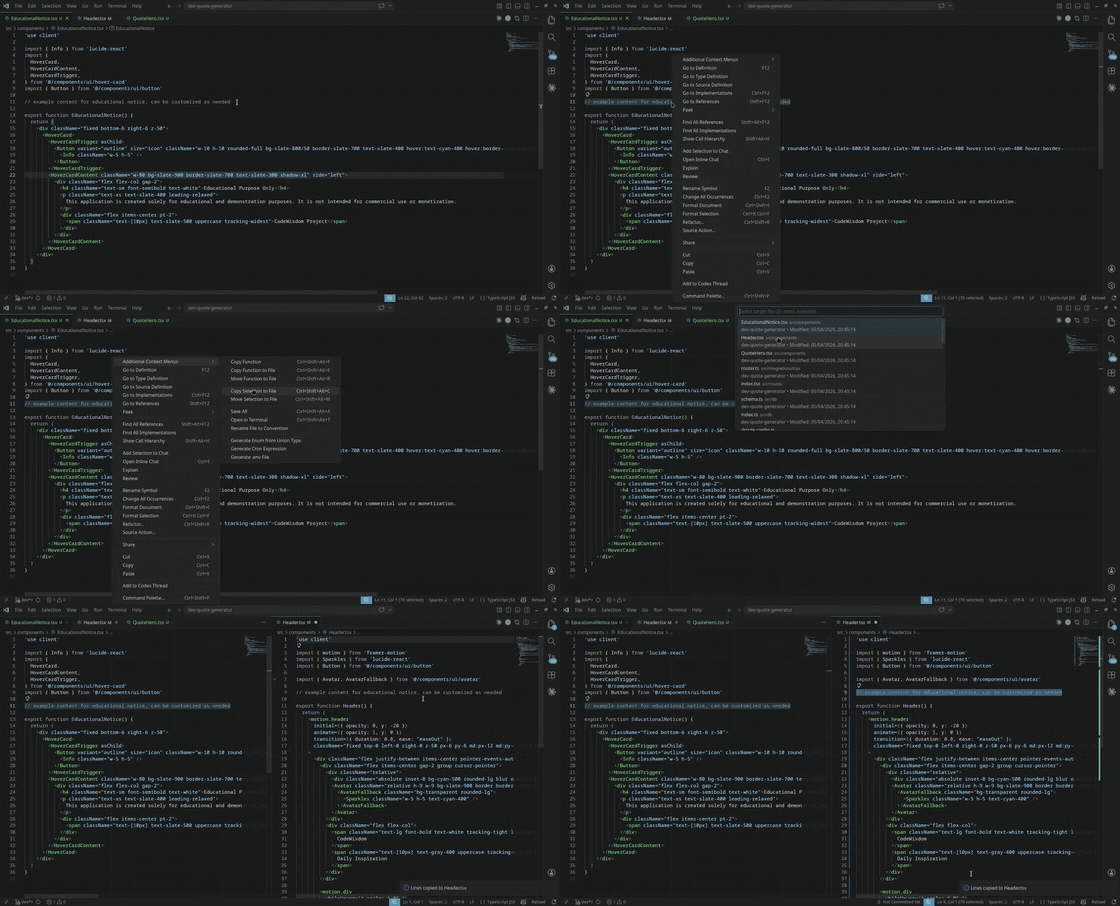
Copy Selection to File
Save All
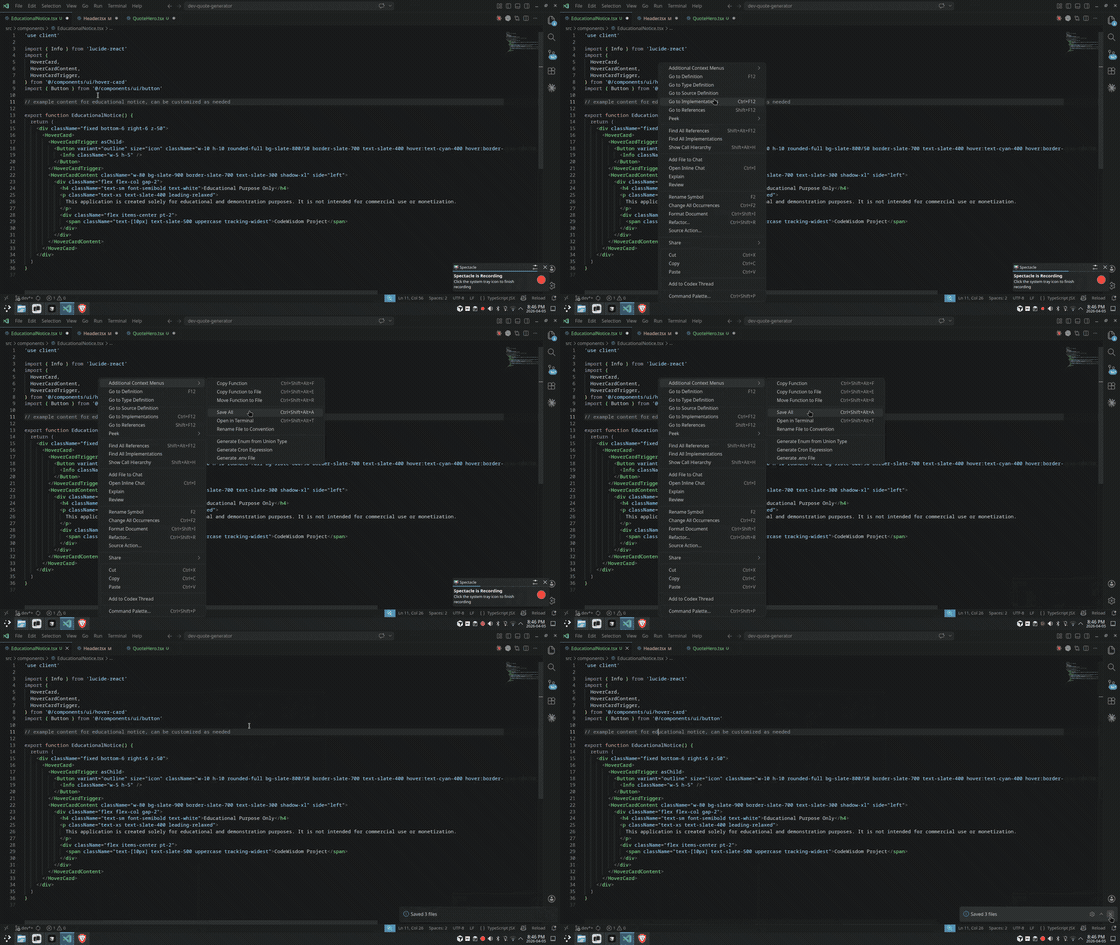
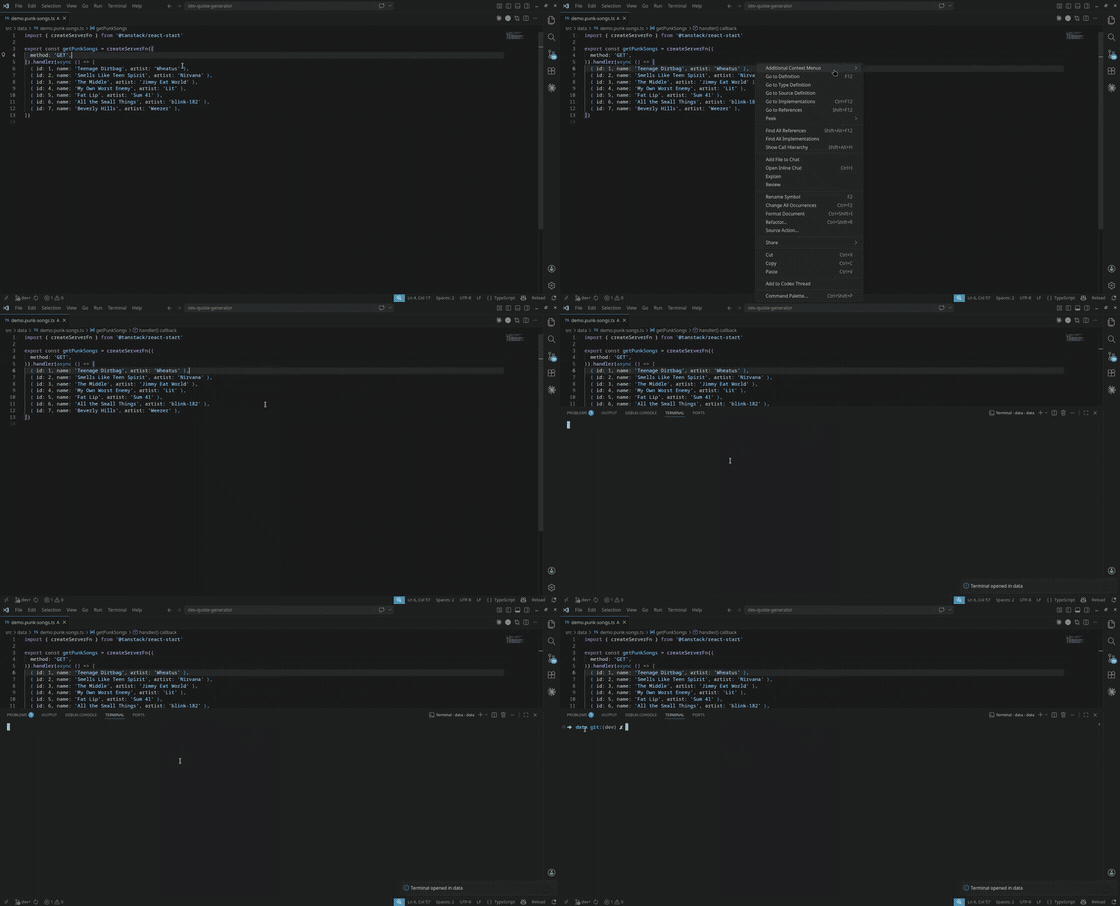
Open in Terminal
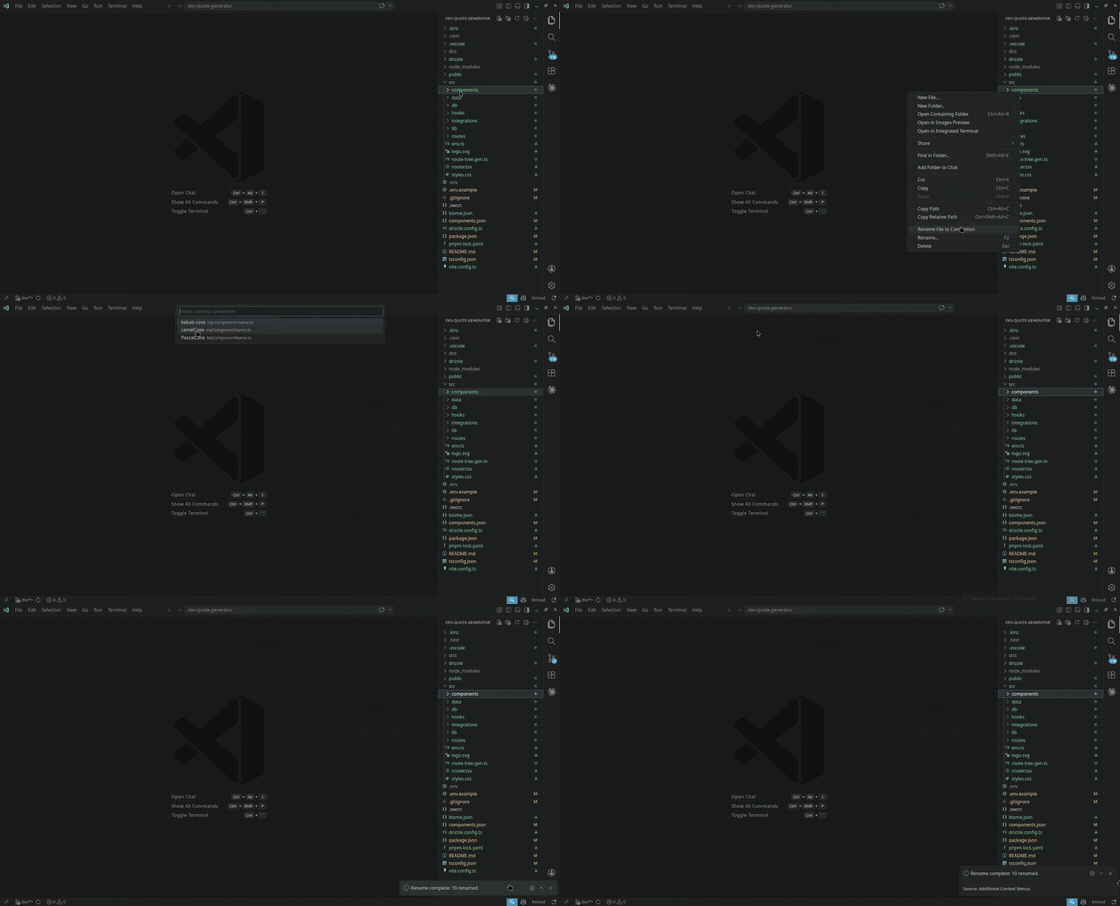
Rename File to Convention
Setup & Installation
Prerequisites
- VS Code: Version
1.111.0or later. - A workspace with source code files (Node.js, React, Angular, Next.js, or any TS/JS project).
Install Commands
VS Code Marketplace (recommended):
ext install VijayGangatharan.additional-context-menus
Or search "Additional Context Menus" in the Extensions view (Ctrl+Shift+X).
Open VSX (VS Codium / other open-source VS Code builds): open-vsx.org/extension/VijayGangatharan/additional-context-menus
Command line:
code --install-extension VijayGangatharan.additional-context-menus
Usage
Quick Start
- Install from VS Code Marketplace.
- Open any
.ts,.tsx,.js, or.jsxfile in VS Code. - Right-click inside the editor or on a file in the Explorer.
- Select an action from the Additional Context Menus submenu.
Examples
Extracting a Function
- Place your cursor inside any function in a
.tsor.jsfile. - Right-click → Additional Context Menus ▶ Move Function to File.
- Choose the target file. The function is relocated instantly.
Moving Selected Code with Imports
- Highlight a block of code spanning multiple lines.
- Right-click → Additional Context Menus ▶ Move Selection to File.
- Pick the target file. Relevant imports from the source are automatically merged.
Configuration
All settings live under the additionalContextMenus.* namespace in your VS Code settings.json:
Core
| Setting | Type | Default | Description |
|---|---|---|---|
enabled | boolean | true | Enable or disable the extension |
autoDetectProjects | boolean | true | Automatically detect frameworks in the workspace |
supportedExtensions | string[] | [".ts", ".tsx", ".js", ".jsx"] | File extensions where context menus will appear |
Code Copy
| Setting | Type | Default | Description |
|---|---|---|---|
copyCode.insertionPoint | string | "smart" | Where to insert copied code: "smart", "end", "beginning" |
copyCode.preserveComments | boolean | true | Preserve comments when copying code |
Save All
| Setting | Type | Default | Description |
|---|---|---|---|
saveAll.showNotification | boolean | true | Show a notification after saving all files |
saveAll.skipReadOnly | boolean | true | Skip read-only files when saving all |
Terminal
| Setting | Type | Default | Description |
|---|---|---|---|
terminal.type | string | "integrated" | Terminal to open: "integrated", "external", "system-default" |
terminal.externalTerminalCommand | string | "" | Custom command for external terminal. Use {{directory}} as a placeholder. |
terminal.openBehavior | string | "parent-directory" | Directory to open: "parent-directory", "workspace-root", "current-directory" |
Getting Help & Contributing
Troubleshooting
Context menus aren't showing up
Make sure you are right-clicking inside an active editor tab with a supported file type (.ts, .tsx, .js, .jsx). Check that additionalContextMenus.enabled is true in your settings.
Function extraction isn't precise
The AST parser requires syntactically valid code. Ensure the file has no compile errors before extracting.
Imports not merged when using Copy / Move
Import merging only applies to Copy Selection to File and Move Selection to File. The Copy / Move Function to File commands transfer the function body only.
Using the extension in non-Node.js projects
Yes — context menus appear in any workspace. autoDetectProjects identifies frameworks for informational purposes only and does not gate the menus. Basic file operations work everywhere.
Framework support (Vue, Svelte, etc.)
The extension currently detects React, Angular, Express, and Next.js projects. Support for additional frameworks is on the roadmap.
Contribution Guidelines
Contributions are welcome. See CONTRIBUTING.md for full guidelines, including how to set up the local development environment. Please open an issue to discuss significant changes before submitting a Pull Request.
Contact
Vijay Gangatharan
- 📧 Email: vijayanand431@gmail.com
- 🐙 GitHub Repository
Additional Sections
Roadmap
Future updates will focus on extending language support beyond the JavaScript/TypeScript ecosystem:
- Go
- Python
- .NET
- Java
- Dart
- Rust
Credits / Acknowledgments
Thanks goes to these wonderful people (and AI assistants) for their contributions:
- Vijay Gangatharan
- Claude (Anthropic)
- The VS Code Extension API team for excellent documentation.
- All contributors and users who provide feedback.
License
This project is licensed under the MIT License.