Build An Alexa Team Lookup Skill
January 4, 2018 · View on GitHub


Customize the Skill to be Yours
At this point, you should have a working copy of our Team Lookup skill. In order to make it your own, you will need to customize it with data and responses that you create. Here are the things you will need to change:
-
New data. You will need to create a new dataset for your skill.
-
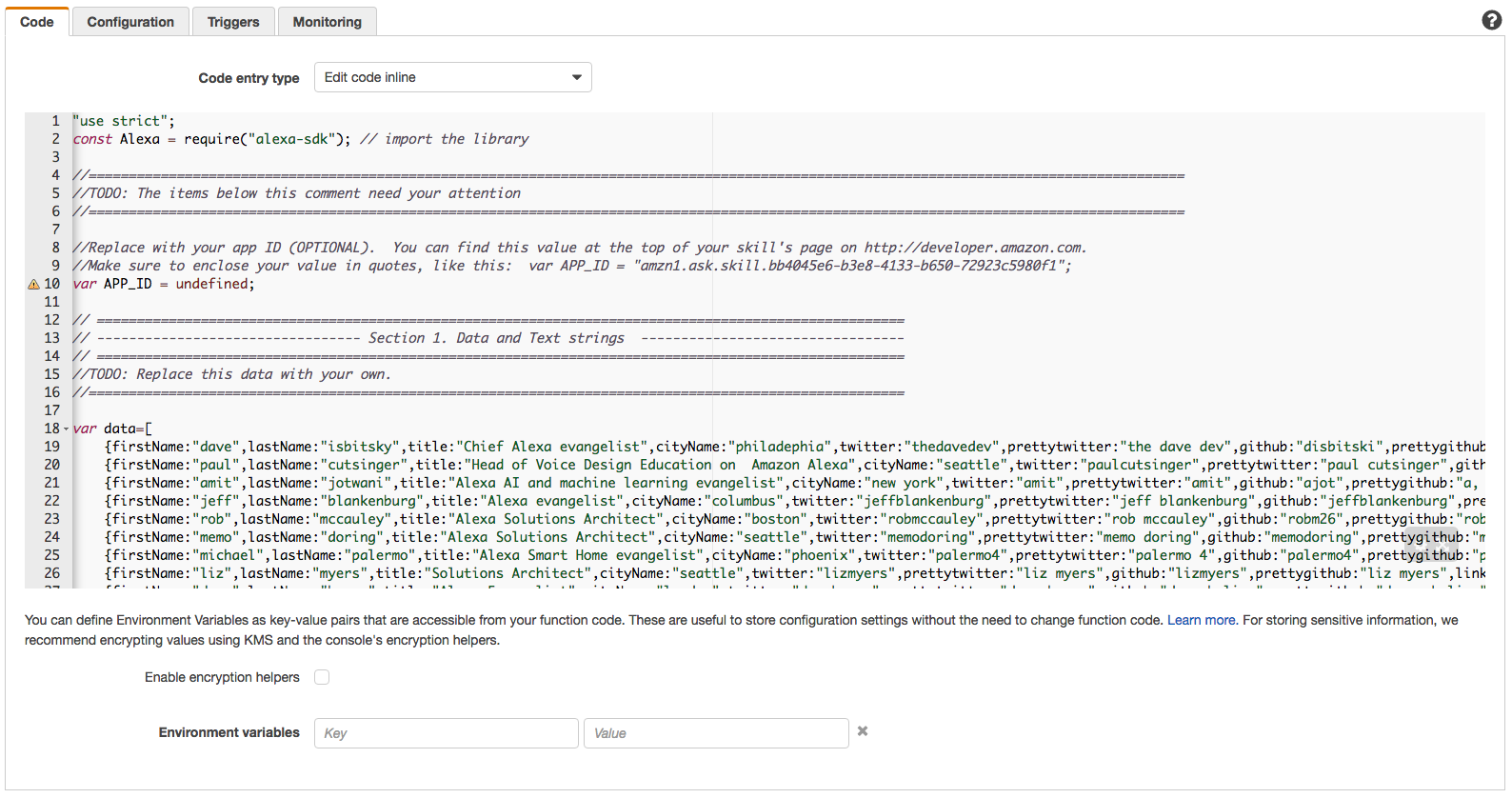
Open a copy of index.js. If you haven't already downloaded the code for this project, you can find a copy of index.js here on GitHub. You can use a simple, lightweight code editor like Atom, Sublime Text, or VSCode, but you also have the option to edit the code directly in your Lambda function.
-
Search for the comment "TODO: Replace this data with your own." This is the data for our skill. You can see that there is a row for each person, represented by nine key-value pairs: firstName, lastName, title, cityName, joinDate, twitter, github, linkedin, and gender. In addition, there are three more key-value pairs - saytwitter, saygithub, and saylinkedin, that correspond respectively to twitter, github, and linkedin keys.
key value firstName First name of the person lastName Last name of the person title Title of the person cityName City of the person joinDate Date the person joined the team twitter Twitter handle of the person github GitHub username of the person linkedin LinkedIn URL of the person. gender This is used to replace with appropriate pronouns (his/her, he/she) saytwitter, saygithub, saylinkedin Twitter, GitHub, and LinkedIn usernames can sometimes be awkward to say. You can use sayTwitter to break it in a way that would sound better when Alexa says it. You can provide as few or as many infoTypes for your data as you would like, but we recommend a minimum of three (example, twitter, github, linkedin) to keep your skill useful. You may add more infoTypes like "email", "phone number", "instagram" based on your preferences and use case. Also, you should include at least 5 contacts that can be looked up by your skill by replacing the data that we provided with your data. Here are some scenarios where the Team Lookup skill can be adapted -
Scenario 1 - just replace the data, and publish: Imagine you are real estate company, and would like your customers, and prospects to be able to find a local agent by just talking to Alexa. You can take this template, replace it with your data, and then publish it. So, now anyone with access to an Alexa device can just say - “Alexa, ask my broker to find me an agent in New York”.
Scenario 2 - replace the data, and use it privately: While "Scenario 1" is an example of a use case where you would want to publish and make the skill available on the Alexa store, you could very well use it privately to look up information for your friends and family - "Alexa, ask people finder what's jessica's twitter handle"
Scenario 3 - replace the data, add more features, and publish: Finally, of course you can use it as a base to build on top of, say by adding more information types like email, Instagram. You could also add search by geo-location, so it would return results for people who are currently in a given city.
-
Consider using built-in slot values. We recommend considering data from the built-in slot values provided by Amazon. You still need to build your entire dataset, but using values from the built-in slots will make your work in the next few steps easier. We have provided a few examples below, but you can see the entire list of built-in slot values here.
Category Slot Types Description Supported Languages Cities AMAZON.US_CITY, AMAZON.US_STATE, AMAZON.UK_CITY, AMAZON.GB_CITY, AMAZON.DE_CITY, AMAZON.EUROPE_CITY Provides recognition of cities commonly used by speakers in theses specific countries/regions. English (UK), English (US), German First Names AMAZON.US_FIRST_NAME, AMAZON.GB_FIRST_NAME, AMAZON.DE_FIRST_NAME Provides recognition of popular first names commonly used by speakers in these specific countries/regions. English (UK), English (US), German AMAZON.SocialMediaPlatform Names of social media platforms. blogger, delicious, digg, facebook, what’s app, yelp, you tube US -
When you have replaced the data in index.js, copy the contents of your file to your Lambda function. This should be as simple as copying the text, and pasting it into the code box for your Lambda.
-
-
New Interaction Model for your skill: If your data is changing, then the type of data you receive from your users must change as well.
-
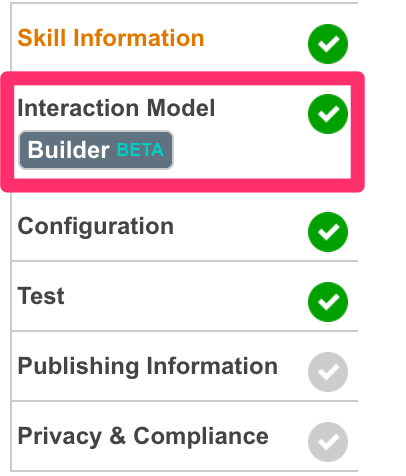
Open your skill in the Developer Portal, and go to the Interaction Model tab (using Skill Builder).
-
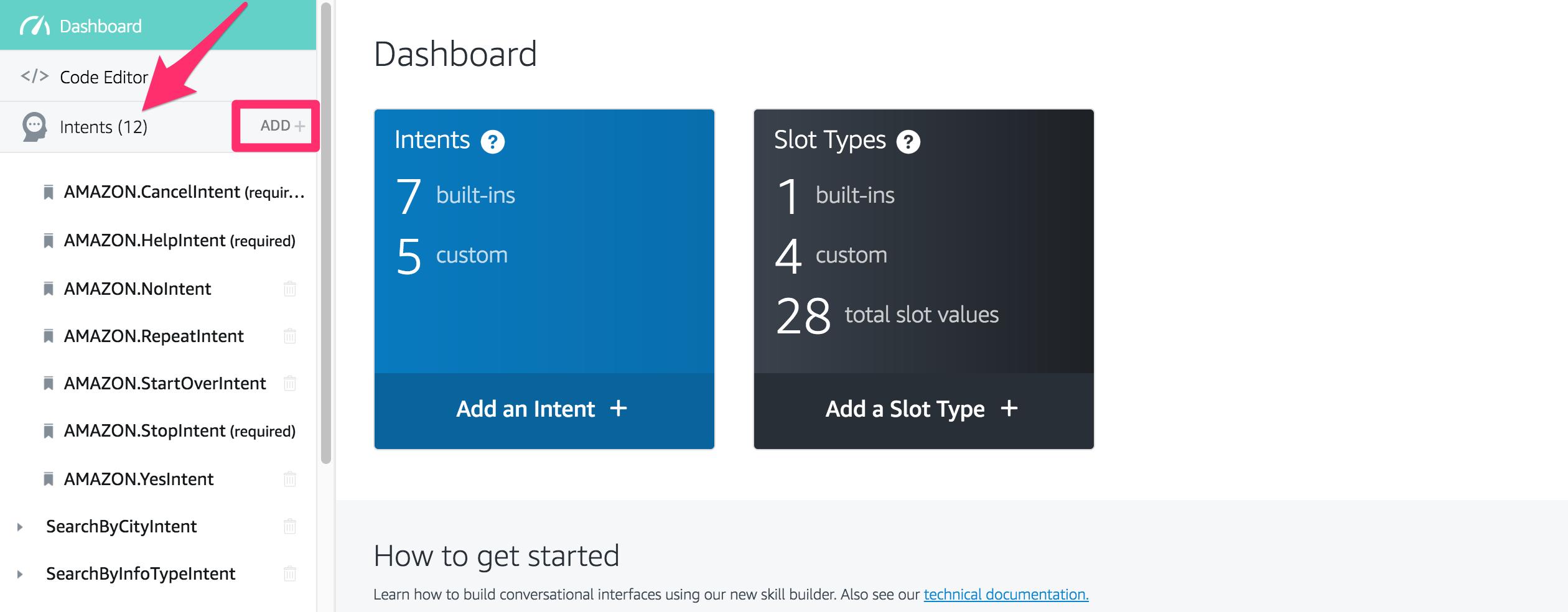
Create or update any intents that may have changed.
-
Create or update the slots for the intents.

-
Update your sample utterances
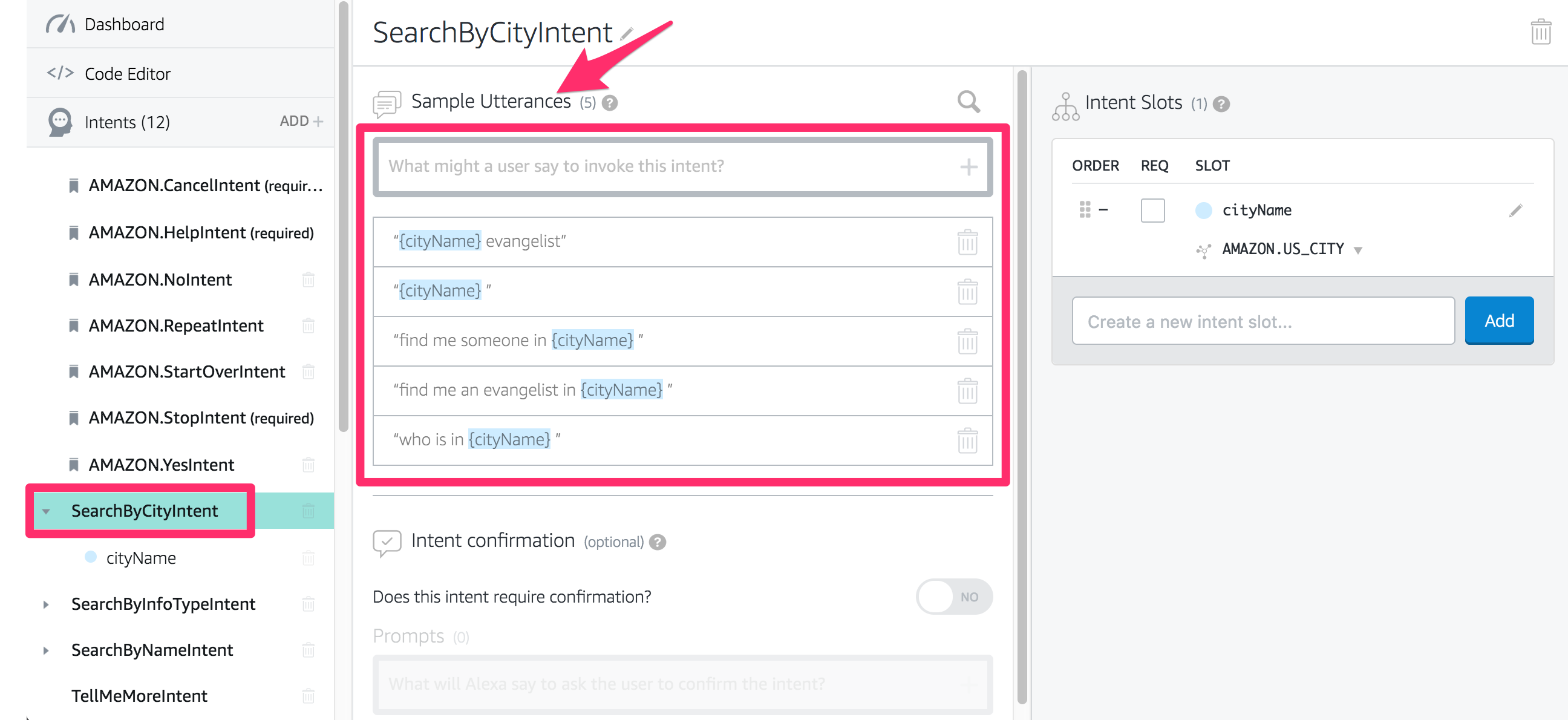
- **Remember that if you are creating this skill for another language other than English, your sample utterances need to be written in that language, not English.
-
Click on the Save Model button, and then click on the Build Model button.


-
-
New sentences to respond to your users. There are several sentences and responses that you will want to customize for your skill.
-
Go back to your copy of index.js.
-
Look for the comment "TODO: The items below this comment need your attention." This is the beginning of the section where you need to customize several text strings for your skill. Rather than document all of them here, we have left comments in index.js to help you understand the purpose of each one.
-
Continue through index.js until you reach the bottom of the file. This will ensure that you cover each of the values that you need to update.
-
-
New language. If you are creating this skill for another language other than English, you will need to make sure Alexa's responses are also in that language.
- For example, if you are creating your skill in German, every single response that Alexa makes has to be in German. You can't use English responses or your skill will fail certification.
-
Once you have made the updates listed on this page, you can click "Next" to move on to Publishing and Certification of your skill.