Wrapperr
June 13, 2026 · View on GitHub







Like the project? Have too much money? Buy me a coffee or something! ☕️
Introduction - What is this?
Many platforms have periodic recaps of user data and statistics, which can be fun and interesting to look at. Typically these statistics are released on a website in December, like Spotify Wrapped.
Wrapperr is a website-based application for pulling Plex user statistics within a set timeframe (sourced from Tautulli). The statistics are gathered and processed into a statistics summary. Then the website displays this in a fun, interactive format. Yes, you need Tautulli to have been running beforehand and currently for this to work. That is where the data is stored, Wrapperr just processes and displays it.

Features
- Custom timeframes for statistics
- Plex Auth for login
- Supports multiple Tautulli servers
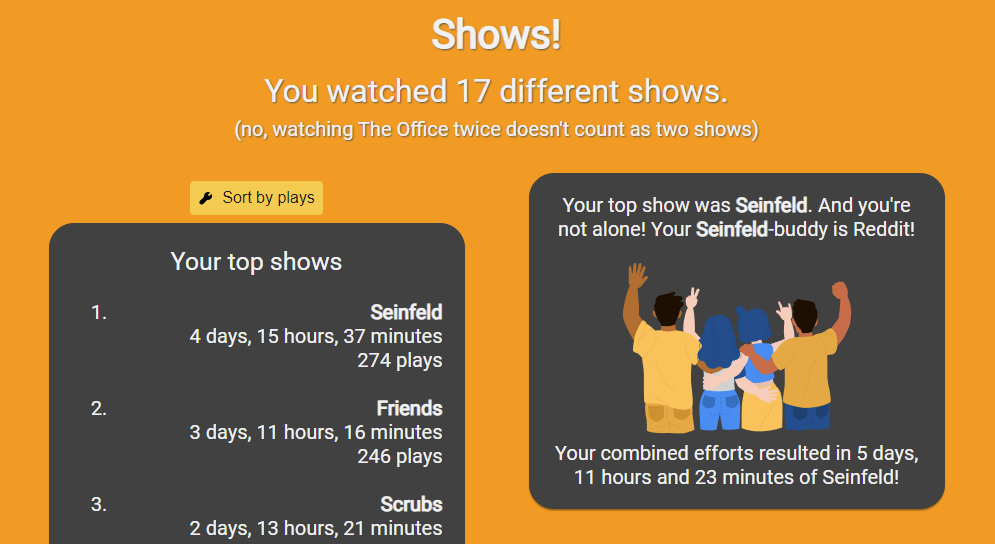
- Friendly, dynamic presentation of statistics with nice illustrations
- Customizable text options
- Customizable appearance/results
- Statistics for movies, shows & music
- Caching of Tautulli results
- Admin interface for configuration (with regular, HTTP Basic, and TOTP-based MFA login)
- Option to disable the admin web pages entirely
- Admins can view the generated wrap for any user
- "Viewing age" estimate based on the release years you watch
- Poster artwork for top 10 lists and user cards
- Pre-caching of results before user interaction
- Shareable links with expiration
Credit
- Beautiful illustrations from FreeWebIllustrations
- Amazing statistics gathered using Tautulli
- Wonderful loading icon from icons8
- Splendid web icons from icons8
- Superb background image from Pexels
Explanation - How does it work?
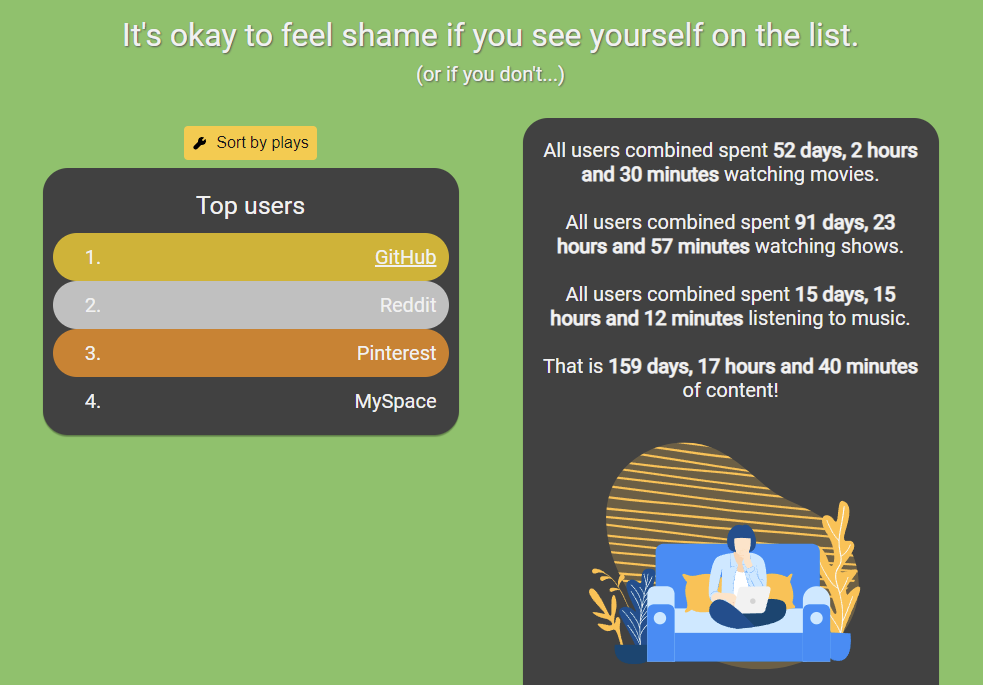
This is a web-based platform. It gathers and displays statistics gathered from the Tautulli API (application programming interface). Install Wrapperr, configure the essential options, and Wrapperr will do the rest. Based on your exact configuration, Wrapperr will gather unique statistics for each user interacting with the application and display it in a nice format.
Within Wrapperr you configure a timeframe, from date-time A to date-time B. This is the timeframe from which the statistics are created. One could for instance have a wrap-up of multiple years of Tautulli data or just a week. If enabled, Wrapperr will also verify the user with their Plex login to ensure personal data is kept private.
Most text is customizable through the Wrapperr admin interface which allows for regional translation. Certain statistics can be disabled and enabled based on relevance/interest. Users can, if enabled, generate random URLs that can be shared between friends who want to see each other's statistics.
Instructions - How do I install this?
There are two main ways. Docker information is in the wiki.
Download and start
There are multiple ways to install Wrapperr. The easiest is just to download the latest release from the Release Page which matches your operating system, move all the content to a directory, and start the wrapperr application located within the release. It should start right up, perhaps triggering some operating system or firewall warnings.
Build with Go
If you want to build Wrapperr yourself instead of downloading a release, you can download whatever version/tag/branch/release of the source code you want, and place the files in a directory. With Go installed, from the Wrapperr directory, run the following commands to build and execute Wrapperr:
$ go build
$ ./wrapperr
Note, if building on another operating system, the executable could have a different name. Such as wrapperr.exe on Windows.
Startup flags & environment variables
Most configuration is done from the admin interface and stored in ./config/config.json. A subset of deploy-level options can also be set at startup, either as command-line flags or (when running in Docker) as environment variables.
How it works:
- A flag/variable is applied only when it is explicitly provided. Anything left unset keeps the value already in
config.json— starting Wrapperr without any flags never overwrites your saved configuration. - When a value is provided, it is written back to
config.json, so it persists across restarts. - The Docker entrypoint forwards environment variables to the matching flag. Variables follow
UPPER_SNAKE_CASE; flags arelowercase; the persisted JSON keys arelower_snake_case. For example,APPLICATION_URL→--applicationurl→application_url. - Boolean values accept
true/false(case-insensitive).
| Environment variable | Flag | config.json key | Type | Description |
|---|---|---|---|---|
PORT | --port | wrapperr_port | int | Port Wrapperr listens on (default 8282). |
TIMEZONE | --timezone | timezone | string | Timezone Wrapperr runs in (e.g. Europe/Paris). |
APPLICATION_NAME | --applicationname | application_name | string | Display name for this Wrapperr instance. |
APPLICATION_URL | --applicationurl | application_url | string | External URL Wrapperr is reachable at. |
WRAPPERR_ROOT | --wrapperrroot | wrapperr_root | string | Sub-path Wrapperr is served from (reverse-proxy root). |
CREATE_SHARE_LINK | --createsharelink | create_share_links | bool | Allow users to generate shareable links. |
PLEX_AUTH | --plexauth | plex_auth | bool | Require users to log in with Plex Auth. |
BASIC_AUTH | --basicauth | basic_auth | bool | Require HTTP Basic auth for admin routes. |
USE_CACHE | --usecache | use_cache | bool | Cache Tautulli data to disk. |
USE_LOGS | --uselogs | use_logs | bool | Write logs to file and stdout. |
WINTER_THEME | --wintertheme | winter_theme | bool | Enable the winter theme. |
DISABLE_ADMIN_PAGE | --disableadminpage | disable_admin_page | bool | Disable the admin web pages. |
PUID | Docker only | — | int | UID the container runs Wrapperr as (default 1000). |
PGID | Docker only | — | int | GID the container runs Wrapperr as (default 1000). |
PUID / PGID are handled by the Docker entrypoint, not by Wrapperr itself: when the container starts as root it takes ownership of /app/config and drops to that user/group, so set them to match the owner of your mounted config directory. They have no flag and are not stored in config.json. (If you start the container with --user, the entrypoint runs as that user directly and ignores PUID/PGID.)
Example:
$ ./wrapperr --port 9090 --timezone America/New_York --plexauth true
For Docker run/Compose examples (including PUID/PGID and volume mounts) see the Docker documentation in the Wiki.
The original lowercase Docker variable names (
port,timezone,applicationname,createsharelink,plexauth) are still accepted as a fallback, but theUPPER_SNAKE_CASEnames above are preferred.
Note on MFA and Basic auth: Admin MFA (TOTP) only applies to the standard username/password login. When
BASIC_AUTHis enabled, admin authentication goes through the browser's HTTP Basic prompt, which has no field for a one-time code, so the MFA step is skipped. Don't rely on MFA as a second factor while Basic auth is enabled — pick one or the other.
Head to the website
If Wrapperr is successfully started, it should be accessible on http://localhost:8282. From there you can click on admin in the footer at the bottom, or go to /admin in the URL. From there you can configure everything about Wrapperr in the different sections of the menu.
Essential configuration options
A couple of configuration options are necessary on the admin page for Wrapperr to function. First of all, Tautulli connection details. There is a test button available on the page to ensure you have entered the correct details. The second one is the time zone option on the Wrapperr Settings page.
It is recommended to keep Cache results for later use enabled on the Wrapperr Settings page, and head to the Caching page after configuration. Click the Cache button and wait for the caching to finish. This ensures a good, quick user experience.
Wrap away!
Wrapperr should now be functional. Based on your settings, you can now either search with username/e-mail or log in with Plex on the front page. Continue tweaking on the admin menu to get the appearance/language you desire.
More documentation
Docker, TLS, setup information and more can be found in the documentation at the Wiki!
Need help?
If you have any issues feel free to open an issue here on GitHub. I am always trying to improve the project. If I can't, many people on several forums (including /r/plex) might be able to assist you.
Have fun.