README.md
March 6, 2026 · View on GitHub




This component is responsible for provisioning simple IAM roles. If a more complicated IAM role and policy are desired then it is better to use a separate component specific to that role.
Tip
👽 Use Atmos with Terraform
Cloud Posse uses atmos to easily orchestrate multiple environments using Terraform.
Works with Github Actions, Atlantis, or Spacelift.
Watch demo of using Atmos with Terraform
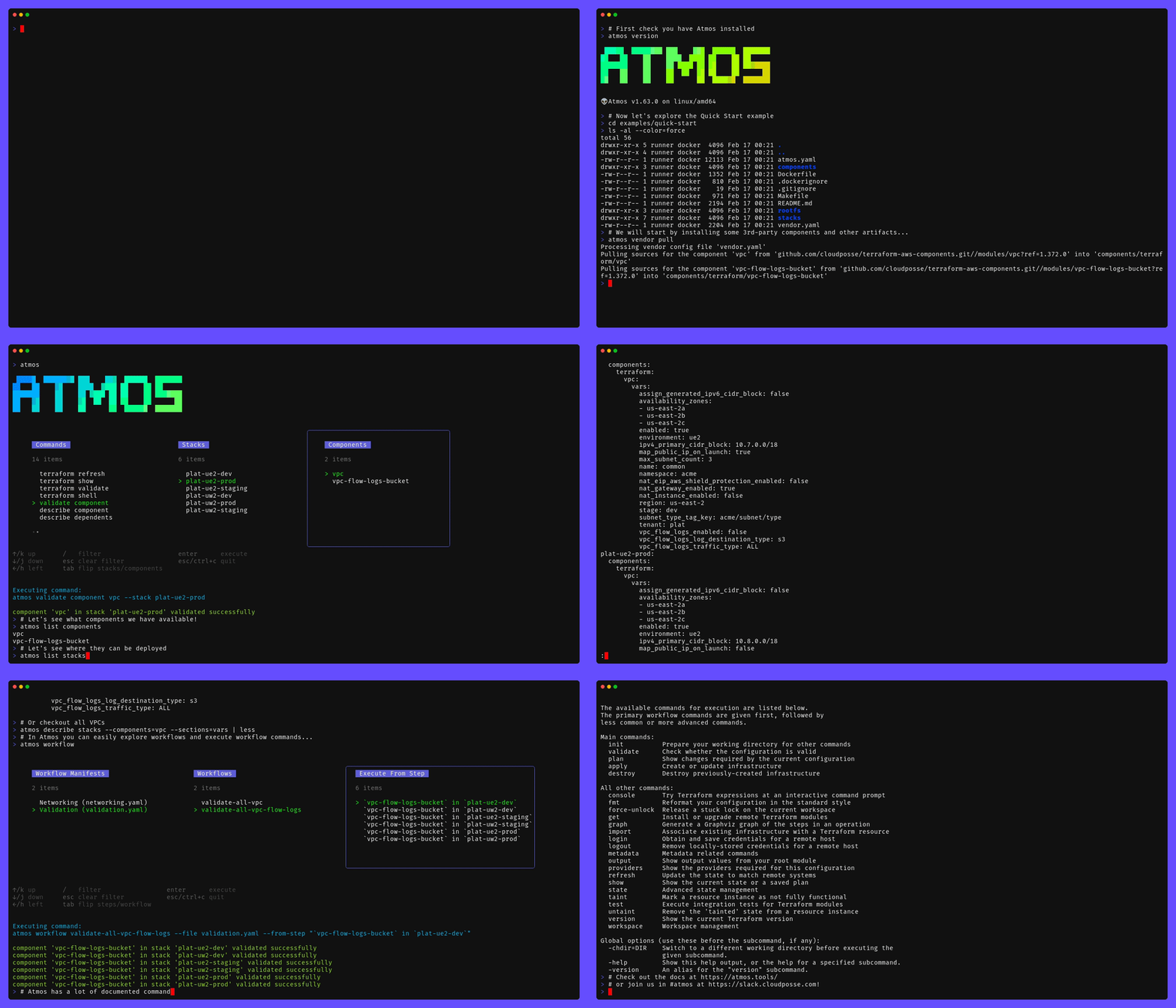
Example of running
atmos to manage infrastructure from our Quick Start tutorial.
Usage
Stack Level: Global
Abstract
# stacks/catalog/iam-role.yaml
components:
  terraform:
    iam-role/defaults:
      metadata:
        type: abstract
        component: iam-role
      settings:
        spacelift:
          workspace_enabled: true
      vars:
        enabled: true
Use-case: An IAM role for AWS Workspaces Directory since this service does not have a service linked role.
# stacks/catalog/aws-workspaces/directory/iam-role.yaml
import:
  - catalog/iam-role

components:
  terraform:
    aws-workspaces/directory/iam-role:
      metadata:
        component: iam-role
        inherits:
          - iam-role/defaults
      vars:
        name: workspaces_DefaultRole
        # Added _ here to allow the _ character
        regex_replace_chars: /[^a-zA-Z0-9-_]/
        # Keep the current name casing
        label_value_case: none
        # Use the "name" without the other context inputs i.e. namespace, tenant, environment, attributes
        use_fullname: false
        role_description: |
          Used with AWS Workspaces Directory. The name of the role does not match the normal naming convention because this name is a requirement to work with the service. This role has to be used until AWS provides the respective service linked role.
        principals:
          Service:
            - workspaces.amazonaws.com
        # This will prevent the creation of a managed IAM policy
        policy_document_count: 0
        managed_policy_arns:
          - arn:aws:iam::aws:policy/AmazonWorkSpacesServiceAccess
          - arn:aws:iam::aws:policy/AmazonWorkSpacesSelfServiceAccess
Important
In Cloud Posse's examples, we avoid pinning modules to specific versions to prevent discrepancies between the documentation and the latest released versions. However, for your own projects, we strongly advise pinning each module to the exact version you're using. This practice ensures the stability of your infrastructure. Additionally, we recommend implementing a systematic approach for updating versions to avoid unexpected changes.
Requirements
| Name | Version |
|---|---|
| terraform | >= 1.0.0 |
| aws | >= 4.9.0, < 6.0.0 |
Providers
| Name | Version |
|---|---|
| aws | >= 4.9.0, < 6.0.0 |
Modules
| Name | Source | Version |
|---|---|---|
| iam_roles | ../account-map/modules/iam-roles | n/a |
| role | cloudposse/iam-role/aws | 0.23.0 |
| this | cloudposse/label/null | 0.25.0 |
Resources
| Name | Type |
|---|---|
| aws_iam_policy_document.assume_role_policy | data source |
| aws_iam_policy_document.eks_oidc_provider_assume | data source |
| aws_iam_policy_document.github_oidc_provider_assume | data source |
Inputs
| Name | Description | Type | Default | Required |
|---|---|---|---|---|
| additional_tag_map | Additional key-value pairs to add to each map in tags_as_list_of_maps. Not added to tags or id.This is for some rare cases where resources want additional configuration of tags and therefore take a list of maps with tag key, value, and additional configuration. | map(string) | {} | no |
| assume_role_actions | The IAM action to be granted by the AssumeRole policy | list(string) | [ | no |
| assume_role_conditions | List of conditions for the assume role policy | list(object({ | [] | no |
| assume_role_policy | A JSON assume role policy document. If set, this will be used as the assume role policy and the principals, assume_role_conditions, and assume_role_actions variables will be ignored. | string | null | no |
| attributes | ID element. Additional attributes (e.g. workers or cluster) to add to id,in the order they appear in the list. New attributes are appended to the end of the list. The elements of the list are joined by the delimiterand treated as a single ID element. | list(string) | [] | no |
| context | Single object for setting entire context at once. See description of individual variables for details. Leave string and numeric variables as null to use default value.Individual variable settings (non-null) override settings in context object, except for attributes, tags, and additional_tag_map, which are merged. | any | { | no |
| delimiter | Delimiter to be used between ID elements. Defaults to - (hyphen). Set to "" to use no delimiter at all. | string | null | no |
| descriptor_formats | Describe additional descriptors to be output in the descriptors output map.Map of maps. Keys are names of descriptors. Values are maps of the form {<br/> format = string<br/> labels = list(string)<br/>}(Type is any so the map values can later be enhanced to provide additional options.)format is a Terraform format string to be passed to the format() function.labels is a list of labels, in order, to pass to format() function.Label values will be normalized before being passed to format() so they will beidentical to how they appear in id.Default is {} (descriptors output will be empty). | any | {} | no |
| eks_oidc_issuer_url | The OIDC issuer URL from the EKS cluster (without https:// prefix). Format: oidc.eks. If not specified, it will be derived from eks_oidc_provider_arn. | string | "" | no |
| eks_oidc_provider_arn | ARN of the EKS OIDC provider. Required when eks_oidc_provider_enabled is true. Format: arn:aws:iam:: | string | "" | no |
| eks_oidc_provider_enabled | Enable EKS OIDC provider for IRSA (IAM Roles for Service Accounts) | bool | false | no |
| enabled | Set to false to prevent the module from creating any resources | bool | null | no |
| environment | ID element. Usually used for region e.g. 'uw2', 'us-west-2', OR role 'prod', 'staging', 'dev', 'UAT' | string | null | no |
| github_oidc_provider_arn | ARN of the GitHub OIDC provider | string | "" | no |
| github_oidc_provider_enabled | Enable GitHub OIDC provider | bool | false | no |
| id_length_limit | Limit id to this many characters (minimum 6).Set to 0 for unlimited length.Set to null for keep the existing setting, which defaults to 0.Does not affect id_full. | number | null | no |
| instance_profile_enabled | Create EC2 Instance Profile for the role | bool | false | no |
| label_key_case | Controls the letter case of the tags keys (label names) for tags generated by this module.Does not affect keys of tags passed in via the tags input.Possible values: lower, title, upper.Default value: title. | string | null | no |
| label_order | The order in which the labels (ID elements) appear in the id.Defaults to ["namespace", "environment", "stage", "name", "attributes"]. You can omit any of the 6 labels ("tenant" is the 6th), but at least one must be present. | list(string) | null | no |
| label_value_case | Controls the letter case of ID elements (labels) as included in id,set as tag values, and output by this module individually. Does not affect values of tags passed in via the tags input.Possible values: lower, title, upper and none (no transformation).Set this to title and set delimiter to "" to yield Pascal Case IDs.Default value: lower. | string | null | no |
| labels_as_tags | Set of labels (ID elements) to include as tags in the tags output.Default is to include all labels. Tags with empty values will not be included in the tags output.Set to [] to suppress all generated tags.Notes: The value of the name tag, if included, will be the id, not the name.Unlike other null-label inputs, the initial setting of labels_as_tags cannot bechanged in later chained modules. Attempts to change it will be silently ignored. | set(string) | [ | no |
| managed_policy_arns | List of managed policies to attach to created role | set(string) | [] | no |
| max_session_duration | The maximum session duration (in seconds) for the role. Can have a value from 1 hour to 12 hours | number | 3600 | no |
| name | ID element. Usually the component or solution name, e.g. 'app' or 'jenkins'. This is the only ID element not also included as a tag.The "name" tag is set to the full id string. There is no tag with the value of the name input. | string | null | no |
| namespace | ID element. Usually an abbreviation of your organization name, e.g. 'eg' or 'cp', to help ensure generated IDs are globally unique | string | null | no |
| path | Path to the role and policy. See IAM Identifiers for more information. | string | "/" | no |
| permissions_boundary | ARN of the policy that is used to set the permissions boundary for the role | string | "" | no |
| policy_description | The description of the IAM policy that is visible in the IAM policy manager | string | "" | no |
| policy_documents | List of JSON IAM policy documents | list(string) | [] | no |
| policy_name | The name of the IAM policy that is visible in the IAM policy manager | string | null | no |
| policy_statements | Map of IAM policy statements (YAML-friendly structure) where the key is the statement ID (sid). All statements will be combined into a single policy document with version "2012-10-17". This policy document will be merged with policy_documents. Each statement must have 'effect' and either 'actions' or 'not_actions'. | map(object({ | {} | no |
| principals | Map of service name as key and a list of ARNs to allow assuming the role as value (e.g. map(AWS, list(arn:aws:iam:::role/admin))) | map(list(string)) | {} | no |
| regex_replace_chars | Terraform regular expression (regex) string. Characters matching the regex will be removed from the ID elements. If not set, "/[^a-zA-Z0-9-]/" is used to remove all characters other than hyphens, letters and digits. | string | null | no |
| region | AWS Region | string | n/a | yes |
| role_description | The description of the IAM role that is visible in the IAM role manager | string | n/a | yes |
| service_account_name | The name of the Kubernetes service account allowed to assume this role. Use '*' to allow any service account in the namespace. Defaults to module.this.name if not specified. | string | null | no |
| service_account_namespace | The Kubernetes namespace of the service account allowed to assume this role. Defaults to module.this.name if not specified. | string | null | no |
| stage | ID element. Usually used to indicate role, e.g. 'prod', 'staging', 'source', 'build', 'test', 'deploy', 'release' | string | null | no |
| tags | Additional tags (e.g. {'BusinessUnit': 'XYZ'}).Neither the tag keys nor the tag values will be modified by this module. | map(string) | {} | no |
| tenant | ID element _(Rarely used, not included by default)_. A customer identifier, indicating who this instance of a resource is for | string | null | no |
| trusted_github_org | The GitHub organization unqualified repos are assumed to belong to. Keeps * from meaning all orgs and all repos. | string | "" | no |
| trusted_github_repos | A list of GitHub repositories allowed to access this role. Format is either "orgName/repoName" or just "repoName", in which case "cloudposse" will be used for the "orgName". Wildcard ("*") is allowed for "repoName". | list(string) | [] | no |
| use_fullname | If set to 'true' then the full ID for the IAM role name (e.g. [var.namespace]-[var.environment]-[var.stage]) will be used.Otherwise, var.name will be used for the IAM role name. | bool | true | no |
Outputs
| Name | Description |
|---|---|
| eks_assume_role_policy | JSON encoded string representing the EKS OIDC "Assume Role" policy |
| eks_oidc_provider_arn | ARN of the EKS OIDC provider (pass-through for reference) |
| eks_service_account_subject | The service account subject claim used in the trust policy |
| github_assume_role_policy | JSON encoded string representing the "Assume Role" policy configured by the inputs |
| role | IAM role module outputs |
Related Projects
Check out these related projects.
- Cloud Posse Terraform Modules - Our collection of reusable Terraform modules used by our reference architectures.
- Atmos - Atmos is like docker-compose but for your infrastructure
References
For additional context, refer to some of these links.
- cloudposse-terraform-components - Cloud Posse's upstream component
Tip
Use Terraform Reference Architectures for AWS
Use Cloud Posse's ready-to-go terraform architecture blueprints for AWS to get up and running quickly.
✅ We build it together with your team.
✅ Your team owns everything.
✅ 100% Open Source and backed by fanatical support.

📚 Learn More
Cloud Posse is the leading DevOps Accelerator for funded startups and enterprises.
Your team can operate like a pro today.
Ensure that your team succeeds by using Cloud Posse's proven process and turnkey blueprints. Plus, we stick around until you succeed.
Day-0: Your Foundation for Success
- Reference Architecture. You'll get everything you need from the ground up built using 100% infrastructure as code.
- Deployment Strategy. Adopt a proven deployment strategy with GitHub Actions, enabling automated, repeatable, and reliable software releases.
- Site Reliability Engineering. Gain total visibility into your applications and services with Datadog, ensuring high availability and performance.
- Security Baseline. Establish a secure environment from the start, with built-in governance, accountability, and comprehensive audit logs, safeguarding your operations.
- GitOps. Empower your team to manage infrastructure changes confidently and efficiently through Pull Requests, leveraging the full power of GitHub Actions.
Day-2: Your Operational Mastery
- Training. Equip your team with the knowledge and skills to confidently manage the infrastructure, ensuring long-term success and self-sufficiency.
- Support. Benefit from a seamless communication over Slack with our experts, ensuring you have the support you need, whenever you need it.
- Troubleshooting. Access expert assistance to quickly resolve any operational challenges, minimizing downtime and maintaining business continuity.
- Code Reviews. Enhance your team’s code quality with our expert feedback, fostering continuous improvement and collaboration.
- Bug Fixes. Rely on our team to troubleshoot and resolve any issues, ensuring your systems run smoothly.
- Migration Assistance. Accelerate your migration process with our dedicated support, minimizing disruption and speeding up time-to-value.
- Customer Workshops. Engage with our team in weekly workshops, gaining insights and strategies to continuously improve and innovate.
✨ Contributing
This project is under active development, and we encourage contributions from our community.
Many thanks to our outstanding contributors:
For 🐛 bug reports & feature requests, please use the issue tracker.
In general, PRs are welcome. We follow the typical "fork-and-pull" Git workflow.
- Review our Code of Conduct and Contributor Guidelines.
- Fork the repo on GitHub
- Clone the project to your own machine
- Commit changes to your own branch
- Push your work back up to your fork
- Submit a Pull Request so that we can review your changes
NOTE: Be sure to merge the latest changes from "upstream" before making a pull request!
Running Terraform Tests
We use Atmos to streamline how Terraform tests are run. It centralizes configuration and wraps common test workflows with easy-to-use commands.
All tests are located in the test/ folder.
Under the hood, tests are powered by Terratest together with our internal Test Helpers library, providing robust infrastructure validation.
Setup dependencies:
- Install Atmos (installation guide)
- Install Go 1.24+ or newer
- Install Terraform or OpenTofu
To run tests:
- Run all tests:
atmos test run - Clean up test artifacts:
atmos test clean - Explore additional test options:
atmos test --help
The configuration for test commands is centrally managed. To review what's being imported, see the atmos.yaml file.
Learn more about our automated testing in our documentation or implementing custom commands with atmos.
🌎 Slack Community
Join our Open Source Community on Slack. It's FREE for everyone! Our "SweetOps" community is where you get to talk with others who share a similar vision for how to rollout and manage infrastructure. This is the best place to talk shop, ask questions, solicit feedback, and work together as a community to build totally sweet infrastructure.
📰 Newsletter
Sign up for our newsletter and join 3,000+ DevOps engineers, CTOs, and founders who get insider access to the latest DevOps trends, so you can always stay in the know. Dropped straight into your Inbox every week — and usually a 5-minute read.
📆 Office Hours 
Join us every Wednesday via Zoom for your weekly dose of insider DevOps trends, AWS news and Terraform insights, all sourced from our SweetOps community, plus a live Q&A that you can’t find anywhere else. It's FREE for everyone!
License

Preamble to the Apache License, Version 2.0
Licensed to the Apache Software Foundation (ASF) under one
or more contributor license agreements.  See the NOTICE file
distributed with this work for additional information
regarding copyright ownership.  The ASF licenses this file
to you under the Apache License, Version 2.0 (the
"License"); you may not use this file except in compliance
with the License.  You may obtain a copy of the License at

  https://www.apache.org/licenses/LICENSE-2.0

Unless required by applicable law or agreed to in writing,
software distributed under the License is distributed on an
"AS IS" BASIS, WITHOUT WARRANTIES OR CONDITIONS OF ANY
KIND, either express or implied.  See the License for the
specific language governing permissions and limitations
under the License.
Trademarks
All other trademarks referenced herein are the property of their respective owners.
Copyright © 2017-2026 Cloud Posse, LLC