

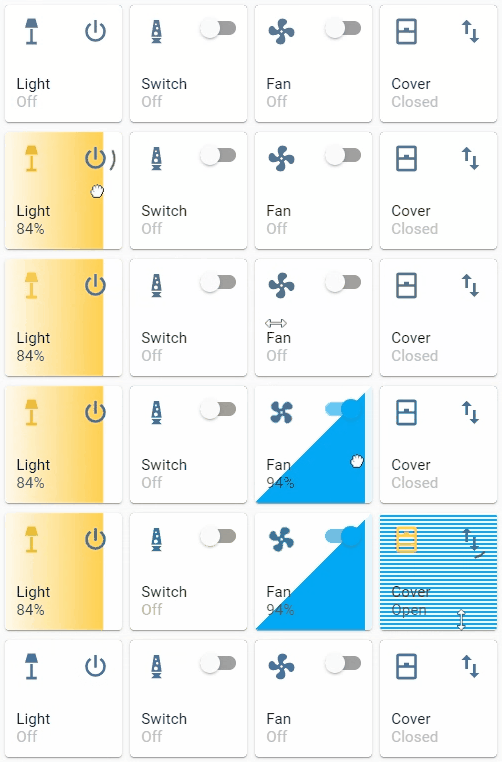
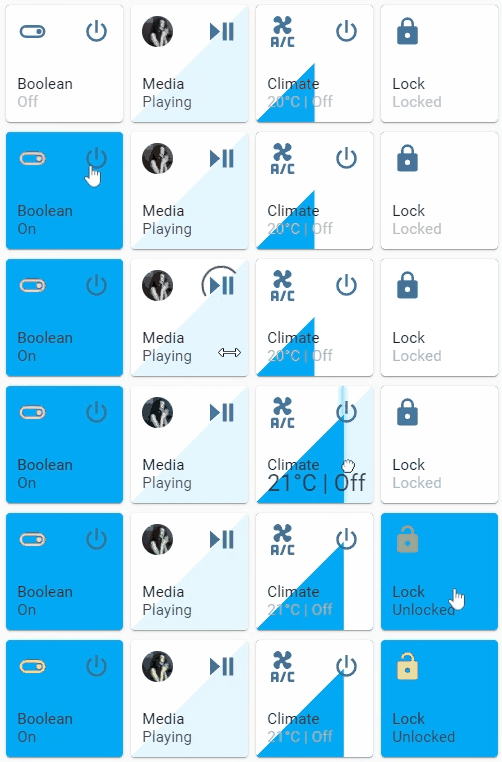
A button card with integrated slider for automation, light, switch, fan, cover, input_boolean, input_number, media_player, number, climate, lock entities.
This card is available in HACS (Home Assistant Community Store).
Just search for Slider Button Card in Frontend tab.
- Download
slider-button-card.js file from the latest-release.
- Put
slider-button-card.js file into your config/www folder.
- Go to Configuration → Lovelace Dashboards → Resources → Click Plus button → Set Url as
/local/slider-button-card.js → Set Resource type as JavaScript Module.
- Add
custom:slider-button-card to Lovelace UI as any other card (using either editor or YAML configuration).
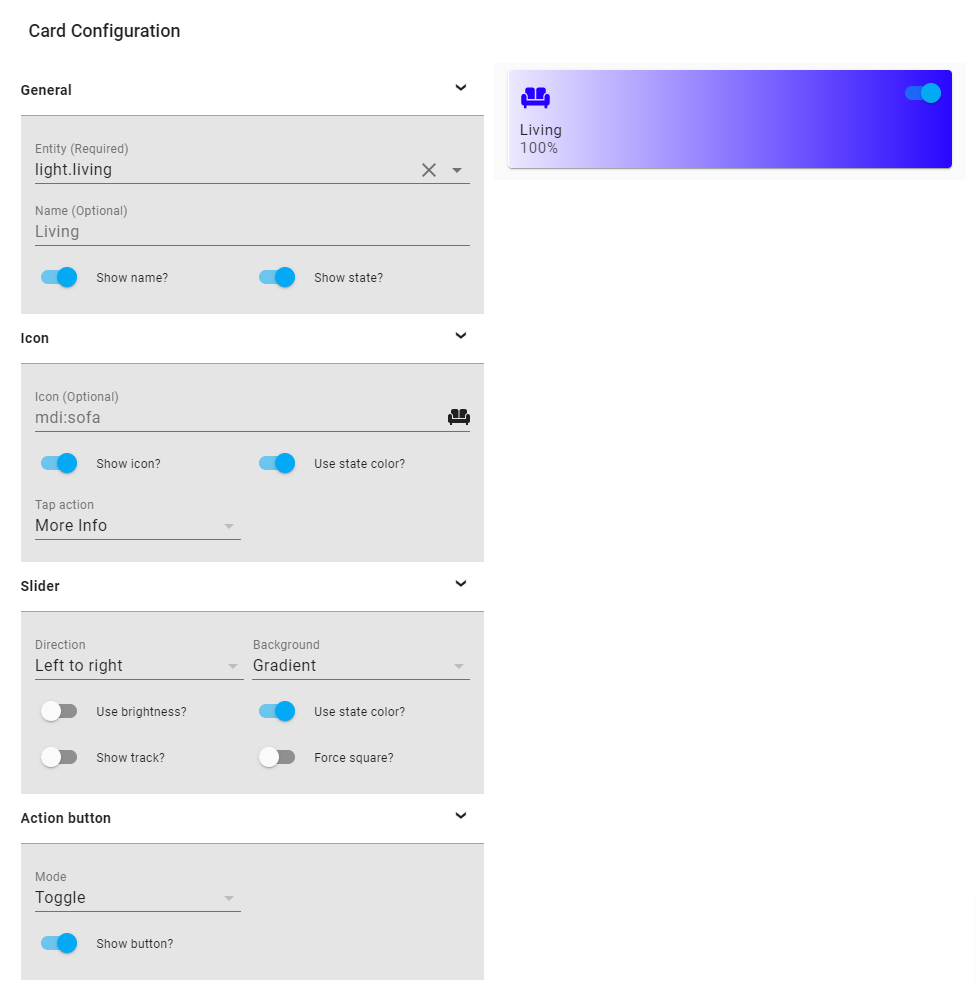
Slider Button Card supports Lovelace's Visual Editor.
Show screenshot
| Name | Type | Requirement | Description | Default |
|---|
| type | string | Required | custom:slider-button-card | |
| entity | string | Required | HA entity ID from domain automation, light, switch, fan, cover, input_boolean, input_number, media_player, number climate, lock | |
| name | string | Optional | Name | entity.friendly_name |
| show_attribute | boolean | Optional | Show attribute | false (except for media_player entities) |
| show_name | boolean | Optional | Show name | true |
| show_state | boolean | Optional | Show state | true |
| compact | boolean | Optional | Compact mode, display name and state inline with icon. Useful for full width cards. | false |
| attribute | string | Optional | Name of the attribute to display if show_attribute is true. | |
| icon | object | Optional | Icon options | |
| slider | object | Optional | Slider options | |
| action_button | object | Optional | Action button options | |
| Name | Type | Requirement | Description | Default |
|---|
| icon | string | Optional | Icon | default entity icon |
| show | boolean | Optional | Show icon | true |
| use_state_color | boolean | Optional | Use state color | true |
| tap_action | object | Optional | Action to take on tap | action: more-info |
| Name | Type | Requirement | Description | Default |
|---|
| direction | string | Optional | Direction left-right, right-left, top-bottom, bottom-top | left-right |
| background | string | Optional | Background solid, gradient, triangle, striped, custom | gradient |
| use_state_color | boolean | Optional | Use state color | true |
| use_percentage_bg_opacity | boolean | Optional | Apply opacity to background based on percentage | true |
| show_track | boolean | Optional | Show track when state is on | false |
| force_square | boolean | Optional | Force the button as a square | false |
| toggle_on_click | boolean | Optional | Force the slider to act as a toggle, if true sliding is disabled | false |
| attribute | string | Optional | Control an attribute for light or cover entities | |
| invert | boolean | Optional | Invert calculation of state and percentage, useful for cover entities | false
true for cover |
Light:
brightness_pct defaultbrightnesscolor_temphuesaturation
Warning options other than brightness_pct and brightness may give strange results
For example when color_temp is selected as attribute and the current color_mode of the light is not color_temp there is no value available for the slider, so the min value will be displayed. Same for hue and saturation, slider will only show correct value when the color_mode is hs.
Cover:
| Name | Type | Requirement | Description | Default |
|---|
| mode | string | Optional | Mode toggle, custom | toggle |
| show | boolean | Optional | Show the action button | true |
| icon | string | Optional | Icon when mode is custom | mdi:power |
| show_spinner | boolean | Optional | Show spinner when mode is custom | true |
| tap_action | object | Optional | Action to take on tap | action: toggle |
| Name | Type | Requirement | Description | Default |
|---|
| action | string | Required | Action to perform (more-info, toggle, call-service, navigate url, none) | more-info |
| navigation_path | string | Optional | Path to navigate to (e.g. /lovelace/0/) when action defined as navigate | none |
| url | string | Optional | URL to open on click when action is url. The URL will open in a new tab | none |
| service | string | Optional | Service to call (e.g. media_player.media_play_pause) when action defined as call-service | none |
| service_data | object | Optional | Service data to include (e.g. entity_id: media_player.bedroom) when action defined as call-service | none |
| haptic | string | Optional | Haptic feedback for the Beta IOS App success, warning, failure, light, medium, heavy, selection | none |
| repeat | number | Optional | How often to repeat the hold_action in milliseconds. | non |
Custom styles can be set by using Card mod
    style: |
      :host {
        --VARIABLE: VALUE;
      }
| Variable | Description | Default |
|---|
--icon-color | Color of the icon when icon.use_state_color === false | var(--paper-item-icon-color) |
--label-color-on | Color of the label when state is on | var(--primary-text-color, white) |
--label-color-off | Color of the label when state is off | var(--primary-text-color, white) |
--state-color-on | Color of the state value when state is on | var(--label-badge-text-color, white) |
--state-color-off | Color of the state value when state is off | var(--disabled-text-color) |
--action-icon-color-on | Color of the action button icon when state is on | var(--paper-item-icon-color, black) |
--action-icon-color-off | Color of the action button icon when state is off | var(--paper-item-icon-color, black) |
--action-spinner-color | Color of the spinner action button | var(--label-badge-text-color, white) |
|
Minimal working config
|

|
type: custom:slider-button-card
entity: light.couch
slider:
  direction: left-right
  background: gradient
icon:
  tap_action:
    action: more-info
action_button:
  mode: toggle
|
|
Compact, best used in full width (not in grid)
|

|
compact: true
|
|
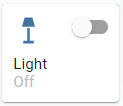
Minimal config
|
|
icon:
  tap_action:
    action: more-info
|
|
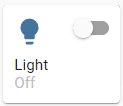
Icon override
|
|
icon:
  icon: mdi:lightbulb
  tap_action:
    action: more-info
|
|
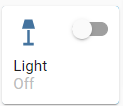
Minimal config
|
|
action_button:
  mode: toggle
  show: true
|
|
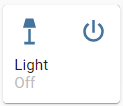
Custom
|
|
action_button:
  mode: custom
  show: true
  tap_action:
    action: toggle
|
|
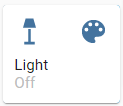
Custom icon and tap action
|
|
action_button:
  mode: custom
  show: true
  icon: mdi:palette
  tap_action:
    action: call-service
    service: scene.turn_on
    service_data:
      entity_id: scene.test
|
|
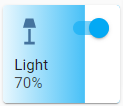
Minimal config
|
|
slider:
  direction: left-right
  background: gradient
|
|
Background uses color or color_temp if available
|

|
slider:
  direction: left-right
  background: gradient
  use_state_color: true
|
|
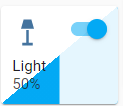
Show track, best used in full width or triangle
|
|
slider:
  direction: left-right
  background: triangle
  use_state_color: true
  show_track: true
|
|
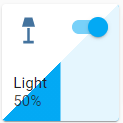
Force square
|
|
slider:
  direction: left-right
  background: triangle
  use_state_color: true
  show_track: true
  force_square: true
|
For fan entities the icon auto rotates based on the speed of the fan.
|
Icon rotate animation
|

|
type: custom:slider-button-card
entity: fan.living_fan
slider:
  direction: left-right
  background: triangle
  show_track: true
icon:
  tap_action:
    action: more-info
action_button:
  tap_action:
    action: toggle
  mode: custom
name: Fan
|
Use slider.toggle_on_click: true so the slider acts as a toggle (sliding is disabled).
|
Toggle on click
|

|
type: custom:slider-button-card
entity: switch.socket
slider:
  direction: left-right
  background: custom
  toggle_on_click: true
icon:
  use_state_color: true
  tap_action:
    action: more-info
action_button:
  tap_action:
    action: toggle
  mode: custom
name: Switch
|
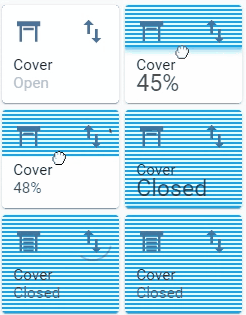
For most use cases: set slider.direction: top-bottom and slider.background: striped;
|
Direction top to bottom, custom action icon
|
|
type: custom:slider-button-card
entity: cover.living_cover
slider:
  direction: top-bottom
  background: striped
icon:
  show: true
  tap_action:
    action: more-info
action_button:
  tap_action:
    action: toggle
  mode: custom
  icon: mdi:swap-vertical
name: Cover
|
Default behavior: slider is used for volume control, when there is an entity picture it will be used instead of the icon.
In this example the action button is used to toggle play/pause.
|
Action button to toggle play/pause
|

|
type: custom:slider-button-card
entity: media_player.spotify_mha
slider:
  direction: left-right
  background: triangle
  show_track: true
icon:
  tap_action:
    action: more-info
action_button:
  mode: custom
  icon: mdi:play-pause
  tap_action:
    action: call-service
    service: media_player.media_play_pause
    service_data:
      entity_id: media_player.spotify_mha
name: Media
|
Default behavior: slider is used to set target temperature, it doesn't alter state.
|
Target temperature and state disabled in card
|
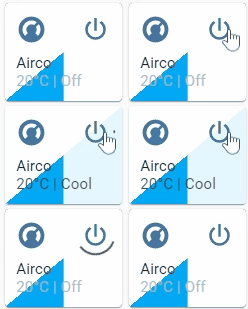
|
type: custom:slider-button-card
entity: climate.harmony_climate_controller
slider:
  direction: left-right
  background: triangle
  show_track: true
icon:
  tap_action:
    action: more-info
action_button:
  mode: custom
  tap_action:
    action: toggle
name: Airco
|
Default behavior: slider.toggle_on_click: true
|
Action button hidden
|
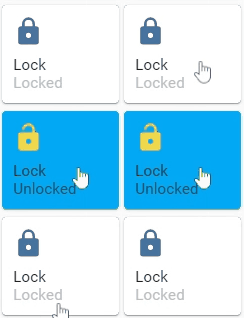
|
type: custom:slider-button-card
entity: lock.virtual_lock
slider:
  direction: left-right
  background: solid
  toggle_on_click: true
icon:
  use_state_color: true
  tap_action:
    action: more-info
action_button:
  show: false
name: Lock
|
|
4 columns, square: false
|
|
|
type: grid
cards:
  - type: custom:slider-button-card
    entity: light.couch
    slider:
      direction: left-right
      background: gradient
      use_state_color: true
    icon:
      tap_action:
        action: more-info
      use_state_color: true
    action_button:
      mode: toggle
  - type: custom:slider-button-card
    entity: switch.socket
    slider:
      direction: left-right
      background: custom
      toggle_on_click: true
    icon:
      use_state_color: true
      tap_action:
        action: more-info
    action_button:
      tap_action:
        action: toggle
      mode: toggle
    name: Switch
  - type: custom:slider-button-card
    entity: fan.living_fan
    slider:
      direction: left-right
      background: triangle
      show_track: true
    icon:
      tap_action:
        action: more-info
    action_button:
      tap_action:
        action: toggle
      mode: custom
    name: Fan
  - type: custom:slider-button-card
    entity: cover.living_cover
    slider:
      direction: top-bottom
      background: striped
    icon:
      show: true
      tap_action:
        action: more-info
    action_button:
      tap_action:
        action: toggle
      mode: custom
      icon: mdi:swap-vertical
    name: Cover
square: false
columns: 4
|
Mixed group entities are not supported, if you want to control multiple
When you discover any bugs please open an issue.
- If the
input_number.entity.min value is not cleanly divisible by the input_number.entity.step value, then the slider card is off by an amount. If your input_number has min = 5, max = 25, step = 5 then it will work just fine. But if the step is 2, then it will be off. This also has the side effect of changing the input_number to an "out of bounds" value when modified via this card. Using step = 1 avoids this problem.
- The same limitation applies to
number entities.
This card supports translations. Please, help to add more translations and improve existing ones. Here's a list of supported languages:
- English
- French
- German
- Hebrew
- Korean
- Nederlands (Dutch)
- Polish (polski)
- Portuguese
- Russian
- Slovak
- Your language?
