Section Divider
April 6, 2026 · View on GitHub
This extension inserts horizontal section dividers using language comments.



Example
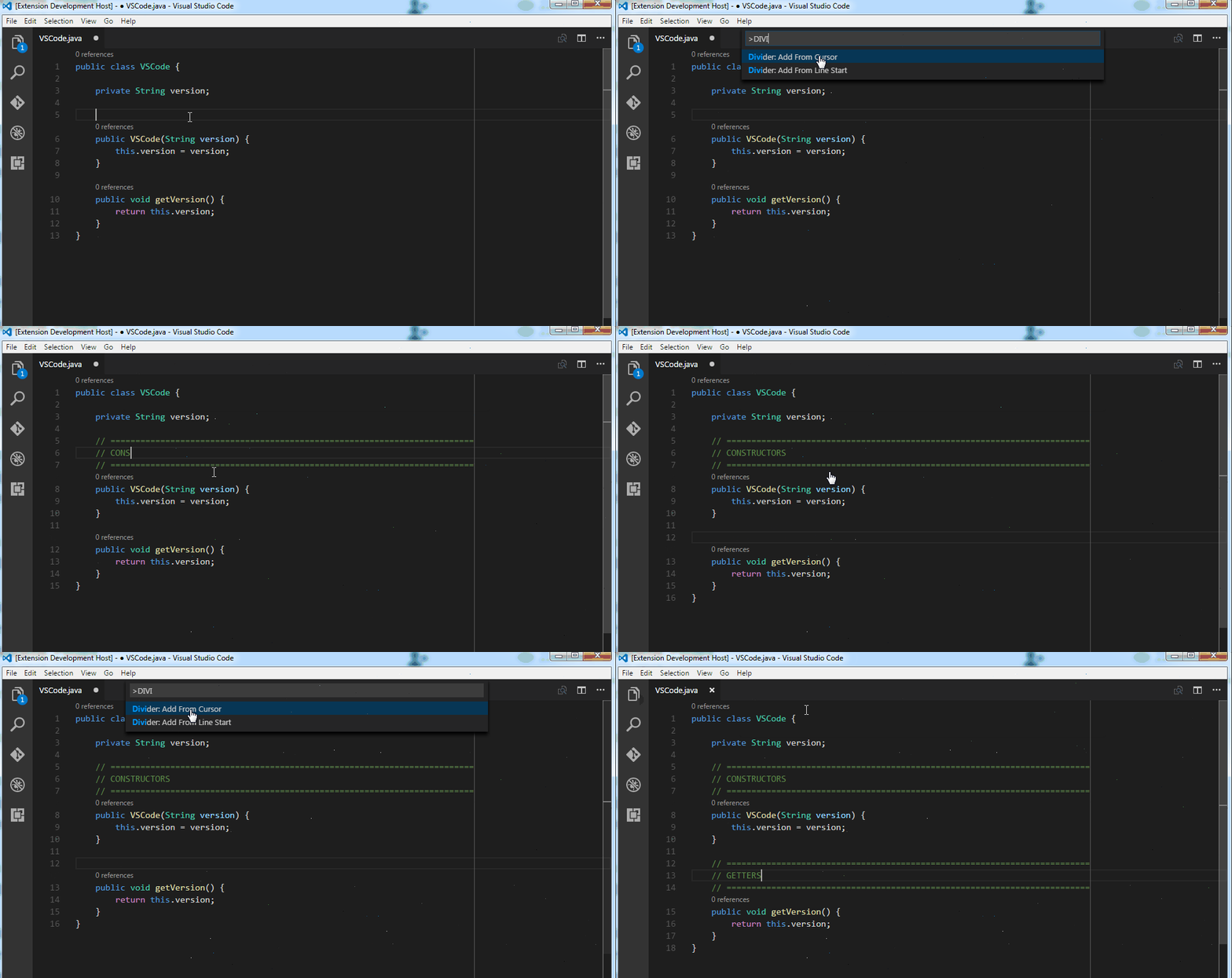 Divider being added from the cursor position until the limit ruler.
Usage
| Command | Shortcut | Description |
|---|---|---|
| Divider: Add H1 Divider | Alt+D | insert a level 1 divider with the configured number of lines |
| Divider: Add H2 Divider | Ctrl+Alt+D | insert a level 2 divider with the configured number of lines |
| Divider: Add H3 Divider | insert a level 3 divider with the configured number of lines | |
| Divider: Add H1 Divider - One Line | insert a level 1 divider with only one line | |
| Divider: Add H2 Divider - One Line | insert a level 2 divider with only one line | |
| Divider: Add H3 Divider - One Line | insert a level 3 divider with only one line |
Configuration
// Text that will be used to fill the level 1 (H1) section divider lines.
"divider.text.level1": "=",

// Text that will be used to fill the level 2 (H2) section divider lines.
"divider.text.level2": "-",

// Text that will be used to fill the level 3 (H3) section divider lines.
"divider.text.level3": ".",

// Last character column the section divider will reach.
"divider.endColumn": 80,

// Number of lines the section divider will have.
"divider.lines": 3

// Overrides language default comment characters with custom characters.
"divider.overrides {
    "java": ["/*", "*/"]
}
Feedback
Request features and report bugs using GitHub.