Divachain
September 5, 2026 · View on GitHub
WARNING: ALPHA software - HIGHLY EXPERIMENTAL
WARNING: Documentation not complete
This is a fully anonymous ("Privacy-By-Design", using I2P as a network layer), very lightweight, fast, low-energy and permissionless transaction chain.
Application Programming Interface (API) Overview
Divachain supports a REST Application Programming Interface (API) and a data broadcasting websocket:
- HTTP REST API running by default on port 17468
- broadcasting websocket running by default on port 17469
In a nutshell: use the REST API to write transactions to the chain or use the REST API to read status information from the chain. Use the websocket to receive live updates.
Quickstart for Developers
System requirements:
- deno
- docker
- docker compose
Bash scripts are found in ./bin/.
Overview on how it works:
- Start I2P containers (2 nodes)
- Start divachain development network (7 nodes)
- Start an additional single development and debugging node and use this node within your development environment.
I2P
Start two local I2P routers: the two routers will connect to the public I2P network.
docker compose -f ./test/local-i2p-testnet.yml up -d
Check whether the containers are running by using docker ps.
divachain development network
Create the Network
If the divachain network has not been created yet, do so by:
./bin/create-devnet.sh
The bash script will create seven nodes as folders within ./test/data/dev/.
The configuration files are found, as an example for node 0, within
./test/data/dev/n0000000/config.json.
Start the Network
Start it using ./bin/start-devnet.sh.
Check whether the deno instances are running by using ps aux | grep divachain.
A few important tips:
- Take a look at the logs, here:
./test/data/dev/n0000000/log/diva.log. Within the logs (as also within the config) the I2P b32 address of the HTTP endpoint will be found. - Access node 0, locally, via the HTTP REST API:
curl http://localhost:17468/about. - To understand the network, use:
curl http://localhost:17468/network. Note: after a fresh start it needs a minute or so to build the network, so there will be no data instantly after the network has been started. - Study the configuration files, like
./test/data/dev/n0000006/config.json, to learn about the API addresses of the other nodes. - Use the public I2P network, via your local proxy, to access an endpoint.
Example (non functional - use your configs or logs to identify an I2P b32
address of a local http endpoint):
http://[some-b32-string].b32.i2p/about
Development and Debugging: use a Dedicated Node
Edit the bash script ./bin/create-single-devnode.sh.
Within the script, edit the value of the BOOTSTRAP environment variable and
set it to one of your I2P b32 HTTP endpoint addresses.
Save the edited bash script.
Run ./bin/create-single-devnode.sh to create the configuration of your
debugging node. After executing the script, the configuration will be available
here: ./test/data/dev/dev0000000/config.json.
Use your IDE/debugger to configure a launcher, as an example a configuration for VSCodium (set the attribute "runtimeExecutable" correctly):
{
  "version": "0.2.0",
  "configurations": [
    {
      "request": "launch",
      "name": "Launch divachain Debug node",
      "type": "node",
      "program": "${workspaceFolder}/src/main.ts",
      "cwd": "${workspaceFolder}",
      "env": {
        "DIVA_ENV": "dev",
        "PATH_LOG": "stdout",
        "PATH_CONFIG": "test/data/dev/dev0000000/config.json"
      },
      "outputCapture": "std",
      "runtimeExecutable": "/home/user/.deno/bin/deno",
      "runtimeArgs": [
        "run",
        "--inspect-wait",
        "--allow-all"
      ],
      "attachSimplePort": 9229
    }
  ]
}
Now you are ready to start your debugger. The debugger node will connect to the divachain development network (see above).
While the debugger node is running, check the API using
curl http://localhost:19468/network. The port 19468 is the default port for
the debugger node used by the configuration script
./bin/create-single-devnode.sh.
WARNING: DOCUMENTATION BELOW USABLE BUT UNSTABLE (PARTLY INCOMPLETE OR OUTDATED)
Configuration
The configuration can be controlled using environment variables.
LOG_LEVEL
Default: warn
Available levels: trace, info, warn, error, critical
NO_BOOTSTRAPPING
Set to 1 to skip bootstrapping.
Default: 0
BOOTSTRAP
URL to a entrypoint in the network, like http://diva.i2p.
Default: (empty)
IP
Default: 127.0.0.1
PORT
Default: 17468 REST API as documented below (API Endpoints).
PORT_TX_FEED
Default: 17469 Websocket Feed, broadcasting transaction data to its listeners.
I2P_SOCKS_HOST
Default: 127.0.0.1
I2P_SOCKS_PORT
Default: 4445
I2P_SAM_HTTP_HOST
Default: 127.0.0.1
I2P_SAM_HTTP_PORT_TCP
Default: 7656
I2P_SAM_UDP_HOST
Default: as IP above
I2P_SAM_UDP_PORT_TCP
Default: 7656
I2P_SAM_UDP_PORT_UDP
Default: 7655
I2P_SAM_FORWARD_HTTP_HOST
Default: 127.0.0.1
I2P_SAM_FORWARD_HTTP_PORT
Default: 17468
I2P_SAM_LISTEN_UDP_HOST
Default: 127.0.0.1
I2P_SAM_LISTEN_UDP_PORT
Default: 17470
I2P_SAM_FORWARD_UDP_HOST
Default: 127.0.0.1
I2P_SAM_FORWARD_UDP_PORT
Default: 17470
NETWORK_P2P_INTERVAL_MS
Interval, in milliseconds, to build and maintain the P2P the network (connect to peers, if needed).
Minimum: 10000
Maximum: 30000
Default: Minimum
NETWORK_TIMEOUT_MS
Minimum: 1000
Maximum: 60000
Default: 5000
NETWORK_SYNC_SIZE
Maximum number of transactions of synchronization message might contain. Must not exceed API_MAX_QUERY_SIZE.
Minimum: 10
Maximum: 100
Default: Minimum
CHAIN_MAX_TXS_IN_MEMORY
Number of transactions kept in memory (cache).
Minimum: 100
Maximum: 1000
Default: Maximum
API_MAX_QUERY_SIZE
Number of records which can be queried through the API.
Minimum: 10
Maximum: 100
Default: Maximum
API Endpoints
Quering the Transaction Chain
GET /about
Returns an object containing the version, the license and the public key of the peer.
GET /testnet/token
Returns an object containing the header and the token to PUT a transaction on the testnet.
GET /network/status
Returns the matrix of the network status messages from all known peers.
GET /network/broadcast
Returns the list of peers broadcasting to.
GET /network/:stake?
Returns the network participants. If stake is given and greater than zero, only network participants with a stake greater-or-equal than the given threshold will be returned.
GET /state/search/:q?
Search states using a search string (q). If no search string is given, it returns the last API_MAX_QUERY_SIZE states.
Example:
http://url-divachain-api/state/search/DivaExchange:OrderBook:BTC_ETH
Remark: Not more than API_MAX_QUERY_SIZE states can be requested at once.
GET /state/:key
Get a specific state from the local state database. The local state database is a key/values storage and represents a well-defined set of current states.
Example:
http://url-divachain-api/state/decision:DivaExchange:Auction:BTC_ETH
GET /stack
Get the local transaction stack.
GET /genesis
Get the genesis transaction.
GET /tx/latest/:origin?
Get the latest local transaction. If :origin is given (a public key of a peer), the latest locally available transaction of this specific peer gets returned.
GET /tx/:height/:origin?
Get a specific local transaction on the given :height. If :origin is given (a public key of a peer), the locally available transaction on the given :height of this specific peer gets returned.
Example: http://url-divachain-api/tx/10 will return the local transaction on
height 10.
Error handling: If a transaction at the given height is not available, 404 (Not Found) will be returned.
GET /txs/:gte?/:lte?/:origin?
Get the local transactions between :gte "from height" (inclusive) and :lte "to height" (inclusive). If :lte is not yet available, the transactions until the current height will be returned. If :origin is given (a public key of a peer), the locally available transactions of this specific peer are returned.
If a :gte is greater than the available height, an empty array gets returned.
Example: http://url-divachain-api/txss/10/19/ will return 10 transactions
(transaction 10 until 19, if all transactions are already available).
Example: http://url-divachain-api/txs will return the latest local
API_MAX_QUERY_SIZE transactions (at most).
Error handling: 404 (Not Found) will be returned, if an :origin is not available locally.
Remark: Not more than API_MAX_QUERY_SIZE transactions can be requested at once.
GET /txs/page/:page/:size?/:origin?
This API endpoint is mainly useful for user interaction (UI/UX) and it's grouping transactions into pages of a given size.
Get a specific page of the chain, starting at 1. The chain gets sorted in reverse order, hence the latest transactions are on page 1. If size is not given, it will return API_MAX_QUERY_SIZE transactions or less. If :origin is given (a public key of a peer), the locally available transactions of this specific peer are returned.
If a page is not available, an empty array gets returned.
Example: http://url-divachain-api/txs/page/1/5 will return the last 5 or
fewer transactions of the chain.
Remark: Not more than API_MAX_QUERY_SIZE transactions can be requested at once.
Error handling: 404 (Not Found) will be returned, if an :origin is not available locally.
GET /txs/search/:q/:origin?
Search all locally available transactions using a search string. If :origin is given (a public key of a peer), the locally available transactions of this specific peer are searched. If the search string isn't found, an empty array gets returned.
Example: http://url-divachain-api/txs/search/XMR will return the latest
transactions containing the string XMR.
Remark: Not more than API_MAX_QUERY_SIZE transactions can be requested at once.
Error handling: 403 (Forbidden) gets returned if search string is shorter than 3 characters.
Transmitting Transactions
PUT /tx
Submit a new transaction proposal to the network. The body must contain an array of commands.
The request must set the currently valid API token (a string) as the header "diva-token-api". This is a protected request and to gather its credentials, access to the local filesystem of a node is required. The local wallet also holds the currently valid API token.
Example of such a transaction proposal, containing two commands:
[
  { command: 'data', ns: 'test:data', d: 'data-1' },
  { command: 'data', ns: 'test:data', d: 'data-2' },
]
Curl example:
curl 'http://localhost:19468/tx/' \
  -X PUT \
  -H "diva-token-api: $(curl -s http://localhost:19468/testnet/token | jq -r '.token')" \
  --data-raw '[{"c":"data","ns":"test:data","d":"data-1"}]'
Joining and Leaving the Network
@TODO
Network Synchronization
@TODO
How to Run Unit Tests
@TODO
Unit tests require docker (see https://docs.docker.com/) and docker compose
(v2.x or later). Check your installation using docker compose version.
If a local I2P test environment is wanted, start the local testnet container:
docker compose -f test/local-i2p-testnet.yml up -d
Unit tests can be executed using:
deno task test
Unit tests contain functional tests and will create some transactions within the local storage.
To stop the local I2P test environment (and purge all data):
docker compose -f test/local-i2p-testnet.yml down --volumes
Linting
To lint the code, use
deno task lint
Contributions
Contributions are very welcome. This is the general workflow:
- Fork from https://github.com/diva-exchange/divachain/
- Pull the forked project to your local developer environment
- Make your changes, test, commit and push them
- Create a new pull request on github.com
It is strongly recommended to sign your commits: https://docs.github.com/en/authentication/managing-commit-signature-verification/telling-git-about-your-signing-key
If you have questions, please just contact us (see below).
Donations
Your donation goes entirely to the project. Your donation makes the development of DIVA.EXCHANGE faster. Thanks a lot.
XMR
42QLvHvkc9bahHadQfEzuJJx4ZHnGhQzBXa8C9H3c472diEvVRzevwpN7VAUpCPePCiDhehH4BAWh8kYicoSxpusMmhfwgx
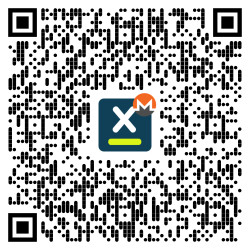
or via https://www.diva.exchange/en/join-in/
BTC
3Ebuzhsbs6DrUQuwvMu722LhD8cNfhG1gs

Contact the Developers
On DIVA.EXCHANGE you'll find various options to get in touch with the team.
Talk to us via Telegram (English or German).