ng2-pdfjs-viewer
July 26, 2026 · View on GitHub
ng2-pdfjs-viewer
A complete PDF experience in one Angular component — view, annotate, sign, fill forms, search, and read aloud, powered by Mozilla PDF.js.













Documentation · API reference · Live demo · Showcase · Changelog
⭐ Find it useful? Star it on GitHub — it helps more Angular developers discover it.
Drop a production PDF viewer into any Angular app with a single tag. ng2-pdfjs-viewer wraps
PDF.js 6 in one declarative <ng2-pdfjs-viewer> component: rendering, navigation,
search, printing, theming, annotations, e-signatures, AcroForms, read-aloud, and a bring-your-own
AI assistant — all driven by typed @Input()s and @Output() events, no iframe plumbing of your own.
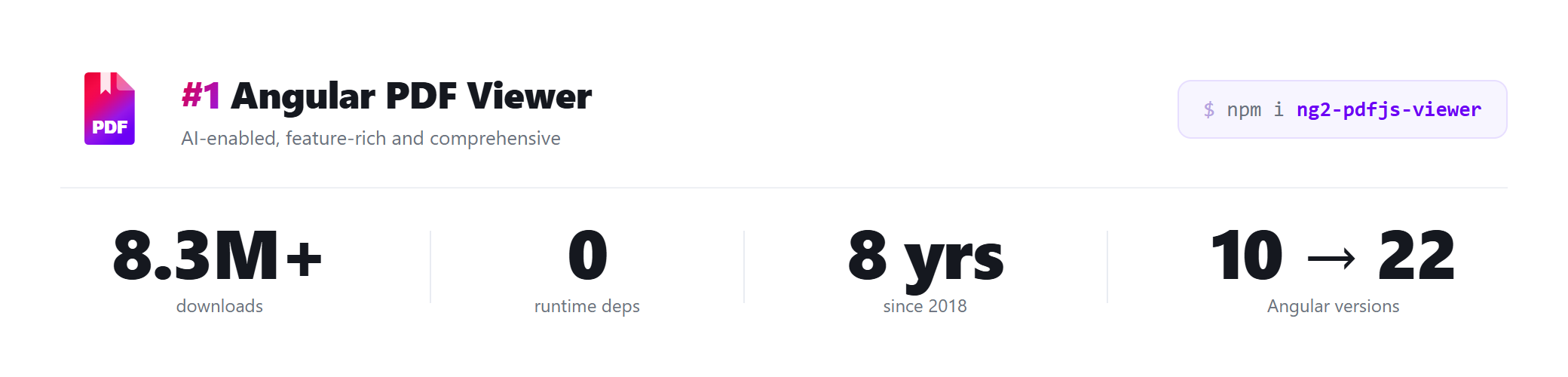
Shipping since 2018, 8.3+ million downloads, mobile-first, and built & verified on Angular 22
while keeping a wide >=10 peer range so existing apps upgrade without churn.
From France's data-protection regulator to Switzerland's federal tech institute, it's in production on five continents — see who's using it ↓.
npm install ng2-pdfjs-viewer
<ng2-pdfjs-viewer pdfSrc="assets/sample.pdf"></ng2-pdfjs-viewer>
That's the whole integration. Wire up the assets and you have a full viewer.
🌍 Used in production
National regulators, public universities, research infrastructure, and fintech platforms render PDFs with ng2-pdfjs-viewer — on five continents. Among them:
 EPFL EPFL | Switzerland's federal institute of technology — the Infoscience research portal |
 CNIL CNIL | France's national data-protection authority |
 Finnish National Agency for Education Finnish National Agency for Education | the country's open learning-materials library (AOE) |
 AuScope AuScope | Australia's national geoscience research infrastructure |
 Spain's Ministry of Culture Spain's Ministry of Culture | the Travesía cultural-heritage platform |
 University of Virginia University of Virginia | the Supporting Transformative Autism Research (DRIVE) program |
Part of 8.3M+ installs worldwide. See the full showcase →
✨ Highlights
| 📄 View anything | Crisp, high-fidelity rendering, zoom, navigation, thumbnails, outline, printing — embedded, in a new tab, or a popout window. |
| ✍️ Annotate & sign | Highlight, draw, free-text, and stamp editors; opt-in draw/type/upload signature editor and threaded comments. Export and restore edits for a full server round-trip. |
| 🧾 Fill forms | Two-way AcroForm binding — read and write field values from your component, save the filled document as a blob. |
| 🔎 Search in code | Programmatic search() with totals, per-page counts, and next/previous navigation — build your own find UI. |
| 🤖 AI assistant (BYO) | Point it at any OpenAI-compatible endpoint (OpenAI, Azure, Ollama, vLLM…). Answers cite pages and click through. The library never calls an AI service on its own. |
| 🔊 Read aloud | Browser speech synthesis reads sentence by sentence, highlighting the spoken text and reporting progress. |
| 🗂️ Organize pages | Reorder, delete, cut/copy/paste, extract, and merge pages in the viewer's "Manage pages" panel. |
| 🎨 Make it yours | CSS-variable theming, true dark-mode page rendering, and your own Angular templates for the toolbar, sidebar, and per-page overlays — or go chromeless to hide the chrome for an embedded, pages-only view. |
| 🛡️ Protect content | Block print/download, disable selection, and stamp watermarks (honest client-side deterrence — not DRM). |
| ♿ Accessible | Screen-reader friendly, tagged-PDF aware, keyboard navigable — with a WCAG / EAA guide. |
→ Explore every feature with live code on the documentation site and demo.
🚀 Quick start
1. Install
npm install ng2-pdfjs-viewer
2. Import the module (or import the standalone component directly)
import { PdfJsViewerModule } from "ng2-pdfjs-viewer";

@NgModule({
  imports: [BrowserModule, PdfJsViewerModule],
})
export class AppModule {}
3. Use the component
<ng2-pdfjs-viewer pdfSrc="assets/sample.pdf" [theme]="'dark'"></ng2-pdfjs-viewer>
4. Serve the PDF.js assets — add them to your angular.json assets array:
{
  "glob": "**/*",
  "input": "node_modules/ng2-pdfjs-viewer/pdfjs",
  "output": "/assets/pdfjs"
}
Production note: PDF.js 6 ships ES modules (
.mjs), localization (.ftl), and WebAssembly (.wasm) assets. Make sure your web server returns the correct MIME types for them — see the deployment guide for the nginx/IIS snippets.
🧩 What you can build
A few of the things the component makes one-liners. Full, runnable versions live in the feature guides.
Annotate, sign, and save the result
<ng2-pdfjs-viewer
  #viewer
  pdfSrc="assets/contract.pdf"
  [(annotationEditor)]="mode"
  [enableSignatureEditor]="true">
</ng2-pdfjs-viewer>
// Later: hand the annotated + signed document to your upload
const blob = await this.viewer.getDocumentAsBlob();
Bring your own AI assistant
<ng2-pdfjs-viewer pdfSrc="assets/report.pdf" [aiAssistantConfig]="ai"></ng2-pdfjs-viewer>
ai = { endpoint: "https://api.openai.com/v1/chat/completions", apiKey: "…", model: "gpt-4o" };
// Answers cite pages as [p.3] and click through. Your endpoint, your keys.
Replace the toolbar with your own
<ng2-pdfjs-viewer pdfSrc="assets/doc.pdf" [customToolbarTpl]="myToolbar"></ng2-pdfjs-viewer>

<ng-template #myToolbar let-viewer>
  <button (click)="viewer.goToPage(1)">First page</button>
  <button (click)="viewer.startReadAloud()">▶ Read aloud</button>
</ng-template>
Embed just the pages (chromeless)
<ng2-pdfjs-viewer pdfSrc="assets/doc.pdf" [chromeless]="true"></ng2-pdfjs-viewer>
One switch hides the toolbar and sidebar so the iframe shows only the scrolling
pages — handy for inline previews. It's shorthand for [showToolbar]="false" +
[showSidebar]="false" and overrides them without touching those bindings, so
flip it off and your toolbar comes back. (There's still an iframe; reach for
pageOverlayTpl when you need per-page host DOM.)
📚 Documentation
The README is the front door — the deep reference lives on the docs site and stays in sync with each release.
| 🏁 Getting started | Install, assets, first viewer, production deployment |
| 🧭 Feature guides | Annotation, forms, search, AI, read-aloud, custom UI, protection, and more |
| 🔧 API reference | Every @Input(), @Output(), and method, with types |
| ♿ Accessibility | Screen readers, tagged PDFs, keyboard nav, WCAG / EAA |
| 🖥️ Server-side examples | Streaming, authenticated fetch, signed URLs |
| 📝 Changelog | What changed, and behavior notes when upgrading |
The component exposes 30+ inputs, 24+ events, and 19+ Promise-returning methods. The API reference is the complete, typed list.
🔌 Loading documents
pdfSrc accepts a URL, a Blob, a Uint8Array, or an ArrayBuffer. For protected documents,
attach credentials and track progress:
<ng2-pdfjs-viewer
  [pdfSrc]="url"
  [httpHeaders]="{ Authorization: 'Bearer ' + token }"
  [withCredentials]="true"
  (onProgress)="loaded = $event"
  (onPasswordPrompt)="onPasswordNeeded()">
</ng2-pdfjs-viewer>
For large files, linearize ("fast web view") and serve with HTTP range support so the first pages render before the whole document downloads. Details in the loading guide.
🛡️ Security
The viewer runs in a same-origin iframe with an allowlisted sandbox, and the host↔viewer
postMessage bridge checks event.source in both directions. PDF links open in a new tab by
default (externalLinkTarget), and pdfJsOptions only forwards an allowlisted set of PDF.js
options. The package ships with npm provenance and is tracked by an
OpenSSF Scorecard.
Report vulnerabilities via SECURITY.md.
🤝 Contributing
Issues and PRs are welcome. To run the library against the demo app locally:
git clone https://github.com/intbot/ng2-pdfjs-viewer.git
cd ng2-pdfjs-viewer
test.bat          # build the lib, link it, and serve the demo on http://localhost:4200
See CONTRIBUTING.md for the full setup, and look for
good first issue to get started.
🏗️ Showcase
Shipped something with ng2-pdfjs-viewer? Add it to the showcase — submitted projects are listed next to other production apps using the viewer.
Using it somewhere that won't show up in public code — an internal tool, a hospital system, a government portal? I'd like to hear about it: email codehippie1@gmail.com with a line about what you're building. Teams in healthcare, finance, education, and public-sector software already have. (Bugs and feature requests are best filed as an issue.)
📄 License
Apache-2.0. Use, modify, self-host, or ship it inside a commercial product — the Apache 2.0 grant is perpetual, irrevocable, and carries an express patent license.
🙏 Acknowledgments
Built on the excellent Mozilla PDF.js, and shaped over the years by a community of contributors and 8.3+ million downloads' worth of real-world use.
Documentation · Live demo · npm · Issues