Box: On-Device AI. No Cloud. No Compromise.
June 7, 2026 · View on GitHub













-FF79C6.svg)













If this project helped you, please ⭐️ star it to help others find it.
Download

Note: If you're using a custom ROM (LineageOS, GrapheneOS, CalyxOS), download the
custom-rom-supportAPK from the latest release instead.
Install via Obtainium
- Open Obtainium on your phone
- Tap the + button
- Paste this repo URL:
https://github.com/jegly/Box - Tap Add
Recommended for most users: Main version
Which version should I install?
| Version | For |
|---|---|
| Main | Stock Android (Pixel, Samsung, etc.) |
| Custom ROM | GrapheneOS, LineageOS, CalyxOS — no Google services |
-
The in-app updater is also available in Settings
Setup steps
- Tap the badge for your version above — this opens Obtainium with the repo pre-filled
- Under APK filter regex, enter one of the following:
- Main:
Main - Custom ROM:
custom-rom-support
- Main:
- Tap Add — Obtainium will find the latest release and install it
- Future updates will be detected automatically
Note: As of v2.0.0, the in-app App version matches the Box release version (2.0.0) — the earlier mismatch with the upstream Google AI Edge Gallery build number (which showed 1.0.15) is fixed (#67). Box releases are tracked via GitHub tags. Use Settings → Check for updates to see if a newer Box release is available.
Box is a security-hardened feature rich fork of Google AI Edge Gallery — with on-device image generation, AI image upscaling, voice mode (speech-to-speech AI chat), voice input, multilingual text-to-speech, document analysis, vision AI, biometric lock, encrypted chat history, llama.cpp support, and GGUF model import and more
Important
Disclaimer
Box is an independent community fork of Google AI Edge Gallery and is not affiliated with or endorsed by Google LLC. Google branding has been replaced throughout. All credit for the underlying platform goes to Google and the original contributors — this fork simply builds on top of their work.
Changelog v1.0.7 – v2.0.0
| Version | Feature | Details |
|---|---|---|
| v2.0.0 | Google Tensor G5 (Pixel 10) acceleration | Gemma now runs on the Pixel 10's Tensor G5 TPU, not just the GPU. Supported models route to the TPU automatically and expose a dedicated TPU option in the accelerator picker. |
| v2.0.0 | MediaTek NPU support | Bundled the MediaTek dispatch runtime and added the first models that run on MediaTek Dimensity neural engines. |
| v2.0.0 | New models | Gemma 4 E2B (Tensor G5) and Gemma 4 12B (GPU); Gemma 3 1B-IT (Tensor G5), Gemma 3n E2B (MediaTek, multimodal) and Qwen3 0.6B (MediaTek) NPU builds; Gated Gemma NPU models now download in-app with no token. |
| v2.0.0 | Face Recognition — on-device & encrypted | New tool in the image section: detect, enroll and name people, then recognise them in photos or live from the camera, fully offline. Multi-sample enrollment with face alignment, capture-to-add, an on-screen face mesh, and a settings panel (match strictness, front camera, show %, clear all). All face data is encrypted on-device (SQLCipher) and never leaves the phone — opt-in and user-enrolled only. |
| v2.0.0 | New Light theme + theme-aware home | A crisp, wallpaper-independent Light theme, and the home background now follows your selected theme (System / Light / Catppuccin / Dracula) instead of always being black. |
| v2.0.0 | Gemini Nano Hub on custom-ROM | The full Gemini Nano hub (Summarize / Proofread / Rewrite / Describe / Chat / Speech) is now included in the custom-rom-support build too, degrading gracefully on devices without AICore (ML-Kit vision tools still work). |
| v2.0.0 | Nano document-attach crash + leak fixes | Fixed a crash when attaching a document in Summarize/Proofread/Rewrite (the file picker could be hijacked by the photo picker on Android 14+) — now uses the proper document picker with a clean fallback. Also fixed GenAI service/memory leaks when switching between Nano features. |
| v2.0.0 | Copy button on code blocks | Fenced code blocks in chat now render with a language label and a one-tap Copy code button. |
| v2.0.0 | SenseVoice in Chat | The chat mic now works with a loaded SenseVoice model (priority Whisper → SenseVoice → system) instead of dead-ending when no Whisper model is present. |
| v2.0.0 | Speculative decoding in chat | Speculative / Multi-Token-Prediction decoding is available for Gemma 4 in chat (off by default). |
| v2.0.0 | Fix #69 — agent mode with text-only models | Agent mode no longer force-loads vision on models that don't support it, which previously blocked text-only imported models entirely. |
| v2.0.0 | Fix #67 — correct installed version | Aligned versionName with the public version, so Obtainium / Android's "App version" report the right number (no more false "update available"). This is why the release jumps to 2.0.0. |
| v2.0.0 | Smaller download | Native libraries are now compressed inside the APK — the main build drops from 400 MB+ to ~278 MB (they're extracted on install). |
| v1.0.12 | SenseVoice — multilingual speech-to-text | New card in the Voice tab. Transcribes Chinese, English, Japanese, Korean and Cantonese fully offline, roughly 5× faster than Whisper on CPU. Live "listening" preview while you talk, a multi-message transcript log (copy / delete / clear), language picker, punctuation & number formatting, and optional emotion / audio-event tags. (#68) |
| v1.0.12 | Supertonic — multilingual text-to-speech | New card in the Voice tab. Lightweight (~66M param) on-device speech synthesis in English, Korean, Spanish, Portuguese and French, with multiple built-in voices and adjustable speed. Fully offline — text never leaves the device. |
| v1.0.12 | AI Image Upscaling (super-resolution) | New Upscale tool in the image tab. Enhance and enlarge any photo 4× on-device and save it to your gallery. Three models bundled in the app — XLSR (fast), Real-ESRGAN General (balanced), Real-ESRGAN x4plus (quality) — run via LiteRT, no download required. Photos are auto-rotated (EXIF-aware) before upscaling. |
| v1.0.12 | Gemini Nano Vision — visual overlays (main) | Pose detection now draws a skeleton overlay and Face Mesh a 468-point mesh directly on the camera preview and still images (previously text-only). Added copy buttons on every vision result, an adjustable live refresh rate (Fast / Balanced / Slow / Power-saver) with a Freeze/Resume toggle, front/rear camera switching on all modes, and image upload from your gallery. |
| v1.0.12 | Models browser organised by type | The model list is now grouped into Language models / Speech-to-Text / Text-to-Speech / Image generation / Other instead of one flat alphabetical list. |
| v1.0.12 | New language models | Added TinyLlama 1.1B, Phi-4-mini, TinySwallow 1.5B, VibeThinker 1.5B, and Qwen3 8B to the download list. |
| v1.0.12 | Markdown & LaTeX rendering overhaul (#42) | Headers, bullet/numbered lists and bold text now render correctly even when mixed with inline math on the same line; bold that spans a math expression no longer shows literal **; wide display equations scroll instead of being clipped. |
| v1.0.12 | Clearer model guidance + UI cleanup | Gemma 4 E2B labelled "Recommended", E4B "Best overall for flagship devices," with cleaned-up model descriptions. Removed promotional banners/links from the MCP and Agent screens (sample-prompt chips kept). |
| v1.0.12 | Fix #59 — Snapdragon NPU crash | Vision/audio sub-backends now follow the primary backend on the NPU path, fixing hard crashes on some Snapdragon devices. |
| v1.0.12 | Fix #61 — leftover model files | Orphaned model-version directories are cleaned up after app updates. |
| v1.0.12 | Fix #65 — GrapheneOS speech hang | Restored the SpeechRecognizer availability gate (custom-rom-support build). |
| v1.0.12 | Fix — config dialog crash | Opening the model settings dialog on small-context-window (<2000) models no longer crashes. |
| v1.0.12 | Android SDK 37 + deeplink fix | Updated compile/target SDK to 37 and fixed the notification tap deep link. |
| v1.0.11 | MCP server support | The Agent tab can now connect to external Model Context Protocol servers (e.g. gitmcp.io/<owner>/<repo>) and give the model access to remote tools. Off by default — enable in Settings, add a server URL, accept the disclaimer. Every tool call fires a per-call permission dialog (Allow once / Always allow / Deny). Hard Offline Mode disables MCP. |
| v1.0.11 | "Agent Skills" renamed to "Agent" | Reflects the addition of MCP tools alongside the existing 20 built-in skills. Internal IDs unchanged. |
| v1.0.11 | Broader NPU init crash recovery (main) | Snapdragon 8 Elite / Vivo OriginOS users (e.g. iQOO 13) reporting hard crashes on NPU model open now fall back silently to GPU instead. Any catchable NPU init exception is recovered, not just TF_LITE_AUX. |
| v1.0.11 | Pixel 8/9 TPU label | Tensor G3 / G4 devices now show the TPU accelerator label alongside Pixel 10 (isPixelDevice() broadened from isPixel10()). |
| v1.0.11 | Smoother streaming render | BufferedFadingMarkdownText two-layer crossfade reduces markdown re-render jank during token streaming. |
| v1.0.11 | Chat scroll performance | snapshotFlow + derivedStateOf translated to Box's LazyColumn. Significantly fewer Compose recompositions per generated token. |
| v1.0.11 | ChatGPT-style chat layout | User and assistant messages both left-aligned, restoring Box's original look. |
| v1.0.11 | Downloaded-model tick icon | Once a model is on device, the model picker chip and Model Manager show a filled-circle tick instead of the download-arrow icon. |
| v1.0.11 | Gemma 4 model hashes refreshed | Gemma 4 E2B / E4B / E2B-Snapdragon entries updated to upstream's latest commits (6e5c4f1e… / 28299f30…). |
| v1.0.11 | R8 keep rule for tool calls | Release builds preserve @Tool method names on every ToolSet subclass — MCP and Agent skills now work in release APKs (was silently broken). |
| v1.0.11 | Upstream merged to 1.0.15 | Internal versionName bumped to match upstream gallery 1.0.15 (cherry-picked over multiple sessions; chat history, model schema, and other heavily-customised Box paths preserved). |
| v1.0.10 | Gemini Nano hub | 6 on-device ML Kit features powered by Gemini Nano on Pixel 9+ (via AICore, NPU/TPU-accelerated): Summarize, Proofread, Rewrite, Chat, Describe Image, and Speech-to-Text. First use triggers an automatic background download of Gemini Nano (~1–2 GB via AICore). |
| v1.0.10 | Nano Chat — multi-session | Persistent multi-turn chat with Gemini Nano. Sessions are stored in the existing encrypted SQLCipher database, auto-titled from the first message, and fully resumable. Sessions can be renamed or deleted. Long-press any bubble to copy. |
| v1.0.10 | Document attachment in Nano | Proofread and Rewrite now accept attached documents (PDF, TXT, MD) — content is read and passed to Gemini Nano as context. |
| v1.0.10 | Live camera in Describe Image | Gallery tab + Live Camera tab. Camera tab binds an ImageCapture use case — tap Capture to send the current frame to Nano for description. |
| v1.0.10 | Background Removal | New tool powered by ML Kit Subject Segmentation (main branch). One tap removes the background from any photo with a transparency-preserving PNG output. Includes a "Trim transparent edges" toggle. Save or share the result. |
| v1.0.10 | Catppuccin + Dracula themes | Three-way theme picker in Settings: System (Material You) / Catppuccin (14 accents) / Dracula (7 accents). Accent colour persists across restarts with no first-frame flicker. |
| v1.0.10 | Tap jacking protection toggle | New toggle in Settings (on by default) — filterTouchesWhenObscured blocks touch events when an overlay is detected, preventing tap-jacking attacks. |
| v1.0.10 | Accessibility data sensitivity toggle | New Settings toggle hides app content from untrusted accessibility services. Off by default (note: incompatible with TalkBack). |
| v1.0.10 | LaTeX in table cells | Inline math inside markdown table cells no longer wraps across multiple lines. Uses Compose InlineTextContent to embed math as a single placeholder inside Text(). |
| v1.0.10 | Import button simplified | Home screen import button label shortened to just "Import" (removed "GGUF · LiteRT" subtitle). |
| v1.0.10 | NPE crash fix | Fixed a null-pointer crash on startup and on Retry caused by a broken fallback comparator in groupTasksByCategory. |
| v1.0.9 | Document Q&A | New RAG pipeline: import PDFs and ask questions grounded in the document. Uses MiniLM embeddings (on-device, LiteRT) for chunk retrieval — model only sees the relevant passages. Every answer cites the source chunks it used. |
| v1.0.9 | Model picker in Document Q&A | Choose which downloaded LLM handles answering — defaults to first available, switchable mid-session. |
| v1.0.9 | Kokoro TTS (English) | Single Kokoro model (csukuangfj/kokoro-en-v0_19, ~346 MB) replaces broken individual-voice entries. Correct tensor shapes and metadata — works first time. |
| v1.0.9 | 13 Piper voices | 8 new voices: LibriTTS-R, HFC Female, HFC Male, Arctic (US English); Thorsten (German); UPMC (French); MLS 10246 (Spanish); Huayan (Chinese Mandarin). 13 total across both branches. |
| v1.0.9 | 10 Whisper models | Expanded from 3 hardcoded to 10: Tiny, Base, Small, Medium, Large-v3-Turbo, and Large-v3 — each in multilingual and English-only variants. Shared across Audio Scribe and Voice Input. |
| v1.0.9 | Gemma-4-E2B-it (Snapdragon 8 Elite) | NPU-optimised variant added to the model allowlist — visible only on SM8750 devices. |
| v1.0.9 | Fix #46 — Audio Scribe OOM crash | Replaced boxed List<Float> (~16 bytes/sample) with a primitive growing FloatArray (4 bytes/sample). 30-min audio at 16 kHz no longer causes ~460 MB excess allocation. |
| v1.0.9 | Fix #47 — TTS silent with non-Amy voice | Auto-init and GrapheneOS TTS fallback now filter by download status before selecting a voice model (custom-rom-support only). |
| v1.0.8 | Saved System Prompts | Save, name, and reuse system prompts from the model settings dialog. Tap to apply, swipe to delete. |
| v1.0.8 | Restore Defaults | New button in model settings resets all sliders (temperature, top-K, top-P, max tokens) back to defaults in one tap. |
| v1.0.8 | System prompt actually applied | Changing the system prompt mid-session now correctly resets the conversation with the new instruction — previously saved in UI but not passed to the model. |
| v1.0.8 | Markdown fix in math responses | Plain-text segments in chat bubbles now render through the Markdown pipeline, fixing broken formatting in responses that mix text and LaTeX math. |
| v1.0.8 | Randomised inference seed | Each conversation now uses a unique random seed for more varied outputs on CPU backend. |
| v1.0.8 | GPU determinism root cause found | LiteRT LM v0.11.0 hard-caps max_top_k: 1 on devices without a GPU sampler, forcing greedy decoding. Switch to CPU for varied outputs. Reported upstream as issue #817. |
| v1.0.7 | Gemma 4 E2B & E4B updated | Model files refreshed on HuggingFace — new commit hashes, smaller sizes, same multimodal capabilities. |
| v1.0.7 | Speculative decoding / MTP | Multi-Token Prediction reads capability from the model file itself. Gemma 4 E2B reaches 66–91 tok/s on Galaxy S26 Ultra (GPU + spec) vs 52 tok/s plain GPU. |
| v1.0.7 | Sustained Performance Mode | setSustainedPerformanceMode(true) locks clocks during inference — no mid-conversation thermal throttling on long generations. |
| v1.0.7 | Benchmark spec decoding toggle | Benchmark screen shows a speculative decoding toggle for supported models. |
| v1.0.7 | AI Chat app shortcut | Long-press the Box icon → AI Chat jumps straight into chat, even from a cold start. |
| v1.0.7 | In-app update checker | Settings → Check for updates — fetches the latest GitHub release and offers a direct download link for your variant. |
| v1.0.7 | Model import from list | Whisper and TTS models can now be imported directly from the model list. |
Related
Built OfflineLLM first — a privacy-first Android chat app with a pure llama.cpp backend.
What is Box?

Box is an Android app for running AI entirely on-device — chat, voice mode, image generation, image upscaling, speech-to-text, text-to-speech, document analysis, and vision, all without a network connection. It inherits the full feature set of the upstream Google AI Edge Gallery and layers on top: encrypted conversations, biometric lock, hard offline mode, and three additional native inference engines (llama.cpp, stable-diffusion.cpp, whisper.cpp) alongside LiteRT.
Box: On-Device AI. No Cloud. No Compromise.
What makes Box unique? You can sit at your desk, tap two buttons, and have a real flowing voice conversation with an AI — no wake word, no account, no server, no subscription. It listens, thinks, and speaks back sentence by sentence before it's even finished generating. Point the camera at something and ask about it out loud. The AI sees it and answers. All of it runs on the phone in your hand, completely offline, faster than you'd expect.
Tip
Custom ROM users (GrapheneOS, LineageOS, CalyxOS): Use the custom-rom-support APK, not Main. Third-party ROMs lack AICore and system TTS, which impairs voice mode and NPU acceleration on the Main build. The custom-rom-support branch works around these limitations with built-in Piper TTS and alternative voice input. TPU/NPU acceleration is supported on Tensor devices; Snapdragon NPU remains untested on custom ROMs.
Screenshots
 Home — Chat |
 Home — Diffusion |
 Home — Voice |
 AI Chat |
 Model Config |
 Model Manager |
 Text to Speech |
 Voice Input |
 Whisper Scribe |
 Image Generation |
 Gemini Nano Hub |
 MCP — Add Server |
 Settings — Theme & Security |
 Settings — Behaviour & MCP |
 Settings — About |
Box is a fork of Google AI Edge Gallery. The upstream project is excellent — Box just layers on additional capabilities:
| Area | What Box adds |
|---|---|
| Inference engines | llama.cpp (GGUF LLMs), stable-diffusion.cpp (image gen), whisper.cpp (STT) alongside LiteRT |
| Model import | Import any local GGUF file — not limited to the curated download list |
| NPU / TPU | All Snapdragon / Tensor / MediaTek variants bundled in one APK (upstream ships per-SoC) |
| Voice mode / Vision mode | Free talk (continuous hands-free loop) and Vision talk (live camera + voice) |
| Image generation | On-device Stable Diffusion via GGUF |
| Image upscaling | AI super-resolution — enlarge any photo 4× on-device (XLSR / Real-ESRGAN via LiteRT), models bundled, fully offline |
| Speech-to-text | On-device Whisper STT, plus SenseVoice for fast multilingual transcription (Chinese / English / Japanese / Korean / Cantonese, ~5× faster than Whisper) |
| Text-to-speech | Supertonic multilingual on-device TTS (5 languages, multiple voices) alongside Piper / Kokoro |
| Document analysis | Attach text files (.txt, .md, .csv, .kt, etc.) directly in chat |
| Document Q&A | RAG pipeline: import PDFs, embed with MiniLM on-device, ask questions grounded in document content — answers cite their source passages |
| Gemini Nano | 6 on-device ML Kit features (Summarize, Proofread, Rewrite, Chat, Describe, Speech) — entirely on-device via AICore on Pixel 9+/10 and recent Samsung / Xiaomi / OnePlus / OPPO / vivo flagships (both branches as of v2.0.0). Vision modes add live camera + still-image analysis with visual overlays (pose skeleton, 468-point face mesh) |
| Face Recognition | On-device, encrypted face recognition (both branches) — enroll and name people, then recognise them in photos or live from the camera. Multi-sample enrollment with alignment, capture-to-add, face-mesh overlay, SQLCipher-encrypted storage, fully offline and opt-in |
| Background Removal | ML Kit Subject Segmentation — remove backgrounds from photos, output a transparency-preserving PNG (main branch) |
| Chat history | Persisted to a SQLCipher-encrypted Room database, resumable across sessions |
| Security | Biometric app lock, hard offline mode, prompt sanitisation, audit log, tap jacking protection, accessibility data sensitivity |
| Themes | Catppuccin (14 accents), Dracula (7 accents), a bright Light theme, and Material You — picker in Settings, with the home screen tinted to match the active theme |
| Agent (skills + MCP) | 20 built-in skills (upstream has 9) plus Model Context Protocol — connect to remote MCP servers and give the model real tools, with per-call permission prompts |
| Math rendering | LaTeX expressions rendered as Unicode in chat, including inside markdown table cells |
| App shortcut | Long-press icon → AI Chat for instant cold-start navigation |
| In-app updates | Settings → Check for updates — compares against latest GitHub release, downloads correct variant |
Core Features
Local Chat
Multi-turn conversations with on-device LLMs. Import any GGUF model or download LiteRT models from the built-in list. Supports Thinking Mode on compatible models. Full markdown rendering with LaTeX math support — Greek letters, operators, fractions, and notation are rendered as Unicode symbols. Conversations are persisted and resumable.
Recommended models: We highly recommend Gemma 4 E2B or Gemma 4 E4B (LiteRT) as your primary models — best-tested, support vision, voice, and documents, and run efficiently with GPU/NPU acceleration. Available to download directly in the app.
With Gemma 4 E2B / E4B selected, the chat input expands to a full multimodal interface:
- 📎 Attach documents (
.txt,.md,.csv,.json,.py,.kt, and more) — content is injected into context automatically - 🎙 Record an audio clip or pick a WAV file to speak your question
- 📷 Take a photo or pick from album for visual Q&A
Local Diffusion
On-device image generation powered by stable-diffusion.cpp. Runs Stable Diffusion 1.5 in GGUF format fully offline — no API key, no cloud. Configurable steps, CFG scale, seed, and image size presets. Save generated images directly to your gallery. Import your own GGUF diffusion models.
Image Upscaling (Super-Resolution)
Enhance and enlarge any photo 4× on-device with AI super-resolution. Pick an image, upscale it, and save the result to your gallery — fully offline, nothing leaves the device. Choose between XLSR (fastest, tiny), Real-ESRGAN General (balanced), and Real-ESRGAN x4plus (highest quality). All three models are bundled in the app and run via LiteRT, so there's nothing to download. Photos are auto-rotated (EXIF-aware) before upscaling.
Voice Input
On-device speech-to-text using whisper.cpp or SenseVoice (Sherpa-ONNX). Tap to record, tap to transcribe. Copy or clear results. Whisper supports Tiny through Large-v3 in multiple languages; SenseVoice adds fast multilingual transcription (Chinese / English / Japanese / Korean / Cantonese, ~5× faster than Whisper) with a live preview, a multi-message log, and optional emotion/event tags. Audio never leaves the device.
Text-to-Speech
On-device speech synthesis straight from text. Supertonic offers lightweight multilingual TTS (English / Korean / Spanish / Portuguese / French) with multiple built-in voices and adjustable speed, alongside Piper and Kokoro voices. Fully offline — text never leaves the device.
Free Talk — Real-Time Voice Conversation
Tap the mic and the speaker. That's it. Box listens to you, sends your words to the AI, and speaks the reply back — then immediately starts listening again. No tapping between turns. No waiting for a full response before it starts speaking. Just sit there and talk to it like a person.
On Gemma 4 E2B it keeps up in real time. The first sentence of the reply is already being spoken while the model is still generating the rest.
- "Explain quantum entanglement like I'm five" → speaks the answer, listens for your follow-up
- "Actually, go deeper on that last point" → multi-turn, completely hands-free
- "Help me think through a problem I'm having at work" → back and forth, no typing ever
- "What should I cook for dinner tonight? I've got chicken and not much else" → practical daily use
It feels like having an AI sitting across from you. Entirely offline. Nothing leaves the device.
Three toggles in AI Chat control it:
- 🎤 Mic — tap once to enter free talk mode, tap again to stop
- 🔊 Speaker — AI replies spoken aloud, sentence by sentence as they generate
- 📹 Camera — live vision mode (see below)
Enable Real-time voice reply in Settings for sentence-by-sentence speech as the model generates. Works out of the box with Android's built-in speech and TTS — load a Whisper or Piper model for higher quality.
De-Googled ROMs (GrapheneOS, CalyxOS, LineageOS without GApps): Use the custom-rom-support APK — it includes Piper TTS (Amy) as a built-in download in the Voice tab, so no third-party TTS app is needed. If you're on the Main build, install a TTS engine from F-Droid (e.g. RHVoice or eSpeak NG) and set it as default in Android Settings → Accessibility → Text-to-speech.
Vision Talk — Live Camera + Voice AI
Tap the camera toggle to stream your back camera directly to the AI. Point it at anything and ask — the AI sees the current frame alongside your question and speaks its answer back. All offline, no cloud.
Things you can do:
- Point at a plant → "What species is this and how do I care for it?"
- Point at food in your fridge → "What can I cook with what's here?"
- Point at a label or sign in another language → "What does this say?"
- Point at a circuit board → "What component is this and what does it do?"
- Point at your code on a laptop screen → "What's wrong with this function?"
- Point at a meal → "Roughly how many calories is this?"
- Point at a maths problem → "Walk me through how to solve this"
Combine with mic + speaker for a fully hands-free vision conversation — speak your question, AI sees the scene, speaks the answer, listens for the next question. Requires a vision-capable model (Gemma 4 E2B or E4B).
When mic is off, camera mode sends a frame every 3 seconds automatically with "What do you see?" — useful for passive scene description.
Vision AI
Ask questions about images using on-device vision models. Powered by LiteRT with Gemma 4 E2B / E4B — GPU-accelerated, up to 32K context.
Biometric App Lock
Enable an optional biometric lock from Settings. The app re-locks automatically every time it is backgrounded. Unlock via fingerprint or face authentication before any content is shown.
Encrypted Chat History
All conversations are stored in a SQLCipher-encrypted Room database. History persists across sessions and is resumable from the Chat History screen. Swipe to delete individual conversations, or wipe all at once.
NPU / TPU Acceleration
All Qualcomm Hexagon NPU variants (Snapdragon 8 Gen 2 / 8 Gen 3 / 8 Elite / newer), Google Tensor TPU (Pixel 8–10), and MediaTek NPU are bundled in a single APK — no separate builds per device. Select NPU/TPU in the model's accelerator dropdown; Box auto-detects the chip and loads the right runtime.
Note: As of v2.0.0, dedicated NPU/TPU model builds run on the neural engine — Gemma 4 E2B / Gemma 3 1B on the Google Tensor G5 (Pixel 10) and Gemma 3n E2B / Qwen3 0.6B on MediaTek Dimensity. These are SoC-specific compiled
.litertlmfiles that download automatically on matching hardware. Generic litert-community GPU models still run on GPU (they don't ship the per-SoC NPU build). GPU remains an excellent default on all supported chips.
Supported hardware:
- Snapdragon 888 / 8 Gen 1 (Hexagon V69)
- Snapdragon 8 Gen 2 (SM8550, Hexagon V73)
- Snapdragon 8 Gen 3 (SM8650, Hexagon V75)
- Snapdragon 8 Elite (SM8750, Hexagon V79)
- Snapdragon next-gen (SM8850, Hexagon V81)
- Google Tensor G3 / G4 / G5 (Pixel 8 / 9 / 10)
- MediaTek Dimensity (MT6989, MT6991, MT6993)
GGUF Model Import
Import any GGUF model file from local storage. At import time set the display name and choose the accelerator (CPU, GPU via OpenCL/Vulkan, or NPU via QNN delegate). Stable Diffusion GGUF models can also be imported for image generation.
Hard Offline Mode
A toggle in Settings forces the app into a fully airgapped state — all download attempts throw an exception and no network calls are made.
Getting Started
Requirements
- Android 16+
- ~4 GB of free storage for a typical quantised LLM
- `6 GB of Ram
Build from source
git clone --recurse-submodules https://github.com/jegly/box
cd box/Android
./gradlew :app:assembleDebug
The --recurse-submodules flag is required to pull llama.cpp, stable-diffusion.cpp, and whisper.cpp submodules. The first build compiles all three native libraries from source — expect 15–25 minutes.
Open Android/ in Android Studio and run on a physical device for best performance.
Loading a LiteRT/GGUF model
- Copy a
.litertlm/GGUFfile to your device (Downloads, USB, etc.) - Open the app → Model Manager in the drawer
- Tap Import and pick your file
- Set a display name and choose CPU / GPU / NPU
- The model appears in AI Chat
Security Architecture
| Mechanism | Details |
|---|---|
| Database encryption | SQLCipher via androidx.room — AES-256 at rest |
| Biometric gate | BiometricPrompt API, re-prompts on each foreground |
| Offline mode | OfflineMode singleton blocks DownloadWorker and network calls |
| Prompt sanitisation | SecurityUtils.sanitizePrompt() strips control characters before inference and persistence |
| Tap jacking protection | filterTouchesWhenObscured on the window — user-configurable in Settings (on by default) |
| Accessibility data sensitivity | ViewCompat.setAccessibilityDataSensitive() hides content from untrusted accessibility services — user-configurable in Settings |
| Screenshot protection | FLAG_SECURE blocks screen capture and Recent Apps thumbnails — user-configurable in Settings |
| Audit log | SecurityAuditLog writes security events to a local append-only log |
Technology Stack
- Kotlin + Jetpack Compose — UI
- Hilt — dependency injection
- Room + SQLCipher — encrypted persistence
- LiteRT-LM — LiteRT inference runtime for LLMs (GPU + NPU/TPU)
- LiteRT (CompiledModel) — runs the bundled Qualcomm
.tflitesuper-resolution models (image upscaling) - Qualcomm QNN / QAIRT 2.41 — Hexagon NPU runtime (V69–V81, bundled)
- LiteRT NPU dispatch — auto-selects Qualcomm / Google Tensor / MediaTek at runtime
- llama.cpp — GGUF LLM inference (git submodule)
- stable-diffusion.cpp — GGUF image generation (git submodule)
- whisper.cpp — on-device speech-to-text (git submodule)
- Sherpa-ONNX (k2-fsa) — on-device speech engine: SenseVoice STT and Supertonic / Piper / Kokoro TTS (both branches)
Acknowledgements
Box would not exist without the work of the teams and individuals behind the projects it builds on.
Google AI Edge Gallery — the upstream project this fork is based on. The Google AI Edge team built an exceptionally well-structured, open-source Android app and made it available under the Apache 2.0 licence. Everything in Box starts from their foundation. Upstream changes are periodically merged and any improvements we make that are appropriate to contribute back will be.
llama.cpp — Georgi Gerganov and the llama.cpp contributors for making high-performance on-device LLM inference accessible to everyone.
stable-diffusion.cpp — leejet and contributors for the C++ Stable Diffusion implementation that powers on-device image generation.
whisper.cpp — Georgi Gerganov and contributors for the Whisper speech-to-text port.
LiteRT / TensorFlow Lite — the Google teams behind LiteRT (formerly TFLite) and the NPU/GPU delegate infrastructure.
Sherpa-ONNX / k2-fsa — the k2-fsa team for Sherpa-ONNX, which powers the Piper TTS engine (Amy and other voices) in the custom-rom-support branch.
SenseVoice (FunAudioLLM) — the FunAudioLLM / Alibaba Speech Lab team for the SenseVoice multilingual speech-to-text models that power Box's fast STT feature (run on-device via Sherpa-ONNX).
Supertonic — Supertone Inc. for the Supertonic on-device text-to-speech models that power Box's multilingual TTS feature (run on-device via Sherpa-ONNX).
off-grid-mobile-ai — Mohammed Ali Chherawalla for the on-device Stable Diffusion Android implementation, which was instrumental in getting efficient on-device image generation working and influenced parts of Box’s ImgGen pipeline.
PocketSage — Umer Arif for the clean, fully offline RAG-on-Android reference implementation that the Document Q&A feature in Box is based on.
Thanks to aryoda and all the contributors for consistently reporting valid bugs. Appreciate the reports !
Thank you to everyone who has opened issues, tested builds, or contributed to any of these projects. On-device AI is a community effort.
License
 Licensed under the Apache License, Version 2.0
Links
- Box repository
- Upstream: google-ai-edge/gallery
- llama.cpp
- stable-diffusion.cpp
- whisper.cpp
- LiteRT-LM
- LiteRT NPU docs
- Qualcomm QAIRT SDK
- Hugging Face LiteRT Community
Checksums
| Variant | SHA-256 |
|---|---|
| main | sha256:8791d97f654327349337a8120a30bd8e289970f605e29ed2c64c531306027c1d |
| custom-rom-support | sha256:fc618a9f3ab89b809616c26b44c2bc7b8585bc3ffbccdba81cf525562b8cd7ab |
Signing certificate
Both variants are signed with the same key. Use this fingerprint with Obtainium AppVerifier to verify the APK was signed by the correct key before installing:
Certificate SHA-256: 8346b1a70d09ff5c9f7d7febc874cf694b6e267032a4eb38e261d538bce7b09c
apksigner verify --print-certs Box_*.apk | grep SHA-256










Box for Linux (Desktop)
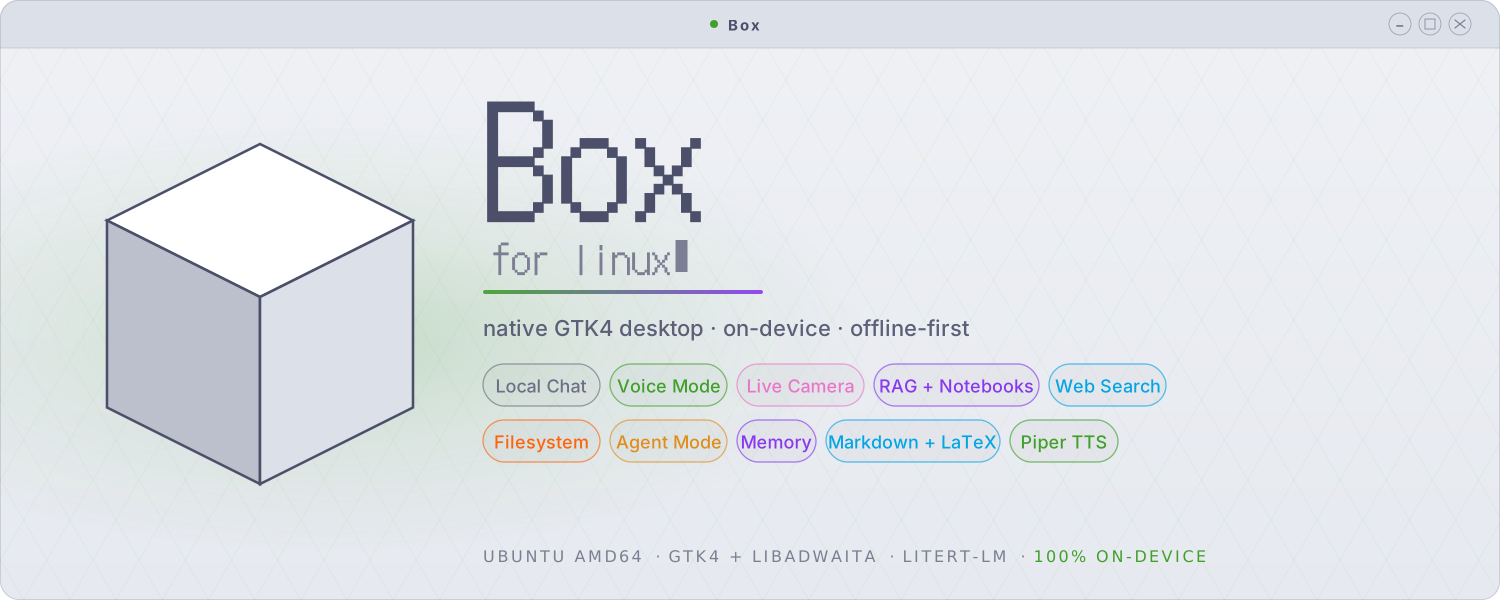
Box for Linux is a native GTK4 / libadwaita desktop app that brings the Box experience to the Linux desktop — fully offline local chat, real-time voice conversation, live camera vision, document Q&A, and web/file tools, all running on your own machine. Built on Google's LiteRT-LM runtime, it shares the philosophy of the Android app — on-device, offline-first AI, no account, no telemetry — in an app designed from the ground up for the Linux desktop.
Important
Box for Linux is a separate application, written from scratch — it is
not a port, build, or fork of the Android app. The two share a name, a
philosophy, and many similar features, but they are independent codebases.
The Android app is open source (Apache-2.0); Box for Linux is distributed
as a closed-source binary — the .deb ships compiled code and its source
is not currently published. It does not include the Android app's Stable
Diffusion image generation, Whisper STT, SQLCipher encryption, or biometric
lock.
What is Box for Linux?
A local-first chat app where the language model, the retrieval embedder, the image captioner, and the text-to-speech all run on your own hardware. The interface is native — not Electron, not a browser shell — so it starts in under a second, uses sane amounts of memory, and sits properly inside your GTK desktop.
It's built to be the daily-driver assistant on a Linux laptop: fast enough for quick back-and-forth questions, capable enough to ground its answers in your local documents, your webcam, and the open web — without ever sending your conversation to someone else's server.
Screenshots
 Local Chat |
 Knowledge Base |
 Permission Prompts |
 Web & File Tools |
 Agent Mode |
 Persistent Memory |
 Vision & Camera |
 Voice & TTS |
 RAG Settings |
 Model Settings |
 Behaviour |
 Themes & Appearance |
Core Features
Local Chat
Multi-turn conversations with on-device LLMs in .litertlm format — Gemma 4 E2B
and E4B are the recommended daily drivers, both supported up to 128K context.
Tokens stream in as they generate, and a snappy Stop button interrupts
mid-token. Full Markdown rendering with LaTeX math — inline expressions render
as Unicode, display equations as images. Attach text, PDF, image, or audio
files directly in the composer. Conversations are saved and resumable, with a
searchable, resizable, hideable sidebar, a live token-usage bar, an adjustable
context window, and a CPU or GPU backend.
Voice & Conversation
Box listens, thinks, and speaks back. With the audio backend enabled the model reasons about spoken or attached audio directly — not just transcription. Record a voice message, play it back inline, and optionally auto-send it. Or enter voice conversation mode: a hands-free, voice-activity-driven loop — speak, the model replies aloud sentence by sentence as it generates, then it listens again, no tapping between turns. An optional push-to-talk button covers noisy rooms. Replies are spoken with Piper, an offline neural TTS, in any of six voices, with adjustable volume.
Live Camera Vision
Point a webcam at something and ask about it. The 📷 button in the composer opens a live preview — capture a frame and the model sees it on send. Vision Mode keeps the camera on and auto-captures a frame each turn for a continuous live-vision conversation. Capture runs through GStreamer + PipeWire (with a V4L2 fallback), so it integrates cleanly with the Linux camera permission portal — and the camera light goes off deterministically when you're done. Images can also be added to your knowledge base, where the model captions them and makes them searchable.
Knowledge Base — Document Q&A
Attach a PDF, Markdown file, source file, or plain text and Box chunks, embeds, and indexes it for retrieval — every answer is grounded in your documents, and a card on each reply shows exactly which passages the model used. Notebooks are named, reusable collections of documents that live independently of any chat: index a body of knowledge once and attach it to as many chats as you like, with an optional auto-attach for collections you always want. Retrieval unions a chat's private sources with every attached notebook.
Tools & Agent Mode
Box can search the web (DuckDuckGo, HTTPS-only, no API key, no signup) and read or write files in a workspace folder you choose. Agent mode chains multiple tool calls to handle multi-step tasks — research and report, compare, plan — with a configurable per-message cap on tool calls and a live progress pill. Every tool invocation renders as a collapsible card in the reply, showing the exact arguments and result.
Persistent Memory
Save a fact once and Box recalls the relevant ones across all of your chats, from a long-term store kept separate from per-chat documents. Capture is always explicit — nothing is remembered without you asking — and a memory inspector lets you view, search, and delete what Box knows.
Themes
Six themes — Catppuccin Mocha, Latte, Frappé, and Macchiato, plus Dracula and Dracula Pro — each with 14 accent colours, five iMessage-style bubble palettes, a bubble-opacity slider, custom fonts, and macOS-style traffic-light window controls.
Every capability in Box for Linux is a separate switch, and everything is OFF by default — vision, audio, TTS, knowledge base, web search, filesystem, agent mode, and memory are each opt-in.
| Control | What it means |
|---|---|
| Granular toggles | Each capability is its own switch — nothing runs unless you turn it on |
| Permission prompts | Any tool that touches your machine asks first — Allow once / Allow for this chat / Always / Deny |
| Writes always ask | File writes and deletes can never be set to "trust always" — they prompt every time |
| Per-chat overrides | Flip any tool on or off for a single conversation, independent of the global setting |
| HTTPS-only | Every network boundary rejects non-HTTPS URLs — model downloads, web search results, everything |
| Fully on-device | No account, no telemetry, no phoning home; models download once, then run offline |
Install
Download the latest .deb from the Releases page:
sudo apt install ./box_<version>_amd64.deb
The package pulls its system dependencies automatically. Then launch Box
from your application menu, or run box from a terminal. On first run, Box
offers to download a model (Gemma 4 E2B, ~2.59 GB) — models are downloaded
once and then used entirely offline.
Requirements
- Ubuntu (amd64) with a GTK4 / libadwaita desktop session
- ~3–4 GB of free storage for a model
- A webcam is optional (live vision mode)
- CPU-only works fine; GPU acceleration is faster but not required. NPU/GPU paths are included but not all hardware is tested.
Source & License
The Android app is open source (Apache-2.0). The Linux desktop app is
distributed as a closed-source binary — the .deb ships compiled code and
its source is not currently published. © Jegly. All rights reserved.
Downloads
| Platform | Download | Source |
|---|---|---|
| Android | APK (Releases) / Obtainium | Open (Apache-2.0) |
| Linux (Ubuntu, amd64) | .deb (Releases) | Closed (binary only) |