pdf-mcp
June 2, 2026 · View on GitHub


Surgical PDF access for AI agents — search, read, and extract without flooding context.
A Model Context Protocol (MCP) server that enables AI agents to read, search, and extract content from PDF files. Built with Python and PyMuPDF, with SQLite-based caching for persistence across server restarts.
mcp-name: io.github.jztan/pdf-mcp
Try it in your browser
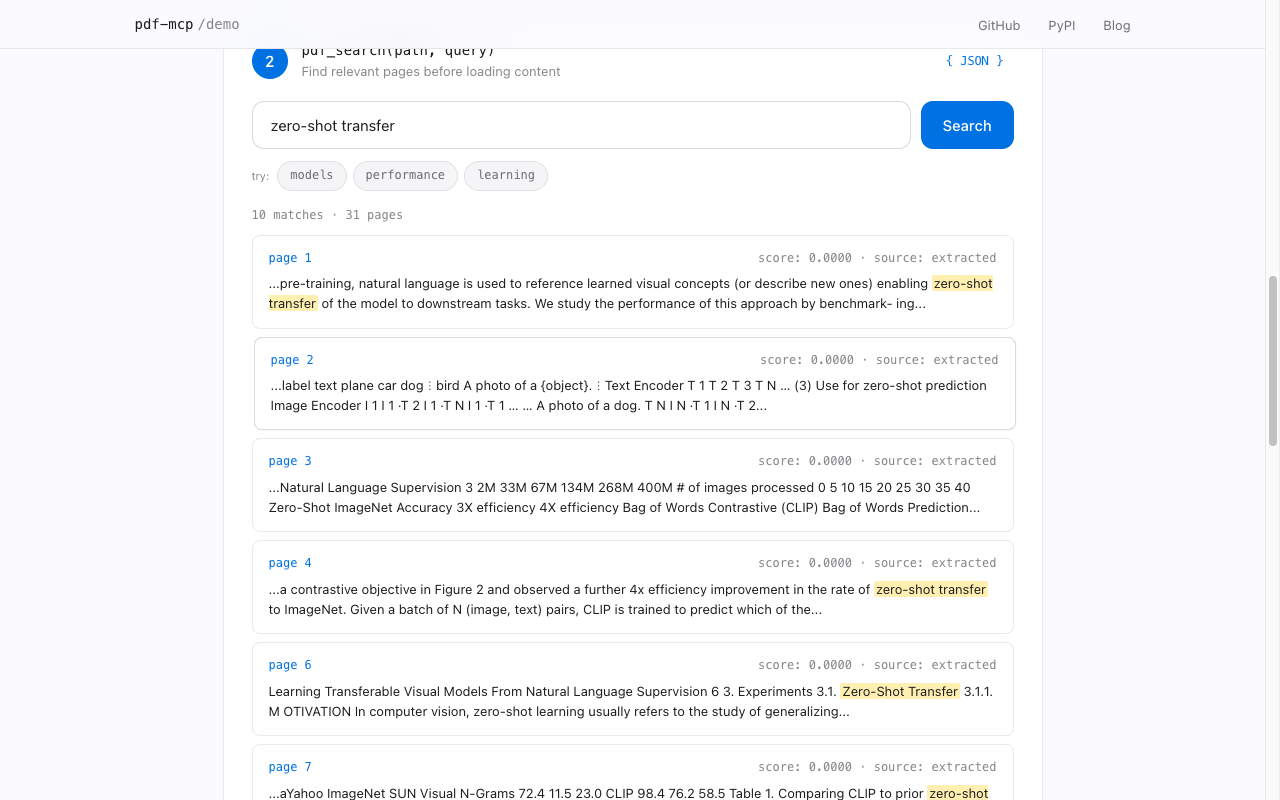
Walk through the three main tools (pdf_info, pdf_search, pdf_read_pages) with any PDF. 100% client-side, no install required.
Why pdf-mcp?
| Without pdf-mcp | With pdf-mcp | |
|---|---|---|
| Large PDFs | Context overflow | Chunked reading |
| Token budgeting | Guess and overflow | Estimated tokens before reading |
| Finding content | Load everything | Hybrid search — RRF fusion of BM25 keyword (FTS5) + semantic embeddings; never misses what either alone would |
| Tables | Lost in raw text | Extracted and inlined per page |
| Multi-column PDFs | Columns interleaved in extracted text | Column-aware reading order (pdf-mcp[multicolumn]) |
| Images | Ignored | Extracted as PNG files |
| Repeated access | Re-parse every time | SQLite cache |
| Scanned PDFs | No text extracted | OCR via Tesseract (pdf_read_pages(ocr=True)) |
| Visual content | Must describe in words | Render page as image (pdf_render_pages) |
| Tool design | Single monolithic tool | 8 specialized tools |
Features
Give your agent surgical access to PDFs instead of flooding context with raw text.
- Hybrid search — find relevant pages with a question, not a page range. Combines BM25 keyword and semantic search via Reciprocal Rank Fusion
- Paginated reading — fetch only the pages your agent needs; large documents don't blow your context window
- OCR — scanned and image-based PDFs are fully readable and searchable via Tesseract
- Structured extraction — tables, embedded images, and table of contents returned as structured data, not text soup
- Persistent cache — SQLite-backed; re-reads are instant and survive server restarts
- Secure URL fetching — HTTPS-only with SSRF protection; local network ranges are blocked
Contents
- Installation
- Quick Start
- Tools
- Example Workflow
- Configuration
- Development
- Roadmap
- Contributing
- Security
- License
Installation
pip install pdf-mcp
For semantic search (adds fastembed and numpy, ~67 MB model download on first use):
pip install 'pdf-mcp[semantic]'
For correct reading order on multi-column PDFs (adds pymupdf4llm, which pulls pymupdf_layout/onnxruntime):
pip install 'pdf-mcp[multicolumn]'
Without it, multi-column pages fall back to positional-sort extraction, which can interleave columns.
For OCR on scanned PDFs (requires system Tesseract):
# macOS
brew install tesseract

# Ubuntu/Debian
apt install tesseract-ocr

# Windows — download the installer from:
# https://github.com/UB-Mannheim/tesseract/wiki
# Then add the install directory to your PATH.
Quick Start
Choose your MCP client below to get started:
Claude Code
claude mcp add pdf-mcp -- pdf-mcp
Or add to ~/.claude.json:
{
  "mcpServers": {
    "pdf-mcp": {
      "command": "pdf-mcp"
    }
  }
}
Claude Desktop
Add to your claude_desktop_config.json:
{
  "mcpServers": {
    "pdf-mcp": {
      "command": "pdf-mcp"
    }
  }
}
Config file location:
- macOS:
~/Library/Application Support/Claude/claude_desktop_config.json - Windows:
%APPDATA%\Claude\claude_desktop_config.json
Restart Claude Desktop after updating the config.
Visual Studio Code
Requires VS Code 1.101+ with GitHub Copilot.
CLI:
code --add-mcp '{"name":"pdf-mcp","command":"pdf-mcp"}'
Command Palette:
- Open Command Palette (
Cmd/Ctrl+Shift+P) - Run
MCP: Open User Configuration(global) orMCP: Open Workspace Folder Configuration(project-specific) - Add the configuration:
{ "servers": { "pdf-mcp": { "command": "pdf-mcp" } } } - Save. VS Code will automatically load the server.
Manual: Create .vscode/mcp.json in your workspace:
{
  "servers": {
    "pdf-mcp": {
      "command": "pdf-mcp"
    }
  }
}
Codex CLI
codex mcp add pdf-mcp -- pdf-mcp
Or configure manually in ~/.codex/config.toml:
[mcp_servers.pdf-mcp]
command = "pdf-mcp"
Kiro
Create or edit .kiro/settings/mcp.json in your workspace:
{
  "mcpServers": {
    "pdf-mcp": {
      "command": "pdf-mcp",
      "args": [],
      "disabled": false
    }
  }
}
Save and restart Kiro.
Other MCP Clients
Most MCP clients use a standard configuration format:
{
  "mcpServers": {
    "pdf-mcp": {
      "command": "pdf-mcp"
    }
  }
}
With uvx (for isolated environments):
{
  "mcpServers": {
    "pdf-mcp": {
      "command": "uvx",
      "args": ["pdf-mcp"]
    }
  }
}
Verify Installation
pdf-mcp --help
Tools
Eight specialized tools cover document introspection, content reading, search, and cache management. The typical pattern: call pdf_info first to plan, then pdf_search to locate — its paragraph excerpts are often enough to answer directly. Use pdf_read_pages or pdf_read_all when you need deeper context.
| Tool | What it does |
|---|---|
pdf_info | Page count, metadata, TOC summary, scanned-page detection. Call first. |
pdf_get_toc | Full table of contents for documents with >50 bookmarks |
pdf_read_pages | Read specific pages or ranges; OCR-on-demand; embedded images + tables |
pdf_read_all | Read entire document in one call (byte-capped for safety) |
pdf_render_pages | Render pages as PNG for vision models — diagrams, handwriting, scans |
pdf_search | Hybrid RRF search (keyword + semantic), page or section granularity, optional paragraph excerpts |
pdf_cache_stats | Per-document cache breakdown + total size |
pdf_cache_clear | Clear expired or all cache entries |
Example prompts:
"Read the PDF at /path/to/document.pdf"
"Which pages discuss supply chain risks?"
"Find sections about the training process"
"Show me what page 5 looks like"
"OCR pages 3-5 of the scanned PDF"
See docs/tool-reference.md for the complete reference — every parameter, response shape, security contract, and example. For semantic-search model selection, see docs/embedding-models.md.
Example Workflow
For a large document (e.g., a 200-page annual report):
User: "Summarize the risk factors in this annual report"

Agent workflow:
1. pdf_info("report.pdf")
   → 200 pages, TOC shows "Risk Factors" on page 89

2. pdf_search("report.pdf", "risk factors")
   → Matches with structural paragraph excerpts — each excerpt
     is the bullet, paragraph, or heading that matched, not a
     fixed-width window. Often enough to answer directly.

3. If excerpts are sufficient → synthesize answer

4. If more context needed:
   pdf_read_pages("report.pdf", "89-95")
   → Full page text for deeper reading
Configuration
Access control (optional)
Create ~/.config/pdf-mcp/config.toml to restrict which local paths and URL hosts the server will access. The file is optional — if absent, the server is permissive within the built-in SSRF floor (HTTPS-only, blocked private IP ranges).
[paths]
allow = ["~/Documents/**", "/data/pdfs/**"]
deny  = ["~/.ssh/**", "~/.aws/**"]

[urls]
allow = ["*.internal.example.com"]
deny  = ["untrusted.example.com"]

[limits]
max_response_bytes = 200000
The [limits] block caps text-payload byte size on pdf_read_all and section-granularity pdf_search — see docs/response-limits.md. Rules use shell-glob patterns (* matches across path separators). deny wins when both match. Path matching operates on the resolved path after symlink expansion. A malformed config file prevents the server from starting — it never silently falls back to permissive.
Environment variables
# Cache directory (default: ~/.cache/pdf-mcp)
PDF_MCP_CACHE_DIR=/path/to/cache

# Cache TTL in hours (default: 24)
PDF_MCP_CACHE_TTL=48
Caching
The server uses SQLite for persistent caching. This is necessary because MCP servers using STDIO transport are spawned as a new process for each conversation.
Cache location: ~/.cache/pdf-mcp/cache.db
What's cached:
| Data | Benefit |
|---|---|
| Metadata + text coverage | Avoid re-parsing document info |
| Page text | Skip re-extraction |
| Images | Skip re-encoding |
| Tables | Skip re-detection |
| TOC | Skip re-parsing |
| FTS5 index | O(log N) search with BM25 ranking after first query |
| Embeddings | Instant semantic search after first indexing run |
| Rendered PNGs | Skip re-rendering; shared between pdf_render_pages and pdf_read_pages(render_dpi=…) |
Cache invalidation:
- Automatic when file modification time changes
- Manual via the
pdf_cache_cleartool - TTL: 24 hours (configurable)
Development
git clone https://github.com/jztan/pdf-mcp.git
cd pdf-mcp

# Install with dev dependencies
pip install -e ".[dev]"

# One-time: install pre-commit hooks (auto-runs black/flake8/mypy on commit)
pre-commit install

# Run tests
pytest tests/ -v

# Type checking
mypy src/

# Linting
flake8 src/ tests/

# Formatting
black src/ tests/
Roadmap
See ROADMAP.md for planned features and release history.
Contributing
Contributions are welcome. Please submit a pull request.
Security
Found a vulnerability? See SECURITY.md for the threat model, reporting channel, and expected response timeline. Please do not open a public GitHub issue for unpatched security reports.
License
MIT — see LICENSE.
Links
Blog posts
Background, benchmarks, and design notes from building pdf-mcp:
Getting started
- How I Built pdf-mcp — The problem with large PDFs in AI agents and a working solution
- How Claude Code Actually Reads PDFs — How AI agents use pdf-mcp tools to read and navigate PDF documents
Search & retrieval
- Semantic vs Keyword Search for AI Agents — Benchmarks and a dual-search routing pattern: FTS5 for exact identifiers, embeddings for natural language
- Hybrid Search vs Query Routing for AI Agents — Why pdf-mcp uses hybrid RRF instead of query routing: benchmarks showing RRF wins across query types
- Section Chunking vs Page Chunking for AI Agents — Why section-aware search delivers full section content in one call while page-mode costs 2–6 extra tool calls per query
Engineering & security
- MCP Server Security: 8 Vulnerabilities — What we found when we audited an MCP server for security holes
- Your LLM Is Free QA for Your MCP Server — Four Payload UX bugs in pdf-mcp that schema tests missed but Claude Desktop surfaced during real use