QuickViewer
December 27, 2025 · View on GitHub
日本語 / English
TERMINATED
This project has been discontinued due to my fatal illness. If you wish to continue this project, please create a new repository and form a new team.
QuickViewer
An image/comic viewer for Windows, Mac, and Linux. It can show images very fast!

Project Website (in English/Japanese)
- GitHub (Official, source code repository)
- OSDN (Second official, in Japanese)
Summary
- Fast viewing (using OpenGL)
- Cross-platform (Windows, macOS, Linux)
- Portable (no installer needed, does not write to registries, does not need external libraries)
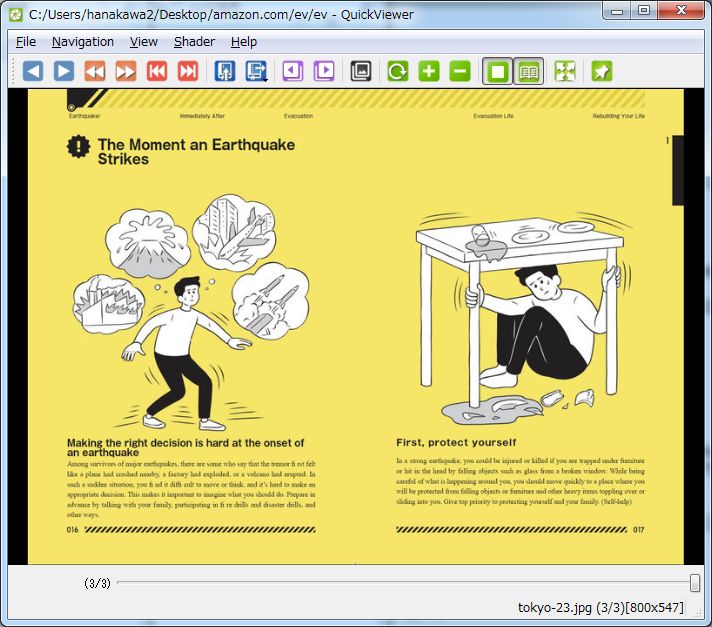
- Double-page spread view (displaying of two images at once: handy for digital books/comics)
- Direct reading of archives (zip/7z/rar/cbz/cb7/cbr/cab/tar.gz/tar.bz2/tar.xz, and more)
- View many different types of images (bmp/png/jpeg/ico/dds/tga/tiff/gif)
- Supports modern formats (AVIF / WebP / JPEG 2000 / JPEG XR)
- Supports Animated PNG (APNG) and GIF
- Auto-rotation (using JPEG Exif)
- View RAW images from digital cameras:
- Canon (crw/cr2)
- Nikon (nef)
- Sony (arw)
- Ricoh (dng)
- more
- Create/view/search through the catalogs from thousands of your digital books
- Multilingual support (English/Spanish/French/Greek/Japanese/Arabic/Russian/Simplified Chinese)
Download
- Windows
.zip(x86/x64) - Mac
.dmg(x64) (until v1.1.1) - Linux
.AppImage(x64) (until v1.1.1)
Contributing
Contributions go far beyond pull requests and commits to the code. We would love to give you an opportunity to put your stamp on QuickViewer. We also are thrilled to receive a great variety of other contributions, including:
- Documentation updates, enhancements, designs, or bugfixes
- Spelling or grammar corrections
- Addition of another language translations, especially of your native language — this is very easy
README.mdcorrections or redesign- Adding unit or functional tests
- Testing GitHub issues — especially determining whether an issue still persists and is reproducible
- Blogging, chatting, tweeting
We contracted with OpenCollective to allow this project to accept donations. Your one-time or ongoing financial contributions will help us improve QuickViewer's capabilities and make it easier to use on each device.
https://opencollective.com/quickviewer
Screenshots
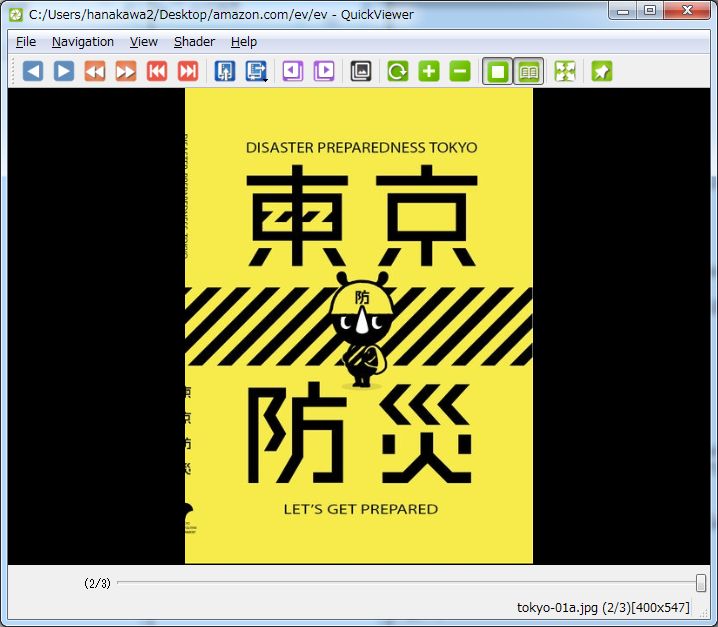
Single page view
Double-page spread view
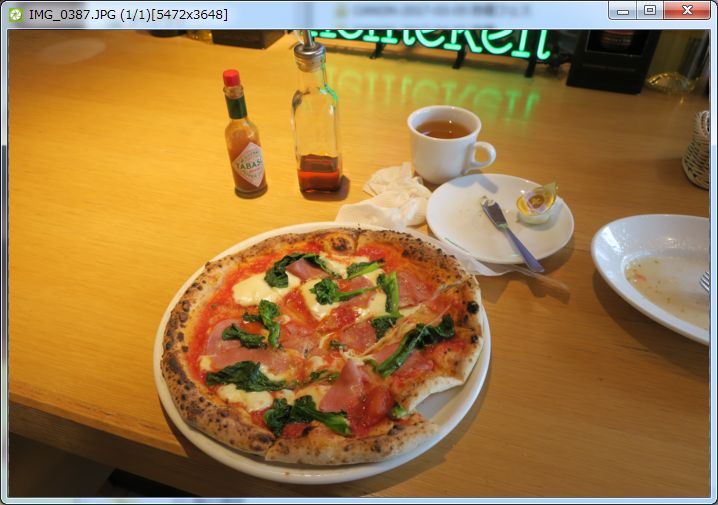
Stripped view
If you want, you can remove all attached bars, and display images alone. Hidden bars are displayed automatically upon hovering over the top or bottom of the program window.
How to use
- Execute QuickViewer and then drag and drop an image, folder, or archive onto the window.
- Create a shortcut to QuickViewer and then drag and drop an image, folder, or archive onto it.
Features
- Next Page (press 'Right Arrow Key', 'Mouse wheel down', 'Mouse forward button', or click left edge of the window)
- Previous Page (press 'Left Arrow Key', 'Mouse wheel up', 'Mouse back button', or click right edge of the window)
- Fullscreen (press 'F11 Key', click Mouse wheel, or 'Esc Key' (to windowed only))
- Auto load the view (restore last book when application is executed)
- Fitting (fit images to the size of the window)
- Double-page spread view (show two images simultaneously)
- Bound to the right side (e.g. Japanese Style)
- Pages' pre-loading (since v0.2.0)
- Exif Information (since v0.3.0)
- Open location of the current image with Windows Explorer
- Put the current image into your mailer
- Shader Program Filters (since v0.5.1):
- Nearest Neighbor
- Bilinear
Bicubic by GPU(obsolete since v0.9.3)Lanczos(obsolete since v0.9.3)- Bicubic by CPU
- Lanczos3 by CPU (since 1.0.9)
- Lanczos4 by CPU (since 1.0.9)
- Catalog (since v0.6.0)
- Database for your digital books, can manage thousands of volumes: quick view and search
- File Associations (since v0.8.3)
- Retouching (change Brightness, Contrast, Gamma value) (since 1.0.8).
Screen operations
You can perform screen operations with the main menu, toolbar, mouse button, wheel, keyboard, and so on.
| Operation | Device | Input | Remarks |
|---|---|---|---|
| Next Page | Keyboard | Right Key(→) | |
| Keyboard | Space Key | ||
| Mouse Wheel | Downward scrolling | ||
| Mouse | Forward Button | ||
| Touch Panel | Swipe left | At the bottom of the screen | |
| Prev Page | Keyboard | Left Key(←) | |
| Keyboard | BackSpace Key | ||
| Mouse Wheel | Upward scrolling | ||
| Mouse | Back Button | ||
| Touch Panel | Swipe right | At the bottom of the screen | |
| First Page | Keyboard | Home Key | |
| Last Page | Keyboard | End Key | |
| Next Volume | Keyboard | Page Down Key | Open neighboring folder/archive |
| Prev Volume | Keyboard | Page Up Key | Open neighboring folder/archive |
| Fullscreen | Keyboard | F11 Key | |
| Mouse | Wheel Clicked | A Middle Button | |
| Keyboard | ESC Key | Fullscreen mode only | |
| Touch Panel | Swipe up with two fingers | ||
| Exit App | Keyboard | ESC Key | Except in Fullscreen mode |
| Scale Up | Keyboard | Ten keys(+) | Do nothing with Fitting |
| Scale Down | Keyboard | Ten keys(-) | Do nothing with Fitting |
| Fitting | Keyboard | F12 Key | |
| Keyboard | Ten keys(-) | ||
| Mouse | Right Button + Wheel Clicked | ||
| Mouse | Ctrl + Wheel Clicked | ||
| Image to trash box | Keyboard | Delete Key | Move the Image of current page to trash box |
| Rename Image | Keyboard | F2 Key | |
| Copy Image | Keyboard | Ctrl+C Key | Copy Image of current page |
| Zoom in | Mouse Wheel | Right Button + Upward scrolling | |
| Mouse Wheel | Ctrl + Upward scrolling | ||
| Zoom out | Mouse Wheel | Right Button + Downward scrolling | |
| Mouse Wheel | Ctrl + Downward scrolling |
System Requirement
- Operating System
- Windows Vista, 7 or newer
- Windows Sever 2008 or newer
- Linux Distributions (Ubuntu, Kubuntu, Fedora, etc.)
- CPU
- minimum Dual Core (the more the better; with internal or external GPU)
- strongly recommended an x64 architecture
- RAM
- more than 1GB of free memory.
Looking for contributors!
- Portuguese/Hindu/Bengali/Malay speakers
- Mac/Linux software developers.
Report issues
Public Project Issues: https://github.com/kanryu/quickviewer/issues
Please report issues along with configuration details of your QuickViewer's working installation at k.kanryu@gmail.com.
Your feedback is always welcome at KATO Kanryu <k.kanryu@gmail.com>.
Project Source Code Repository
https://github.com/kanryu/quickviewer
To build from the source code, visit: HowToBuild.md.
License
This program is distributed in hopes to be useful and to be used, but WITHOUT ANY WARRANTY—without even implied warranty of MERCHANTABILITY or FITNESS FOR A PARTICULAR PURPOSE. See GNU General Public License for more details.