Installation alternatives
July 17, 2025 · View on GitHub
CanAirIO Project




CanAirIO | Documentation | Web Installer
Note
CanAirIO 0.7.0 is almost here.
Please help test the development branch and share your experience in our Telegram Group. Please install the "testing version" from the CanAirIO installer, configure your WiFi, and you'll receive the latest version soon.
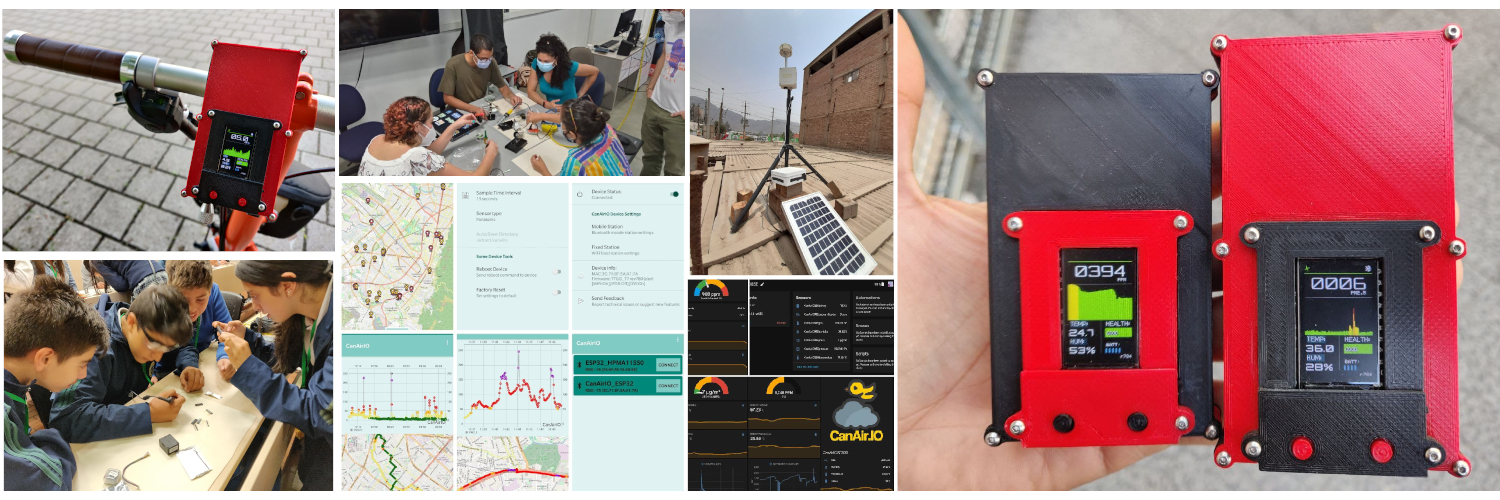
A citizen science project that employs both mobile and fixed sensors to measure air quality (PM 2.5 or CO2) and environmental variables. This is achieved using low-cost sensors and smartphones. The project is built around an ESP32 module board integrated with the CanAirIO Android client app.
| Don't forget to star ⭐ this repository |
Note
CanAirIO Android App is down now! sorry, we are working on that, please download a signed version of our GitHub
Features
- Super easy web installer, via Chrome or Edge
- Mobile station (via Bluetooth LE for tag GPS variables)
- Fixed station, (using only your WiFi)
- Fast WiFi credentials provisioning via Bluetooth or via
- CLI tool alternative for configuration and provisioning
- Based on CanAirIO Sensors Library to support more sensors in the future
- Automatic firmware OTA updates (with stable/testing channels)
- Share mobile tracks via mobile.canair.io or CanAirIO app
- Home Assistant integration, discovery and multisensor support
- Share your fixed station quickly via Anaire Cloud
- PAX Counter feature (default wifi sniffer sensor to count people)
- Multiple boards and sensors supported with only one firmware
Boards supported
The last release of CanAirIO Device supports the next boards:
| Firmware Name | Boards supported | Display | Config supported | Guide and schematics |
|---|---|---|---|---|
| TTGO_TDISPLAY | TTGO T-Display | eTFT | BLE, WiFi, USB | CanAirIO Bike, CanAirIO Plantower |
| TTGO_T7 | TTGO T7, D1Mini, ** | OLED 64x48/128x64 | BLE, WiFi, USB | CanAirIO v2.1, CanAirIO IKEA |
| M5STICKCPLUS | M5StickC Plus | eTFT | BLE, WiFi, USB | CanAirIO M5StickC Plus |
| M5ATOM | M5Atom Lite | OLED 64x48/128x64 | BLE, WiFi, USB | M5Atom Lite sample |
| ESP32DevKit | ESP32DevKit, NodeMCU V3, ** | OLED 128x64 | BLE, WiFi, USB | HacksterIO |
| TTGO_TQ | TTGO TQ | Builtin OLED | BLE, WiFi, USB | TTGO_TQ board |
| WEMOSOLED | WemosOLED and similar boards | OLED 128x64 | BLE, WiFi, USB | ESP32 OLED board |
| HELTEC | ESP32 Heltec board | OLED 128x64 | BLE, WiFi, USB | |
| ESP32C3 | M5STAMPC3** | OLED 64x48/128x64 | BLE, WiFi, USB | |
| AG_OPENAIR | ESP32C3 AirGradient | OLED 64x48/128x64 | BLE, WiFi, USB | AirGradient Outdoor |
| ESP32C3OIPLUS | TTGO-T-OI-Plus | OLED 64x48/128x64 | BLE, WiFi, USB | |
| ESP32C3LOLIN | LOLIN Mini C3 | OLED 64x48/128x64 | BLE, WiFi, USB | |
| ESP32C3SEEDX | Seeed_xiao_esp32c3 | OLED 64x48/128x64 | BLE, WiFi, USB | |
| TTGO T7S3 | LilyGO ESP32S3 T7S3 | OLED 64x48/128x64 | BLE, WiFi, USB | |
| ESP32S3 | ESP32S3 CAM Freenove | OLED 64x48/128x64 | BLE, WiFi, USB | |
| ESP32S2 | ESP32S2 Lolin Mini | OLED 64x48/128x64 | WiFi, USB |
** is possible that the current firmware supports more boards and sensors. Also you can choose the sensor brand or type on the CanAirIO Android app or on the firmware CLI.
Installation alternatives
We have different alternatives to load the current firmware. By complexity order, they are:
Via CanAirIO Web Installer (RECOMMENDED)
If you already have a ESP32 board, you can test our CanAirIO firmware on one click, with our web installer:

Via CanAirIO loader
You will able to install the last version of CanAirIO firmware using a simple Arduino sketch that it will doing all for you, you only need to use the official Arduino IDE or Arduino Droid app for Android for load this simple sketch. Please follow the instructions here or follow the next YouTube video guide for Android OTG installation alternative.
Via binaries
You can download the last firmware version in releases section. For example, download the last production release from assets section, like this:

please uncompress the zip file and connect your CanAirIO device to your USB and execute the next command to upload the firmware to your board, for example for an ESP32DevKit board you should run the next commands:
Linux and MacOSx
unzip canairio_rev414_20190829.zip
cd canairio_installer
esptool --port /dev/ttyUSB0 -b 1500000 write_flash 0x0 canairio_ESP32DEVKIT_rev932_merged.bin
(You should install esptool in your system.)
Windows
Please read the Espressif Uploader section in the main documentation to have details of how load the firmware via the official Espressif Download Tool in Windows.
Via PlatformIO (Compiling on Linux, Mac or Windows)
Please install first PlatformIO open source ecosystem for IoT development compatible with Arduino IDE and its command line tools (Windows, MacOs and Linux). Also, you may need to install git in your system.
For the default board TTGO_TDISPLAY (CanAirIO Bike), clone and upload firmware via USB cable:
git clone https://github.com/kike-canaries/canairio_firmware
cd canairio_firmware
pio run --target upload
For a specific firmware for example for a TTGO-T7 board, only change the last line for:
pio run -e TTGO_T7 --target upload
Via Docker
First, build the Docker image for your system, using the following command line:
docker build --build-arg DOCKER_USER=$USER --build-arg DOCKER_USERID=$UID -t canairio_pio:master .
This will build a basic compiler image with all PlatformIO stuff. You could need perform this, just only one time.
Then, for build the project or default firmware, you only needs run the next command, each time that you need:
./docker_build run
Similar, for build and upload to your device, for instance here, we are choosing a specific firmware flavor:
./docker_build run -e TTGO_T7 --target upload
if you have issues with the upload port, please edit docker_build and change the PORT variable.
OTA WAN updates
CanAirIO offers two channels for remote OTA (Over-The-Air) updates for your device: the production channel and the development channel. This means you won't need to reinstall the firmware manually for any updates; it's all automatic. You only need to have Wi-Fi enabled on your device to receive these firmware updates.
If you're interested in the latest testing updates, please go to the releases section and choose and download the development firmware (a zip file with dev in its name), then upload it to your board to receive these kind of updates.
CanAirIO device HOWTO guide
We have some build guides with different alternatives, please visit our CanAirIO documentation.
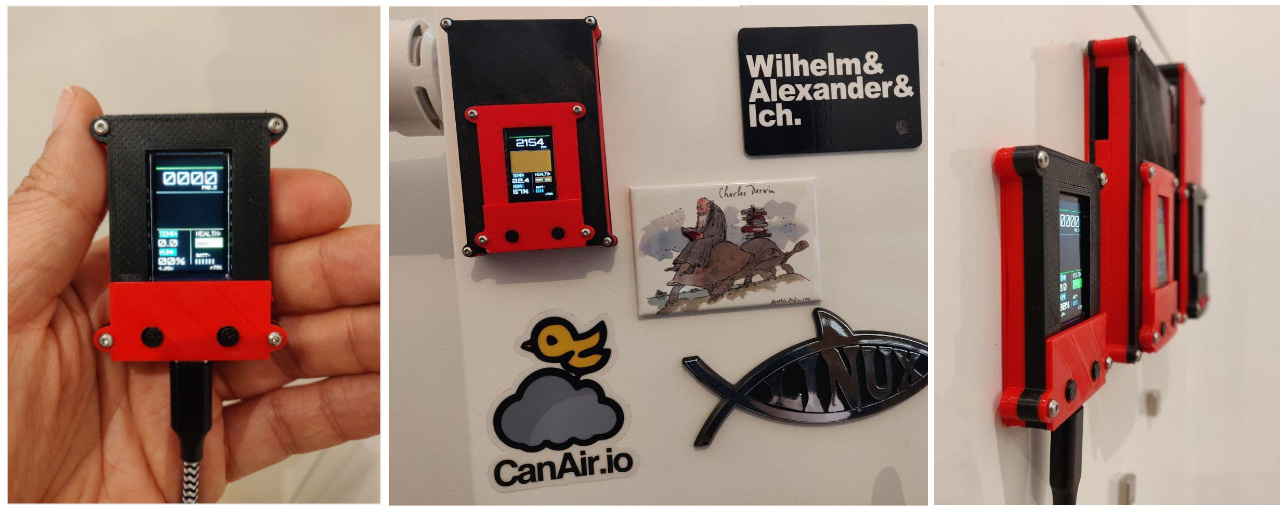
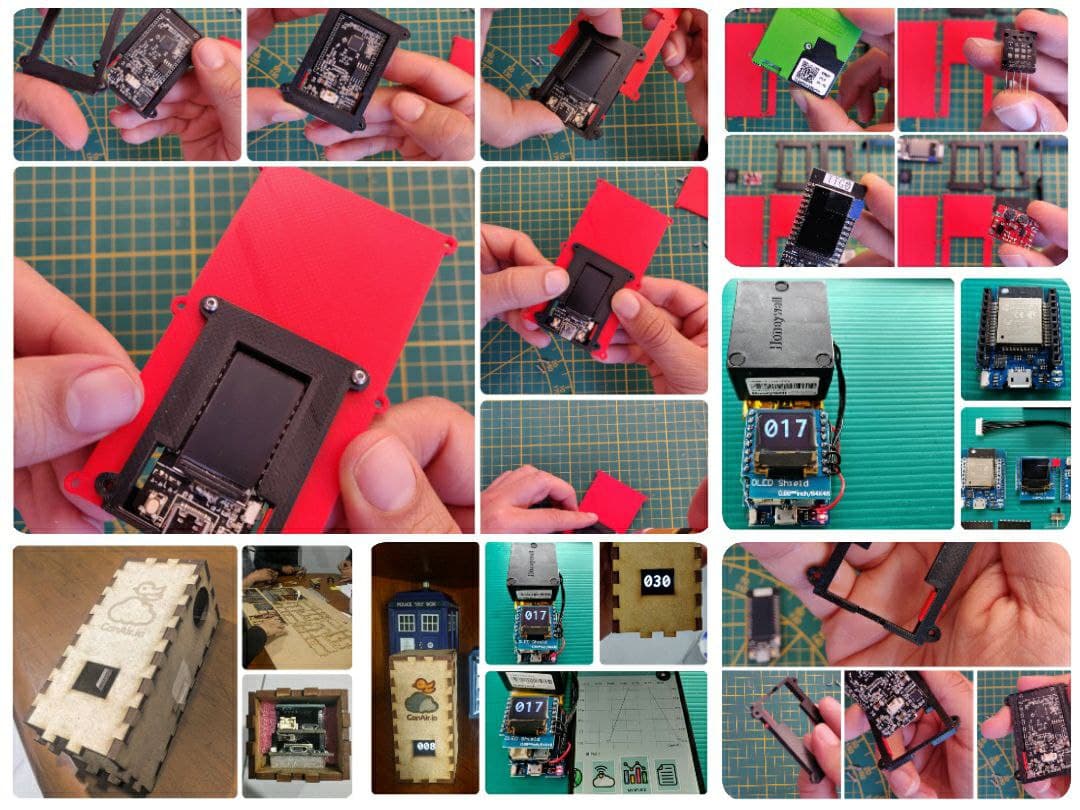
Building Guide

Soldering Guide (some improvements)

Box STL files
** W A R N N I N G **
The last versions for all box versions, are in the official repository because it is more easy for handling the versions than Thingiverse.
Contributions
If you want to contribute to the code or documentation, consider posting a bug report, feature request or a pull request.
When creating a pull request, we recommend that you do the following:
- Clone the repository
- Create a new branch for your fix or feature. For example, git checkout -b fix/my-fix or git checkout -b feat/my-feature.
- Run to any clang formatter if it is a code, for example using the
vscodeformatter. We are using Google style. More info here - Document the PR description or code will be great
- Target your pull request to be merged with
develbranch
Donations
Also you can consider make a donation, be a patron or buy a device:
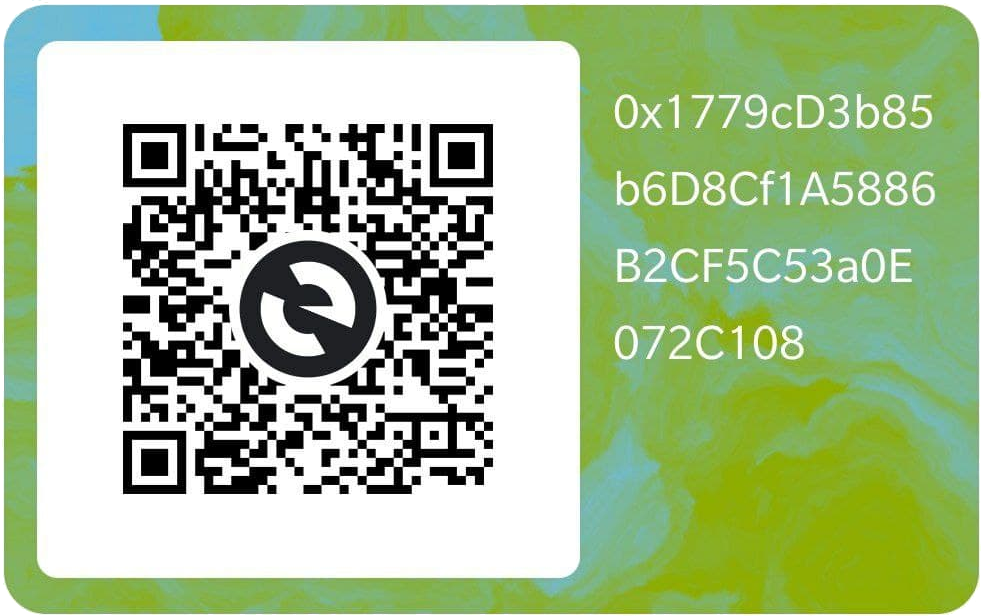
- Via Ethereum:
- 0x1779cD3b85b6D8Cf1A5886B2CF5C53a0E072C108
- Be a patron: Github Sponsors, LiberaPay
- Buy a device: CanAirIO Bike in Tindie
- Inviting us a coffee: buymeacoffee, Sponsors
NOTE:
Supporting our Citizen Science Initiative many people be able to fight for air quality rights in many countries with this kind of problems. More info in CanAir.IO
Credits
We want to thank the CanAirIO community on Telegram and our social networks for performing tests with our firmware and for contributing new features and guides.
Special thanks also to:
| GitHub Username | Key Contributions |
|---|---|
@roberbike | NH₃/CO/NO₂/Geiger sensors, LoRaWAN and Solar Station and Community Engagement |
@cedancp | Web Mobile Map for CanAirIO mobile tracks development |
@sebaxtian | Documentation, testing, initiative replication and Community engagement |
@wes-la | Documentation, management and support |
@jcomas | Windows support, Spanish translations and thrid party libraries development |
@ikks | Community support and Engagement. Landing page development. |
@iw2lsi | Geiger sensor integration and field testing |
@markusvankempen | IKEA Vindriktning hardware integration, field testing |
@melkati | CanAirIO Sensors Library contributions |
@lemeit | CanAirIO Sensors Library contributions |
@Mac-Tinoco | 3D-printed enclosure designs alternative (Bike version) |