Auto Expand
June 21, 2026 · View on GitHub
Four handy tweaks for Android 16, in one module. Auto-expand your notifications, a power-user Gboard toolbar, instant screenshot capture, and tap-anywhere status-bar shortcuts.





Why you'll like it
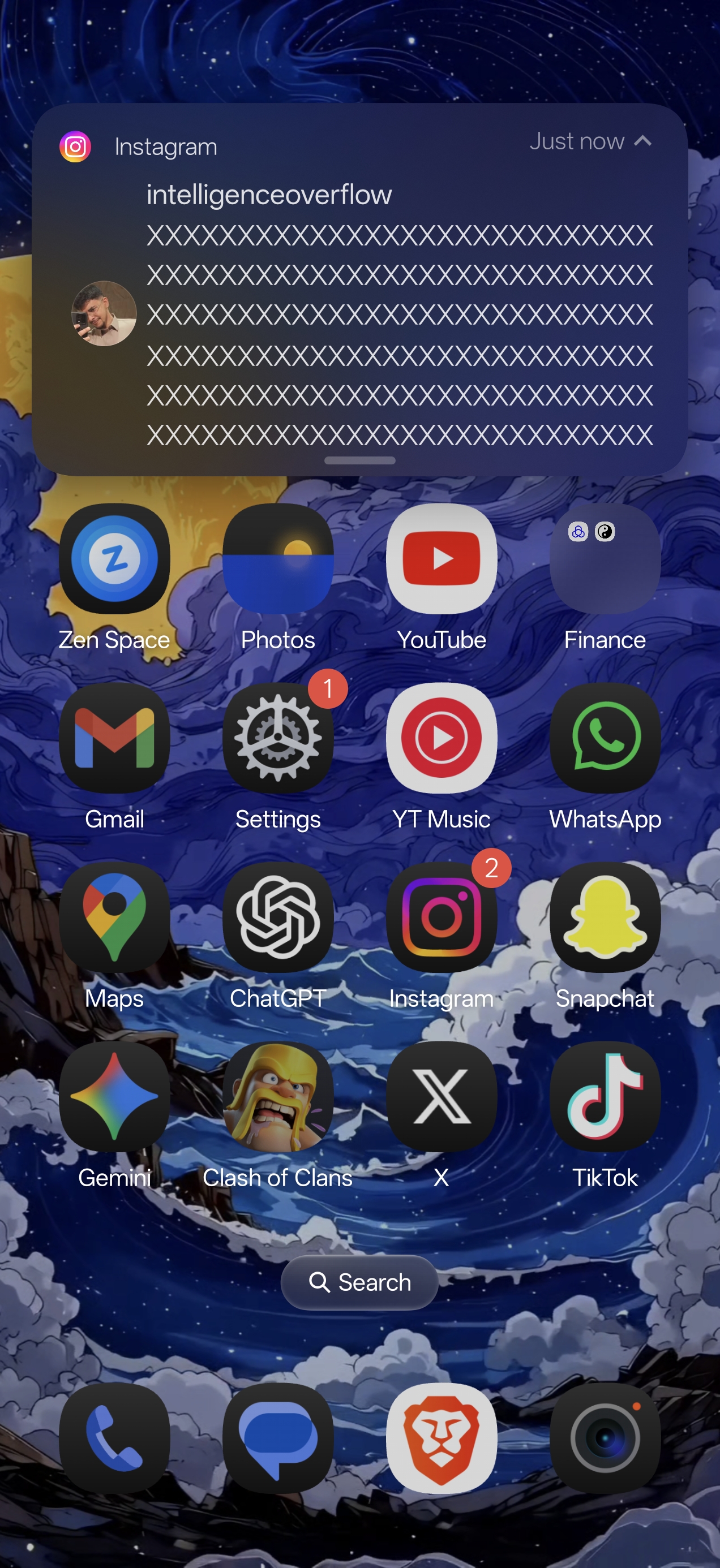
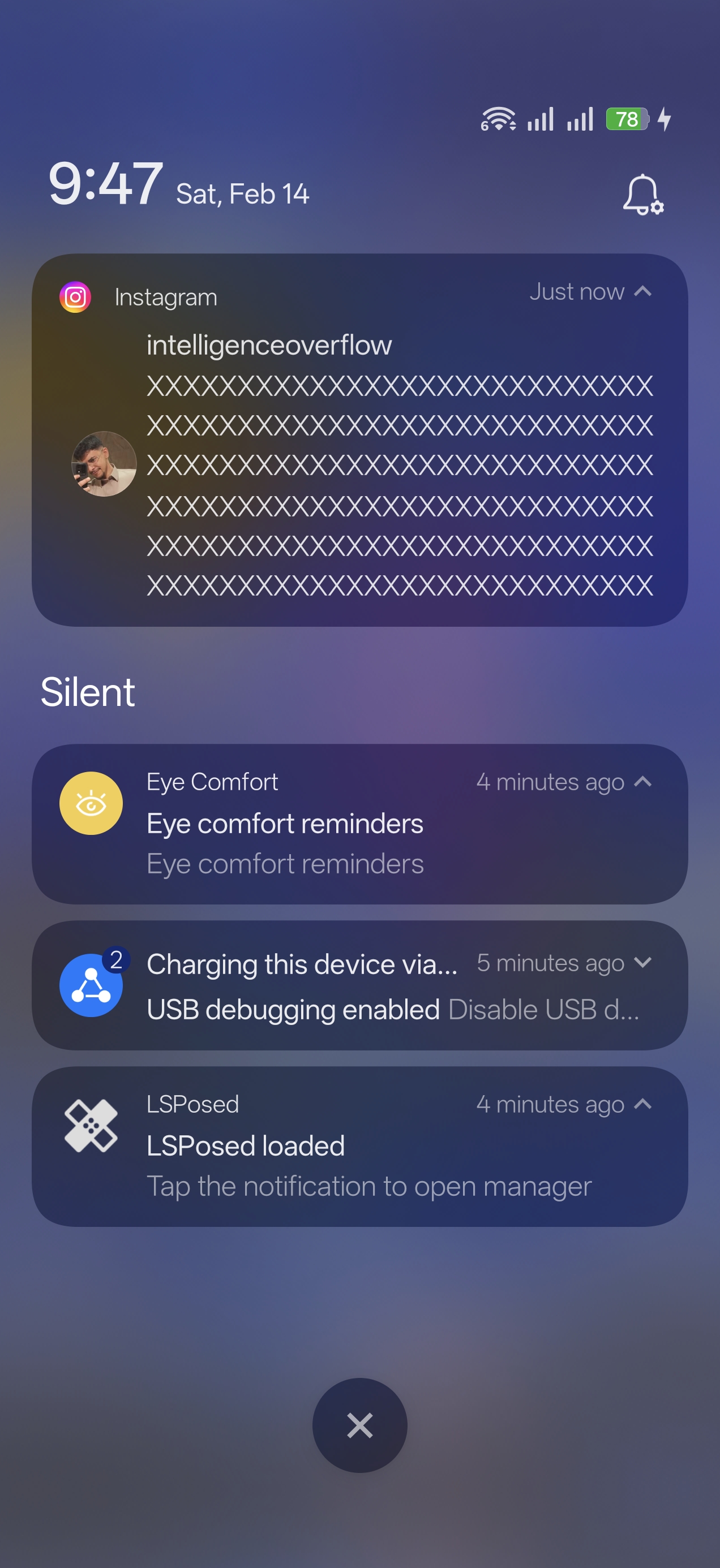
- 🔔 Notifications open themselves — full text and action buttons the instant you pull down the shade. No more tapping to expand.
- ⌨️ Gboard, supercharged — a toolbar with clipboard history, one-tap paste, select-all, cursor jump, and your own text shortcuts.
- 📸 Screenshot, instantly — grab any part of the screen, crop it, and float it on top of any app. Zero delay.
- 👆 Tap the status bar — invisible zones around the camera cutout fire flashlight, Wi-Fi, screenshot, lock, or any app you want.
Everything runs 100% on your device — no internet permission, no accounts, no tracking. Pick only the tweaks you want from a clean, simple settings app. Every hook is wrapped in safety checks, so a failed tweak just goes quiet — it won't bootloop your phone.
⭐ If this makes your phone nicer to use, star the repo and maybe buy me a coffee. It keeps the project going.
Screenshots
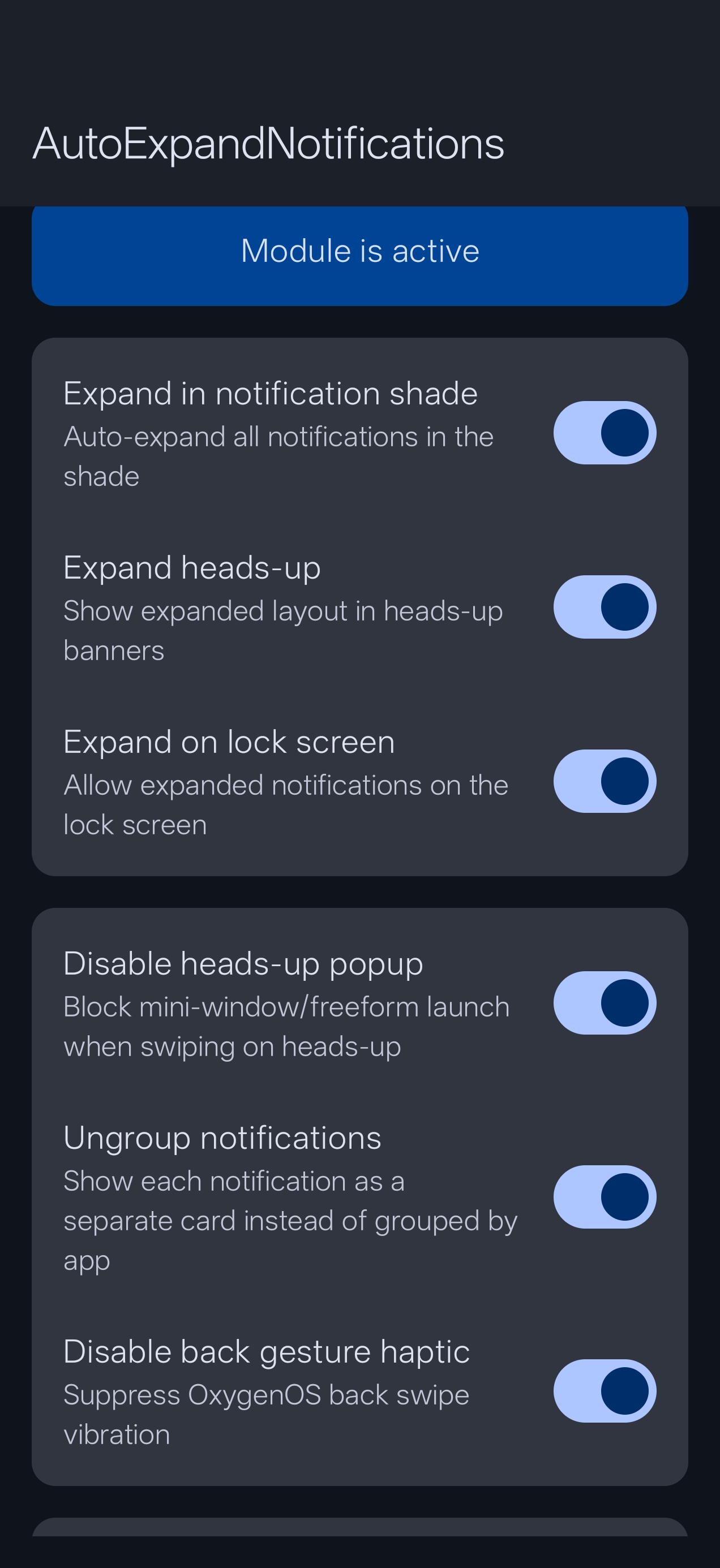
| Expanded Heads-Up | Notification Shade | Settings |
|---|---|---|
 |  |  |
Install (5 minutes)
You'll need a rooted Android 16 device with LSPosed (Zygisk enabled).
- Download the latest APK from Releases and install it.
- Open LSPosed Manager → Modules → Auto Expand and turn it on.
- Tap it and enable the scopes you want:
- System UI — notifications + status-bar zones
- System Framework (android) — screenshot hardware chord + status-bar zones
- Gboard — keyboard toolbar
- Reboot.
- Open the Auto Expand app, pick your tweaks, and grant Display over other apps if asked (needed for screenshots + zone preview).
Just want the keyboard toolbar? After enabling it, force-stop Gboard once, then open any text box.
What's inside
🔔 Notification Tweak
Auto-expands notifications in the shade, in heads-up banners, and on the lock screen — so you see full text and buttons without tapping. Grouped notifications expand cleanly without flicker. Extras: cap heads-up text length, block the swipe-to-freeform popup, ungroup notifications, mute the back-gesture buzz, and exclude any apps you don't want expanded.
⌨️ Gboard Tweak
A customizable toolbar under Gboard — enable only the buttons you use, resize it to taste: Clipboard history (pin favorites) · Paste · Select All · Cursor jump · Trackpad stick · Undo / Shake-to-undo · Text shortcuts.
📸 Snapper Tweak
Zero-delay region capture. Trigger it with a floating edge button, the Power + Volume-Down chord, or both. Drag to crop, double-tap to float it over any app, then save, share, or OCR. Every capture is saved to a local history you can revisit.
👆 Status Bar Tweak
Invisible tap zones on each side of the camera cutout. Map single / double / triple tap and long-press to any of 21 quick actions — flashlight, Wi-Fi, Bluetooth, data, DND, rotate, ringer modes, volume, screenshot, lock screen, open an app, and more. A live colored overlay shows you exactly where each zone sits.
Will it work on my phone?
| Device | OS | Status |
|---|---|---|
| OnePlus 15 | OxygenOS 16 | ✅ Fully working |
| Xiaomi 17 | HyperOS (Android 16) | ✅ Fully working |
| Other Android 16 ROMs | AOSP-derived SystemUI | Likely — try it |
It's built against standard Android 16 internals, so most AOSP-style ROMs should work. On an unsupported ROM it won't bootloop — the affected tweak just stays inactive. (A bootloop-protection backup is always a smart idea.)
Requirements: Android 16 · Root (Magisk / KernelSU / APatch) · LSPosed + Zygisk.
FAQ
Do I need to reboot after changing settings? Yes — the app reminds you. Toggle changes apply after a reboot.
Will it bootloop my phone? No. Every hook fails silently if it can't find its target. The system keeps running.
The keyboard toolbar didn't show up. Force-stop Gboard after enabling it, then open any text field.
The chord takes a normal screenshot too. Select Hardware or Both and reboot — the chord is then intercepted before the system handles it.
Changelog
v3.2.0
- Brand-new look — clean, dark "vault" design with a calm teal accent and smooth animations throughout
- Keyboard: Trackpad Stick, Undo (button + shake-to-undo), adjustable vibration strength and shake sensitivity
- Notifications: grouped + reopened-shade expansion fixed; reliable settings sync
- Snapper: full master on/off switch; no more crash when turning it off
- Clipboard Vault now shows all saved entries; separate toolbar height / button-size controls
v3.0.x – v3.1.0
- Renamed to Auto Expand; Status Bar Tweak with 21 actions + live preview
- Card-based home screen; grouped heads-up handling; APK slimmed to arm64-only
v2.x — Snapper Tweak, heads-up max lines, hardware chord interception v1.x — Gboard toolbar, clipboard history, ungroup notifications
Privacy
No data collected, no network requests, no analytics — the app doesn't even request internet permission. Everything happens on your device.
Support
- ⭐ Star the repo — it helps others find it
- ☕ Buy me a coffee — any amount, or send to
@kroomfahd - 💬 Telegram: @kvmy1 · Group
License
GPL-3.0 — see LICENSE.
Disclaimer
This module modifies SystemUI and Gboard through Xposed hooks. It's extensively tested, but use it at your own risk — keep a backup and have bootloop protection in place.