Abstract
March 25, 2026 · View on GitHub

M E T A C A L L
A library for providing inter-language foreign function interface calls
Abstract
METACALL is a library that allows calling functions, methods or procedures between programming languages. With METACALL you can transparently execute code from/to any programming language, e.g. by calling a Python function from NodeJS:
sum.py
def sum(a, b):
  return a + b
main.js
const { sum } = require("sum.py");

sum(3, 4); // 7
Use the installer and try some examples.
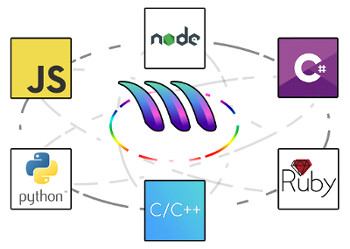
Table of Contents
- Abstract
- Table of Contents
- 1. Motivation
- 2. Language Support
- 3. Use Cases
- 3.1 Known Projects Using MetaCall
- 4. Usage
- 4.1 Installation
- 5. Architecture
- 6. Application Programming Interface (API)
- 7. Build System
- 8. Platform Support
- 9. Benchmarks
- 10. License
1. Motivation
The METACALL project started a long time ago when I was coding a Game Engine for an MMORPG. My idea was to provide an interface to allow other programmers to extend the Game Engine easily. By that time, I was finishing university so I decided to do my Final Thesis and Presentation based on the plug-in system for my Game Engine. The Plugin Architecture designed for the Game Engine has similarities with METACALL although the architecture has been redefined and the code has been rewritten from scratch. After some refinement of the system, I came up with METACALL and other use cases for the tool. Currently we are using METACALL to build a cutting edge FaaS (Function as a Service) https://metacall.io based on this technique to provide high scalability of the functions among multiple cores and Function Mesh pattern, a new technique I have developed to transparently interconnect functions in a distributed system based on this library.
2. Language Support
This section describes all programming languages that METACALL supports. METACALL is offered through a C API. This means you can use it as a library to embed different runtimes into C. The Loaders are the ones that allow to call different functions from C. They are plugins (libraries) that METACALL loads and they have a common interface. They usually implement JITs, VMs or interpreters. On the other hand we have the Ports which are wrappers to the METACALL C API that expose the API to other languages. With the Python Loader we can execute calls to Python from C. With the Python Port we can install METACALL via pip and use it to call other languages from Python. The combination of both provides the opportunity for complete interoperability between virtually any two languages.
2.1 Loaders (Backends)
This section describes all programming languages that METACALL allows to load and invoke from C language, in other words all languages that METACALL can embed. If you are interested in design and implementation details of the loaders, please go to loaders section.
- Currently supported languages and run-times:
| Language | Runtime | Version | Tag |
|---|---|---|---|
| Python | Python C API | >= 3.2 <= 3.9 | py |
| NodeJS | N API | >= 10.22.0 <= 17.x.x | node |
| TypeScript | TypeScript Language Service API | 4.2.3 | ts |
| JavaScript | V8 | 5.1.117 | js |
| C# | NetCore | >= 1.0.0-preview2 <= 7.0.4 | cs |
| Ruby | Ruby C API | >= 2.1 <= 2.7 | rb |
| Cobol | GNU/Cobol | >= 1.1.0 | cob |
| File | ∅ | 0.1.0 | file |
| Mock | ∅ | 0.1.0 | mock |
| RPC | cURL | >=7.64.0 | rpc |
| Java | JVM | >=11 | java |
| WebAssembly | Wasmtime | >= 0.27 <= 8.0.1 | wasm |
| C | libclang - Tiny C Compiler - libffi | >=12 - >=2021-10-30 - >=3.2 | c |
| Rust | rustc - libffi | nightly-2021-12-04 | rs |
- Languages and run-times under construction:
| Language | Runtime | Tag |
|---|---|---|
| C++ | Clang - LLVM | cpp |
| PHP | Zend | php |
| Go | Go Runtime | go |
| Haskell | Haskell FFI | hs |
| Crystal | Crystal Compiler Internals | cr |
| JavaScript | SpiderMonkey | jsm |
| Dart | Dart VM | dart |
| LuaJIT | LuaJIT2 | lua |
| LLVM IR | LLVM | llvm |
| Julia | Julia Runtime | jl |
2.2 Ports (Frontends)
Ports are the frontends to the METACALL C API from other languages. They allow to use METACALL from different languages. If you are interested in design and implementation details of the ports, please go to ports section.
- Currently supported languages and run-times:
| Language | Runtime | Version |
|---|---|---|
| Python | Python C API | 3.x |
| NodeJS | N API | >= 8.11.1 |
| JavaScript | D8 (V8) | 5.1.117 |
| C# | NetCore | >= 1.0.0-preview2 |
| Ruby | Ruby C API | 2.x |
| Go | CGO | 1.x |
| D | DMD | 2.x |
| Rust | ∅ | >= 1.47.0 |
| Scala | JVM | >= 2.13.x |
| Nim | ∅ | >= 1.4.2 |
3. Use Cases
METACALL can be used in the following cases:
-
Interconnect different technologies in the same project. It allows heterogeneous teams of developers to work on the same project in an isolated way and use different programming languages at the same time.
-
Embedding programming languages in existing software. Game Engines and 3D Editors like Blender, among others can take benefit of METACALL and extend the core functionality with higher level programming languages (aka scripting).
-
Function as a Service. METACALL can be used to implement efficient FaaS architectures. We are using it to implement our own FaaS (Function as a Service) https://metacall.io based on Function Mesh pattern and high performance function scalability thanks to this library.
-
Source code migrations. METACALL can wrap large and legacy codebases, and provide an agnostic way to work with the codebase in a new programming language. Eventually the code can be migrated in parts, without needing to create a new project or stop the production environment. Incremental changes can be made, solving the migration easily and with less time and effort.
-
Porting low level libraries to high level languages transparently. With METACALL you can get rid of extension APIs like Python C API or NodeJS N-API. You can call low level libraries directly from your high level languages without making a wrapper in C or C++ for it.
As you can see, there are plenty of uses. METACALL introduces a new model of programming which allows high interoperability between technologies. If you find any other use case just let us know about it with a Pull Request and we will add it to the list.
3.1 Known Projects Using MetaCall
-
Acid Cam: A software for video manipulation that distorts videos for generating art by means of OpenCV. Acid Cam CLI uses METACALL to allow custom filters written in Python and easily embed Python programming language into its plugin system.
-
Pragma: Pragma is a language for building beautiful and extensible GraphQL APIs in no time. Within a single file, you can define your data models and authorization rules (roles and permissions), and import serverless functions for data validation, transformation, authorization, or any custom logic. Pragma uses METACALL to import and execute functions into the language so it can be extended with other programming languages.
4. Usage
4.1 Installation
Before trying any of the examples, you must have METACALL installed in your system. To install METACALL you have the following options:
- Install precompiled tarball via shell script (downloads the tarball generated by Guix).
- Build and install it manually.
- Pull it from DockerHub.
- Install via Guix package manager (needs to fix the commit of Guix channels).
- Download the precompiled tarball from Guix via Distributable Releases Assets.
- ArchLinux AUR.
- Homebrew.
- Download precompiled tarball (.tar.gz) or Debian (.deb) / RPM (.rpm) installers via Core Releases Assets.
4.2 Environment Variables
The environment variables are optional, in case you want to modify default paths of METACALL.
| Name | Description | Default Value |
|---|---|---|
DETOUR_LIBRARY_PATH | Directory where detour plugins to be loaded are located | detours |
SERIAL_LIBRARY_PATH | Directory where serial plugins to be loaded are located | serials |
CONFIGURATION_PATH | File path where the METACALL global configuration is located | configurations/global.json |
LOADER_LIBRARY_PATH | Directory where loader plugins to be loaded are located | loaders |
LOADER_SCRIPT_PATH | Directory where scripts to be loaded are located | ${execution_path} ¹ |
¹ ${execution_path} defines the path where the program is executed, . in Linux.
4.3 Examples
-
BeautifulSoup from Express: This example shows how to use METACALL CLI for building a Polyglot Scraping API that mixes NodeJS with Python.
-
Higher Order Functions with Python & NodeJS: An example of using Fn.py (Python) from JavaScript (NodeJS).
-
Embedding NodeJS: Example application for embedding NodeJS code into C/C++ using CMake as a build system.
-
Embedding Python: Example application for embedding Python code into C/C++ using CMake as a build system.
-
Embedding Ruby: Example application for embedding Ruby code into C/C++ using CMake as a build system.
-
Mixing Go and TypeScript: This example shows how to embed TypeScript into Go using METACALL. In other words, calling TypeScript functions from Go.
-
Using
matplotlibfrom C/C++: Example application for using Pythonmatplotliblibrary into C/C++ usinggccfor compiling it and installing METACALL by compiling it by hand. -
Polyglot Redis Module: Extend Redis DataBase modules with TypeScript, JavaScript, Python, C#, Ruby...
-
Rotulin: Example of a multi-language application built with METACALL. This application embeds a Django server with a Ruby DataBase and C# business layer based on ImageMagick.
5. Architecture
5.1 Overview
5.1.1 Design Decisions
-
To provide a high level API with a simple UX and to be easy to understand.
-
To work in high performance environments.
-
To be as cross-platform as possible.
-
To avoid modifying run-times directly or using the code inside METACALL to avoid maintaining them, or propagating security flaws or licenses into METACALL.
-
To provide support for any embeddable programming language and to provide support for METACALL to be used from any programming language.
-
All external code used in METACALL must be introduced by inversion of control in the plugin system so that the core must not remain aware of what software is used.
-
All code developed in METACALL must be implemented in standalone libraries that can work by themselves in an isolated way (aka modules).
5.1.2 Modules
-
adtprovides a base for Abstract Data Types and algorithms used in METACALL. Implementation must be done in an efficient and generic way. Some of the data structures implemented are vector, set, hash, comparable or trie. -
detourprovides an interface to hook into functions. Detours are used by the fork model to intercept fork calls. -
detoursimplement thedetourinterface by using a plugin architecture. The current list of available detour plugins is the following one.plthook_detourimplemented by means of PLTHook library.
-
dynlinkimplements a cross-platform method to dynamically load libraries. It is used to dynamically load plugins into METACALL. -
environmentimplements a standard way to deal with environment variables. METACALL uses environment variables to define custom paths for plugins and scripts. -
examples... -
filesystemprovides an abstraction for operative system file system. -
formatprovides a standard way for printing to standard input output for old C versions that does not support newest constructions. -
loader...
5.2 Reflect
The module that holds the representation of types, values and functions is called reflect and it handles the abstraction of code loaded into METACALL.
METACALL uses reflection and introspection techniques to inspect the code loaded by the loaders in order to interpret it and provide a higher abstraction of it. With this higher abstraction METACALL can easily inter-operate between languages transparently.
5.2.1 Type System
METACALL implements an abstract type system which is a binary representation of the types supported by it. This means that METACALL can convert any type of a language to its own type system and back. Each loader is responsible of doing these conversions.
METACALL maintains most of the types of the languages but not all are supported. If new types are added they have to be implemented in the reflect module and also in the loaders and serials to fully support it.
| Type | Value |
|---|---|
| Boolean | true or false |
| Char | -128 to 127 |
| Short | -32,768 to 32,767 |
| Int | -2,147,483,648 to 2,147,483,647 |
| Long | –9,223,372,036,854,775,808 to 9,223,372,036,854,775,807 |
| Float | 1.2E-38 to 3.4E+38 |
| Double | 2.3E-308 to 1.7E+308 |
| String | NULL terminated list of characters |
| Buffer | Blob of memory representing a binary data |
| Array | Arrangement of values of any type |
| Map | List of elements formed by a key (String) value (Any) pair (Array) |
| Pointer | Low level representation of a memory reference |
| Null | Representation of NULL value type |
| Future | Promise in Node Loader, and any other type equivalent in other languages. |
| Function | Block of code that takes inputs (Arguments) and produces output (Return value) |
| Class | Defines properties and methods that are common to all objects |
| Object | An instance of Class |
-
Boolean is mostly represented by an integer value. There are languages that does not support it so it gets converted to an integer value in the memory layout.
-
Integer and Floating Point values provide a complete abstraction to numerical types. Type sizes are preserved and the correct type is used when using any number. This depends on the internal implementation of the value by the run-time. Although there can be problems related to this. A
bignumtype from Ruby may overflow if it is too big when trying to convert it to afloattype in C#. -
String is represented by ASCII encoding currently. Future versions will implement multiple encodings to be interoperable between other language encodings.
-
Buffer represents a blob of raw memory (i.e. an array of bytes). This can be used to represent files as images or any other resources into memory.
-
Array is implemented using an array of values, which might lead one to ponder that it should be called list instead. But as the memory layout is stored into a contiguous memory block of references to values, it is considered an array.
-
Map implements an associative key value pair container. A map is implemented with an array of two sized elements array. Each element of the map is an array of size two, where the first element of it is always a String and the second element is a value of any type.
-
Pointer is an opaque value representing a raw reference to a memory block. Some languages allow to use references to memory and some others do not. This type is opaque because METACALL does not know what kind of concrete value represents it. The representation may be a complex type handled by the developer source code inside the run-time.
-
Null type implements a null value. This type has only been implemented in order to support null value from multiple run-times. It represents a null value and it does not have data size on the value allocated.
5.2.2 Values
Values represent the instances of the METACALL type system.
The memory layout guarantees to fit at least the same size of the types into memory. This means if a boolean type can be represented with one bit inside a value of one byte size, maybe this value is stored in a bigger memory block and this fact is architecture and platform dependant.
When converting values between different types, if any potential number overflow or invalid conversion between types is done, METACALL will warn about it. If any conversion of types can be handled by METACALL, it will automatically cast or transform the values into the target type automatically in order to avoid errors in the call.
The value model is implemented by means of object pool. Each value is a reference to a memory block allocated from a memory pool (which can be injected into METACALL). The references can be passed by value, this means METACALL copies the reference value instead of the data which this reference is pointing to, like most run-times do when managing their own values.
Each created value must be destroyed manually, otherwise it will lead to a memory leak. This only occurs when dealing with METACALL at C level. If METACALL is being used in a higher language through ports, the developer does not have to care about memory management.
The value memory layout is described in the following form.
| Memory Offset | 0 to sizeof(data) - 1 | sizeof(data) to sizeof(data) + sizeof(type_id) - 1 |
|---|---|---|
| Content | DATA | TYPE ID |
This layout is used for the following reasons:
-
Data is located at the first position of the memory block, so it can be used as a normal low level value. This allows to treat METACALL values as normal C values. Therefore you can use METACALL with normal pointers to existing variables, literal values as shown in the previous examples or METACALL values.
-
Data can be accessed faster as it is located at first position of the memory block. There is not extra calculation of an offset when trying to access the pointer.
-
Data and type id are contiguously allocated in order to treat it as the same memory block so it can be freed with one operation.
5.2.3 Functions
Functions are abstract callable representations of functions, methods or procedures loaded by loaders. A function is like a template which is linked to a loader run-time and allows to do a foreign function call.
A function is composed of a name and a signature. The signature defines the arguments names, types, and return type, if any. When a function is loaded, METACALL tries to inspect the signature and records the types, if any. It stores the arguments names and sizes and also a concrete type that will be used later by the loader to implement the call to the run-time.
The function interface must be implemented by the loaders and it has the following form.
typedef struct function_interface_type
{
  function_impl_interface_create create;
  function_impl_interface_invoke invoke;
  function_impl_interface_await await;
  function_impl_interface_destroy destroy;

} * function_interface;
createinstantiates the function concrete data related to the run-time.invoketransforms arguments fromreflectabstract types to run-time concrete types, executes the call in the run-time, and converts the result of the call from run-time concrete type toreflectabstract type.awaitidem to invoke but awaiting the promise that is expected to be returned by the function.destroyclears all data previously instantiated increate.
The type deduction can be done at different levels. For example, it is possible to guess function types from the loaded code.
def multiply_type(a: int, b: int) -> int:
  return a * b
If this code is loaded, METACALL will be able to inspect the types and define the signature. Signature includes the names of the arguments, the types of those arguments, if any, and the return type, if any.
It may be possible that the function loaded into METACALL is duck typed. This means it does not have information about what types it supports and therefore they cannot be inspected statically.
def multiply_duck(a, b):
  return a * b
At low level METACALL must always know the types to do the call. This types can be inferred statically or dynamically and this has implications over the call model.
In the first example, we can simply call the function without specifying the types.
metacall("multiply_type", 3, 4); // 12
As the signature is already know the literal values 3 and 4 can be converted into METACALL values automatically. Note that in this case, as literal values are provided, if we pass a double floating point, the memory representation of the value will be corrupted as there is no possible way to detect input values and cast them to the correct target values.
In the second example, the values are not known. If we use the same API to call the function, METACALL will not be able to call correctly the function as its types are not known. To allow calls to duck typed functions the developer must specify the value types he is passing to the function.
const enum metacall_value_id multiply_types[] =
{
  METACALL_INT, METACALL_INT
};

metacallt("multiply_duck", multiply_types, 3, 4); // 12
This method allows to pass different value types to the same function. The following call would be valid too.
const enum metacall_value_id multiply_types[] =
{
  METACALL_DOUBLE, METACALL_DOUBLE
};

metacallt("multiply_duck", multiply_types, 3.0, 4.0); // 12.0
5.3 Plugins
METACALL has a plugin architecture implemented at multiple levels.
-
Loaders implement a layer of plugins related to the run-times.
-
Serials implement a layer of (de)serializers in order to transform input (arguments) or output (return value) of the calls into a generic format.
-
Detours is another layer of plugins focused on low level function interception (hooks).
Each plugin is a piece of software that can be dynamically loaded into the METACALL core, used and unloaded when it is not needed anymore.
5.3.1 Loaders
Loaders are responsible for embedding run-times into METACALL. For a step-by-step guide to implementing a new loader, see Creating a New Loader. Each loader has the following interface.
typedef struct loader_impl_interface_type
{
  loader_impl_interface_initialize initialize;
  loader_impl_interface_execution_path execution_path;
  loader_impl_interface_load_from_file load_from_file;
  loader_impl_interface_load_from_memory load_from_memory;
  loader_impl_interface_load_from_package load_from_package;
  loader_impl_interface_clear clear;
  loader_impl_interface_discover discover;
  loader_impl_interface_destroy destroy;

} * loader_impl_interface;
A loader must implement it to be considered a valid loader.
initializestarts up the run-time.execution_pathdefines a new import path to the run-time.load_from_fileloads a code from file into the run-time and returns a handle which represents it.load_from_memoryloads a code from memory into the run-time and returns a handle which represents it.load_from_packageloads a code from a compiled library or package into the run-time and returns a handle which represents it.clearunloads a handle from the run-time.discoverinspects a handle previously loaded.destroyshutdowns the run-time.
5.3.1.1 Python
5.3.1.2 NodeJS
5.3.1.3 JavaScript
5.3.1.4 C#
5.3.1.5 Ruby
5.3.1.6 Mock
5.3.1.7 File
5.3.2 Serials
5.3.2.1 MetaCall
5.3.2.2 RapidJSON
5.3.3 Detours
5.3.3.1 PLTHook
5.4 Ports
5.5 Serialization
5.6 Memory Layout
5.7 Fork Model
METACALL implements a fork safe model. This means if METACALL is running in any program instance, the process which is running can be forked safely at any moment of the execution. This fact has many implications at design, implementation and use levels. But the whole METACALL architecture tries to remove all responsibility from the developer and make this transparent.
To understand the METACALL fork model, first of all we have to understand the implications of the forking model in operative systems and the difference between fork-one and fork-all models.
The main difference between fork-one and fork-all is that in fork-one only the thread which called the fork is preserved after the fork (i.e. gets cloned). In fork-all model, all threads are preserved after cloning. POSIX uses fork-one model, meanwhile Oracle Solaris use the fork-all model.
Because of fork-one model, forking a running run-time like NodeJS (which has a thread pool) implies that in the child process the thread pool will be almost dead except the thread which did the fork call. So NodeJS run-time cannot continue the execution anymore and the event-loop enters into a deadlock state.
When a fork is done, the status of the execution is lost by the moment. METACALL is not able to preserve the state when a fork is done. Some run-times do not allow to preserve the internal state. For example, the bad design[0][1][2][3][4][5] of NodeJS does not allow to manage the thread pool from outside, so it cannot be preserved after a fork.
Because of these restrictions, METACALL cannot preserve the status of the run-times. In the future this model will be improved to maintain consistency and preserve the execution state of the run-times making METACALL more robust.
Although the state is not preserved, fork safety is. The mechanism METACALL uses to allow fork safety is described in the following enumeration.
-
Intercept fork call done by the program where METACALL is running.
-
Shutdown all run-times by means of unloading all loaders.
-
Execute the real fork function.
-
Restore all run-times by means of reloading all loaders.
-
Execute user defined fork callback if any.
To achieve this, METACALL hooks fork primitives depending on the platform.
forkon POSIX systems.RtlCloneUserProcesson Windows systems.
If you use clone instead of fork to spawn a new process in a POSIX system, METACALL won't catch it.
Whenever you call a to a cloning primitive METACALL intercepts it by means of detour. Detours is a way to intercept functions at low level by editing the memory and introducing a jump over your own function preserving the address of the old one. METACALL uses this method instead of POSIX pthread_atfork for three main reasons.
-
The first one is that
pthread_atforkis only supported by POSIX systems. So it is not a good solution because of the philosophy of METACALL is to be as cross-platform as possible. -
The second is that
pthread_atforkhas a bug in the design of the standard. It was designed to solve a problem which cannot be solved withpthread_atforkitself. This means that even having the control of NodeJS thread pool, it will not be possible to restore the mutexes in the child process. The only possibility is to re-implement the thread pool of NodeJS with async safe primitives like a semaphore. Async safe primitives will be able to work in the child process handler. But this is not possible as it enters in conflict with the design decision of to not modify the run-times. -
The third one is that the mechanism of
pthread_atforkalso will be deprecated because of second reason.The
pthread_atfork()function may be formally deprecated (for example, by shading it OB) in a future version of this standard.
Detours model is not safe. It is platform dependant and implies that the program modifies the memory of itself during the execution which is not safe at all and can induce bugs or security flaws if it is not done correctly. But because of limitations of run-times, there is not another alternative to solve the problem of fork safety.
Usually the developer is the same who does the fork, but it may be possible that METACALL is embedded into a larger application and the developer is in the middle between the application code and METACALL so it is impossible to control when a fork is done. Because of this the developer can register a callback by means of metacall_fork to know when a fork is executed to do the actions needed after the fork, for example, re-loading all previous code and restore the state of the run-times. This gives a partial solution to the problem of losing the state when doing a fork.
5.8 Threading Model
The threading model is still experimental. We are discovering the best ways of designing and implementing it, so it may vary over time. At the moment of writing (check the commit history), there are some concerns that are already known and parts of the design already achieved thanks to the NodeJS event loop nature.
The Node Loader is designed in a way in which the V8 instance is created in a new thread, and from there the event loop "blocks" that thread until the execution. Recent versions of N-API (since NodeJS 14.x) allow you to have control and reimplement your own event loop thanks to the new embedder API. But when this project started and NodeJS loader was implemented, only NodeJS 8.x exist. So the only option (without reimplementing part of NodeJS, because it goes against one design decisions of the project) was to use node::Start, a call that blocks your thread while executing the event loop. This also produces a lot of problems, because of lack of control over NodeJS, but they are not directly related to the thread model.
To overcome the blocking nature of node::Start, the event loop is launched in a separated thread, and all calls to the loader are executed via submission to the event loop in that thread. In the first implementation, it was done using uv_async_t, but in the current implementation (since NodeJS 10.x), with thread safe mechanisms that allow you to enqueue safely into the event loop thanks to the new additions to the N-API. The current thread where the call is done waits with a condition uv_cond_t upon termination of the submission and resolution of the call.
This solution of waiting to the call with the condition, introduces new problems. For completely async calls, there is no problem at all, but for synchronous calls, it can deadlock. For example, when calling recursively to the same synchronous function via METACALL, in the second call it will try to block twice and deadlock the thread. So in order to solve this an atomic variable was added in addition to a variable storing the thread id of the V8 thread. With this, recursive calls can be detected, and instead of blocking and enqueueing them, it is possible to call directly and safely to the function because we are already in the V8 thread when the second iteration is done.
This solves all (known) issues related to NodeJS threading model if and only if you use METACALL from C/C++ or Rust as a library, and you don't mix languages. This means, you use directly the low level API directly, and you do not use any Port or you mix this with other languages, doing calls in between. You can still have a chance to generate deadlocks if your software uses incorrectly the API. For example, you use one condition which gets released in an async callback (a lambda in the argument of the call to metacall_await) and your JS code never resolves properly that promise.
If you use the CLI instead, and your host language is Python or any other (which does not allow to use you the low level API), and you want to load scripts from other languages, you have to use METACALL through Ports. Ports provide a high abstraction of the low level API and allow you to load and call functions of other languages. Here is where the fun begins.
There are few considerations we must take into account. In order to explain this we are going to use a simple example first, using Python and NodeJS. Depending on the runtime, there are different mechanisms to handle threads and thread safety:
-
Python:
- Python uses a Global Interpreter Lock (GIL), which can be acquired from different threads in order to do thread safe calls. This can be problematic due to deadlocks.
- Python event loop can be decoupled from Python interpreter thread by using Python Thread API (work in progress: https://github.com/metacall/core/pull/64). This fact simplifies the design.
- Python can run multiple interpreter instances, starting from newer versions (not implemented yet).
-
NodeJS:
- NodeJS uses a submission queue and does not suffer from a global mutex like Python.
- NodeJS V8 thread is coupled to the event loop (at least with the current version used in METACALL, and it is difficult to have control over it).
- NodeJS can execute multiple V8 threads with the multi-isolate library from the latest versions of V8 (not implemented yet).
Once these concerns are clear, now we can go further and inspect some cases where we can find deadlocks or problems related to them:
- NodeJS is the host language, and it launches the Python interprer in the V8 thread:

This model is relatively safe because Node Loader is completely reentrant, and Python GIL too. This means you can do recursive calls safely, and all those calls will always happen in V8. Even if we do callbacks, all of them will happen in the same thread, so there aren't potential deadlocks. This means we can safely use a functional library from NodeJS, and it won't deadlock. For example: Using Fn.py from NodeJS.
But there is a problem when we try to destroy the loaders. Python interpreter does not allow to be destroyed from a different thread where it was launched. This means, if we destroy the Node Loader first, then it will be impossible to destroy the Python Loader, because the V8 thread has been finished. We must destroy the Loaders in order and in the correct thread. This means if we try to destroy Node Loader, during its destruction in the V8 thread, we must destroy Python Loader and any other loader that has been initialized in that thread.
As a result, each loader must use the following instructions:
-
When the loader has finished the initialization, it must register its initialization order. It will record internally the current thread id too.
loader_initialization_register(impl); -
When the loader is going to be destroyed, but before destroy starts, the children must be destroyed in a recursive way, so the whole tree can be iterated properly in order.
loader_unload_children();
The result of the current destruction model is that: metacall_initialize and metacall_destroy must be done from the same thread. This should not be a problem for developers using the CLI. But embedders must take this into account.
- Python is the host language, and it launches NodeJS in a new (V8) thread: [TODO: Explain why callbacks deadlock in this context]
In order to end this section, here's a list of ideas that are not completely implemented yet, but they are in progress:
- Lock free data structures for holding the functions.
- Asynchronous non-deadlocking, non-stack growing callbacks between runtimes (running multiple event loops between languages). This will solve the second case where Python is the host language and deadlocks because of NodeJS event loop nature.
- Support for multi-isolate and multiple interpreters instances.
6. Application Programming Interface (API)
7. Build System
Follow these steps to build and install METACALL manually.
git clone https://github.com/metacall/core.git
mkdir core/build && cd core/build
cmake ..
# Unix (Linux and MacOs)
sudo HOME="$HOME" cmake --build . --target install
# Windows (or when installing to a path with permissions)
cmake --build . --target install
7.1 Build Options
These options can be set using -D prefix when configuring CMake. For example, the following configuration enables the build of Python and Ruby loaders.
cmake -DOPTION_BUILD_LOADERS_PY=On -DOPTION_BUILD_LOADERS_RB=On ..
Available build options are the following ones.
| Build Option | Description | Default Value |
|---|---|---|
| BUILD_SHARED_LIBS | Build shared instead of static libraries. | ON |
| OPTION_SELF_CONTAINED | Create a self-contained install with all dependencies. | OFF |
| OPTION_BUILD_TESTS | Build tests. | ON |
| OPTION_BUILD_BENCHMARKS | Build benchmarks. | OFF |
| OPTION_BUILD_DOCS | Build documentation. | OFF |
| OPTION_BUILD_EXAMPLES | Build examples. | ON |
| OPTION_BUILD_LOADERS | Build loaders. | ON |
| OPTION_BUILD_SCRIPTS | Build scripts. | ON |
| OPTION_BUILD_SERIALS | Build serials. | ON |
| OPTION_BUILD_DETOURS | Build detours. | ON |
| OPTION_BUILD_PORTS | Build ports. | OFF |
| OPTION_FORK_SAFE | Enable fork safety. | OFF |
| OPTION_THREAD_SAFE | Enable thread safety. | OFF |
| OPTION_COVERAGE | Enable coverage. | OFF |
| CMAKE_BUILD_TYPE | Define the type of build. | Release |
It is possible to enable or disable concrete loaders, script, ports, serials or detours. For building use the following options.
| Build Option Prefix | Build Option Suffix |
|---|---|
| OPTION_BUILD_LOADERS_* | C JS CS MOCK PY JSM NODE RB FILE |
| OPTION_BUILD_SCRIPTS_* | C CS JS NODE PY RB JAVA |
| OPTION_BUILD_SERIALS_* | METACALL RAPID_JSON |
| OPTION_BUILD_DETOURS_* | PLTHOOK |
| OPTION_BUILD_PORTS_* | CS CXX D GO JAVA JS LUA NODE PHP PL PY R RB |
To format the entire C/C++ codebase use:
cmake --build build --target clang-format
Be aware that this target won't exist if clang-format was not installed when cmake was last run.
7.2 Coverage
In order to run code coverage and obtain html reports use the following commands (assuming you just cloned the repository):
git clone https://github.com/metacall/core.git
mkdir core/build && cd core/build
cmake -DCMAKE_BUILD_TYPE=Debug -DOPTION_COVERAGE=On ..
make -j$(NPROC)
ctest
ctest -T Coverage
gcovr -r ../source/ . --html-details coverage.html
The output reports will be generated in ${CMAKE_BINARY_DIR}/coverage.html in html format.
7.3 Debugging
For debugging memory leaks, undefined behaviors and other related problems, the following compile options are provided:
| Build Option | Description | Default Value |
|---|---|---|
| OPTION_TEST_MEMORYCHECK | Enable Valgrind with memcheck tool for the tests. | OFF |
| OPTION_BUILD_ADDRESS_SANITIZER | Build with AddressSanitizer family (GCC, Clang and MSVC). | OFF |
| OPTION_BUILD_THREAD_SANITIZER | Build with ThreadSanitizer family (GCC, Clang and MSVC). | OFF |
| OPTION_BUILD_MEMORY_SANITIZER | Build with MemorySanitizer family (Clang and MSVC). | OFF |
All options are mutually exclusive. Valgrind is not compatible with AddressSanitizer and AddressSanitizer is not compatible with ThreadSanitizer and AddressSanitizer with MemorySanitizer. Some run-times may fail if they are not compiled with AddressSanitizer too, for example NetCore. Due to this, tests implying may fail with signal 11. The same problem happens with Valgrind, due to that, some tests are excluded of the memcheck target.
For running all tests with Valgrind, enable the OPTION_TEST_MEMORYCHECK flag and then run:
make memcheck
For running a test (or all) with AddressSanitizer or ThreadSanitizer, enable the OPTION_BUILD_ADDRESS_SANITIZER or OPTION_BUILD_THREAD_SANITIZER flags respectively and then run:
# Run one test
make py_loader rb_loader node_loader metacall-node-port-test # Build required dependencies and a test
ctest -VV -R metacall-node-port-test # Run one test (verbose)

# Run all
make
ctest
For running other Valgrind's tools like helgrind or similar, I recommend running them manually. Just run one test with ctest -VV -R metacall-node-port-test, copy the environment variables, and configure the flags by yourself.
7.4 Build using scripts
MetaCall is a multi-language runtime (C, Python, Node, Rust, etc). Because of that, installation is complicated. So the project created scripts for installing dependencies, configuring and build the build system. MetaCall provides helper scripts in the tools directory to automatically install dependencies, configure the project, and compile it. Using these scripts is the recommended way to build MetaCall instead of manually installing packages or running CMake directly, because they ensure consistent environments across Linux, macOS, and Windows.
Why use the scripts?
The tools scripts:
- Support Linux, macOS, and Windows CI environments.
- Prevent toolchain mismatches.
- Ensure all language loaders compile correctly.
- The script detects the platform and installs the required dependencies.
- The script provides a simple interface such as:
./metacall-environment.sh [options]
- Different contributors may use different Linux distributions, compilers, or package versions. The script ensures everyone builds MetaCall using the same configuration.
Prepare the Environment
From the repository root:
./tools/metacall-environment.sh
Installs system dependencies required by MetaCall (compilers, build tools, and language runtimes). This script prepares the machine so the project can be configured and compiled. It handles platform-specific packages automatically.
Usage: metacall-environment.sh list of components, example:
./tools/metacall-environment.sh base python nodejs
Core
| Components | Description |
|---|---|
| base | Compiler and base requirements for compiling MetaCall. |
| rapidjson | Installs RapidJSON serialization for serializing MetaCall data with JSON. |
| pack | Bundle scripts into one deployable runtime. |
| sandbox | Provides isolated execution contexts for safer script execution. |
| backtrace | Generates detailed stack traces and improves error diagnostics across languages. |
Languages
| Components | Description |
|---|---|
| python | Enables execution and invocation of Python scripts and functions. |
| ruby | Enables execution of Ruby programs. |
| nodejs | Integrates the Node.js runtime and allows calling CommonJS/ES modules and npm packages. |
| typescript | Executes TypeScript sources via the Node.js runtime. |
| v8 | Embeds the V8 JavaScript engine for executing standalone JavaScript without Node.js APIs. |
| v8rep51 / v8rep54 / v8rep57 / v8rep58 | Compatibility loaders for specific V8 engine versions used in embedded environments. |
| c | Allows MetaCall to load and invoke native C shared libraries and functions. |
| java | Integrates the Java Virtual Machine (JVM) and allows calling Java classes and methods. |
| go | Allows using MetaCall from Go. |
| cobol | Enables interoperability with COBOL. |
| netcore | Support for .NET Core 1.x runtime. |
| netcore2 | Support for .NET Core 2.x runtime. |
| netcore5 | Support for .NET Core 5 runtime. |
| netcore7 | Support for .NET Core 7 runtime. |
| netcore8 | Support for .NET Core 8 runtime. |
| wasm | Executes WebAssembly (WASM) modules through the MetaCall runtime. |
| rpc | Enables remote procedure calls so MetaCall functions can be invoked across network boundaries. |
| rust | Allows calling Rust libraries and functions. |
| zig | Allows loading Zig libraries through C ABI compatibility. |
Development and Tooling
| Components | Description |
|---|---|
| coverage | Enables generation of code coverage reports during testing. |
| clangformat | Adds automatic C/C++ source formatting according to project style rules. |
Configure the project
./tools/metacall-configure.sh
Creates the build directory. Runs CMake with the correct options and also detects available loaders and runtimes.
Usage: metacall-configure.sh list of options, example:
metacall-configure.sh relwithdebinfo python tests
Build Type: Control Debugging vs Speed
| Options | Description |
|---|---|
| debug | Builds MetaCall with debug symbols and runtime assertions. Slower execution. |
| release | Optimized production build. No debug symbols. Fastest execution but harder to debug. |
| relwithdebinfo | Optimized build with debug information. |
Languages
The languages here are the same as in the metacall-environment.sh script. You can reuse them.
Diagnostics and Code Quality
| Options | Description |
|---|---|
| coverage | Enables generation of code coverage reports during testing. |
| address-sanitizer | Detects invalid memory access. |
| thread-sanitizer | Detects race conditions and thread synchronization issues. |
| memory-sanitizer | Detects usage of uninitialized memory. |
| memcheck | Set up the project for using valgrind to detect memory issues. |
Development Targets
| Options | Description |
|---|---|
| scripts | Builds all MetaCall example scripts, required for tests. |
| examples | Builds example applications demonstrating MetaCall usage. |
| tests | Builds and executes the full test suite. |
| benchmarks | Builds and runs performance benchmarks. |
Build MetaCall
./tools/metacall-build.sh
This compiles MetaCall and all enabled loaders.
Usage: metacall-build.sh list of options, example:
./tools/metacall-build.sh relwithdebinfo python tests
| Options | Description |
|---|---|
| debug | Builds MetaCall with debug symbols and runtime assertions. Slower execution. |
| release | Optimized production build. No debug symbols. Fastest execution but harder to debug. |
| relwithdebinfo | Optimized build with debug information. |
| tests | Build and run all tests. |
| coverage | Build coverage reports. |
| install | Installs compiled MetaCall libraries into the system after a successful build. |
Verify the Installation
After building, you can run the CLI:
cd build
./metacallcli
If the CLI starts successfully, MetaCall is correctly built.
7.5 Build on Cloud - Gitpod
Instead of configuring a local setup, you can also use Gitpod, an automated cloud dev environment.
Click the button below. A workspace with all required environments will be created.

To use it on your forked repo, edit the 'Open in Gitpod' button url to
https://gitpod.io/#https://github.com/<your-github-username>/core
8 Platform Support
The following platforms and architectures have been tested and are known to work correctly with all plugins of METACALL.
| Operative System | Architecture | Compiler |
|---|---|---|
ubuntu | amd64 | gcc |
debian | amd64 amd64/v2 amd64/v3 386 arm64 riscv64 ppc64le arm/v7 arm/v6 loong64 | gcc |
macos | amd64 arm64 | clang |
windows | x86 x64 | msvc |
8.1 Docker Support
To provide a reproducible environment METACALL is also distributed under Docker on DockerHub. Current images are based on debian:bookworm-slim for amd64 architecture.
For pulling the METACALL latest image containing the runtime, use:
docker pull metacall/core
For pulling a specific image depending on the tag, use:
- METACALL
depsimage. Includes all dependencies for development:
docker pull metacall/core:deps
- METACALL
devimage. Includes all dependencies, headers and libraries for development:
docker pull metacall/core:dev
- METACALL
runtimeimage. Includes all dependencies and libraries for runtime:
docker pull metacall/core:runtime
- METACALL
cliimage. Includes all dependencies and libraries for runtime and the CLI as entry point (equivalent tolatest):
docker pull metacall/core:cli
8.1.1 Docker Development
It is possible to develop METACALL itself or applications using METACALL as standalone library with Docker. The dev image can be used for development. It contains all dependencies with all run-times installed with the code, allowing debugging too.
Use the following commands to start developing with METACALL:
mkdir -p $HOME/metacall
code $HOME/metacall
We are going to run a docker container with a mounted volume. This volume will connect the LOADER_SCRIPT_PATH inside the container, and your development path in the host. We are using $HOME/metacall, where we have our editor opened.
docker pull metacall/core:dev
docker run -e LOADER_SCRIPT_PATH=/metacall -v $HOME/metacall:/metacall -w /metacall -it metacall/core:dev /bin/bash
Inside docker terminal you can run python or ruby command to test what you are developing. You can also run metacallcli to test (load, clear, inspect and call).
8.1.2 Docker Testing
An alternative for testing is to use a reduced image that includes the runtime and also the CLI. This alternative allows fast prototyping and CLI management in order to test and inspect your own scripts.
Use the following commands to start testing with METACALL:
mkdir -p $HOME/metacall
code $HOME/metacall
We are going to run a docker container with a mounted volume. This volume will connect the LOADER_SCRIPT_PATH inside the container, and your development path in the host. We are using $HOME/metacall, where we have our editor opened.
docker pull metacall/core:cli
docker run -e LOADER_SCRIPT_PATH=/metacall -v $HOME/metacall:/metacall -w /metacall -it metacall/core:cli
After the container is up, it is possible to load any script contained in host folder $HOME/metacall. If we have a script.js inside the folder, we can just load it (each line beginning with > is the input command):
script.js
function sum(left, right) {
  return left + right;
}

module.exports = {
  sum,
};
Command Line Interface
> load node script.js
Script (script.js) loaded correctly
> inspect
runtime node {
    module script {
        function sum(left, right)
    }
}
runtime __metacall_host__
> call sum(3, 5)
8.0
> exit
Where script.js is a script contained in host folder $HOME/metacall that will be loaded on the CLI after starting up the container. Type help to see all available CLI commands.
9. Benchmarks
METACALL provides benchmarks for multiple operative systems in order to improve performance iteratively, those can be found in GitHub Pages:
| Operative System | URL |
|---|---|
ubuntu-latest | https://metacall.github.io/core/bench/ubuntu-latest/ |
macos-latest | https://metacall.github.io/core/bench/macos-latest/ |
windows-2022 | https://metacall.github.io/core/bench/windows-2022/ |
windows-2025 | https://metacall.github.io/core/bench/windows-2025/ |
10. License
METACALL is licensed under Apache License Version 2.0.
Copyright (C) 2016 - 2026 Vicente Eduardo Ferrer Garcia <vic798@gmail.com>
Licensed under the Apache License, Version 2.0 (the "License"); you may not use this file except in compliance with the License. You may obtain a copy of the License at
http://www.apache.org/licenses/LICENSE-2.0Unless required by applicable law or agreed to in writing, software distributed under the License is distributed on an "AS IS" BASIS, WITHOUT WARRANTIES OR CONDITIONS OF ANY KIND, either express or implied. See the License for the specific language governing permissions and limitations under the License.