Author
October 2, 2025 · View on GitHub

vscode-fzf




VSCode with fzf and rg
This project is a fork of the amazing work done by @tomrijndorp. While the initial intention was to contribute via a pull request, the changes became quite extensive, leading to this separate project.
About This Fork
This fork aims to extend and enhance the functionality of the original project. We're actively working on incorporating workflows inspired by tools like fzf-lua to provide a more comprehensive and flexible file picking experience in VS Code.

Prerequisites
Ensure you can run fzf, rg, bat, and sed directly in your terminal. If
those work, this plugin will work as expected.
[!TIP] Installing prerequisites with mise
You can easily install all the required tools globally using mise. Here's how:
-
First, install mise by following the mise installation guide.
-
Then, install the required tools globally:
mise use -g fzf@latest mise use -g ripgrep@latest mise use -g bat@latest mise use -g node@lts -
Activate mise in your shell:
eval "$(mise activate bash)" # or zsh, fish, etc.
This will ensure you have all the necessary tools installed globally and available in your environment.
For more information on global installations, refer to the mise install documentation.
Default Key Bindings
cmd+shift+j/ctrl+shift+j: Search filescmd+shift+u/ctrl+shift+u: Search for text within filescmd+shift+ctrl+u/ctrl+shift+alt+u: Search for text within files with type pre-filteringcmd+shift+alt+f/ctrl+shift+alt+f: Pick a file from git statuscmd+shift+alt+t/ctrl+shift+alt+t: Find TODO/FIXME comments
You can change these using VS Code's keyboard shortcuts.
Recommended Settings
{
  // Setup vscode-fzf extension
  "vscode-fzf.customTasks": [
    // Choose folder to open on new window
    {
      "name": "zoxide",
      "command": "cursor $(zoxide query --interactive)"
    }
  ],
  // Allow top open a file with line number
  "vscode-fzf.general.openCommand": "code -g"
}
Features
This plugin is useful for:
- Very large projects with lots of files (which makes VS Code's search functionality quite slow)
- Users who love using
fzfandrgand would like to bring those tools inside VS Code
The extension provides five main commands:
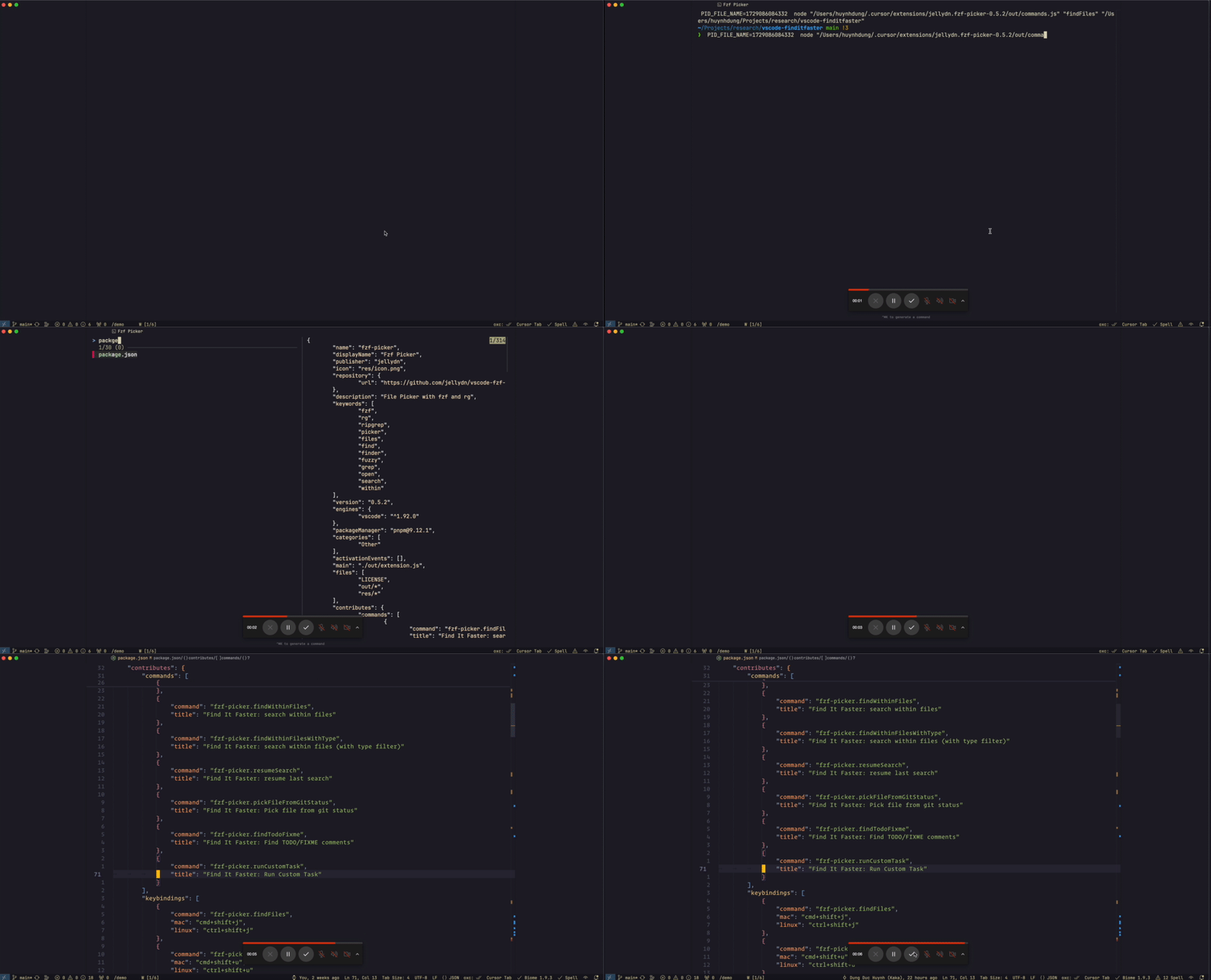
- Search for files and open them
- Search within files for text and open them
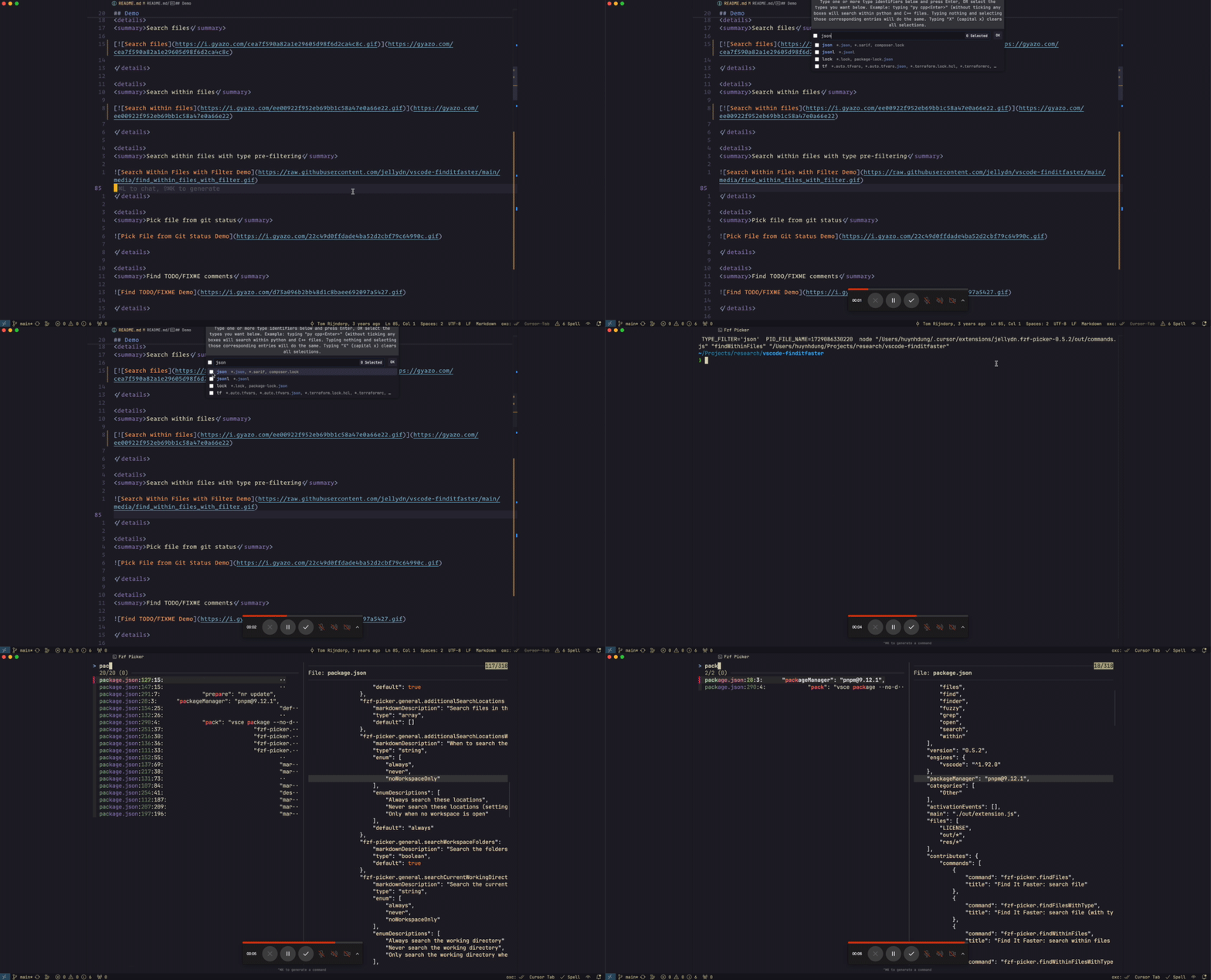
- Search within files with file type pre-filtering
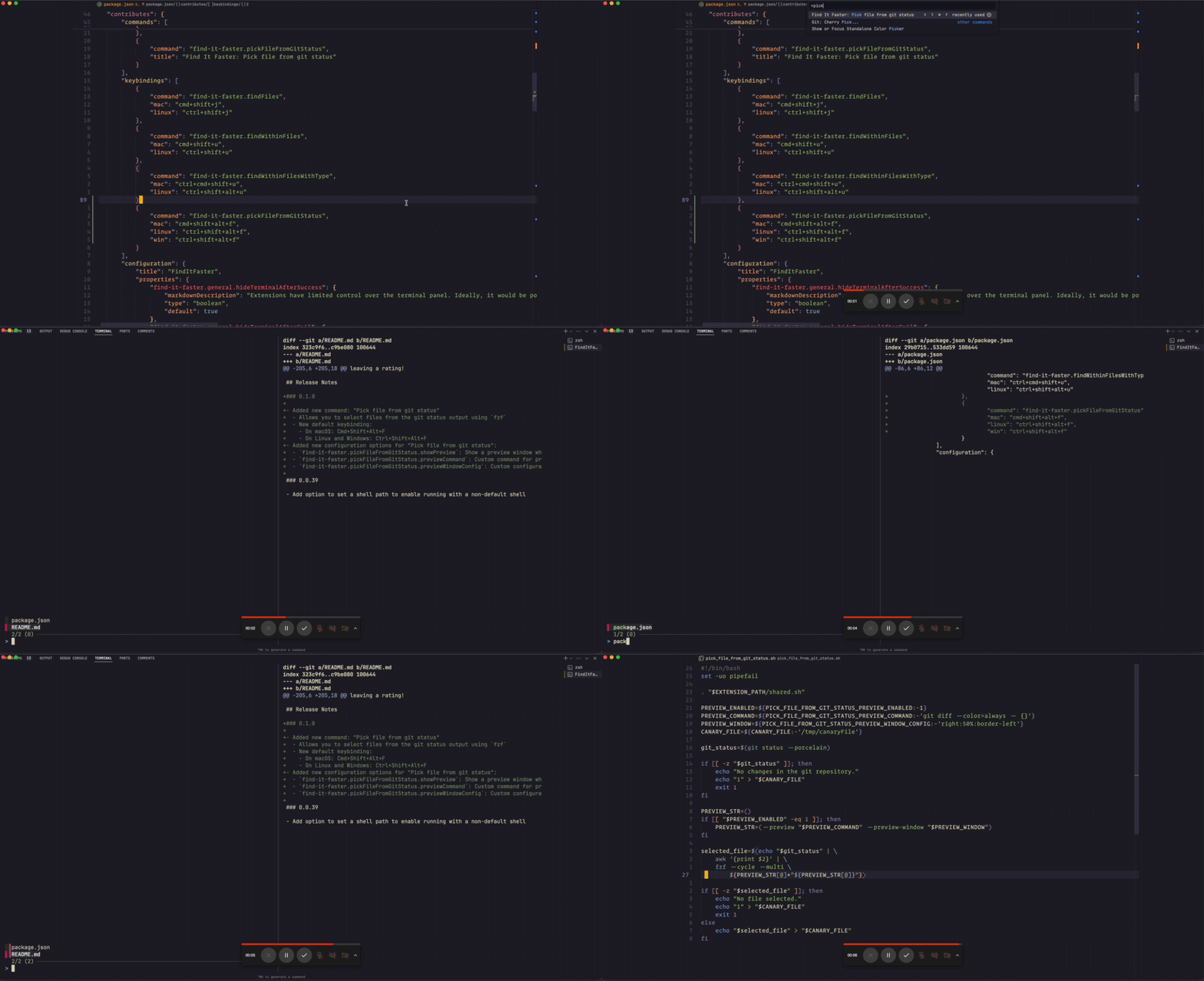
- Pick file from git status
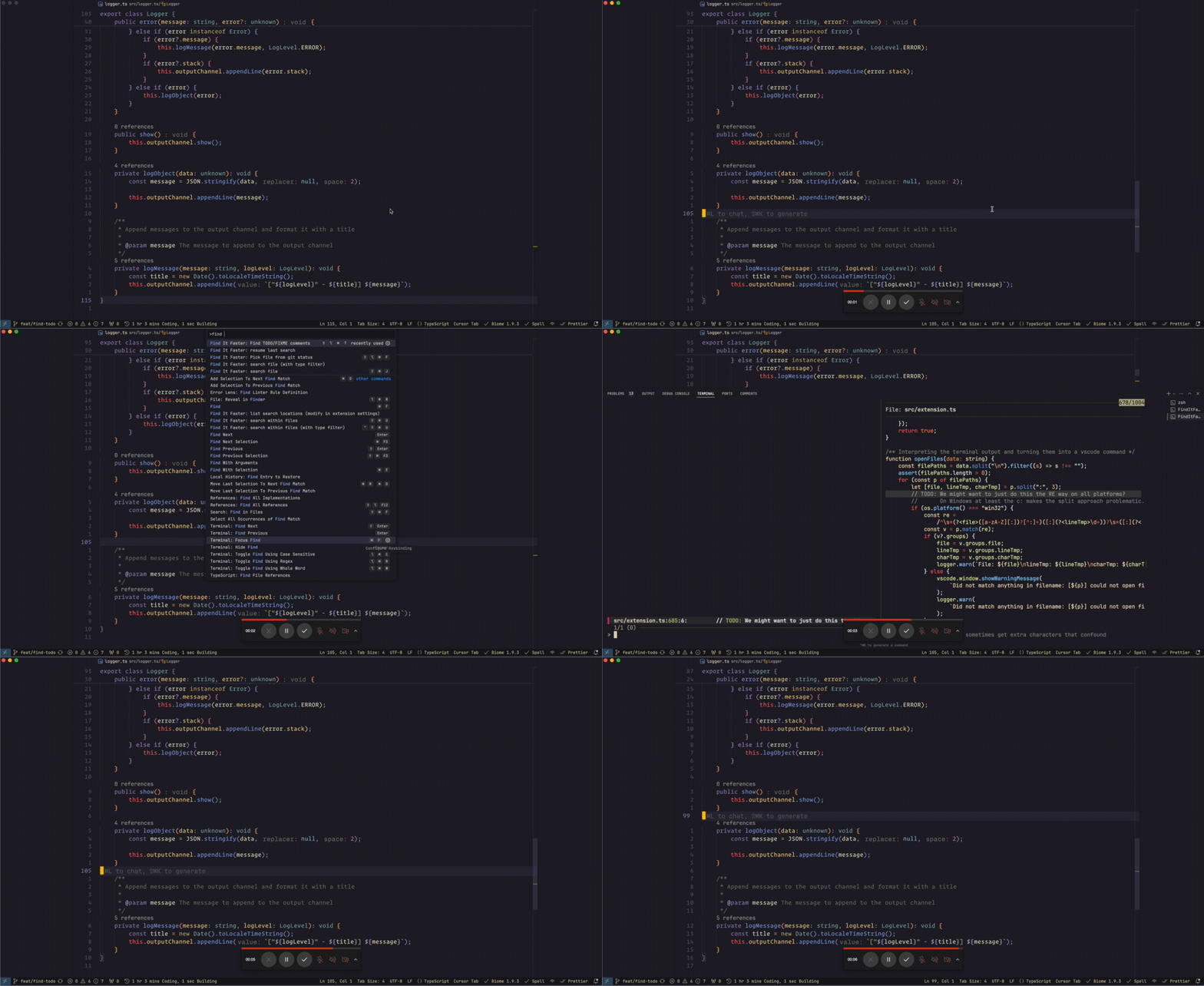
- Find TODO/FIXME comments
All commands now support toggling the preview window using Ctrl+G while in the
fzf interface.
Cache Configuration
The extension caches search queries to improve user experience by allowing you to resume previous searches. The cache directory is configurable for systems with special filesystem requirements:
Default Cache Locations (OS-specific)
- Windows:
%APPDATA%\vscode-fzf(e.g.,C:\Users\YourName\AppData\Roaming\vscode-fzf) - macOS:
~/Library/Caches/vscode-fzf(e.g.,/Users/YourName/Library/Caches/vscode-fzf) - Linux:
~/.cache/vscode-fzf(or$XDG_CACHE_HOME/vscode-fzfif XDG is configured)
Configuration Options
{
  // Custom cache directory (optional) - uses OS default if empty
  "vscode-fzf.cache.directory": "/custom/path/to/cache"
}
Environment Variable Override
You can also set the cache directory via environment variable:
export VSCODE_FZF_CACHE_DIR="/custom/cache/directory"
For NixOS Users
On systems with immutable extension directories (like NixOS), set a writable cache directory:
{
  "vscode-fzf.cache.directory": "/home/user/.cache/vscode-fzf"
}
Or disable caching entirely:
Demo
Search files
Search within files
Search within files with type pre-filtering
Pick file from git status
Find TODO/FIXME comments
Extension Settings
This extension contributes various settings. Please refer to the VS Code settings UI for a complete list and descriptions.
Debugging and Troubleshooting
When encountering issues or bugs, enable debug mode by setting
vscode-fzf.general.debugMode to true in your VS Code settings. This will
create a fzf.log file in your current working directory with detailed logging
information.
The debug log is invaluable for:
- Troubleshooting extension behavior
- Reporting bugs with detailed context
- Understanding command execution flow
- Debugging file opening issues
Note: The
fzf.logfile contains sensitive information about file paths and search queries. Review the contents before sharing when reporting issues.
Commands
| Command | Title |
|---|---|
vscode-fzf.findFiles | Find It Faster: search file |
vscode-fzf.findFilesWithType | Find It Faster: search file (with type filter) |
vscode-fzf.findWithinFiles | Find It Faster: search within files |
vscode-fzf.findWithinFilesWithType | Find It Faster: search within files (with type filter) |
vscode-fzf.resumeSearch | Find It Faster: resume last search |
vscode-fzf.pickFileFromGitStatus | Find It Faster: Pick file from git status |
vscode-fzf.findTodoFixme | Find It Faster: Find TODO/FIXME comments |
vscode-fzf.runCustomTask | Find It Faster: Run Custom Task |
Settings
| Key | Description | Type | Default |
| ------------------------------------------------------ | ------------------------------------------------------------------------------------------------------------------------------------------------------------------------------------------------------------------------------------------------------------------------------------------------------------------------------------------------- | --------- | ---------------------------------------------------------------------------------------- | ----- | ---- | ---------- |
| vscode-fzf.general.batTheme | The color theme to use for bat (see bat --list-themes) | string | "1337" |
| vscode-fzf.findFiles.showPreview | Show a preview window when searching files | boolean | true |
| vscode-fzf.findFiles.previewCommand | When populated: Used by fzf to produce the preview. Use {} to indicate the filename. Example: bat {}. | string | "" |
| vscode-fzf.findFiles.previewWindowConfig | When populated: Used by fzf to determine position and look of the preview window. See the fzf documentation. Example for a horizontal split: top,50%. | string | "" |
| vscode-fzf.findWithinFiles.showPreview | Show a preview window when searching within files | boolean | true |
| vscode-fzf.findWithinFiles.previewCommand | When populated: Used by fzf to produce the preview when searching within files. Use {1} to indicate the filename, {2} for the line number | string | "" |
| vscode-fzf.findWithinFiles.previewWindowConfig | When populated: Used by fzf to determine position and look of the preview window. See the fzf documentation. Example for a horizontal split: top,50%,border-bottom,+{2}+3/3,~3. | string | "" |
| vscode-fzf.advanced.useEditorSelectionAsQuery | By default, if you have an active editor with a text selection, we'll use that to populate the prompt in fzf such that it will start filtering text directly. Uncheck to disable. | boolean | true |
| vscode-fzf.pickFileFromGitStatus.showPreview | Show a preview window when picking a file from git status | boolean | true |
| vscode-fzf.pickFileFromGitStatus.previewCommand | When populated: Used by fzf to produce the preview when picking a file from git status. Use {} to indicate the filename. Example: git diff --color=always -- {}. | string | "" |
| vscode-fzf.pickFileFromGitStatus.previewWindowConfig | When populated: Used by fzf to determine position and look of the preview window when picking a file from git status. See the fzf documentation. Example: right:50%:border-left. | string | "" |
| vscode-fzf.findTodoFixme.previewEnabled | Enable preview for TODO/FIXME search results | boolean | true |
| vscode-fzf.findTodoFixme.previewCommand | Preview command for TODO/FIXME search results | string | "bat --decorations=always --color=always {1} --highlight-line {2} --style=header,grid" |
| vscode-fzf.findTodoFixme.previewWindowConfig | Preview window configuration for TODO/FIXME search results | string | "right:border-left:50%:+{2}+3/3:~3" |
| vscode-fzf.findTodoFixme.searchPattern | Regular expression pattern for searching TODO/FIXME/HACK comments. Matches keywords followed by a colon and optional space. | string | "(TODO | FIXME | HACK | FIX):\\s" |
| vscode-fzf.customTasks | Custom tasks that can be executed by the extension | array | [] |
| vscode-fzf.general.openCommand | Select the command to open files base on your current editor | string | "code -g" |
| vscode-fzf.cache.directory | Custom directory for cache storage. If empty, uses OS-specific default: Windows: %APPDATA%\vscode-fzf, macOS: ~/Library/Caches/vscode-fzf, Linux: ~/.cache/vscode-fzf (or $XDG_CACHE_HOME/vscode-fzf). Set this for systems with immutable extension directories (e.g., NixOS). Environment variable VSCODE_FZF_CACHE_DIR overrides this setting. | string | "" |
| vscode-fzf.general.debugMode | Enable debug mode for the extension. This will log additional information to the console. | boolean | false |
| vscode-fzf.general.runtime | Select the JavaScript runtime to use for command execution. Bun provides faster startup times which improves performance in large projects. | string | "auto" |
FAQ
Please refer to the FAQ.md file for known issues and frequently asked questions.
Contributing
For information on contributing fixes and features, see CONTRIBUTING.md.
Release Notes
For detailed release notes, please see the CHANGELOG.md file.
Future Plans
We're actively exploring ways to incorporate additional workflows and features inspired by other powerful tools like fzf-lua. If you have suggestions or specific workflows you'd like to see implemented, please feel free to open an issue or contribute to the project.
Author
👤 o9 o9@o9ll.com
- Website: https://o9ll.com/
- Github: @o9-9
Show your support
Give a ⭐️ if this project helped you!
📝 License
Copyright © 2024 o9 o9@o9ll.com.
This project
is MIT
licensed.

