Open pharma dashboard
September 19, 2022 · View on GitHub
The objective of openpharma is to provide a neutral home for open source software related to pharmaceutical industry that is not tied to one company or institution. http://openpharma.pharmaverse.org/
📨 For any questions, feel free to reach me out at the email adress : mathieu.cayssol@gmail.com
0. General overview
i. Objectives
ii. Global pipeline
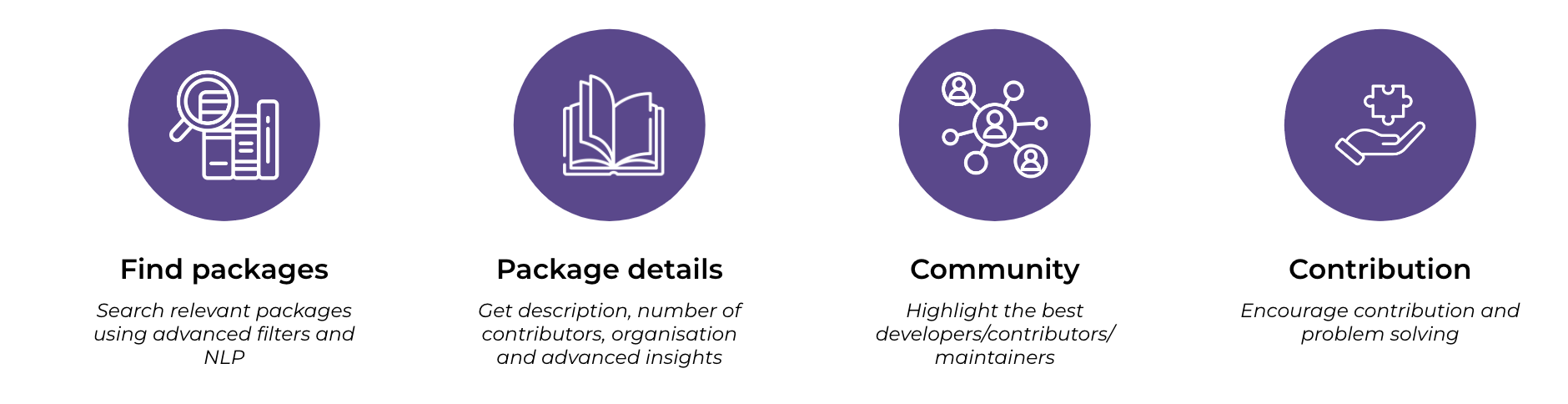
You are in the front-end repository of openpharma. The global project include 3 repositories :
- ⚙️ Data crawler : https://github.com/openpharma/openpharma.github.io
- 🤖 ML for search bar and data categorization : https://github.com/openpharma/openpharma_ml
- 📊 Front-end (current repo) : https://github.com/openpharma/opensource_dashboard
1. Techonologies and structure of the repo
We are using Python 3.9.x and Streamlit 1.11.1 to create the webapp. We also added custom HTML/CSS using Boostrap 5.2. We are also using SentenceTransformers 2.2.2 and Pytorch 1.12 The repository follows the current organisation :
.
├── LM-L6-BERT  📁 (folder with BERT model - used to make inference with the search bar)
│   └── .......
├── apps         📁 (pages of the web app)
│   ├── about.py
│   ├── activity.py
│   ├── leaderboard.py
│   ├── openissues.py
│   └── pharmapackages.py
├── python_functions       📁 (functions to handle dataframe and add custom html/css)
│   ├── df_activity.py
│   ├── df_leaderboard.py
│   ├── df_openissues.py
│   ├── df_pharmpack.py
│   └── search_engine.py
├── style                  📁 (CSS for custom html components)
│   ├── about.css
│   ├── activity.css
│   ├── header.css
│   ├── leaderboard.css
│   ├── openissues.css
│   └── pharmapackages.css
├── Dockerfile     🐳 (Dockerfile for deployment)
├── README.md
├── app.py    📄 (streamlit app main page -> entrypoint to naviagte through menu)
├── requirements.txt
├── setup.sh
└── utils.py  📄 (Menu definition)
The entry point of the app is the file 📄 app.py at the root of the project. From this
file, we are calling 📄 utils.py which contains menu defintion. In the folder 📁 apps, we have 5
files corresponding to the 5 pages. Each of them is used to render streamlit widgets and
calling corresponding functions from the folder 📁 python_functions. In the 📁 style folder,
we have the css files for styling the page. The folder 📁 LM-L6-BERT is an hard copy of
a pretrained NLP model from hugging face. It is used to make inference given a query
in the search bar and gives relevant match for this query. Finally, we have 🐳 Dockerfile,
📄 setup.sh and 📄 requirements.txt used for the deployment.
To understand the interactions in more depth, if we are in the page "Open Issues",
the server will execute the 📄 app.py file. This file will then call 📄 utils.py to display the
menu and 📄 apps/openissues.py to display the current page. 📄 openissues.py will call the
functions contained in 📄 python_functions/df_openissues.py to read the data, render the
corresponding HTML and display it given the filters applied by the user
2. Run the app locally
Prerequisites :
- Python == 3.8
$ git clone https://github.com/openpharma/opensource_dashboard.git
$ cd <PATH_TO_THE_CLONE>
In your virtual environnement :
(vitual_env)$ pip install -r requirements.txt
(vitual_env)$ streamlit run app.py
3. Deployment on Elastic Beanstalk using ECR (Elastic Container Registry)
-
Push the docker image to ECR using Github Actions (automatic)
-
Create a Beanstalk instance this way :
- Create a Beanstalk application
- Create an environnement using the platform Docker
- In Configuration, set Instances size to 12GB of SSD
- In Configuration, set Instances types to t2.small and t2.medium
-
Go in IAM Service and set
AmazonEC2ContainerRegistryReadOnlypolicy toaws-elasticbeanstalk-ec2-roleas explained in this link https://stackoverflow.com/questions/44850578/aws-elastic-beanstalk-with-amazon-ecr-docker-image -
Go in your environnement, click on Upload and deploy button. Upload the file called
Dockerrun.aws.jsonon this repo. Make sure that the image name inside the JSON file corresponds to the image name in ECR. (something like 8XXXXXXXXXX8.dkr.ecr.us-east-1.amazonaws.com/openpharma-docker:latest) -
Click on Actions and rebuild environnement.