Kubeseal VSCode Extension
June 29, 2026 · View on GitHub

Kubeseal VSCode Extension








📚 Table of Contents
- Kubeseal VSCode Extension
🚀 Installation
Install from VS Code Marketplace:
Install directly from the VS Code Marketplace, or:
- Open VS Code
- Go to Extensions (Ctrl+Shift+X)
- Search for "Kubeseal VSCode"
- Click Install
Or install directly:
Recommended Extensions:
For the best Kubernetes development experience, we recommend installing:
- Kubernetes - Provides Kubernetes cluster management, syntax highlighting, and IntelliSense for Kubernetes YAML files.
✨ Features
- 🔐 Encrypt Secrets: Right-click on YAML files containing Kubernetes secrets to encrypt them using kubeseal
- 🔓 Decrypt Secrets: Retrieve the original content of sealed secrets from your Kubernetes cluster
- 📝 Base64 Encoding/Decoding: Encode and decode base64 values using the system
base64binary — handles Unicode, emoji, special characters, multiline values, TLS certs, andstringDatapromotion - 🖥️ Sidebar Panel: A modern, interactive sidebar containing all utilities in one place. Quick-encode/decode text, check certificate status, run encryption/decryption on the active editor, and manage certificates directly.
- 📂 Certificate Folder Management: Configure a folder containing multiple kubeseal certificates and easily switch between them
- 🔄 Active Certificate Selection: Click on the status bar to select which certificate to use for encryption
- 🎯 Context Menu Integration: Access kubeseal operations directly from the file explorer and editor context menus
🔄 How It Works
This extension integrates with the Bitnami Sealed Secrets workflow for securing Kubernetes secrets:
Encryption Workflow
┌─────────────────────┐
│  Plain Secret YAML  │  (your-secret.yaml)
│  kind: Secret       │
└──────────┬──────────┘
           │
           │ Right-click → "Encrypt with Kubeseal"
           │
           ▼
┌─────────────────────┐
│   kubeseal CLI      │  Uses selected certificate
│   Encryption        │  from configured folder
└──────────┬──────────┘
           │
           ▼
┌─────────────────────┐
│ SealedSecret YAML   │  (your-secret-sealed.yaml)
│ kind: SealedSecret  │  ✓ Safe to commit to Git
└─────────────────────┘
Key Points:
- Requires
kubesealbinary in PATH - Uses certificate from your configured folder
- Original secret remains unchanged
- Creates new file with
-sealedsuffix - Encrypted secrets are safe to store in version control
Decryption Workflow
┌─────────────────────┐
│ SealedSecret YAML   │  (deployed to cluster)
│ kind: SealedSecret  │
└──────────┬──────────┘
           │
           │ Right-click → "Decrypt Secret"
           │
           ▼
┌─────────────────────┐
│   kubectl CLI       │  Fetches from cluster using
│   Get Secret        │  namespace and name from YAML
└──────────┬──────────┘
           │
           ▼
┌─────────────────────┐
│  Plain Secret YAML  │  (your-secret-unsealed.yaml)
│  kind: Secret       │  Retrieved from cluster
└─────────────────────┘
Key Points:
- Requires
kubectlbinary in PATH - Requires cluster access with proper permissions
- SealedSecret must be deployed to the cluster first
- Extension extracts namespace/name from SealedSecret YAML
- Creates new file with
-unsealedsuffix
Base64 Encoding/Decoding Workflow
Before Encoding:                After Encoding:
┌────────────────────────┐      ┌────────────────────────────────┐
│ kind: Secret           │      │ kind: Secret                   │
│ data:                  │Encode│ data:                          │
│   username: admin      │─────▶│   username: YWRtaW4=           │
│   password: P@ss!🔑    │      │   password: UEBzcyHwn5KR       │
│   token: YWJj... (b64) │      │   token: YWJj... (skipped ✓)  │
└────────────────────────┘      └────────────────────────────────┘

stringData is also promoted to data during encoding.
Decoding reverses the process ◀──────────────────────────────────
Key Points:
- Works on local YAML files (no cluster needed)
- Uses the system
base64binary — same tool askubectlandopenssl - Handles all Unicode: emoji 🌍, CJK, Arabic, special symbols, newlines, tabs
- Reliably detects already-encoded values via roundtrip check — no double-encoding
- Encodes
stringDatavalues and promotes them todataautomatically - Preserves binary values (TLS certs, SSH keys, images) as base64 when decoding
- Useful for preparing secrets before encryption
🎥 Video Demonstration
Watch how to use the Kubeseal VS Code extension in action:
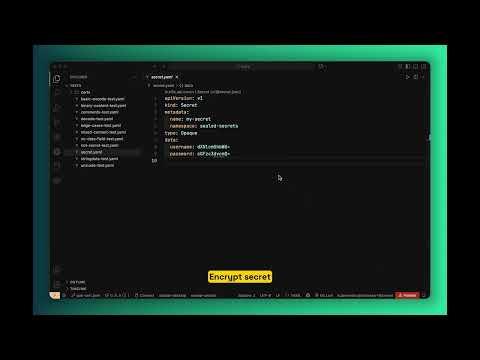
📋 Requirements
Important: You must have access to your Kubernetes cluster before using this extension, especially for decryption.
Development Requirements:
- Node.js 20+ (for development and building)
Runtime Requirements:
kubesealbinary must be installed and accessible in your PATHkubectlbinary must be installed and configured for cluster access- For encryption: A kubeseal certificate folder containing certificate files (
.pem,.crt, or.cert) - For decryption: Access to the Kubernetes cluster where the secret is deployed
🛠️ Setup
- Install the
kubesealbinary from sealed-secrets releases - Install this extension from the VS Code marketplace
- Configure your certificate folder using the command palette: "Set Kubeseal Certificate Folder"
- Select an active certificate by clicking on the status bar item
📖 Usage
Note: You must have access to your Kubernetes cluster before using the extension. Decryption will not work unless your
kubectlis configured and you have the necessary permissions.
Typical Workflow
Here's a typical workflow for managing secrets with this extension:
- Prepare your secret - Create a Kubernetes Secret YAML file with plain text values
- Encode values (optional) - Use "Encode Base64 Values" if your values are in plain text
- Set up certificate - Configure your certificate folder and select an active certificate
- Encrypt - Use "Encrypt with Kubeseal" to create a SealedSecret
- Commit safely - The encrypted SealedSecret can be safely committed to Git
- Deploy - Apply the SealedSecret to your Kubernetes cluster
- Decrypt (if needed) - Use "Decrypt Secret" to retrieve the original secret from the cluster
🖥️ Sidebar Panel
The extension features a modern, Material Design-inspired sidebar panel accessible via the Activity Bar (Kubeseal icon). It is divided into two tabs:
1. Tools Tab
- Base64 Converter: Paste any text to quickly encode or decode without modifying your file, with a one-click copy button.
- Actions:
- Certificate Status: Real-time status display of your active certificate with colour-coded expiry information:
- 🟢 Green — certificate is valid, shows days remaining (e.g.
✓ Valid until Jun 30, 2027 (380d)) - 🟡 Amber — certificate expires within 30 days (e.g.
⚠ Expires in 12 days (Jun 28, 2026)) - 🔴 Red — no certificate selected, or certificate has expired (e.g.
⚠ Expired on Mar 15, 2026)
- 🟢 Green — certificate is valid, shows days remaining (e.g.
- Active Editor Controls: Quick Encrypt and Decrypt buttons that operate on the currently open YAML editor in VS Code.
- Certificate Status: Real-time status display of your active certificate with colour-coded expiry information:
2. Settings Tab
- Certs Folder: Click the browse button to set your certificate store directory.
- Active Certificate: A dropdown list to easily switch between your certificates (
.pem,.crt, or.certfiles) in the configured folder.
🔐 Encrypting Secrets
- Create a Kubernetes secret YAML file
- Right-click on the file in the explorer or editor
- Select "Encrypt with Kubeseal"
- The encrypted file will be saved with
-sealedsuffix
Example:
# input: my-secret.yaml
apiVersion: v1
kind: Secret
metadata:
  name: my-secret
  namespace: default
data:
  username: YWRtaW4=
  password: cGFzc3dvcmQ=

# output: my-secret-sealed.yaml
apiVersion: bitnami.com/v1alpha1
kind: SealedSecret
metadata:
  name: my-secret
  namespace: default
spec:
  encryptedData:
    username: AgBy3i4OJSWK+PiTySYZ...
    password: AgAKqjbxK9...
🔓 Decrypting Secrets
- Right-click on a sealed secret YAML file
- Select "Decrypt Secret"
- The extension will retrieve the actual secret from your Kubernetes cluster using
kubectl - The decrypted secret will be saved with
-unsealedsuffix
Example:
# input: my-secret-sealed.yaml (must be deployed to cluster)
apiVersion: bitnami.com/v1alpha1
kind: SealedSecret
metadata:
  name: my-secret
  namespace: default
spec:
  encryptedData:
    username: AgBy3i4OJSWK+PiTySYZ...
    password: AgAKqjbxK9...

# Extension extracts: namespace="default", name="my-secret"
# Runs: kubectl get secret my-secret -n default -o yaml

# output: my-secret-unsealed.yaml
apiVersion: v1
kind: Secret
metadata:
  name: my-secret
  namespace: default
data:
  username: YWRtaW4=
  password: cGFzc3dvcmQ=
Requirements:
- The sealed secret has been deployed to your cluster
- Your
kubectlis configured to access the correct cluster - You have permissions to read secrets in the target namespace
🔧 Managing Certificates
Setting Certificate Folder
- Use Command Palette:
Ctrl+Shift+P→ "Set Kubeseal Certificate Folder" - Or configure in VS Code settings:
kubeseal.certsFolder
Selecting Active Certificate
- Look at the status bar at the bottom of VS Code
- Click on the certificate name (or "(not selected)" if none is active)
- Choose from the list of available certificates in your configured folder
- The selected certificate will be used for all encryption operations
Note: If no certificate folder is configured, clicking the status bar will prompt you to set one up.
📝 Base64 Encoding/Decoding
The extension provides utilities for working with base64 encoded values in Kubernetes secrets:
Encode Base64 Values
- Right-click on a Kubernetes secret YAML file
- Select "Encode Base64 Values"
- All plain text values in the
datafield will be encoded; already-encoded values are skipped automatically
Also supports stringData: values are encoded and promoted to the data field.
Example:
# Before encoding:
apiVersion: v1
kind: Secret
metadata:
  name: my-secret
data:
  username: admin             # plain text → will be encoded
  password: P@ssw0rd!🔑      # unicode special chars → handled correctly
  token: YWJjZGVmZ2hpams=   # already base64 → skipped
stringData:
  config: "host=localhost"   # stringData → encoded and moved to data

# After encoding:
apiVersion: v1
kind: Secret
metadata:
  name: my-secret
data:
  username: YWRtaW4=
  password: UEBzc3cwcmQh8J+Skw==
  token: YWJjZGVmZ2hpams=        # unchanged
  config: aG9zdD1sb2NhbGhvc3Q=  # promoted from stringData
Decode Base64 Values
- Right-click on a Kubernetes secret YAML file
- Select "Decode Base64 Values"
- All base64 encoded values in the
datafield are decoded to plain text
Note: Binary values (TLS certificates, SSH keys, images) are automatically detected and kept as base64 to avoid corruption.
⚙️ Configuration
The extension provides the following settings:
kubeseal.certsFolder: Path to the folder containing kubeseal certificate files (*.pem, *.crt, *.cert)kubeseal.activeCertFile: Filename of the currently active certificate in the certs folder
🎮 Commands
kubeseal.encrypt: Encrypt with Kubesealkubeseal.decrypt: Decrypt Secretkubeseal.setCertFolder: Set Kubeseal Certificate Folderkubeseal.selectCertificate: Select Certificatekubeseal.encodeBase64: Encode Base64 Valueskubeseal.decodeBase64: Decode Base64 Values
🛠️ Getting Help
If you encounter any issues or have questions, feel free to:
- Open an issue on GitHub
- Start a discussion in the Discussions tab
- Email us at support@example.com
⚠️ Known Issues
- Decryption may fail if the
kubectlcontext is not properly configured. - Ensure the
kubesealbinary is compatible with your Kubernetes cluster version.
For a complete list of changes, see the Changelog.
🤝 Contributing
Contributions are welcome! Please read the Contributing Guide before submitting a Pull Request.
Quick start for contributors:
git clone https://github.com/ops4life/kubeseal-vscode.git
cd kubeseal-vscode
npm install
pre-commit install        # install pre-commit hooks
npm run test:base64       # run the base64 test suite
Pre-commit hooks enforce TypeScript type checking and the base64 test suite on every commit. See Contributing Guide for full details.
📄 License
This project is licensed under the MIT License - see the LICENSE file for details.