Haskell Debugger Extension for Vim
March 3, 2025 · View on GitHub
This is an experimental.
System Design
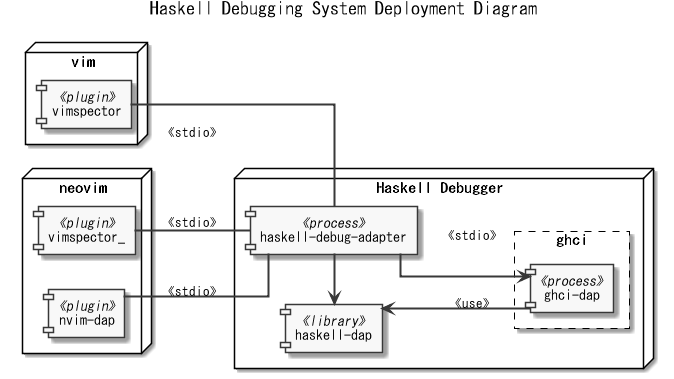
vim
Movie
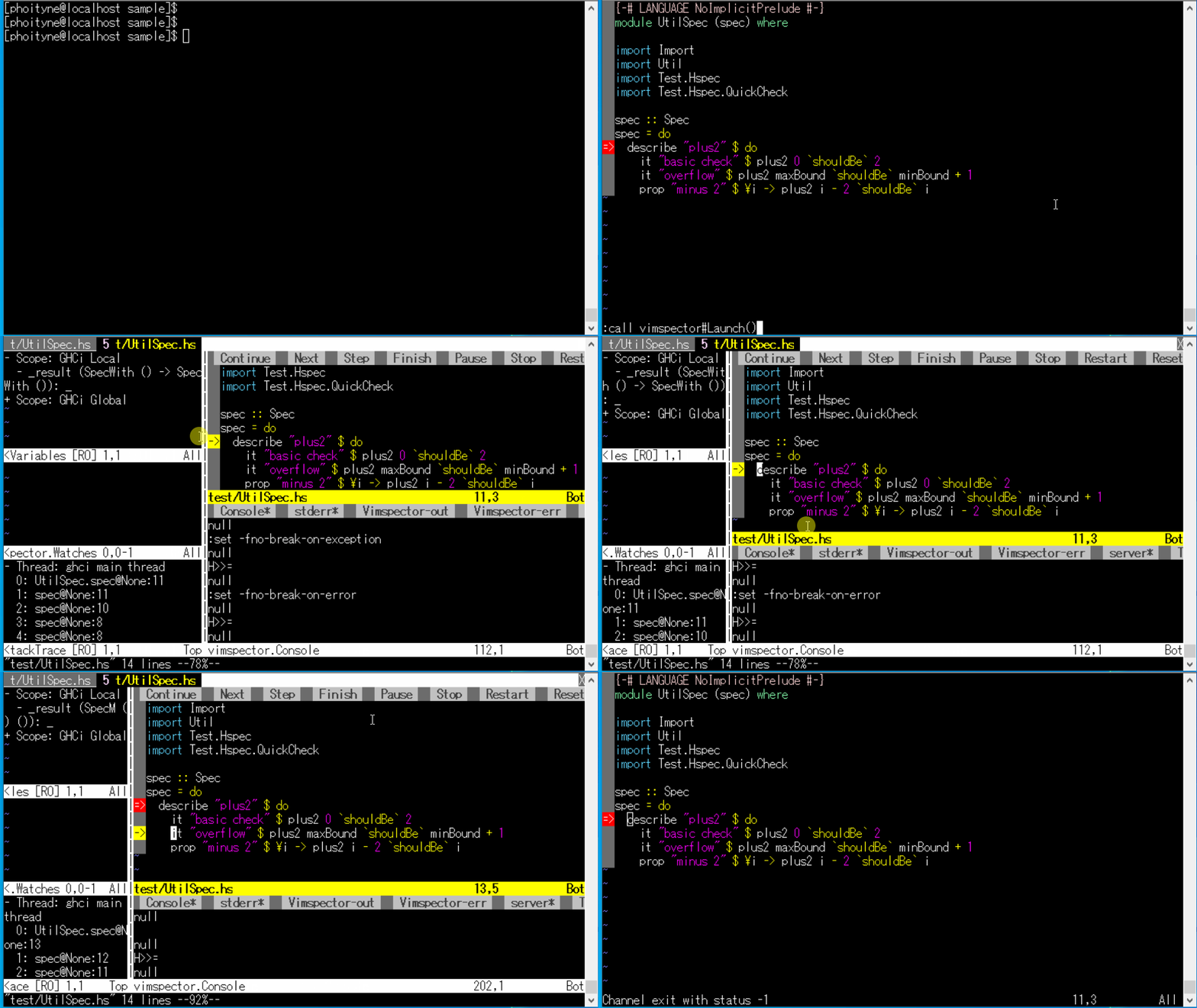
Environment
- Windows10
- vim-8.2
- python36
- vimspector
Setup
1. Install vim-8.2
- Download
https://ftp.nluug.nl/pub/vim/pc/- gvim82.exe
- Install
prefix: c:\prefix\vim82
2. Install python36.dll
- Download
https://www.python.org/downloads/release/python-368/- Windows x86 embeddable zip file
- Install
prefix: c:\prefix\python-3.6.8-embed-win32
3. Install vimspector
- Download
https://github.com/puremourning/vimspector/releases/- Source code (zip)
- Install
prefix: C:\prefix\vim82\pack\package\opt\vimspector
4. Setup haskell environment
@see https://github.com/phoityne/hdx4vsc
5. Prepare .vimspector.json
> cd haskell/project
> vi .vimspector.json
{
  "adapters": {
    "hda": {
      "name": "haskell-debug-adapter",
      "command": [
        "haskell-debug-adapter",
        "--hackage-version=0.0.31.0"
      ]
    }
  },
  "configurations": {
    "haskell-debug-adapter: Launch": {
      "adapter": "hda",
      "configuration": {
        "type": "ghc",
        "request": "launch",
        "name": "haskell-debug-adapter",
        "internalConsoleOptions": "openOnSessionStart",
        "workspace": "${workspaceRoot}",
        "startup": "${workspaceRoot}/test/Spec.hs",
        "startupFunc": "",
        "startupArgs": "",
        "stopOnEntry": true,
        "mainArgs": "",
        "ghciPrompt": "H>>= ",
        "ghciInitialPrompt": "> ",
        "ghciCmd": "ghci-dap", // Use hie-bios to determine ghci-dap commands (ghci-dap)
        // "ghciCmd": "stack ghci --test --no-load --no-build --main-is TARGET --ghci-options -fprint-evld-with-show", // Use an explicit stack invocation to run ghci-dap
        "ghciEnv": {},
        "logFile": "${workspaceRoot}/hdx4vim.log",
        "logLevel": "WARNING",
        "forceInspect": false
      }
    }
  }
}

>
6. Prepare vimrc
> cd c:/haskell/project/path
> vi vimrc
set encoding=utf-8
set pythonthreedll=C:\prefix\python-3.6.8-embed-win32\python36.dll
packadd vimspector

>
7. Run vim
> cd c:/haskell/project/path
> set VIM=c:/haskell/project/path
>
> gvim test/UtilSpec.hs

:call vimspector#ToggleBreakpoint()
:call vimspector#Launch()
neovim
Movie
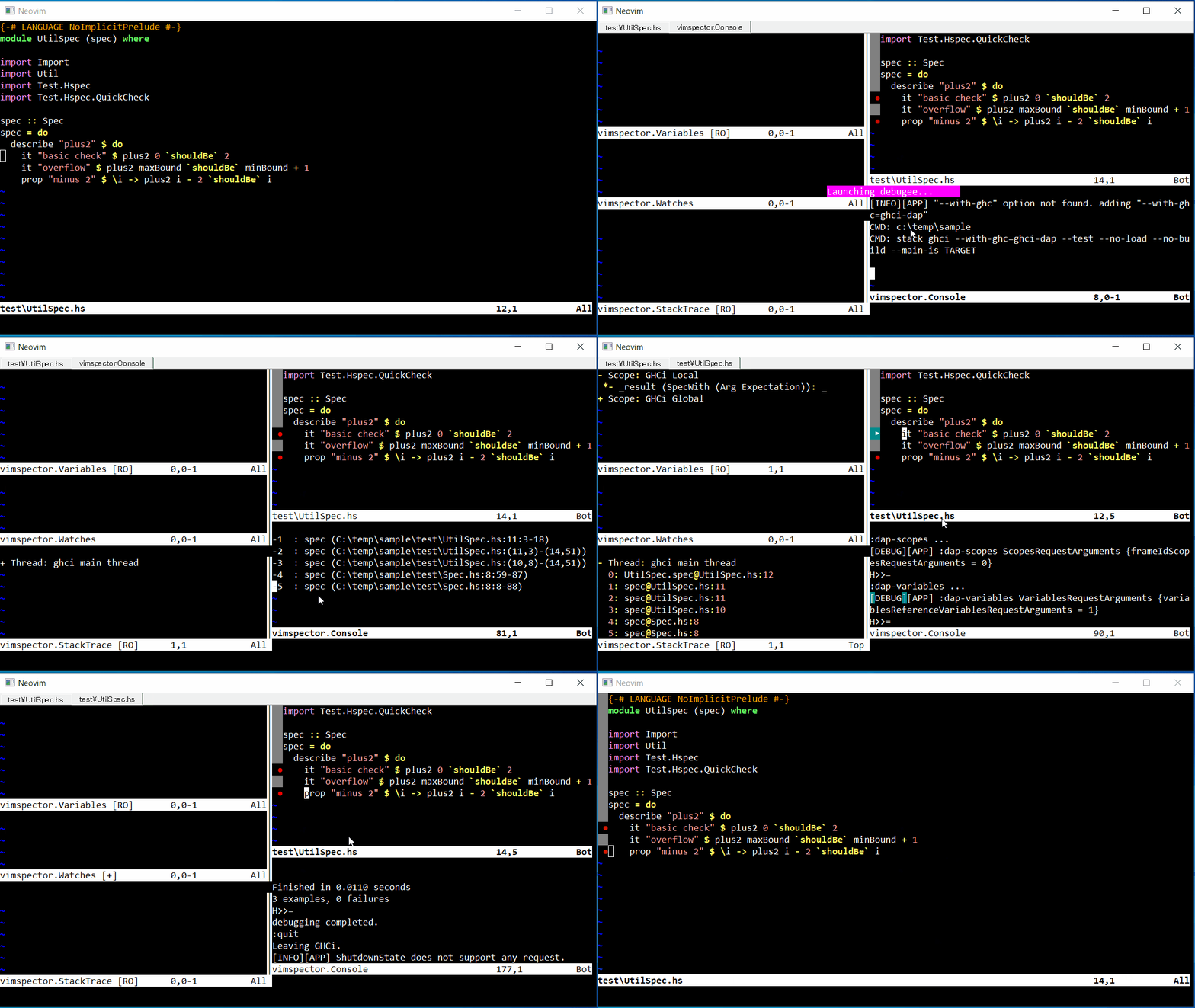
Environment
- Windows10
- neovim-5.0-dev
- python3
- vimspector
Setup
1. Setup neovim
1-1. Install neovim
Download
https://github.com/neovim/neovim/releases/
1-2. Set config home
set XDG_CONFIG_HOME=C:\prefix\neovim\conf
2. Setup python3
2-1. Install phtyon3
Download
https://www.python.org/downloads/windows/
Install neovim python plugin
> pip3 install neovim
2-2. Check health
:checkhealth
## Python 3 provider (optional)
  - INFO: `g:python3_host_prog` is not set.  Searching for python3 in the environment.
  - INFO: Multiple python3 executables found.  Set `g:python3_host_prog` to avoid surprises.
  - INFO: Executable: /bin/python3
  - INFO: Other python executable: /usr/bin/python3
  - INFO: Python version: 3.6.8
  - INFO: pynvim version: 0.4.0
  - OK: Latest pynvim is installed.
3. Setup vimspector
3-1. Install vimspector
> cd %XDG_CONFIG_HOME%\nvim\pack\dap\start
>
> git clone https://github.com/puremourning/vimspector.git
>
3-2. Create init.vim
> vi %XDG_CONFIG_HOME%\nvim\init.vim
let g:vimspector_enable_mappings = 'VISUAL_STUDIO'
packadd vimspector

>
4. Setup Haskell project
4-1. Create a stack project
@see https://github.com/phoityne/hdx4vsc
4-2. Create .vimspector.json
Create .vimspector.json in the stack project folder.
see sample files.
5. Run neovim
> nvim-qt test/UtilSpec.hs

:call vimspector#ToggleBreakpoint()    -> F9
:call vimspector#Launch()              -> F5
:call vimspector#vimspector#StepOver() -> F10
:VimspectorReset                       -> exit
@see https://github.com/puremourning/vimspector#visual-studio--vscode
nvim-dap
Movie
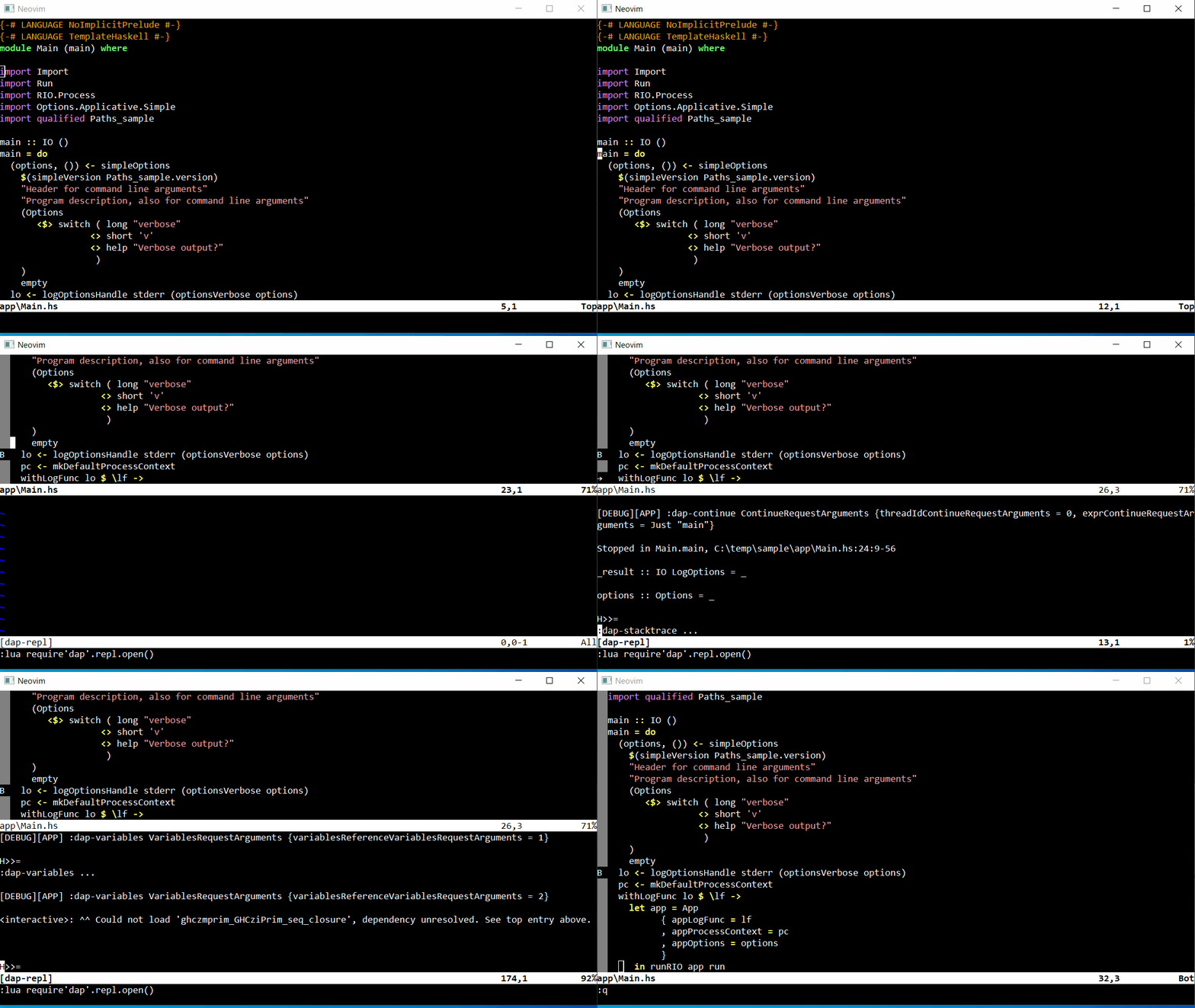
Environment
- Windows10
- neovim-5.0-dev
- nvim-dap
Setup
1. Setup neovim
1-1. Install neovim
Download
https://github.com/neovim/neovim/releases/
1-2. Set config home
set XDG_CONFIG_HOME=C:\prefix\neovim\conf
3. Setup nvim-dap
3-1. Install
> cd %XDG_CONFIG_HOME%\nvim\pack\dap\start
>
> git clone https://github.com/mfussenegger/nvim-dap.git
>
3-2. Create init.vim
> vi %XDG_CONFIG_HOME%\nvim\init.vim
packadd nvim-dap
set langmenu=en_US.UTF-8
language messages en_US.UTF-8

lua << EOF

local dap = require('dap')
dap.adapters.haskell = {
  type = 'executable';
  command = 'haskell-debug-adapter.exe';
  args = { '--hackage-version', '0.0.31' };
}

local workspaceFolder = vim.fn.getcwd()
dap.configurations.haskell = {
  {
    type = 'haskell';
    request = 'launch';
    name = "haskell-debug-adapter";
    program = "${file}";
    workspace = "${workspaceFolder}";
    startup = "${workspaceFolder}/test/Spec.hs";
    startupFunc = "";
    startupArgs = "";
    stopOnEntry = false;
    mainArgs = "";
    ghciPrompt = "H>>= ";
    ghciInitialPrompt = "> ";
    ghciCmd = "stack ghci --test --no-load --no-build --main-is TARGET --ghci-options -fprint-evld-with-show";
    ghciEnv = {dummy=""},
    logFile = "${workspaceFolder}/hda.log";
    logLevel = "DEBUG";
    forceInspect = false;
  }
}

EOF

nnoremap <silent> <F5> :lua require'dap'.continue()<CR>
nnoremap <silent> <F9> :lua require'dap'.toggle_breakpoint()<CR>
nnoremap <silent> <F10> :lua require'dap'.step_over()<CR>
nnoremap <silent> <F11> :lua require'dap'.step_into()<CR>
>
4. Setup Haskell project
@see https://github.com/phoityne/hdx4vsc
5. Run neovim
> nvim-qt app\Main.hs