GET SHIT DONE for OpenCode. (Based on TÂCHES v1.38.5 - 2026-04-25)
May 16, 2026 · View on GitHub
GET SHIT DONE for OpenCode. (Based on TÂCHES v1.38.5 - 2026-04-25)
A light-weight and powerful meta-prompting, context engineering and spec-driven development system for Claude Code by TÂCHES. (Adapted for OpenCode by rokicool and enthusiasts)
TÂCHES Original GitHub Repository




Breaking news
2026-05-16 — I gave the original get-shit-done-cc for OpenCode a try and it looks solid. (Still think our /gsd-oc-set-profile is much better, though.) Going forward, I'm going to slow down on gsd-opencode upgrades and recommend everyone start using the original get-shit-done.
Thanks for all the support, great ideas, and for catching all the bugs along the way.
-- Roman (2026-05-16)
Explanation
Original Get-Shit-Done (GSDv1) started supporting OpenCode about 3 months ago. That was great, but since I started working on this project earlier, I found a lot of roughnesses in the original GSD for OpenCode. So I decided to continue working on this port.
Despite being 'direct port' with straightforward code adaptation we added some specific features.
Thanks to @dpearson2699 for the initial version and idea of Profile system. I modified it later and belive our system (/gsd-oc-set-profile) is much more suitable and simpler to use than the original, based on Claude Code concept of 'Three levels of models'.
I am not going to give up on this project yet, but to be honest, it makes less and less sence.
-- Roman (2026-04-13)
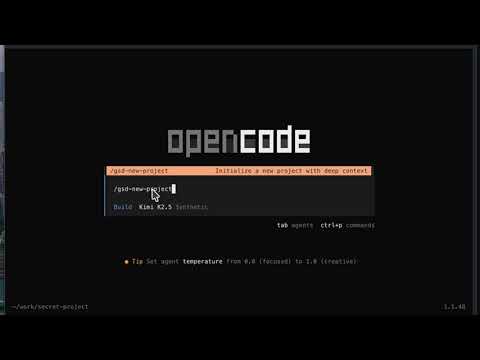
$ npx gsd-opencode

or

$ npx gsd-opencode@latest
Works on Mac, Windows, and Linux.

"If you know clearly what you want, this WILL build it for you. No bs."
"I've done SpecKit, OpenSpec and Taskmaster — this has produced the best results for me."
"By far the most powerful addition to my Claude Code. Nothing over-engineered. Literally just gets shit done."
Trusted by engineers at Amazon, Google, Shopify, and Webflow.
Why I Built This · Distribution System · How It Works · Commands · Why It Works
Why I Built This
I'm a solo developer. I don't write code — Claude Code does.
Other spec-driven development tools exist; BMAD, Speckit... But they all seem to make things way more complicated than they need to be (sprint ceremonies, story points, stakeholder syncs, retrospectives, Jira workflows) or lack real big picture understanding of what you're building. I'm not a 50-person software company. I don't want to play enterprise theater. I'm just a creative person trying to build great things that work.
So I built GSD. The complexity is in the system, not in your workflow. Behind the scenes: context engineering, XML prompt formatting, subagent orchestration, state management. What you see: a few commands that just work.
The system gives Claude Code everything it needs to do the work and verify it. I trust the workflow. It just does a good job.
That's what this is. No enterprise roleplay bullshit. Just an incredibly effective system for building cool stuff consistently using Claude Code.
— TÂCHES
From translator...
I just love both GSD and OpenCode. I felt like having GSD available only for Claude Code is not fair.
— Roman
Version 1.38.0
Bumping up the vestion to keep up with the original GSDv1 v1.38.5
Version 1.35.0
Bumping up the version to keep up with the original GSDv1 v1.35.0
Version 1.33.2
Added support for translating Agent() background task calls to OpenCode-compatible @gsd-<agent> shorthand syntax. The new translation rule 21 in assets/configs/remove-task.json dynamically extracts agent names from skill="gsd-<agent>" patterns and converts them to the OpenCode format. This update fixes two Agent() calls in autonomous.md workflow for plan and execute phase dispatch, ensuring full OpenCode compatibility.
Version 1.33.0
Again we keep up with the original GSDv1 v1.33.0 (2026-04-04).
And locally there are lots of changes. And the most important one - I removed task() calls, since they are not supported by OpenCode and replaced them with the direct call to an agent.
Version 1.30.0
We are keeping up with original GSDv1 v1.30.0 (2026-03-30)
There is a controvertial solution I used to support "skill(skill='command-name')" syntax. Apart from that everything is expected to be fully functional.
Version 1.22.1
I decided to add 'mode: subagent' property to all custom agents. It should not affect any GSD functionality. However, it should remove unnecessary agents out of the list, available by Tab.
Feel free to complain if I missed anything.
Version 1.22.0 - We are catching up with original v1.22.4 (2026-03-03)
As usual, you can find all changes that TACHES made in the original CHANGELOG.md v1.20.5 -> v1.22.4
The main theme for these changes - the original GSD uses the correct sysntax to execute agents. So, there will be no unexpected stops OR Gsd-Planner remains active after the planning is done.
On our the side of gsd-opencode there are several fixes and a lot of backend changes.
Version 1.20.3 - New gsd-opencode model profile system
I had to give up on supporting original GSD model profile system. Claude Code uses three different models: Opus, Sonnet, and Haiku. In OpenCode we are blessed with dozens of providers and hundreds of models. GSD model profile system is not suitable for us.
So, I had to redesign it and call it 'simple|smart|genius' for now. I hope, it will solve unexpected stops.
/gsd-settings- Does not make any changes to the model-agent assignment anymore. It asks about the model profile - but does nothing. You have to execute/gsd-set-profileyourself./gsd-check-profile- Checks the gsd-opencode config files and informs about issues (if there are any)./gsd-set-profile- You main interface to control what model to use on what stage. Try it! No, really, Try it!
Version 1.20.0 - We are catching up with original v1.20.5
As usual, you can find all changes that TACHES made in the original CHANGELOG.md v1.9.4 -> v1.20.5
As for our side. We have a lot of small changes and one significant change to the Profile Management. Istead of replicating TACHES/Claude Code approach we use OpenCode relevant.
GSD-OpenCode supports three Profiles:
- Simple (allows to define one model to work for all types of gsd custom agents)
- Smart (allows to define two different models to work with gsd custom agents: one for )
- Genius (ok, ok. Not exactly genius, but allows to define three different models to work with custom agents)
Version 1.9.0 - We are catching up with original v1.9.4
You can find all the changes that TACHES made in the original CHANGELOG.md v1.6.4 -> v1.9.4.
Model Profile Management
OpenCode now supports full model profile management via:
/gsd-settings— Interactive settings menu for profiles, stage overrides, and workflow toggles/gsd-set-profile <profile>— Quick switch between quality/balanced/budget profiles/gsd-set-model <profile>— Configure which models each profile uses
These commands manage .planning/config.json and generate opencode.json with agent-to-model mappings. Note: Quit and relaunch OpenCode after changing profiles for changes to take effect.
Version 1.6.0 - We started using git submodules
If you clone this repo dont forget to execute the next command after cloning:
$ git submodule update --init --recursive
It will update/populate ./original/get-shit-done folder from TÂCHES repo.
Here is a nice compact article about git submodules: Working with submodules. Thanks to @borisnaydis for pointing that out.
Version 1.5.0 - Breaking Change: Command Naming Convention Update
⚠️ Important: Breaking Change in Command Syntax
We've made an update to align GSD's command naming convention with OpenCode's standard kebab-case format. Unfortunately, this introduces a breaking change to the visible command syntax that users have been accustomed to.
What Changed
Command Naming: All GSD commands have been updated from the /gsd: prefix to the /gsd- format.
Why This Change?
The gsd-kebab-case naming convention follows OpenCode's standard command format. This alignment ensures consistency across the ecosystem and improves compatibility.
Note: We understand this is an unfortunate breaking change to the visible command syntax. If/when it becomes possible in the future, we may consider restoring the original /gsd: syntax while maintaining backward compatibility.
Migration Guide
For users upgrading to version 1.5.0, simply replace the colon (:) in all GSD commands with a hyphen (-):
- Old:
/gsd:plan-phase 1 - New:
/gsd-plan-phase 1
All functionality remains the same—only the command prefix has changed.
Vibecoding has a bad reputation. You describe what you want, AI generates code, and you get inconsistent garbage that falls apart at scale.
GSD fixes that. It's the context engineering layer that makes OpenCode reliable. Describe your idea, let the system extract everything it needs to know, and let OpenCode get to work.
Who This Is For
People who want to describe what they want and have it built correctly — without pretending they're running a 50-person engineering org.
Getting Started
npx gsd-opencode

# OR

npm install gsd-opencode -g
gsd-opencode install
That's it. Verify with /gsd-help.
Staying Updated
GSD evolves fast. Check for updates periodically:
/gsd-whats-new
Update with:
npx gsd-opencode@latest

# OR

npm install gsd-opencode@latest -g
gsd-opencode install
Non-interactive Install (Docker, CI, Scripts)
npx gsd-opencode --global   # Install to ~/.config/opencode/
npx gsd-opencode --local    # Install to .opencode/
Use --global (-g) or --local (-l) to skip the interactive prompt.
Uninstall GSD-OpenCode
# Uninstall (auto-detects global or local installation)
gsd-opencode uninstall

# Uninstall globally
gsd-opencode uninstall --global
gsd-opencode uninstall -g

# Uninstall locally
gsd-opencode uninstall --local
gsd-opencode uninstall -l

# Preview what would be removed (dry run)
gsd-opencode uninstall --dry-run
See DISTRIBUTION-MANAGER.md for detailed uninstall options including backup control and safety features.
Development Installation
Clone the repository and run the installer locally:
git clone https://github.com/rokicool/gsd-opencode.git
cd gsd-opencode
git submodule update --init --recursive
node bin/install.js --local
Installs to .opencode/ for testing modifications before contributing.
Alternative: Granular Permissions
If you prefer not to use that flag, add this to your project's .opencode/settings.json:
{
  $schema: https://opencode.ai/config.json,
  permission: {
    bash: allow,
    read: allow,
    edit: allow,
    grep: allow,
    glob: allow,
    list: allow
  }
}
Distribution Manager (gsd-opencode specific)
GSD-OpenCode includes a comprehensive package manager for installing, maintaining, and updating the GSD system. Once installed via npm, you have access to a full CLI for managing your GSD installation.
Quick Reference
| Command | Description |
|---|---|
gsd-opencode install | Install GSD (interactive) |
gsd-opencode install --global / -g | Install globally (~/.config/opencode/) |
gsd-opencode install --local / -l | Install locally (./.opencode/) |
gsd-opencode list | Show installation status |
gsd-opencode check | Verify installation health |
gsd-opencode repair | Fix broken installation |
gsd-opencode update | Update to latest version |
gsd-opencode uninstall | Remove installation |
For detailed documentation on all commands, options, troubleshooting, and advanced usage, see DISTRIBUTION-MANAGER.md.
How It Works
Already have code? Run
/gsd-map-codebasefirst. It spawns parallel agents to analyze your stack, architecture, conventions, and concerns. Then/gsd-new-projectknows your codebase — questions focus on what you're adding, and planning automatically loads your patterns.
1. Initialize Project
/gsd-new-project
One command, one flow. The system:
- Questions — Asks until it understands your idea completely (goals, constraints, tech preferences, edge cases)
- Research — Spawns parallel agents to investigate the domain (optional but recommended)
- Requirements — Extracts what's v1, v2, and out of scope
- Roadmap — Creates phases mapped to requirements
You approve the roadmap. Now you're ready to build.
Creates: PROJECT.md, REQUIREMENTS.md, ROADMAP.md, STATE.md, .planning/research/
2. Discuss Phase
/gsd-discuss-phase 1
This is where you shape the implementation.
Your roadmap has a sentence or two per phase. That's not enough context to build something the way you imagine it. This step captures your preferences before anything gets researched or planned.
The system analyzes the phase and identifies gray areas based on what's being built:
- Visual features → Layout, density, interactions, empty states
- APIs/CLIs → Response format, flags, error handling, verbosity
- Content systems → Structure, tone, depth, flow
- Organization tasks → Grouping criteria, naming, duplicates, exceptions
For each area you select, it asks until you're satisfied. The output — CONTEXT.md — feeds directly into the next two steps:
- Researcher reads it — Knows what patterns to investigate ("user wants card layout" → research card component libraries)
- Planner reads it — Knows what decisions are locked ("infinite scroll decided" → plan includes scroll handling)
The deeper you go here, the more the system builds what you actually want. Skip it and you get reasonable defaults. Use it and you get your vision.
Creates: {phase}-CONTEXT.md
3. Plan Phase
/gsd-plan-phase 1
The system:
- Researches — Investigates how to implement this phase, guided by your CONTEXT.md decisions
- Plans — Creates 2-3 atomic task plans with XML structure
- Verifies — Checks plans against requirements, loops until they pass
Each plan is small enough to execute in a fresh context window. No degradation, no "I'll be more concise now."
Creates: {phase}-RESEARCH.md, {phase}-{N}-PLAN.md
4. Execute Phase
/gsd-execute-phase 1
The system:
- Runs plans in waves — Parallel where possible, sequential when dependent
- Fresh context per plan — 200k tokens purely for implementation, zero accumulated garbage
- Commits per task — Every task gets its own atomic commit
- Verifies against goals — Checks the codebase delivers what the phase promised
Walk away, come back to completed work with clean git history.
How Wave Execution Works:
Plans are grouped into "waves" based on dependencies. Within each wave, plans run in parallel. Waves run sequentially.
┌─────────────────────────────────────────────────────────────────────┐
│  PHASE EXECUTION                                                    │
├─────────────────────────────────────────────────────────────────────┤
│                                                                     │
│  WAVE 1 (parallel)          WAVE 2 (parallel)          WAVE 3       │
│  ┌─────────┐ ┌─────────┐    ┌─────────┐ ┌─────────┐    ┌─────────┐  │
│  │ Plan 01 │ │ Plan 02 │ →  │ Plan 03 │ │ Plan 04 │ →  │ Plan 05 │  │
│  │         │ │         │    │         │ │         │    │         │  │
│  │ User    │ │ Product │    │ Orders  │ │ Cart    │    │ Checkout│  │
│  │ Model   │ │ Model   │    │ API     │ │ API     │    │ UI      │  │
│  └─────────┘ └─────────┘    └─────────┘ └─────────┘    └─────────┘  │
│       │           │              ↑           ↑              ↑       │
│       └───────────┴──────────────┴───────────┘              │       │
│              Dependencies: Plan 03 needs Plan 01            │       │
│                          Plan 04 needs Plan 02              │       │
│                          Plan 05 needs Plans 03 + 04        │       │
│                                                                     │
└─────────────────────────────────────────────────────────────────────┘
Why waves matter:
- Independent plans → Same wave → Run in parallel
- Dependent plans → Later wave → Wait for dependencies
- File conflicts → Sequential plans or same plan
This is why "vertical slices" (Plan 01: User feature end-to-end) parallelize better than "horizontal layers" (Plan 01: All models, Plan 02: All APIs).
Creates: {phase_num}-{N}-SUMMARY.md, {phase_num}-VERIFICATION.md
5. Verify Work
/gsd-verify-work 1
This is where you confirm it actually works.
Automated verification checks that code exists and tests pass. But does the feature work the way you expected? This is your chance to use it.
The system:
- Extracts testable deliverables — What you should be able to do now
- Walks you through one at a time — "Can you log in with email?" Yes/no, or describe what's wrong
- Diagnoses failures automatically — Spawns debug agents to find root causes
- Creates verified fix plans — Ready for immediate re-execution
If everything passes, you move on. If something's broken, you don't manually debug — you just run /gsd-execute-phase again with the fix plans it created.
Creates: {phase}-UAT.md, fix plans if issues found
6. Repeat → Complete → Next Milestone
/gsd-discuss-phase 2
/gsd-plan-phase 2
/gsd-execute-phase 2
/gsd-verify-work 2
...
/gsd-complete-milestone
/gsd-new-milestone
Loop discuss → plan → execute → verify until milestone complete.
Each phase gets your input (discuss), proper research (plan), clean execution (execute), and human verification (verify). Context stays fresh. Quality stays high.
When all phases are done, /gsd-complete-milestone archives the milestone and tags the release.
Then /gsd-new-milestone starts the next version — same flow as new-project but for your existing codebase. You describe what you want to build next, the system researches the domain, you scope requirements, and it creates a fresh roadmap. Each milestone is a clean cycle: define → build → ship.
Quick Mode
/gsd-quick
For ad-hoc tasks that don't need full planning.
Quick mode gives you GSD guarantees (atomic commits, state tracking) with a faster path:
- Same agents — Planner + executor, same quality
- Skips optional steps — No research, no plan checker, no verifier
- Separate tracking — Lives in
.planning/quick/, not phases
Use for: bug fixes, small features, config changes, one-off tasks.
/gsd-quick
> What do you want to do? "Add dark mode toggle to settings"
Creates: .planning/quick/001-add-dark-mode-toggle/PLAN.md, SUMMARY.md
Why It Works
Context Engineering
OpenCode is incredibly powerful if you give it the context it needs. Most people don't.
GSD handles it for you:
| File | What it does |
|---|---|
PROJECT.md | Project vision, always loaded |
research/ | Ecosystem knowledge (stack, features, architecture, pitfalls) |
REQUIREMENTS.md | Scoped v1/v2 requirements with phase traceability |
ROADMAP.md | Where you're going, what's done |
STATE.md | Decisions, blockers, position — memory across sessions |
PLAN.md | Atomic task with XML structure, verification steps |
SUMMARY.md | What happened, what changed, committed to history |
todos/ | Captured ideas and tasks for later work |
Size limits based on where OpenCode's quality degrades. Stay under, get consistent excellence.
XML Prompt Formatting
Every plan is structured XML optimized for OpenCode:
<task type="auto">
  <name>Create login endpoint</name>
  <files>src/app/api/auth/login/route.ts</files>
  <action>
    Use jose for JWT (not jsonwebtoken - CommonJS issues).
    Validate credentials against users table.
    Return httpOnly cookie on success.
  </action>
  <verify>curl -X POST localhost:3000/api/auth/login returns 200 + Set-Cookie</verify>
  <done>Valid credentials return cookie, invalid return 401</done>
</task>
Precise instructions. No guessing. Verification built in.
Multi-Agent Orchestration
Every stage uses the same pattern: a thin orchestrator spawns specialized agents, collects results, and routes to the next step.
| Stage | Orchestrator does | Agents do |
|---|---|---|
| Research | Coordinates, presents findings | 4 parallel researchers investigate stack, features, architecture, pitfalls |
| Planning | Validates, manages iteration | Planner creates plans, checker verifies, loop until pass |
| Execution | Groups into waves, tracks progress | Executors implement in parallel, each with fresh 200k context |
| Verification | Presents results, routes next | Verifier checks codebase against goals, debuggers diagnose failures |
The orchestrator never does heavy lifting. It spawns agents, waits, integrates results.
The result: You can run an entire phase — deep research, multiple plans created and verified, thousands of lines of code written across parallel executors, automated verification against goals — and your main context window stays at 30-40%. The work happens in fresh subagent contexts. Your session stays fast and responsive.
Atomic Git Commits
Each task gets its own commit immediately after completion:
abc123f docs(08-02): complete user registration plan
def456g feat(08-02): add email confirmation flow
hij789k feat(08-02): implement password hashing
lmn012o feat(08-02): create registration endpoint
Note
Benefits: Git bisect finds exact failing task. Each task independently revertable. Clear history for OpenCode in future sessions. Better observability in AI-automated workflow.
Every commit is surgical, traceable, and meaningful.
Modular by Design
- Add phases to current milestone
- Insert urgent work between phases
- Complete milestones and start fresh
- Adjust plans without rebuilding everything
You're never locked in. The system adapts.
Commands
Core Workflow
| Command | What it does |
|---|---|
/gsd-new-project | Full initialization: questions → research → requirements → roadmap |
/gsd-discuss-phase [N] | Capture implementation decisions before planning |
/gsd-plan-phase [N] | Research + plan + verify for a phase |
/gsd-execute-phase <N> | Execute all plans in parallel waves, verify when complete |
/gsd-verify-work [N] | Manual user acceptance testing ¹ |
/gsd-audit-milestone | Verify milestone achieved its definition of done |
/gsd-complete-milestone | Archive milestone, tag release |
/gsd-new-milestone [name] | Start next version: questions → research → requirements → roadmap |
Navigation
| Command | What it does |
|---|---|
/gsd-progress | Where am I? What's next? |
/gsd-help | Show all commands and usage guide |
/gsd-update | Update GSD with changelog preview |
/gsd-join-discord | Join the GSD Discord community |
Brownfield
| Command | What it does |
|---|---|
/gsd-map-codebase | Analyze existing codebase before new-project |
Phase Management
| Command | What it does |
|---|---|
/gsd-add-phase | Append phase to roadmap |
/gsd-insert-phase [N] | Insert urgent work between phases |
/gsd-remove-phase [N] | Remove future phase, renumber |
/gsd-list-phase-assumptions [N] | See OpenCode's intended approach before planning |
/gsd-plan-milestone-gaps | Create phases to close gaps from audit |
Session
| Command | What it does |
|---|---|
/gsd-pause-work | Create handoff when stopping mid-phase |
/gsd-resume-work | Restore from last session |
Utilities
| Command | What it does |
|---|---|
/gsd-settings | Interactive settings: profiles, stage overrides, workflow toggles |
/gsd-set-profile <profile> | Switch model profile (quality/balanced/budget) |
/gsd-set-model [profile] | Configure models for a profile's stages |
/gsd-add-todo [desc] | Capture idea for later |
/gsd-check-todos | List pending todos |
/gsd-debug [desc] | Systematic debugging with persistent state |
/gsd-quick | Execute ad-hoc task with GSD guarantees |
¹ Contributed by reddit user OracleGreyBeard
Configuration
GSD stores project settings in .planning/config.json. Configure during /gsd-new-project or update later with /gsd-settings.
Core Settings
| Setting | Options | Default | What it controls |
|---|---|---|---|
mode | yolo, interactive | interactive | Auto-approve vs confirm at each step |
depth | quick, standard, comprehensive | standard | Planning thoroughness (phases × plans) |
Model Profiles (gsd-opencode specific)
| Profile | Planning | Execution | Verification |
|---|---|---|---|
| Simple | First model | First model | First model |
| Smart | First model | First model | Second model |
| Genius | First model | Second model | Third model |
How It Works
GSD uses a stage-based model assignment system. Instead of configuring each agent individually, you assign models to three stages:
| Stage | Agents | Purpose |
|---|---|---|
| Planning | gsd-planner, gsd-plan-checker, gsd-phase-researcher, gsd-roadmapper, gsd-project-researcher, gsd-research-synthesizer, gsd-codebase-mapper | Architecture decisions, research, task design |
| Execution | gsd-executor, gsd-debugger | Code implementation following explicit plans |
| Verification | gsd-verifier, gsd-integration-checker | Checking deliverables against goals |
Configuration Files
Two files manage model assignments:
| File | Purpose |
|---|---|
.planning/oc-config.json | Source of truth — stores profiles |
opencode.json | Derived config — agent-to-model mappings read by OpenCode |
When you change profiles or models, GSD updates both files. OpenCode reads opencode.json at startup.
Presets
Presets define the base models for each profile:
{
  "profiles": {
    "presets": {
      "genius": {
        "planning": "bailian-coding-plan/qwen3.5-plus",
        "execution": "bailian-coding-plan/kimi-k2.5",
        "verification": "bailian-coding-plan/MiniMax-M2.5"
      }
    }
  },
  "current_oc_profile": "genius"
}
First-Run Setup
On first use (or when running /gsd-set-profile → Reset presets), the Preset Setup Wizard runs:
- Queries
opencode modelsto discover available models - Prompts you to select models for each profile/stage (9 selections total)
- Saves configuration to
.planning/oc-config.json - Generates
opencode.jsonwith agent mappings
This ensures your presets use models actually available in your OpenCode installation.
Commands
| Command | What it does |
|---|---|
/gsd-set-profile | Full interactive menu: switch profiles, set/clear overrides, reset presets, toggle workflow agents |
/gsd-set-profile <profile> | Quick switch between simple/smart/genius profiles |
Examples:
# Switch to simple profile
/gsd-set-profile simple

# Configure balanced profile's models interactively
/gsd-set-profile balanced

# Open full settings menu
/gsd-settings
Profile Philosophy
When configuring your presets:
- simple — Use your most capable model for all stages. Best for critical architecture work.
- smart — Strong model for planning (decisions matter), mid-tier for execution/verification (follows instructions).
- genius — Strong model for planning (decisions matter), mid-tier for execution/verification (follows instructions), lightweight for research/verification. Best for high-volume work.
Important: Restart Required
OpenCode loads opencode.json at startup and does not hot-reload model assignments. After changing profiles or models:
- Fully quit OpenCode
- Relaunch OpenCode
Your new model assignments will then be active.
Workflow Agents
These spawn additional agents during planning/execution. They improve quality but add tokens and time.
| Setting | Default | What it does |
|---|---|---|
workflow.research | true | Researches domain before planning each phase |
workflow.plan_check | true | Verifies plans achieve phase goals before execution |
workflow.verifier | true | Confirms must-haves were delivered after execution |
Use /gsd-settings to toggle these, or override per-invocation:
/gsd-plan-phase --skip-research/gsd-plan-phase --skip-verify
Execution
| Setting | Default | What it controls |
|---|---|---|
parallelization.enabled | true | Run independent plans simultaneously |
planning.commit_docs | true | Track .planning/ in git |
Troubleshooting
Commands not found after install?
- See the Distribution System Troubleshooting section for detailed help
- Verify installation:
gsd-opencode list - Restart OpenCode to reload slash commands
Permission denied during installation?
- See Troubleshooting Installation Issues for solutions
Updating to the latest version?
# Use the built-in update command
gsd-opencode update

# Or reinstall via npm
npx gsd-opencode@latest
Using Docker or containerized environments?
See the Docker/Container Usage section for detailed instructions.
If file reads fail with tilde paths (~/.config/opencode/...), set OPENCODE_CONFIG_DIR before installing:
OPENCODE_CONFIG_DIR=/home/youruser/.config/opencode npx gsd-opencode --global
This ensures absolute paths are used instead of ~ which may not expand correctly in containers.
Star History
License
MIT License. See LICENSE for details.
OpenCode is promising. GSD makes it reliable.