CreatPPT
August 27, 2026 · View on GitHub
CreatPPT
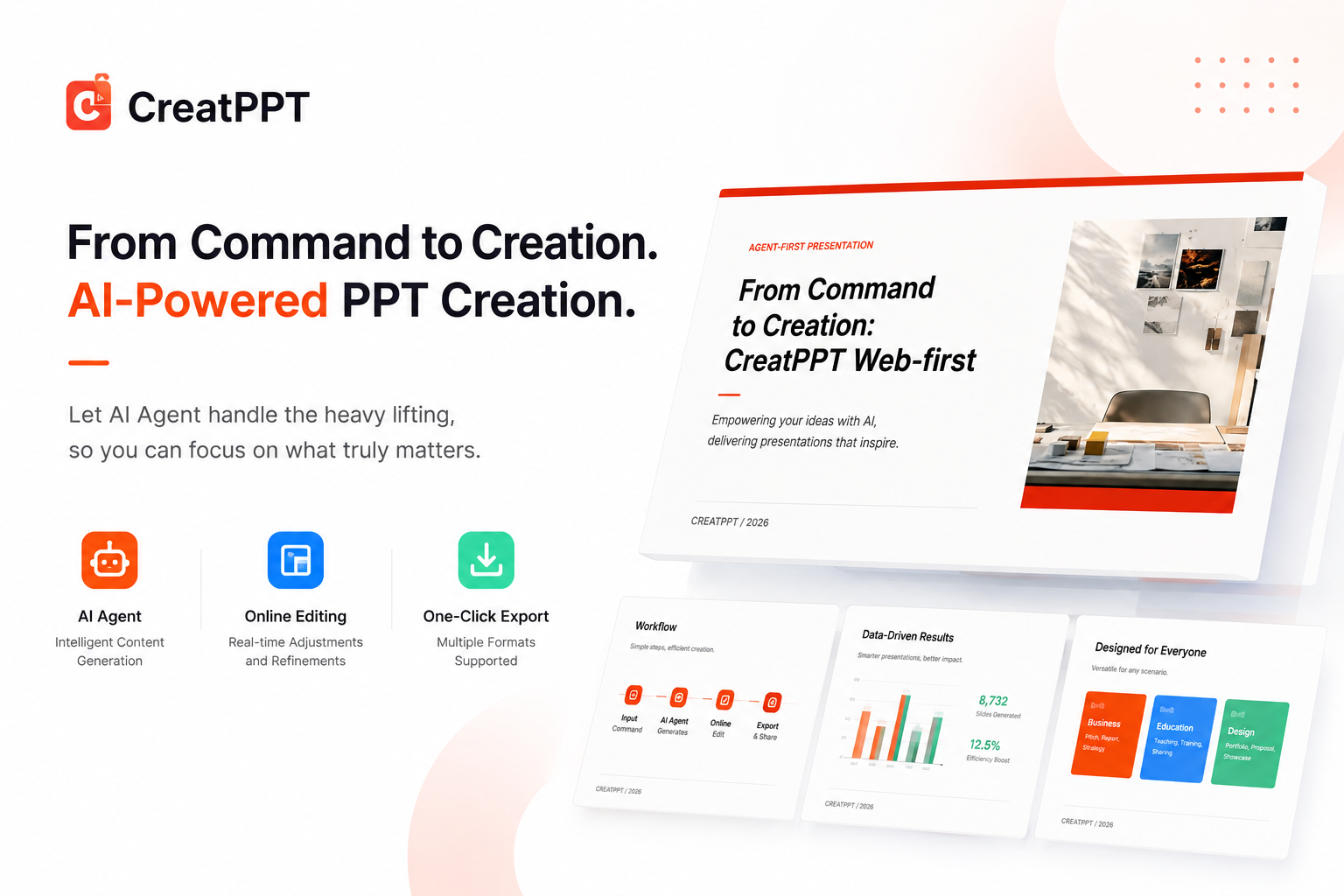
Brief in. Editable workspace out.
Give an Agent one command, review the result in the browser, and export PPTX only when it is ready.
CreatPPT is an Agent-first, Web-first presentation workspace for turning a topic or brief into a structured, editable deck.









Screenshots · Core features · Architecture · Quick start · Agent workflow · Contributing · Links
Screenshots
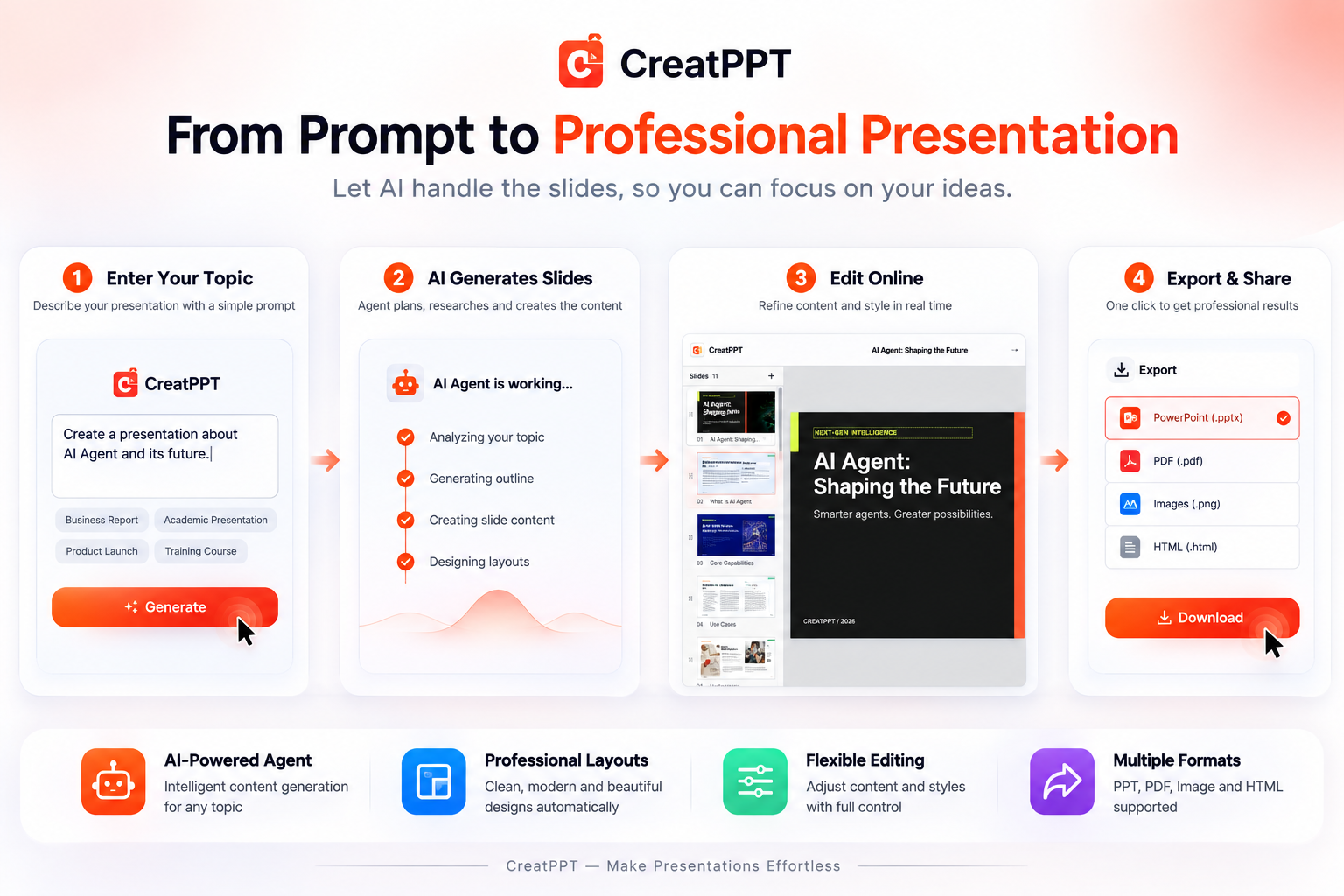
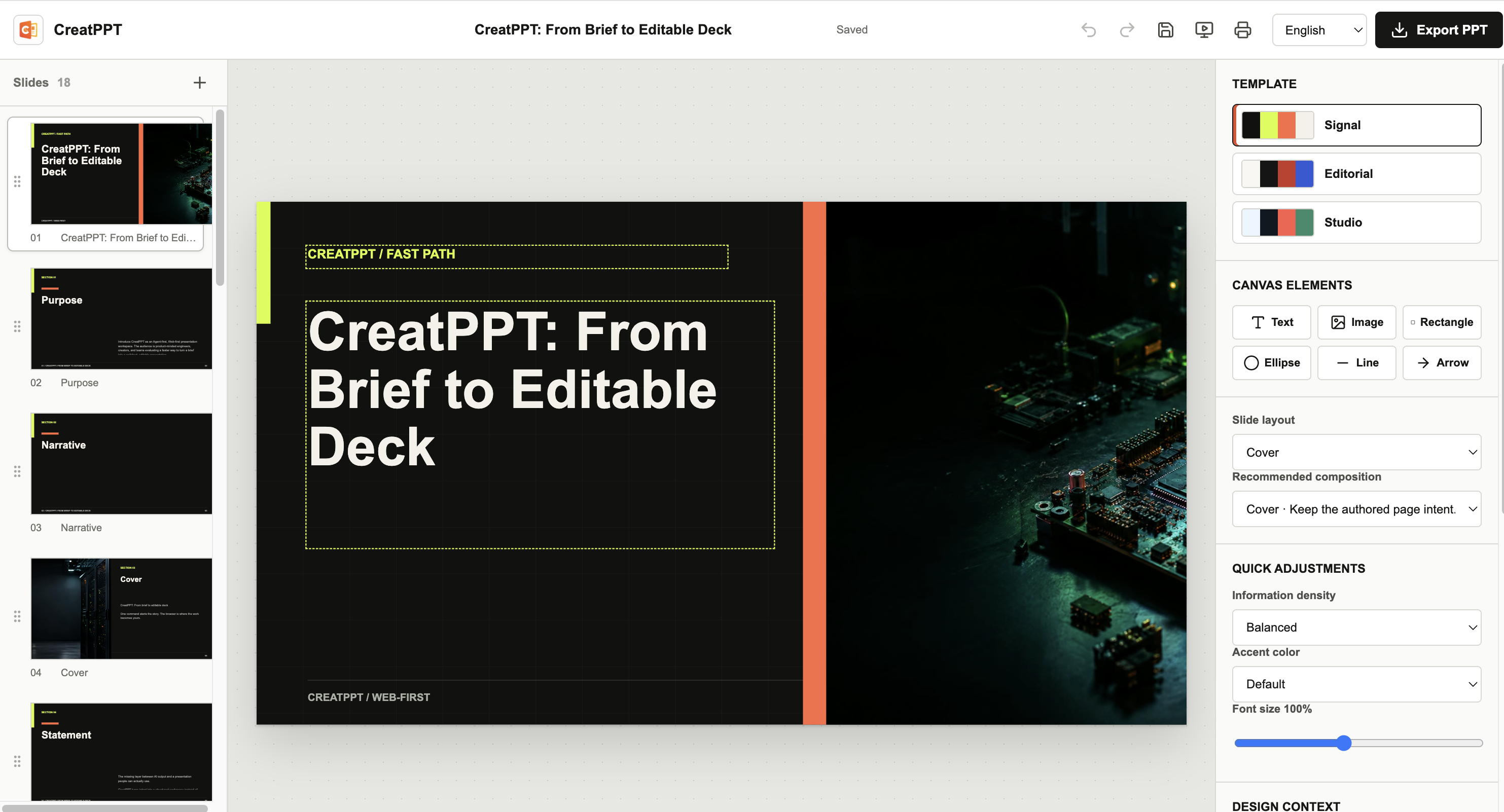
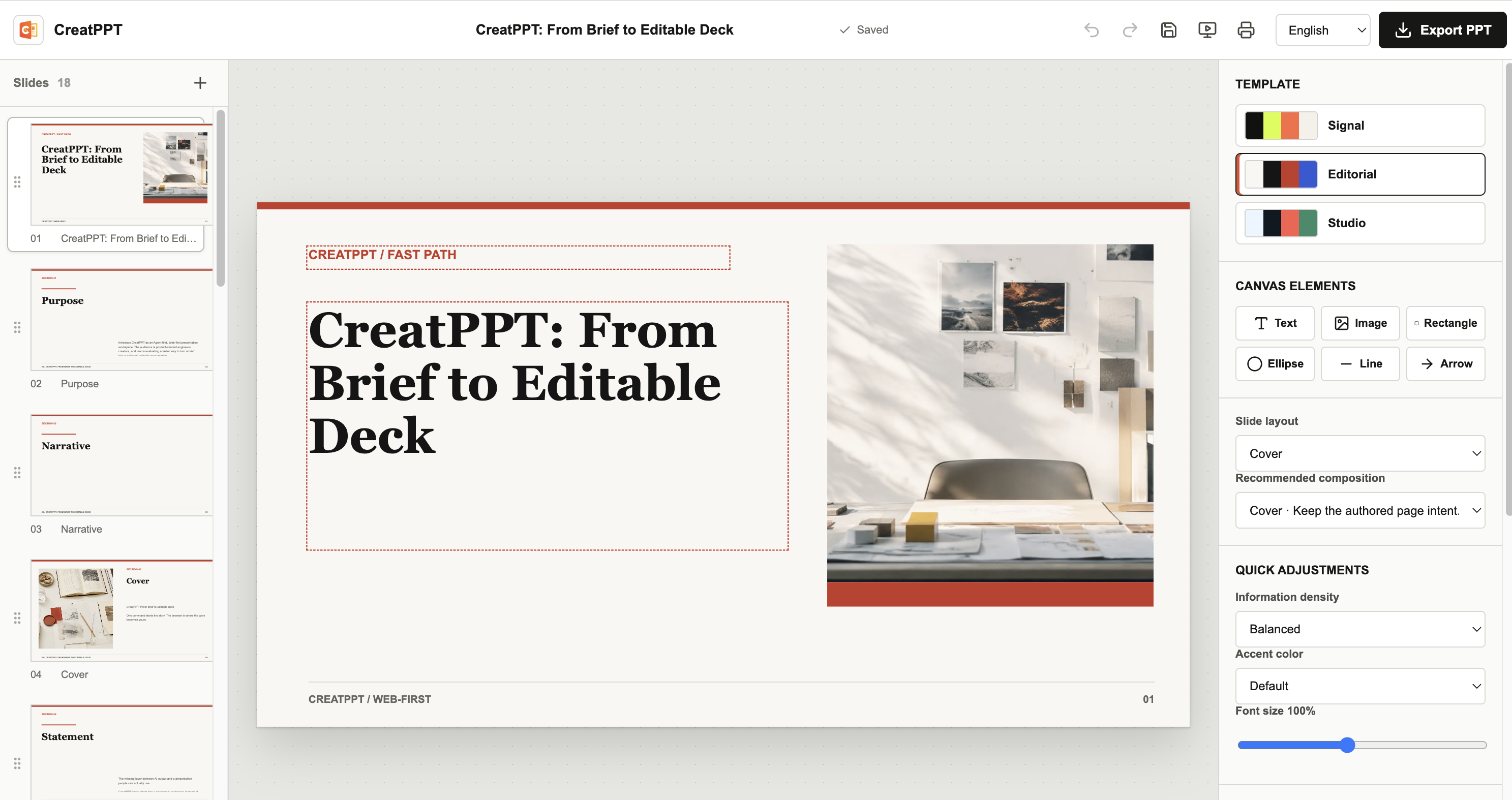
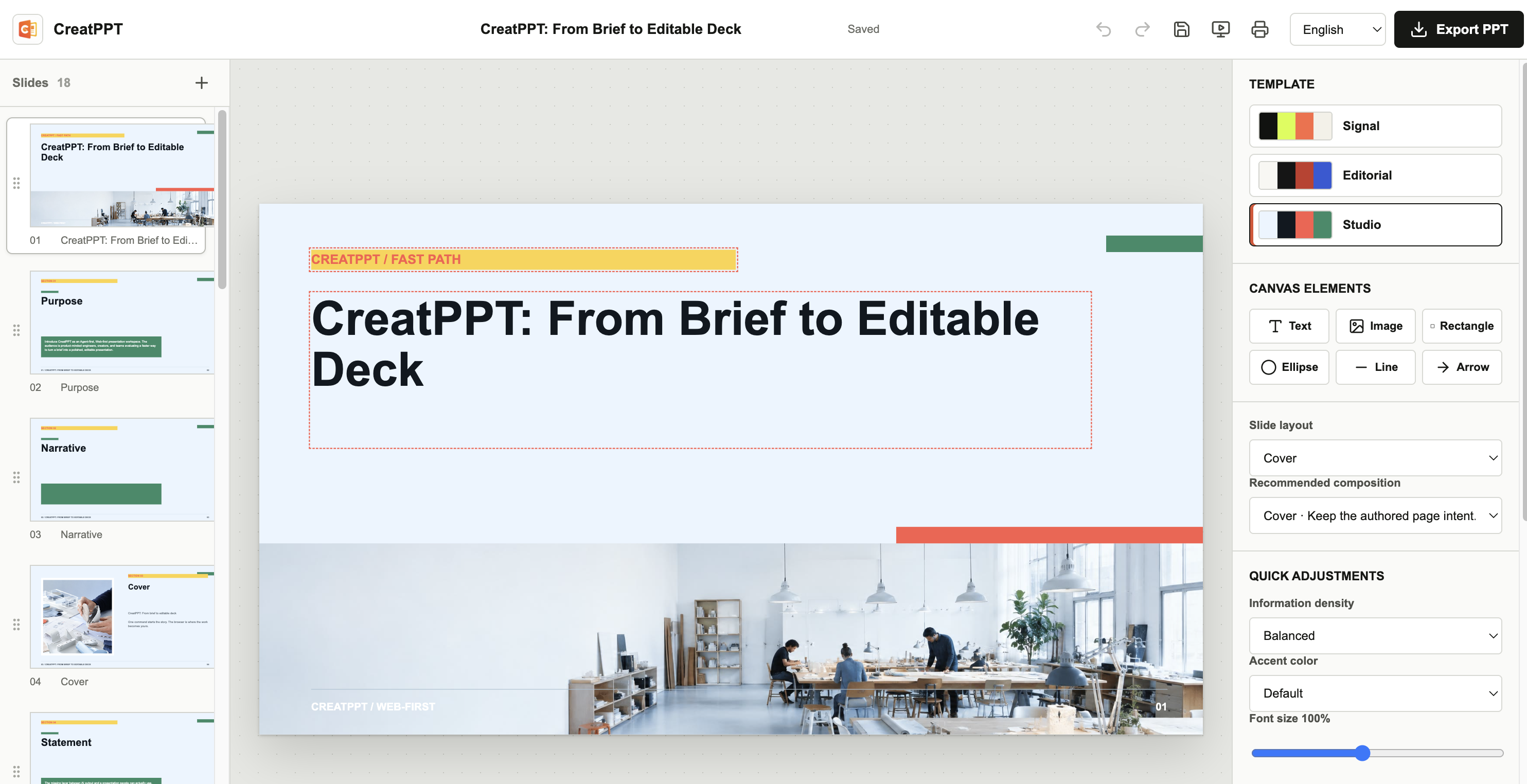
The first screen is a finished Web workspace, not an empty editor. The Agent prepares the narrative and layout; a person enters only to review, edit, and make the final export decision.
Core features
Agent-first generation
- Accept a title, Markdown, HTML, plain-text brief, or DeckSpec JSON.
- Plan audience, purpose, narrative, layout, images, and quality constraints before rendering.
- Return a delivery directory containing
deck.jsonand localassets/, not a half-finished page or a pre-generated PPTX.
Web-first editing
- Edit text, images, rectangles, ellipses, lines, and arrows directly on a 1600 x 900 canvas.
- Drag, resize, rotate, lock, duplicate, delete, reorder, align, snap, marquee-select, and nudge with the keyboard.
- Autosave, undo/redo, page sorting, template switching, presentation mode, and print/PDF support are built into the workspace.
Three visual grammars
signal, editorial, and studio have different composition rhythm, typography, density, image roles, and evidence treatment. A template switch changes the visual language while preserving user-authored content and custom assets.
Export only when ready
The Web editor and PPTX exporter consume the same semantic DeckSpec. Clicking Export PPT creates native text, images, shapes, lines, and charts; the Agent generation step never claims that a PPTX already exists.
Built-in internationalization
The editor supports English and Simplified Chinese. On first launch it follows navigator.languages / navigator.language, then remembers a manual choice in local storage and synchronizes <html lang>.
Fast, bounded npm delivery
The browser client is bundled at build time, the Node CLI embeds its schemas, and the public package keeps only commander as a runtime dependency. Starter photographs are compressed to JPEG and npm/npx unpack them automatically.
Quality gates for Agents and CI
Schema validation, showcase checks, asset checks, managed serve/health/stop lifecycle checks, package smoke tests, dependency audit, desktop/mobile E2E, and a Linux/macOS/Windows plus Node 20/22 matrix are part of the release path.
Architecture
brief.md / deck.json / stdin
              |
              v
        CLI intake + planner
              |
       DeckSpec v2 + assets
              |
              v
  validate -> quality -> create
              |
              v
       Web delivery workspace
       (deck.json + assets/)
              |
     human edits / autosave
              |
              v
       browser PPTX exporter
              |
              v
        editable .pptx
The main boundaries are intentionally small:
| Layer | Responsibility |
|---|---|
src/domain/ | DeckSpec schema, intake, planning, templates, layouts, geometry, and quality rules |
src/cli.ts | create, import, plan, validate, serve, health, and stop for Agent orchestration |
src/components/ | Web editor, canvas interaction, inspector, page rail, and presentation mode |
src/editor/ | Selection, history, autosave, freeform scene elements, and template-aware state |
src/export/ | Lazy, user-triggered PPTX generation |
src/server/ | Local delivery file API and static workspace server |
starter/ | Compressed, curated template assets |
deck.json is the durable semantic source. Web and PPTX rendering share the same content model and geometry tokens, but they are separate renderers; the project promises editable structure and a consistent visual language, not pixel identity across every Office version.
Quick start
Requirements: Node.js 20 or newer. npx is included with npm.
Use the published package
npx @seekskyworld/creatppt@latest create "Product launch plan" \
  --out ./delivery \
  --template editorial \
  --slides 11 \
  --background --open --json
The command creates a complete Web workspace and prints its URL. Open it in a browser, review the pages, edit what matters, and click Export PPT when the deck is ready. The generation command writes only deck.json and assets/.
Start from a brief
cat > brief.md <<'EOF'
---
audience: Product and design leads
purpose: Align on the next release
template: studio
language: en
---

# A focused release plan

> One decision per page, with evidence and a clear next step.
EOF

npx @seekskyworld/creatppt@latest create --from ./brief.md \
  --out ./delivery --serve --open --json
If you want to create first and open later, omit --serve --open, then run npx @seekskyworld/creatppt@latest serve ./delivery --open.
Use from DeepSeek Harness
CreatPPT is also distributed as an installable DeepSeek Harness bundle. Install it into a profile with the Harness CLI:
dsh plugin --profile web add @seekskyworld/creatppt
The bundle registers one model-callable create_presentation tool. Give it a title or brief; it runs the same CreatPPT pipeline and returns the delivery directory, Web workspace URL, page count, media summary, and warnings. The normal npx command remains available, and the bundle does not add a second confirmation flow or a native Harness UI.
For local development, build the repository first, then install the checkout into a profile:
npm ci
npm run build
dsh plugin --profile web add .
The bundle manifest is dsh.bundle in package.json; cordis.patch.yml mounts the @seekskyworld/creatppt/dsh entry point. DeepSeek Harness is currently a technical preview, so test against a compatible Harness release before publishing a new bundle version.
Run from a local checkout
npm ci
npm run build
node dist/node/cli.js create --from ./brief.md \
  --out ./delivery --serve --open --json
Agent workflow
Agents should work in a directory outside the CreatPPT source checkout and pass a structured result to the person or the next Agent:
npx @seekskyworld/creatppt@latest validate ./work/deck.json --showcase --json
npx @seekskyworld/creatppt@latest create --from ./work/deck.json \
  --out ./delivery --variants 3 --json
npx @seekskyworld/creatppt@latest serve ./delivery \
  --host 127.0.0.1 --port auto --background --json
npx @seekskyworld/creatppt@latest health ./delivery --json
# after the browser review
npx @seekskyworld/creatppt@latest stop ./delivery --json
The JSON result includes projectDir, deckPath, schema version, quality summary, URL, PID, and the invariant pptxGenerated: false. An Agent should not open a blank editor for approval, manually unzip starter assets, or export a PPTX before the user asks for it.
Each template owns six starter images. Automatic filling uses only the selected
template pool, in stable order, without repeating an automatically inserted
image in the same deck. The other starter images are copied only so a later
template switch has local assets available. Images explicitly supplied by an
Agent or user are preserved as authored and are not de-duplicated. Keep the
returned URL available until review is complete; stop makes that URL
unavailable.
The JSON response includes media.total, media.automatic, media.manual, and
media.uniqueSources, so an Agent can report actual page usage separately from
the complete copied starter library. Maintainers adding a template should add a
registry entry and six images, then run the normal test and build commands.
Human vs Agent responsibilities
| Human | Agent |
|---|---|
| Confirm meaning, brand, images, and final wording | Interpret the brief and plan the narrative |
| Make high-value edits in the Web workspace | Validate schema, assets, density, and layout |
| Click Export PPT after review | Return the delivery path and optional local URL |
Templates and layouts
| Template | Visual language | Good for |
|---|---|---|
signal | Dark, high-contrast, evidence-led | Product strategy and technical narratives |
editorial | Bright, restrained, reading-first | Research, reviews, and point-of-view reports |
studio | Light, spacious, process-oriented | Brand proposals and creative workshops |
Supported intents include cover, agenda, statement, metrics, split, comparison, chart, timeline, gallery, quote, and closing.
Contributing
npm ci
npm run check
npm run audit:release
npm run test:e2e
npm run test:e2e:built
npm run test:serve:built
npm run package:smoke
npm pack --dry-run
Pull requests should explain user-visible behavior, preserve the DeckSpec contract, and include tests for changes to layout, export, editor interaction, or release boundaries. UI changes should be checked in both English and Simplified Chinese and at desktop and mobile widths.
Read the contribution guide, security policy, and code of conduct before opening a PR or reporting a sensitive issue.
The release workflow runs on pull requests and main pushes across Linux, macOS, and Windows with Node 20 and 22. A matching v<package.version> tag runs the browser and package gates, dependency audit, npm provenance publication through GitHub Actions OIDC, and GitHub Release creation.
Links
- Repository
- npm package
- Releases
- Issues
- Linux.do - community discussion
- Architecture and runtime flow
- Agent skill contract
- Contribution guide
- Security policy
- Code of conduct
License
CreatPPT code and documentation are released under the Apache License 2.0. Third-party dependencies, fonts, images, brand assets, and user-provided material retain their own licenses; verify redistribution rights before publishing a deck or starter asset.
The public package is @seekskyworld/creatppt. npm and npx automatically unpack its runtime and compressed starter assets; the package does not include .golutra/, project/, build caches, or generated delivery directories.