ES Drager Drag Component
November 18, 2024 · View on GitHub

| ES Drager | |||
|---|---|---|---|
| Draggable | Resizable | Rotatable | |
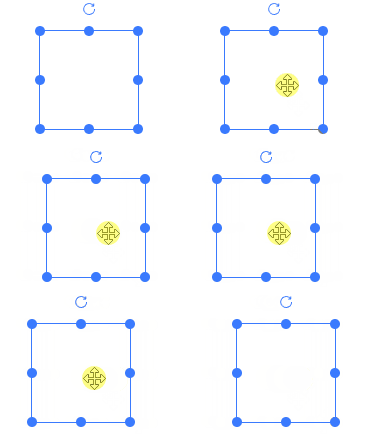
|
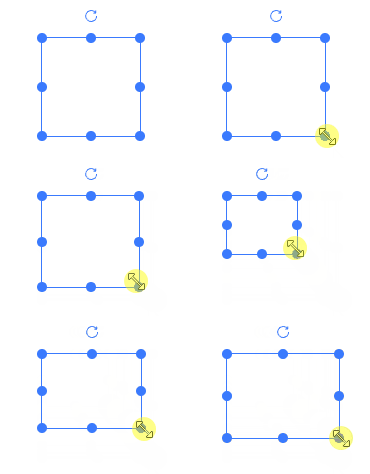
|
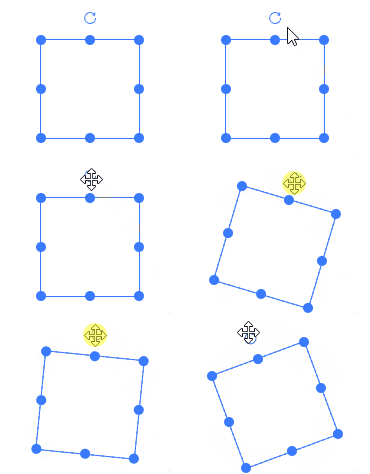
|
|
🌈 Introduction
A component for draggable, resizable, and rotatable elements based on vue3.x + CompositionAPI + TypeScript + Vite.
- Draggable & Area Drag
- Supports resizing
- Rotation
- Grid-based drag and resize
Comprehensive Example
Below is a simple visual drag-and-drop editor implemented using es-drager.
⚡ Usage Instructions
Install Dependencies
npm i es-drager
Global Registration
import { createApp } from 'vue'
import App from './App.vue'

import 'es-drager/lib/style.css'
import Drager from 'es-drager'

createApp(App)
  .component('es-drager', Drager)
  .mount('#app')
- Usage
<template>
  <es-drager>
    drager
  </es-drager>
</template>
Use Directly in Components
<template>
  <Drager>
    drager
  </Drager>
</template>

<script setup lang='ts'>
import Drager from 'es-drager'
</script>
Browser Direct Import
Directly import es-drager using the HTML script tag, then you can use the global variable ESDrager.
<!DOCTYPE html>
<html lang="en">
<head>
  <meta charset="UTF-8">
  <meta http-equiv="X-UA-Compatible" content="IE=edge">
  <meta name="viewport" content="width=device-width, initial-scale=1.0">
  <link rel="stylesheet" href="https://unpkg.com/es-drager/lib/style.css">
  <title>Document</title>
</head>
<body>
  <div id="app">
    <es-drager>drager</es-drager>
  </div>

  <script src="https://unpkg.com/vue@3/dist/vue.global.js"></script>
  <script src="https://unpkg.com/es-drager"></script>
  <script>
    const { createApp } = Vue
    const app = createApp({})
    app.use(ESDrager)
    app.mount('#app')
  </script>
</body>
</html>
Drager API
Drager Properties
| Property Name | Description | Type | Default |
|---|---|---|---|
| tag | Component's is attribute | ^[string] | div |
| type | rect, text, image | ^[string] | rect |
| width | Width | ^[number] | 100 |
| height | Height | ^[number] | 100 |
| left | Horizontal offset | ^[number] | 0 |
| top | Vertical offset | ^[number] | 0 |
| angle | Rotation angle | ^[number] | 0 |
| color | Color | ^[string] | #3a7afe |
| resizable | Resizability | ^[boolean] | true |
| rotatable | Rotatability | ^[boolean] | - |
| boundary | Check boundary (nearest positioned parent) | ^[boolean] | - |
| disabled | Disable | ^[boolean] | - |
| minWidth | Minimum width | ^[number] | - |
| minHeight | Minimum height | ^[number] | - |
| maxWidth | Maximum width | ^[number] | - |
| maxHeight | Maximum height | ^[number] | - |
| selected | Control selection | ^[boolean] | - |
| checkCollision | Enable collision detection | ^[boolean] | - |
| snapToGrid | Enable grid | ^[boolean] | - |
| gridX | Grid size in X | ^[number] | 50 |
| gridY | Grid size in Y | ^[number] | 50 |
| snap | Open adsorption | ^[boolean] | - |
| snapThreshold | Adsorption threshold | ^[number] | 10 |
| markline | markline(custom) | ^[boolean]^ | |
| scaleRatio | Scaling ratio | ^[number] | 1 |
| disabledKeyEvent | Disable arrow key movement | ^[boolean] | - |
| border | Show border | ^[boolean] | true |
| aspectRatio | Width-to-height ratio | ^[boolean] | - |
| equalProportion | Equal width and height | ^[boolean] | - |
| resizeList | Displayed resize handle list, e.g., top, bottom, left, right, top-left, top-right, bottom-left, bottom-right | ^[string[]] | - |
Drager Events
| Event Name | Description | Type |
|---|---|---|
| change | Position and size change | ^[Function](dragData) => void |
| drag | Dragging in progress | ^[Function](dragData) => void |
| drag-start | Drag start | ^[Function](dragData) => void |
| drag-end | Drag end | ^[Function](dragData) => void |
| resize | Resizing in progress | ^[Function |
](dragData) => void |
| resize-start | Resize start | ^[Function](dragData) => void |
| resize-end | Resize end | ^[Function](dragData) => void |
| rotate | Rotation in progress | ^[Function](dragData) => void |
| rotate-start | Rotation start | ^[Function](dragData) => void |
| rotate-end | Rotation end | ^[Function](dragData) => void |
dragDatatype
export type DragData = {
  width: number
  height: number
  left: number
  top: number
  angle: number
}
Drager Slots
| Slot Name | Description |
|---|---|
| default | Custom default content |
| resize | Resize handle |
| rotate | Rotate handle |