Home Assistant Real-Time Sports Score Card
May 30, 2025 · View on GitHub
A Home Assistant frontend custom card that will display real-time updates for teams tracked with the ha-teamtracker integration by @vasqued2. Has custom in-game layouts for football, baseball, basketball, soccer, hockey, volleyball, golf, tennis, mma, and racing.
This card was strongly based on the fantastic ha-nfl-card by @D34DC3N73R.
Version Compatibility
- Releases for ha-teamtracker and ha-teamtracker-card will follow the MAJOR.MINOR.PATCH convention.
- All teamtracker and teamtracker-card releases with the same MAJOR and MINOR version numbers will be compatible, regardless of PATCH version.
- For example, any teamtracker v0.2.x will be compatible with any teamtracker-card v0.2.y.
- Compatibility is not guaranteed across MAJOR or MINOR version numbers.

PRE Game Examples


IN Game Examples


POST Game Examples


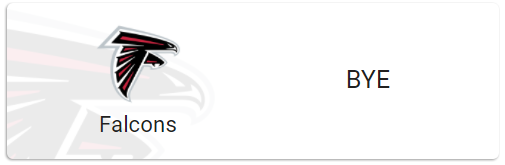
NOT_FOUND (No Upcoming Game, API Error) and BYE Examples


HACS Installation
Use this button:

OR Manually
- Open the HACS section of Home Assistant.
- Click the "+ EXPLORE & DOWNLOAD REPOSITORIES" button in the bottom right corner.
- In the window that opens search for "Team Tracker Card".
- Select "Team Tracker Card" from the list
- Select the "Download" button in the buttom right corner.
- Select "Download" from the window to download the button.
- When given the Option, Reload.
- HACS should automatically add the following to your resources:
url: /hacsfiles/ha-teamtracker-card/ha-teamtracker-card.js
type: Javascript Module
Manual Installation
- Download ha-teamtracker-card.js
- Copy to www/community/ha-teamtracker-card/ (make the ha-teamtracker-card directory first)
- Add the following to your resources
url: /hacsfiles/ha-teamtracker-card/ha-teamtracker-card.js
type: Javascript Module
Adding the Card to the Dashboard
Add a Manual card to the dashboard and enter the YAML to configure it as desired.
Options
| Name | Description | Default | Required | Values |
|---|---|---|---|---|
entity | Name of ha-teamtracker sensor | sensor.team_tracker | Yes | Valid sensor |
card_title | Overrides show_league and displays the specified string at the top of the card | None | No | Any string value |
home_side | Force the home team to the left or right side of scoreboard | Team displayed on left and opponent displayed on right | No | left right |
outline | Outline team colors (helpful w/ dark themes) | false | No | true false |
outline_color | Specifies outline color. | white | No | CSS color or hex value |
show_timeouts | Specifies if timeout indicators should be shown. | true | No | true false |
show_rank | Specifies if team rank should be shown. | true | No | true false |
show_league | Specifies if league should be shown at the top of the card. | false | No | true false |
team_url | Provides an override url when the Home logo is tapped or 'more-info' to allow for more-info to be displayed on double-tap. | No override | No | Any valid URL (i.e. "https://www.espn.com") or "more-info" |
opponent_url | Provides an override url when the Oppenent logo is tapped or 'more-info' to allow for more-info to be displayed on double-tap. | No override | No | Any valid URL (i.e. "https://www.espn.com") or "more-info" |
bottom_url | Provides an override url when the bottom of the card is tapped or 'more-info' to allow for more-info to be displayed double-tap. | No override | No | Any valid URL (i.e. "https://www.espn.com") or "more-info" |
Examples
Example 1
type: 'custom:teamtracker-card'
entity: sensor.team_tracker
outline: true
outline_color: deeppink

Example 2
type: 'custom:teamtracker-card'
entity: sensor.team_tracker
outline: true
outline_color: '#ffe500'

Example 3
type: 'custom:teamtracker-card'
entity: sensor.team_tracker
outline: true
outline_color: lightgray
show_timeouts: false
show_rank: true

Minimal Required Configuration
type: 'custom:teamtracker-card'
entity: sensor.team_tracker
Where sensor.team_tracker is the sensor name from the ha-teamtracker integration.