vrEmuTms9918 - TMS9918 / TMS9918A / TMS9929A VDP Emulator
March 30, 2025 · View on GitHub

TMS9918 emulator. Core engine written in C99. Zero dependencies.
The goal is to emulate all documented modes listed in the TMS9918A/TMS9928A/TMS9929A datasheet
Supported Modes
- Graphics I (including sprites)
- Graphics II (including sprites)
- Multicolor mode (including sprites)
- Text
Other features
- 5th sprite
- Sprite collisions
- VSYNC interrupt
- Individual scanline rendering
PICO9918
This library is also being used in the PICO9918 project. A drop-in replacement for a physical TMS9918A powered by a Raspberry Pi Pico.

The PICO9918 running in an original TI-99/4A:
Don't mess with Texas!
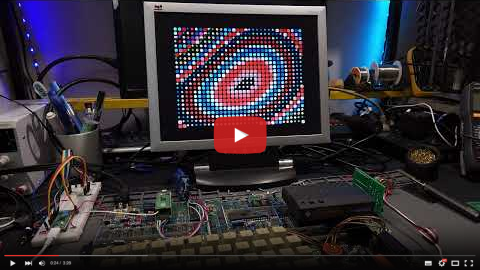
See github.com/visrealm/pico9918
Demos:
Graphics Mode I Demo

Graphics Mode II Demo

Text Mode Demo

Multicolor Mode Demo

Building
vrEmuTms9918 uses the CMake build system
Checkout repository
git clone https://github.com/visrealm/vrEmuTms9918.git
cd vrEmuTms9918
Setup build
mkdir build
cd build
cmake ..
Build
cmake --build .
Windows: Optionally, open the generated solution file
Run tests
ctest
Windows: Optionally, build the ALL_TESTS project in the generated solution file
Quick start
#include "vrEmuTms9918.h"
#include "vrEmuTms9918Util.h"

#define TMS_VRAM_NAME_ADDRESS          0x3800
#define TMS_VRAM_COLOR_ADDRESS         0x0000
#define TMS_VRAM_PATT_ADDRESS          0x2000
#define TMS_VRAM_SPRITE_ATTR_ADDRESS   0x3B00
#define TMS_VRAM_SPRITE_PATT_ADDRESS   0x1800

// program entry point
int main()
{
  // create a new tms9918
  VrEmuTms9918 *tms9918 = vrEmuTms9918New();

  // Here, we're using the helper functions provided by vrEmuTms9918Util.h
  //
  // In a full system emulator, the only functions required (connected to the system bus) would be:
  //
  //  * vrEmuTms9918WriteAddr()
  //  * vrEmuTms9918WriteData()
  //  * vrEmuTms9918ReadStatus()
  //  * vrEmuTms9918ReadData()
  //
  // The helper functions below wrap the above functions and are not required.
  // vrEmuTms9918Util.h/c can be omitted if you're not using them.
  //
  // For a full example, see https://github.com/visrealm/hbc-56/blob/master/emulator/src/devices/tms9918_device.c

  // set up the VDP write-only registers
  vrEmuTms9918WriteRegisterValue(tms9918, TMS_REG_0, TMS_R0_MODE_GRAPHICS_I);
  vrEmuTms9918WriteRegisterValue(tms9918, TMS_REG_1, TMS_R1_MODE_GRAPHICS_I | TMS_R1_RAM_16K);
  vrEmuTms9918SetNameTableAddr(tms9918, TMS_VRAM_NAME_ADDRESS);
  vrEmuTms9918SetColorTableAddr(tms9918, TMS_VRAM_COLOR_ADDRESS);
  vrEmuTms9918SetPatternTableAddr(tms9918, TMS_VRAM_PATT_ADDRESS);
  vrEmuTms9918SetSpriteAttrTableAddr(tms9918, TMS_VRAM_SPRITE_ATTR_ADDRESS);
  vrEmuTms9918SetSpritePattTableAddr(tms9918, TMS_VRAM_SPRITE_PATT_ADDRESS);
  vrEmuTms9918SetFgBgColor(tms9918, TMS_BLACK, TMS_CYAN);

  // send it some data (a pattern)
  vrEmuTms9918SetAddressWrite(tms9918, TMS_VRAM_PATT_ADDRESS);

  // update pattern #0
  char smile[] = {0b00111100,
                  0b01000010,
                  0b10000001,
                  0b10100101,
                  0b10000001,
                  0b10011001,
                  0b01000010,
                  0b00111100};
  vrEmuTms9918WriteBytes(tms9918, smile, sizeof(smile));

  // update fg/bg color for first 8 characters
  vrEmuTms9918SetAddressWrite(tms9918, TMS_VRAM_COLOR_ADDRESS)
  vrEmuTms9918WriteData(tms9918, vrEmuTms9918FgBgColor(TMS_BLACK, TMS_LT_YELLOW));

  // output smile pattern to screen
  vrEmuTms9918SetAddressWrite(tms9918, TMS_VRAM_NAME_ADDRESS);

  // a few smiles
  vrEmuTms9918WriteData(tms9918, 0x00);
  vrEmuTms9918WriteData(tms9918, 0x00);
  vrEmuTms9918WriteData(tms9918, 0x00);

  // render the display
  char scanline[TMS9918A_PIXELS_X]; // scanline buffer

  // an example output (a framebuffer for an SDL texture)
  uint32_t frameBuffer[TMS9918A_PIXELS_X * TMS9918A_PIXELS_Y];

  // generate all scanlines and render to framebuffer
  uint32_t *pixPtr = frameBuffer;
  for (int y = 0; y < TMS9918A_PIXELS_Y; ++y)
  {
    // get the scanline pixels
    vrEmuTms9918ScanLine(tms9918, y, scanline);

    for (int x = 0; x < TMS9918A_PIXELS_X; ++x)
    {
      // values returned from vrEmuTms9918ScanLine() are palette indexes
      // use the vrEmuTms9918Palette array to convert to an RGBA value
      *pixPtr++ = vrEmuTms9918Palette[scanline[x]];
    }
  }

  // output the buffer...

  ...


  // clean up

  vrEmuTms9918Destroy(tms9918);
  tms9918 = NULL;

  return 0;
}
Real example
This library is used in the HBC-56 emulator.
The HBC-56 uses this library to support:
- Rendering to an SDL texture.
- TMS9918 VSYNC Interrupts.
- Time-based rendering. Supports beam-time.
Full source: hbc-56/emulator/src/devices/tms9918_device.c
License
This code is licensed under the MIT license