🎯 WebRedisManager
April 20, 2026 · View on GitHub
🎯 WebRedisManager
Redis Management Made Effortlessly Simple



Still typing Redis commands one by one in the terminal? 🤔
Still struggling to remember Redis command parameters? 🤯
Still spending hours just to check a single key value? 😫
WebRedisManager is here to rescue you! 🚀
✨ What Can It Do?
Imagine all Redis operations becoming as simple and intuitive as browsing folders:
| 🎁 Feature | 💡 It's like... |
|---|---|
| Data Browser | Browsing your computer folders to view all Redis data |
| Key Editor | Editing text files to modify Redis data |
| Batch Operations | One-click select, batch delete - no more manual typing |
| Real-time Monitor | Like Task Manager showing your Redis status |
| Cluster Management | Graphical cluster node management - no complex commands needed |
| Command Terminal | Want to type commands? We have that too, with smart hints! |
Supported Data Types
📦 String   → Store strings, numbers, JSON
📦 Hash     → Store objects, like a mini dictionary
📦 List     → Store lists, like a queue
📦 Set      → Store sets, auto-deduplicate
📦 ZSet     → Store rankings, auto-sorted
🚀 Get Started in 3 Minutes
Step 1: Prerequisites
You'll need:
- ✅ A computer (Windows/Linux/macOS all work)
- ✅ .NET 8.0 Runtime installed
- ✅ A running Redis server
Step 2: Download & Run
🎮 Option 1: Download & Run (Recommended for beginners)
- Click here to download the latest version
- Extract, double-click
WebRedisManager.exe(Windows) or rundotnet WebRedisManager.dll(Linux/Mac) - Browser opens automatically at
http://localhost:16379
That's it! 🎉
🐳 Option 2: Docker One-Line Deploy
docker run -d -p 16379:80 --name redis-manager yswenli/webredis-manager
🔧 Option 3: Build from Source
git clone https://github.com/yswenli/WebRedisManager.git
cd WebRedisManager
dotnet run --project SAEA.WebRedisManager
Step 3: Connect to Redis
After opening the browser:
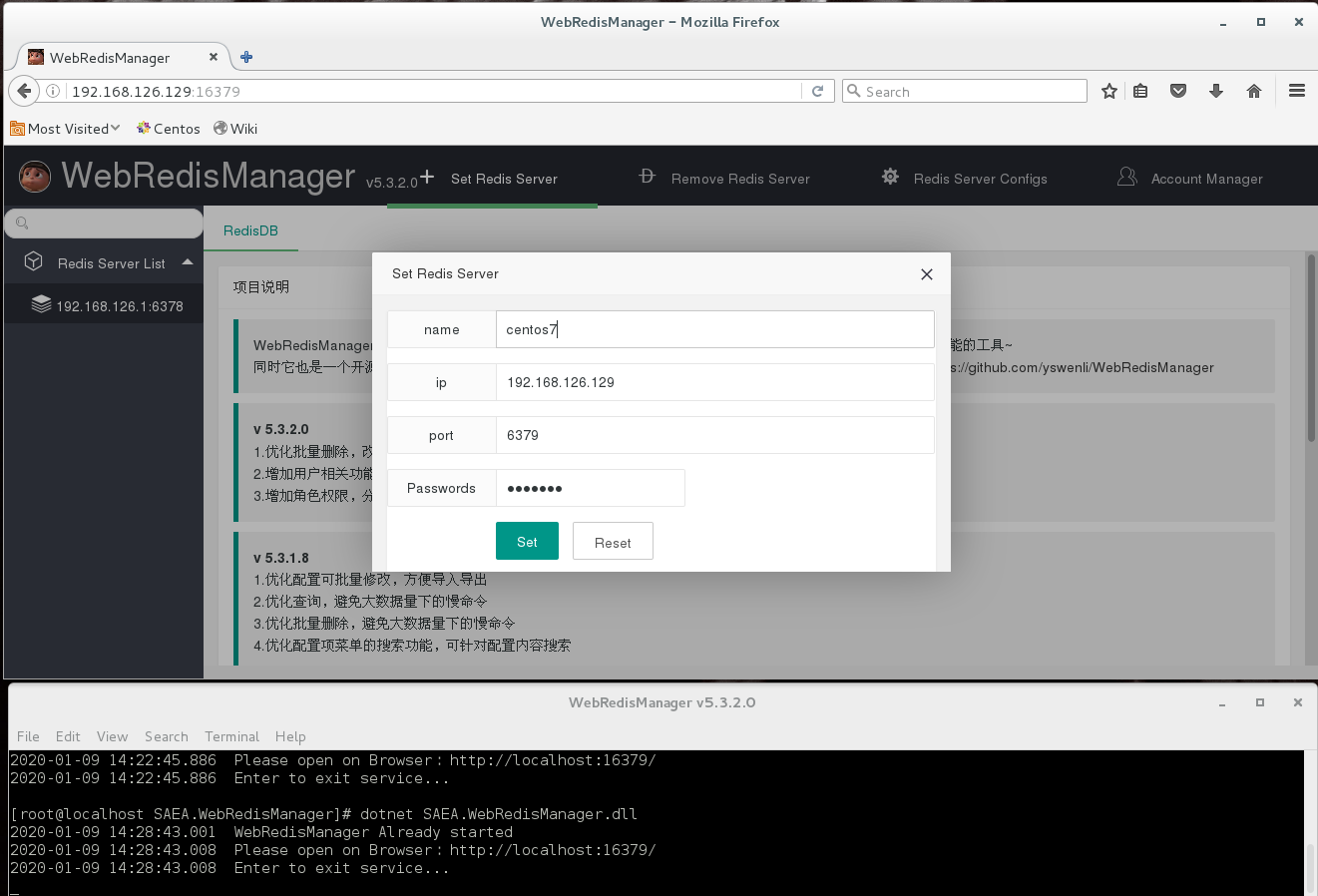
- Click "Add Connection"
- Fill in Redis address and port (local would be
127.0.0.1:6379) - Enter password if required
- Click "Connect"
Done! Start exploring your Redis data! 🎊
🎨 UI Preview
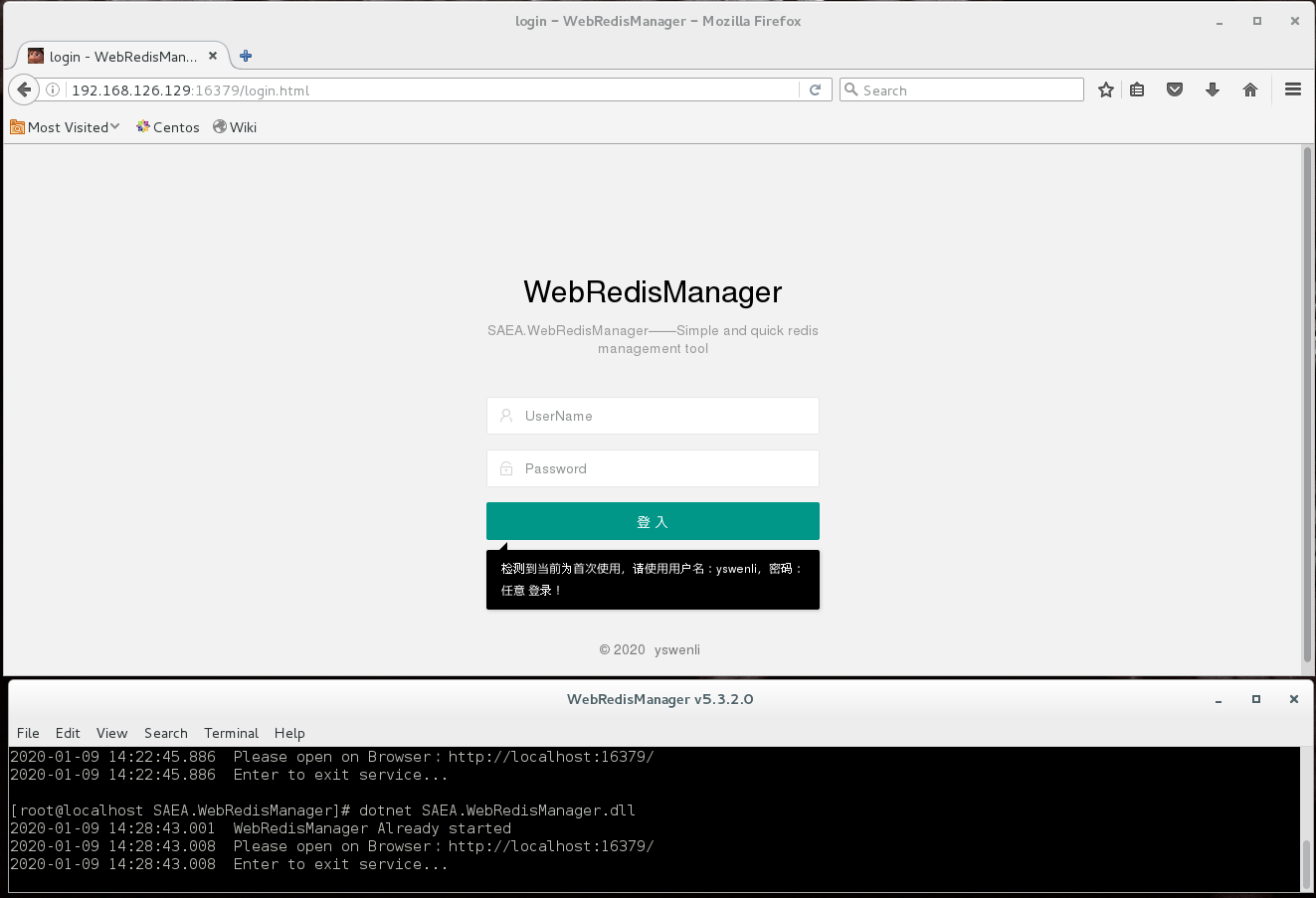
👋 Login Screen - Clean & Fresh
🏠 Main Interface - Everything at a Glance
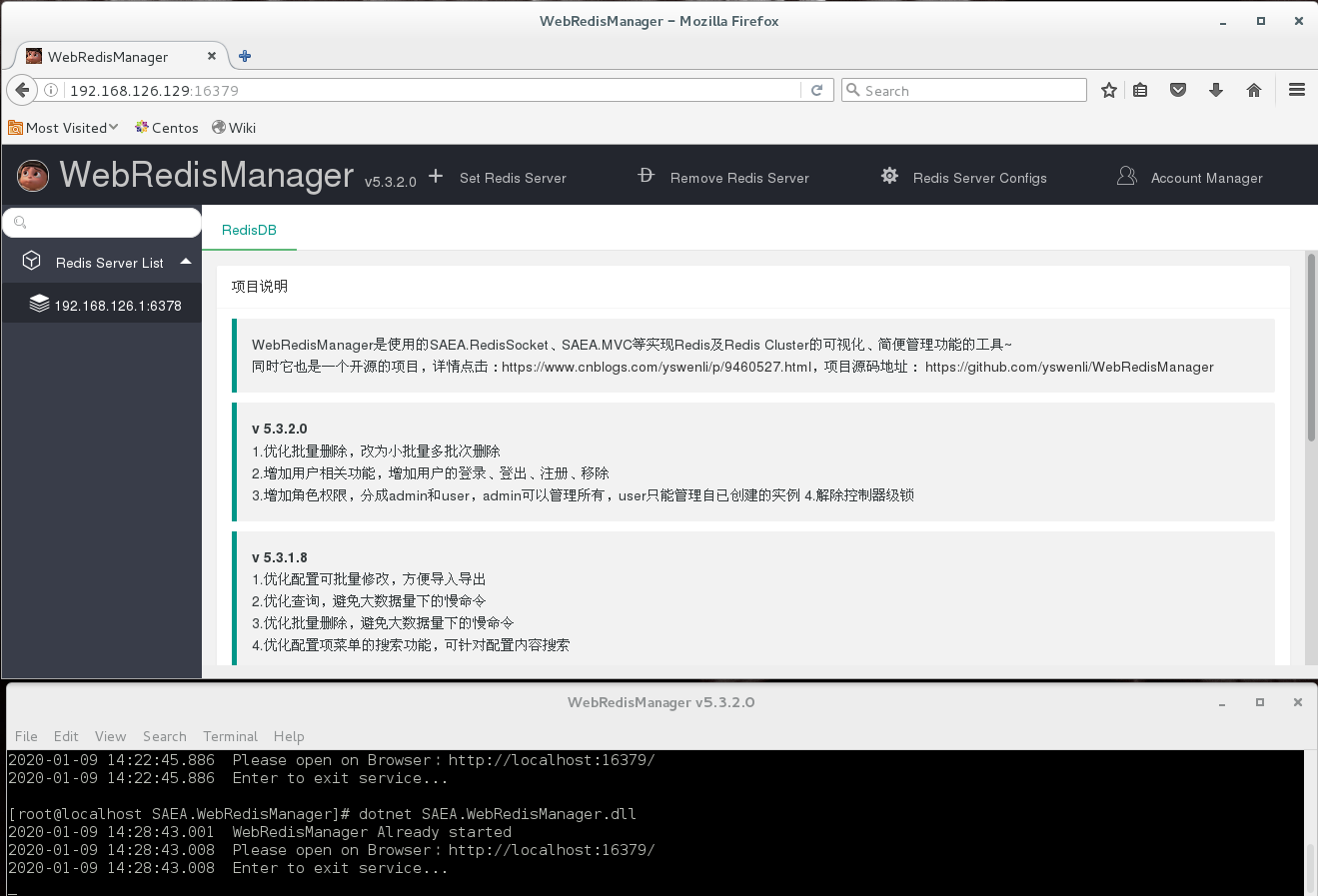 > Left: database and key tree structure; Right: data content - click to view
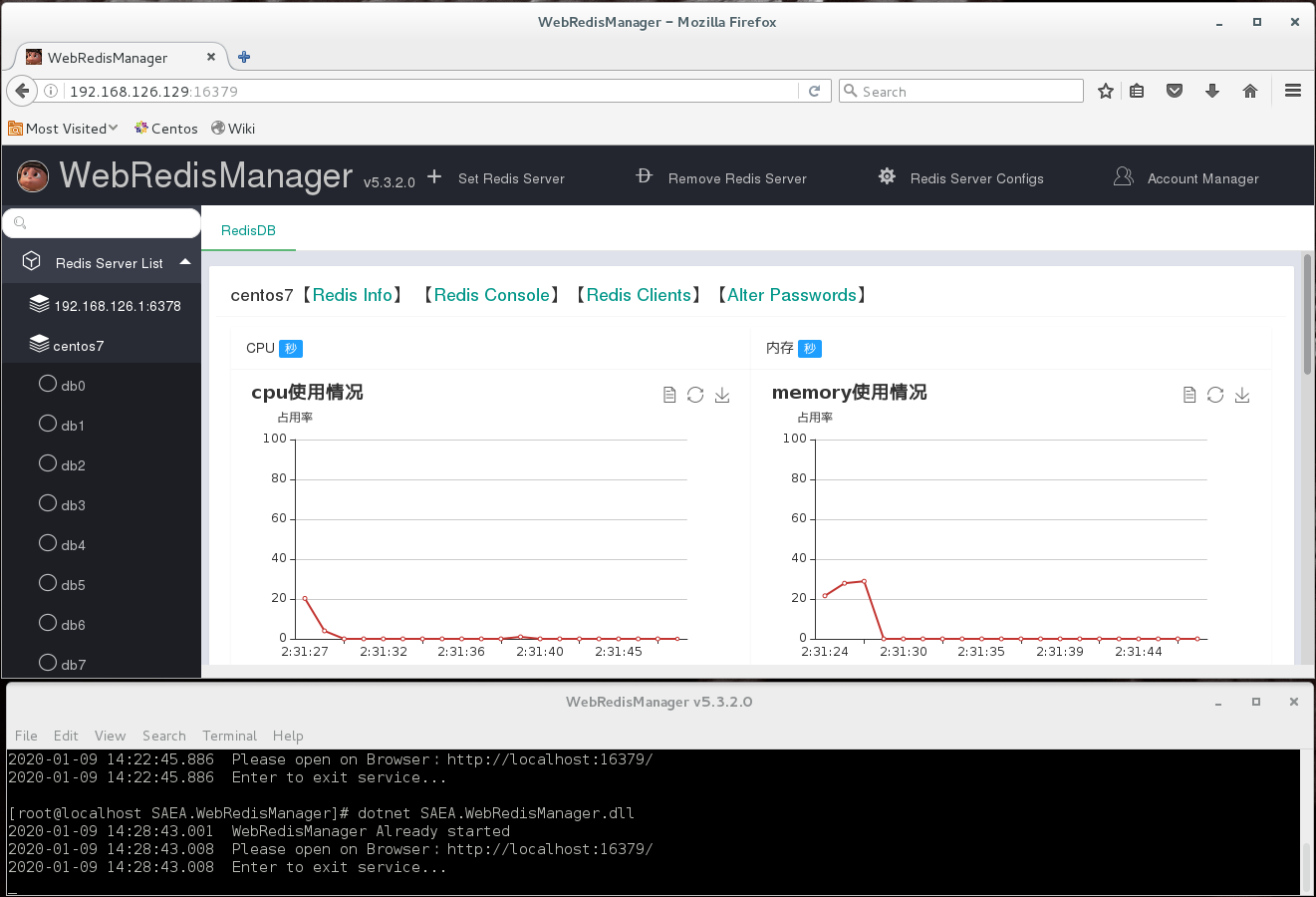
📊 Data Browser - Tree Structure
 > Like Windows Explorer - expand layers, clear and organized
✏️ Edit Data - What You See Is What You Get
 > Direct editing with JSON formatting support - save when done
🌐 Cluster Management - Visual Operations
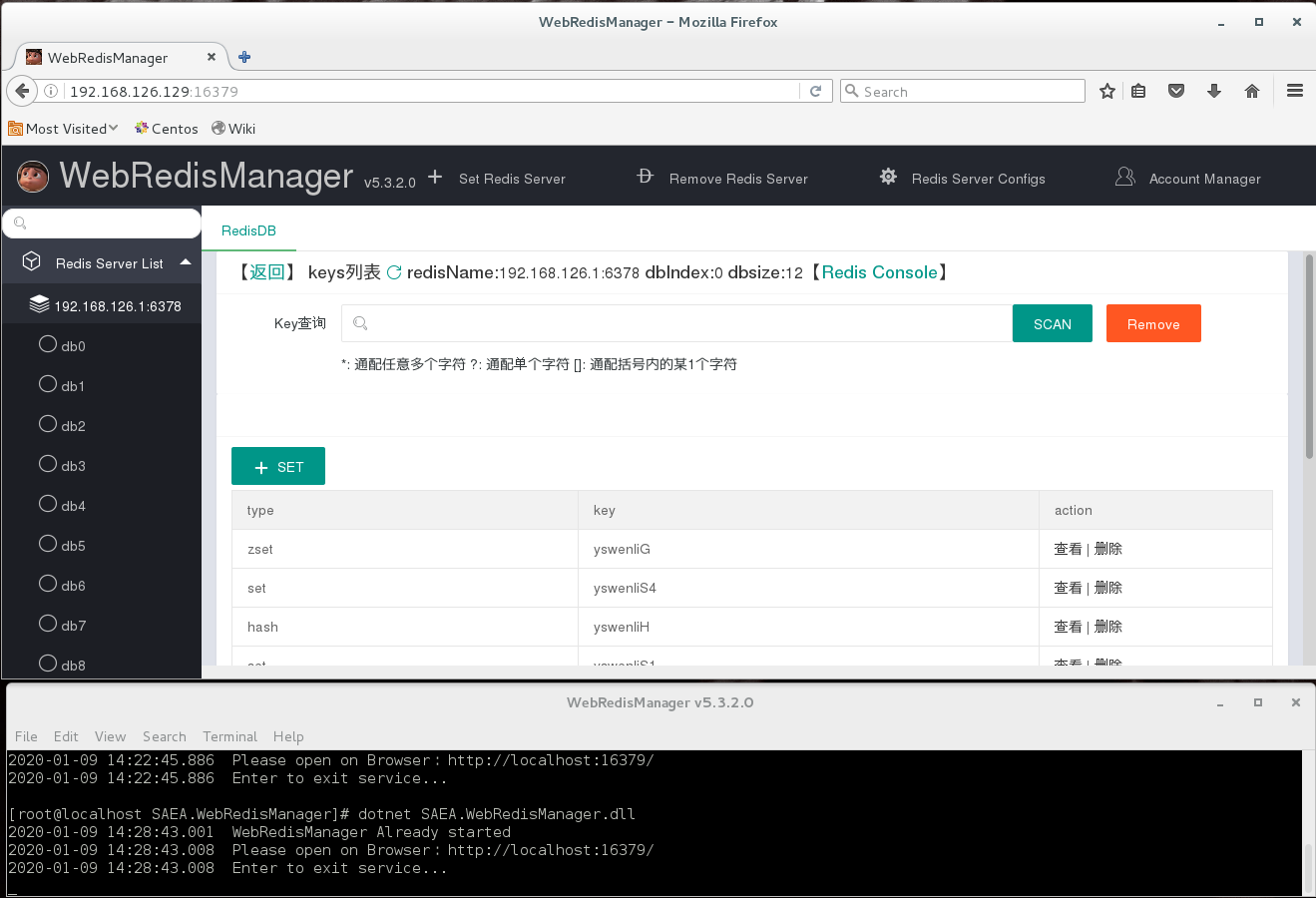 > Cluster nodes, slot allocation - all visualized
📈 Monitor Charts - Real-time Status
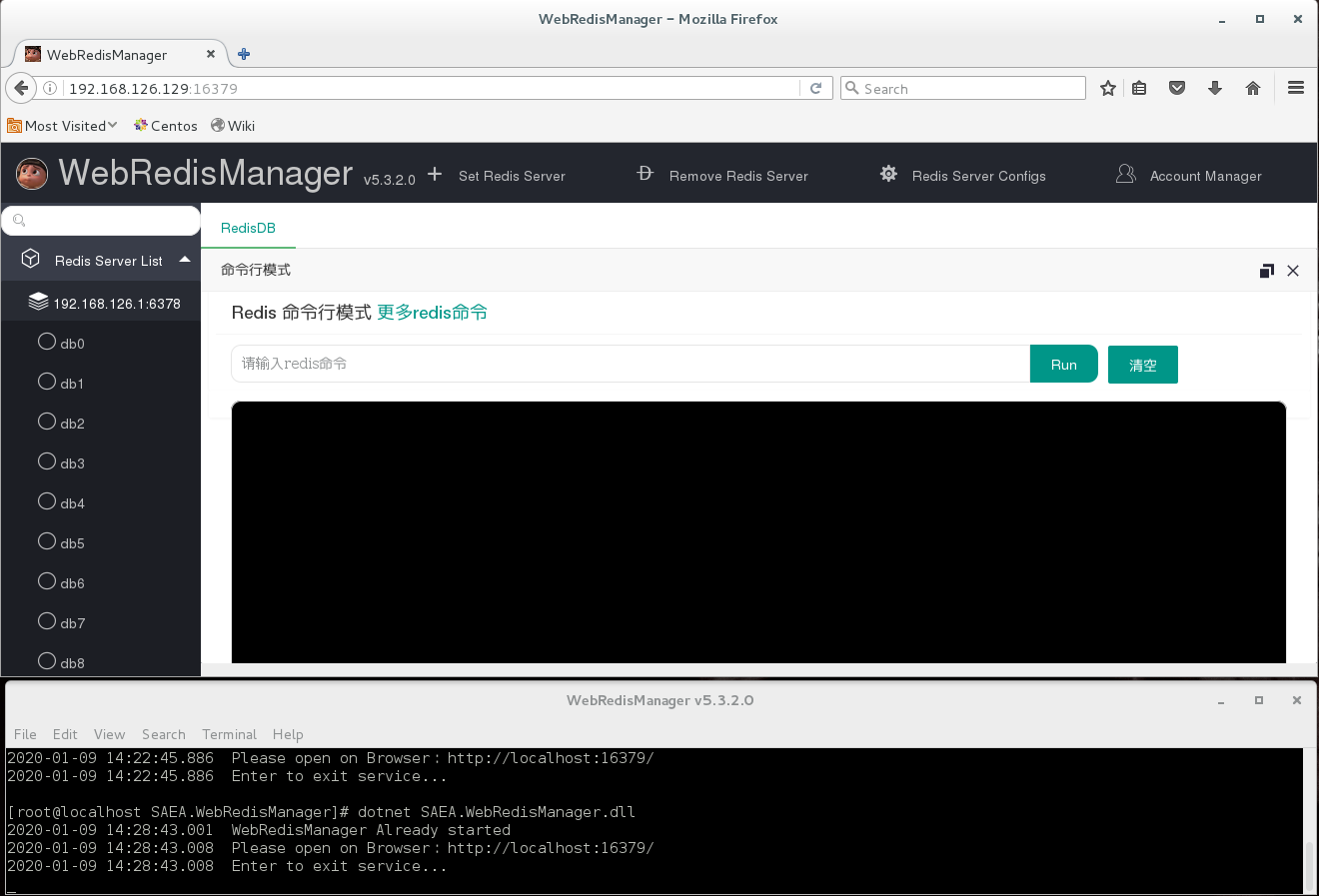 > Memory usage, connections, command stats - all visible
💻 Console - For Command Line Lovers
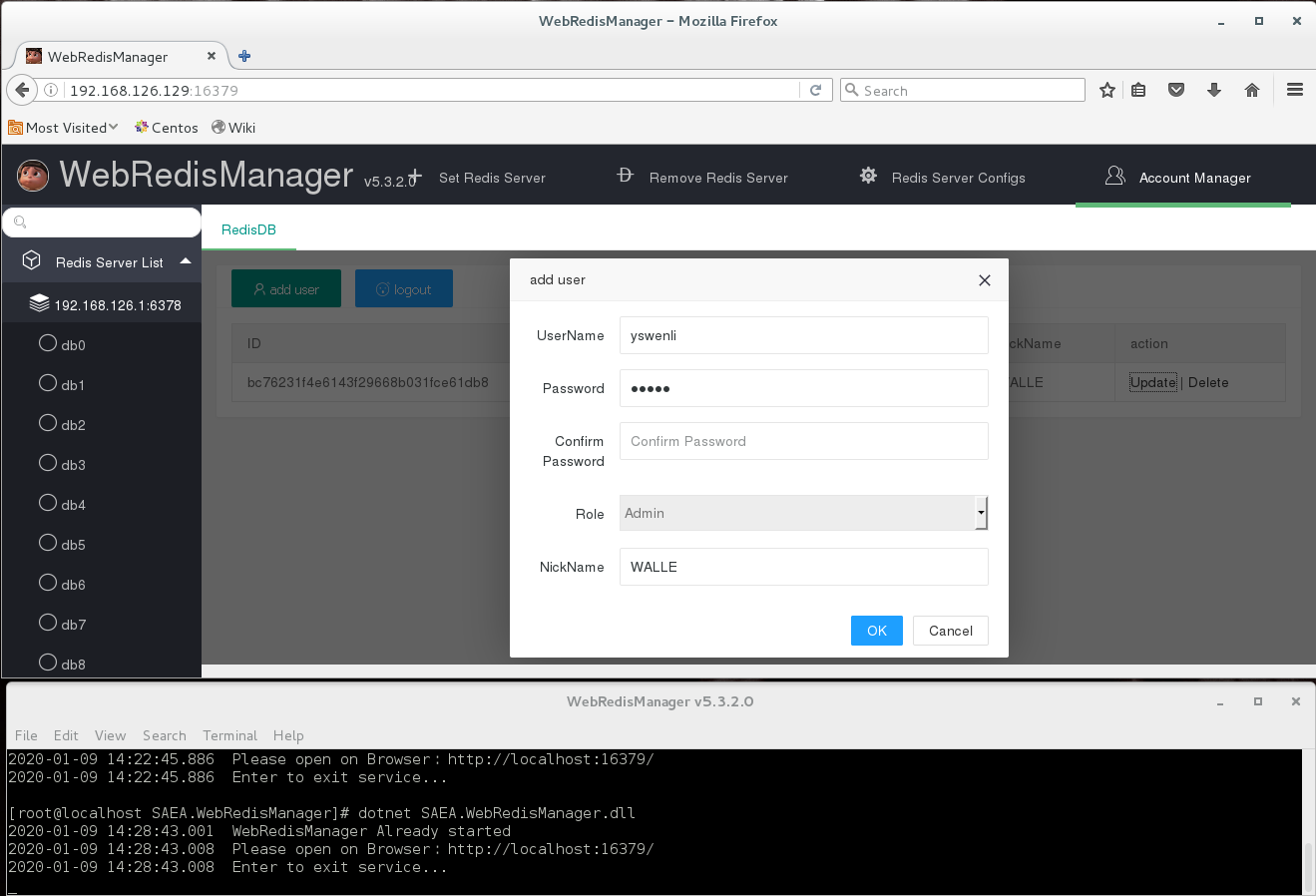 > Built-in Redis command terminal - type commands here too!
🛠️ Tech Stack
This project is built on the SAEA high-performance component series - a communication framework developed in China.
SAEA Technology Family
┌─────────────────────────────────────────────────────────────┐
│                    SAEA Tech Stack Overview                   │
├─────────────────────────────────────────────────────────────┤
│                                                              │
│   🔌 SAEA.Sockets (IOCP底层通信引擎)                          │
│      │                                                       │
│      ├── 📡 SAEA.Http        → HTTP Server                   │
│      │                                                       │
│      ├── 🌐 SAEA.MVC         → Web MVC Framework             │
│      │                                                       │
│      ├── 🔴 SAEA.RedisSocket → Redis Client                  │
│      │                                                       │
│      ├── 💬 SAEA.WebSocket   → WebSocket Service             │
│      │                                                       │
│      └── 📦 SAEA.Common      → Common Utilities              │
│                                                              │
└─────────────────────────────────────────────────────────────┘
🔌 SAEA.Sockets - High-Performance IOCP Communication Engine
In one sentence: Like installing a "turbocharger" for your program - making network communication fly!
What is IOCP?
IOCP (I/O Completion Port) is Windows' most efficient asynchronous communication model. Here's an analogy:
| Traditional Approach | IOCP Approach |
|---|---|
| Each customer needs a dedicated waiter | One waiter can serve many tables simultaneously |
| 100 customers = 100 waiters = 100 threads | 100 customers = 1 waiter = minimal threads |
| High resource consumption, prone to lag | High efficiency, smooth performance |
SAEA.Sockets Core Features
| Feature | Description | Benefit |
|---|---|---|
| BufferPool | Pre-allocated memory, reused | Reduces GC pressure, avoids memory jitter |
| Session Management | Auto connection state management | Auto reconnect, timeout handling |
| Async Event-Driven | Completion port notification | Single thread handles 10K+ concurrent |
| Protocol Encoding | Built-in encoders | TCP packet auto handling |
Performance Comparison
Traditional Socket:    5000 connections → 5ms latency  → 60% CPU
SAEA.Sockets:         5000 connections → 1ms latency  → 15% CPU

Traditional Socket:    10000 connections → 10ms latency → 80% CPU
SAEA.Sockets:         10000 connections → 2ms latency  → 25% CPU
🌐 SAEA.MVC - Lightweight Self-Hosted Web Framework
In one sentence: As good as ASP.NET Core, but lighter, faster, and simpler!
Why Choose SAEA.MVC?
| Comparison | ASP.NET Core | SAEA.MVC |
|---|---|---|
| Startup Time | 500-1000ms | 50ms |
| Memory Usage | 80-150MB | 20MB |
| Deployment | Needs Kestrel/IIS | Self-hosted, single file |
| Learning Curve | Steeper | Smooth, classic MVC style |
| Dependencies | Many | Minimal |
Core Features
🎯 Controller/Action Routing    → Familiar MVC development experience
🔒 AOP Filters                   → Permission control, logging intercept
💾 OutputCache                   → Method-level cache, 50x faster response
📡 SSE Server Push               → Real-time push without WebSocket
📁 Static File Service           → Auto cache, chunked large file transfer
Code Example: Start Web Service in 5 Lines
var config = SAEAMvcApplicationConfigBuilder.Read();
var app = new SAEAMvcApplication(config);
app.SetDefault("home", "index");
app.Start();
// That's it! Browser access localhost:28080
🔴 SAEA.RedisSocket - High-Performance Redis Client
In one sentence: The "Swiss Army Knife" for Redis operations - fast and versatile!
Core Advantages
| Feature | Description | Use Case |
|---|---|---|
| Full Data Types | String/Hash/List/Set/ZSet/GEO | Covers all Redis data structures |
| Redis Cluster | Auto redirect, slot calculation | Seamless cluster support |
| Distributed Lock | SETNX + Lua scripts | Flash sales, prevent concurrency conflicts |
| Pipeline Batch | Commands packed together | Reduces 90% network roundtrips |
| Stream Messages | Producer/Consumer | Distributed message queue |
| Pub/Sub | Publish/Subscribe | Real-time message push |
Performance Data
| Operation | QPS | Latency |
|---|---|---|
| SET | 120,000 | 0.8ms |
| GET | 150,000 | 0.6ms |
| HSET | 100,000 | 1.0ms |
| Pipeline(100 cmds) | 50,000 batch | 2ms |
Code Example: Redis Operations in 3 Lines
var client = new RedisClient("server=127.0.0.1:6379");
client.Connect();
var db = client.GetDataBase();
// Start: db.Set("key", "value"), db.Get("key")...
💬 SAEA.WebSocket - Real-time Bidirectional Communication
In one sentence: Let server and browser talk like a phone call - real-time!
Used in this project for:
- Real-time Redis monitoring data updates
- Console command real-time response
- Cluster status real-time sync
📦 SAEA.Common - Common Utility Library
Provides common utilities:
- Serialization/Deserialization
- Logging
- Configuration management
- Time/String processing
Other Tech Components
| Component | Purpose |
|---|---|
| .NET 8.0 | Runtime platform, cross-platform support |
| Layui | Frontend UI framework, classic & elegant |
| ECharts | Data visualization charts |
Default Ports
| Port | Purpose |
|---|---|
16379 | Web Management UI (SAEA.MVC) |
26379 | WebSocket real-time push |
🏗️ Project Architecture
Browser Request ──► SAEA.MVC (Port 16379)
                        │
                        ▼
                 Controllers handle business logic
                        │
                        ▼
                 Services call Redis operations
                        │
                        ▼
                 SAEA.RedisSocket connects Redis
                        │
                        ▼
                     Redis Server

WebSocket ──► SAEA.WebSocket (Port 26379)
                        │
                        ▼
                 Real-time push monitor data/command response
❓ FAQ
🔴 Q: App crashes on startup?
Don't panic! Most likely .NET 8.0 Runtime is missing.
- Download from Microsoft official site
- Or run from command line:
dotnet WebRedisManager.dll- shows specific error
🔴 Q: Cannot connect to Redis server?
Check this checklist:
- Is Redis service running?
- Is port correct? (Default 6379)
- Is firewall allowing?
- Is Redis
bindaddress correct? - Is password correct?
🔴 Q: How to connect to Redis Cluster?
Super simple! Just enter any cluster node's address, the tool auto-discovers other nodes.
Cluster slot allocation and master-slave relationships are automatically displayed.
🔴 Q: Which Redis versions are supported?
Supports Redis 3.0 and above, including:
- Standalone mode
- Sentinel mode
- Cluster mode
🤝 Want to Contribute?
Welcome! We need your help:
# 1. Fork the repo
# 2. Clone your fork
git clone https://github.com/YOUR_USERNAME/WebRedisManager.git

# 3. Create feature branch
git checkout -b feature/cool-feature

# 4. Code and test
dotnet run --project SAEA.WebRedisManager

# 5. Commit
git commit -m "Add: added cool feature"

# 6. Push
git push origin feature/cool-feature

# 7. Create Pull Request
📞 Contact Us
Questions? Suggestions? Want to chat?
| Channel | Address |
|---|---|
| 📝 Blog | Click to visit |
| 💬 QQ Group | 788260487 |
| 🐛 Report Bug | Issues |
📜 License
This project uses MIT License.
Simply put: Use freely, but keep original author info.
If this tool helped you, please give a ⭐️ Star
That's the biggest encouragement for developers! 🙏
Made with ❤️ by yswenli