README_EN.md
August 16, 2026 · View on GitHub
dsh-better-markdown
Replace the DeepSeek Harness Web streaming Markdown path with
markstream-react.





dsh-better-markdown is a DeepSeek Harness Web client plugin. Once installed, every assistant Markdown block carrying streaming state is parsed and rendered by markstream-react. The same renderer stays mounted after the stream settles, so completion does not swap the message back to a different Markdown implementation.
markstream-reactis the official React package from theSimon-He95/markstream-vuemonorepo. This plugin does not add the Vue runtime to Harness.
Why Markstream React
- Streaming-first parsing: keeps handling incomplete emphasis, code fences, lists, tables, and math while LLM tokens are still arriving.
- No completion-time renderer swap: streaming and settled assistant messages share the same Markstream renderer.
- Richer output: common Markdown, tables, task lists, blockquotes, links, images, KaTeX math, and Mermaid diagrams.
- Harness scroll-container compatibility: disables viewport lazy mounting that cannot reliably observe nodes inside the chat scroller, preventing visible content from getting stuck as skeleton placeholders.
- Full Markstream code blocks: fenced code is rendered by Markstream's
MarkdownCodeBlockNodeandstream-markdown, with streaming Shiki highlighting plus language headers, copy actions, and expansion. Reasoning, attachments, and interruption states retain Harness behavior. - Explicit security policy: raw HTML uses
htmlPolicy="escape"; links, images, and settled file mentions retain Harness restrictions; Mermaid runs in strict mode.
Screenshots
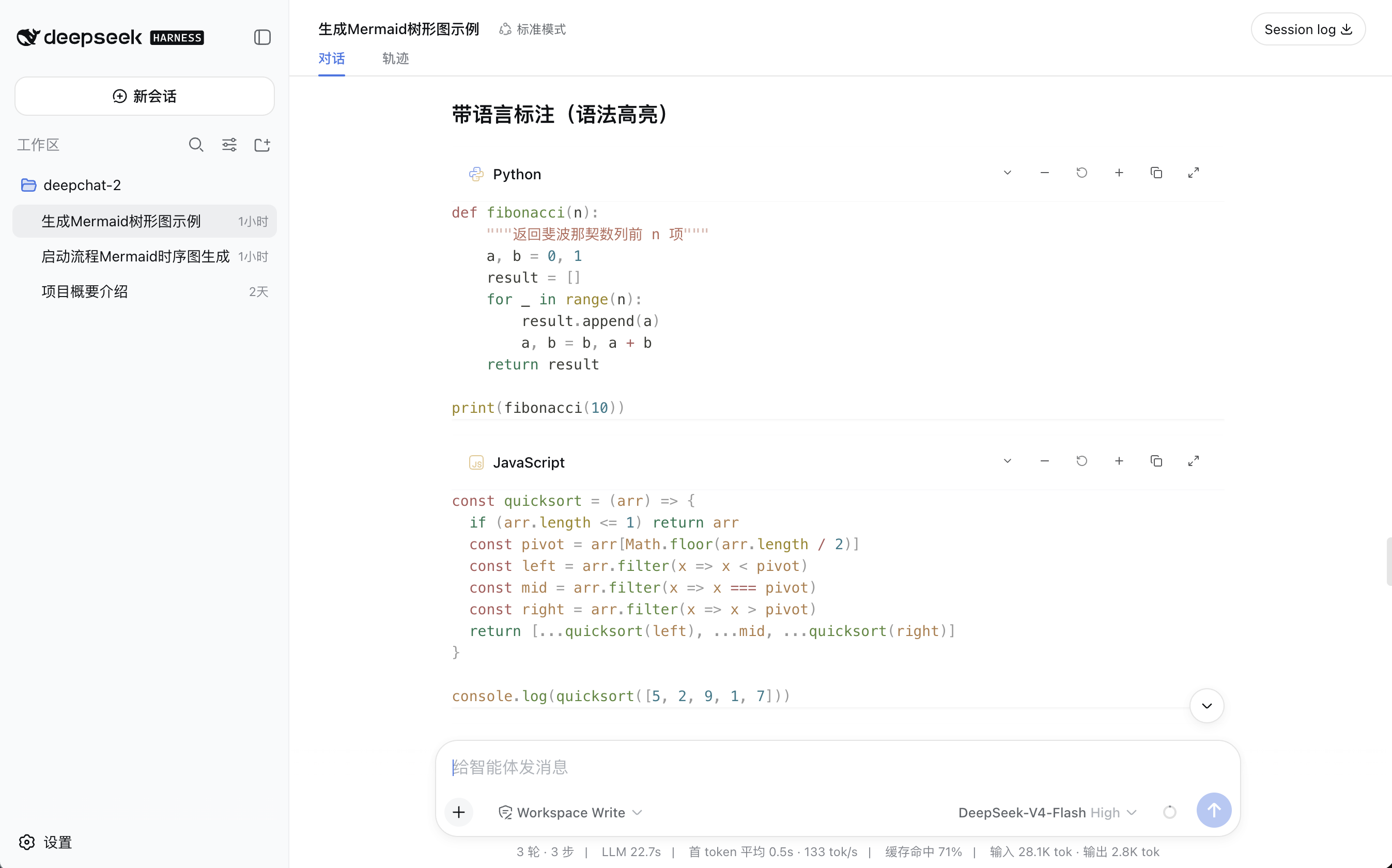
Markstream code blocks
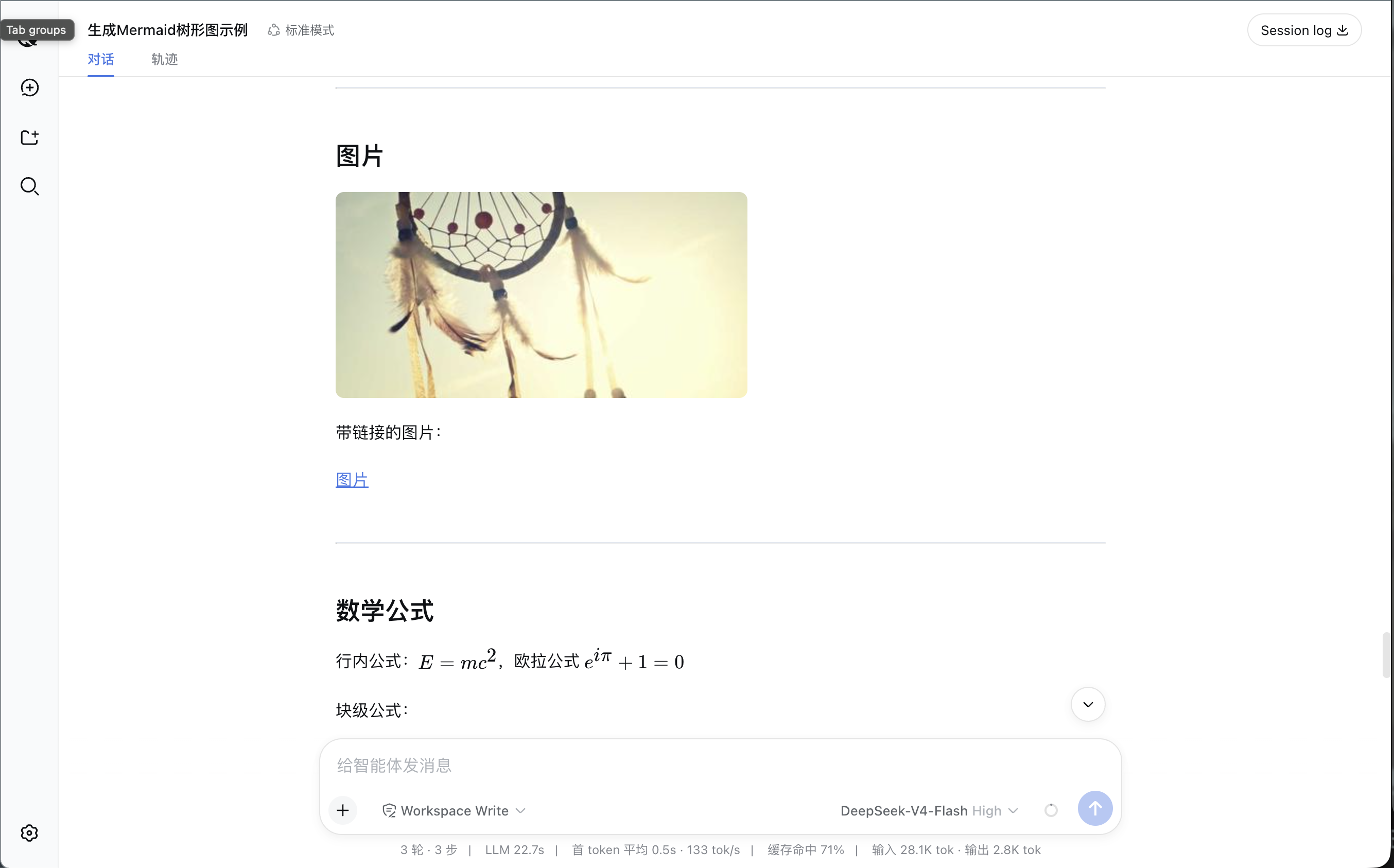
Images, links, and KaTeX math
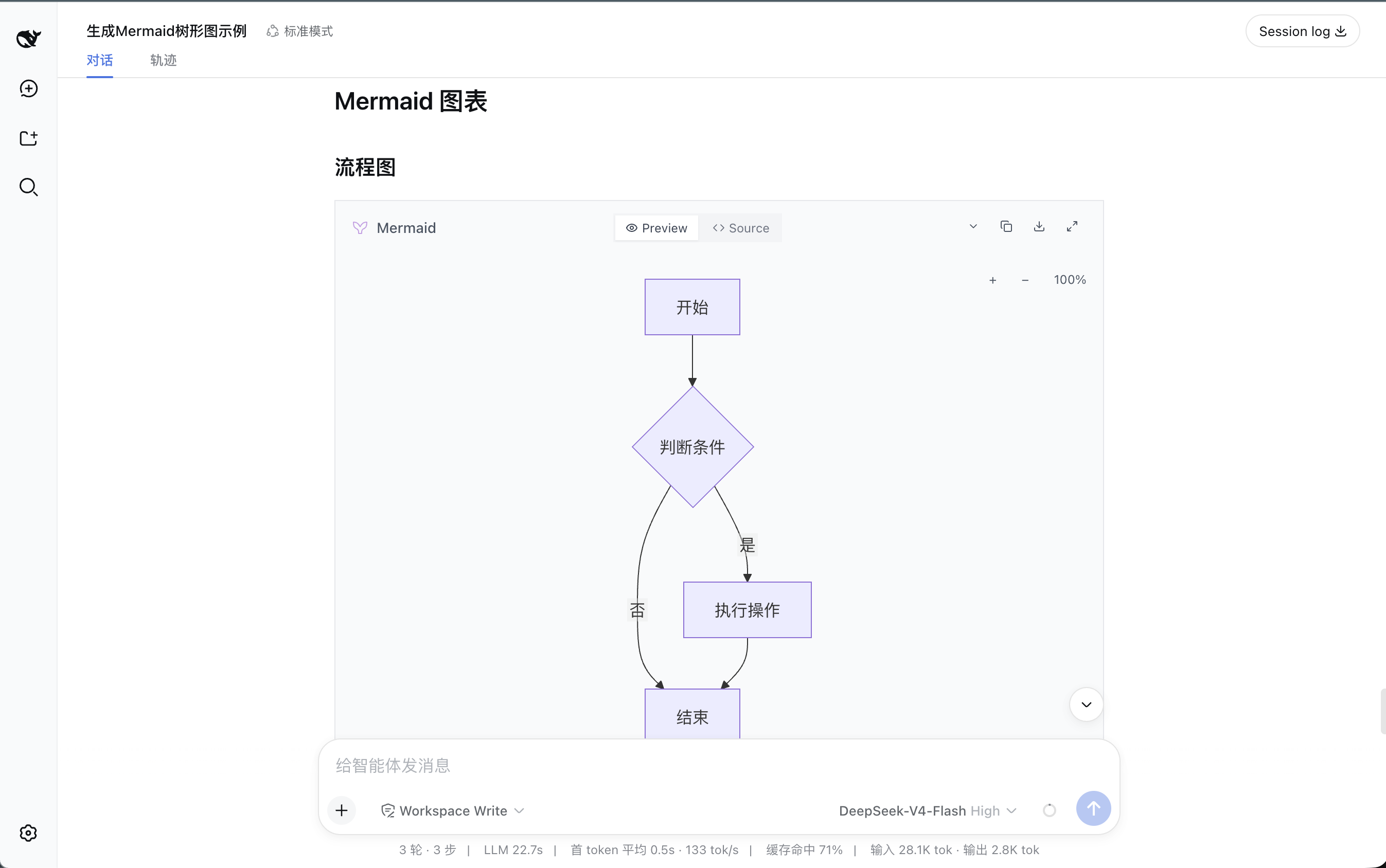
Mermaid diagrams
Feature scope
| Capability | Behavior |
|---|---|
| Assistant streaming Markdown | Always rendered by markstream-react |
| Settled assistant Markdown | Keeps the same Markstream renderer |
| Mermaid | Bundles mermaid@11.16.1; no separate installation |
| Math | KaTeX inline and display math |
| Code fences | Uses Markstream MarkdownCodeBlockNode + stream-markdown + Shiki; unknown languages fall back to visible plain text |
| Raw HTML | Escaped as text instead of being injected into the DOM |
| Links and images | Restricted to safe external protocols |
| Static plan review / trajectory surfaces | Keep Harness MarkdownText; these surfaces expose no shared replacement slot |
How it works
The plugin uses the public Harness client-module and slot-shadowing APIs. It does not patch Harness files or replace React globally.
Assistant token stream
  -> Harness session projection
  -> conversation.chat.node / assistant-step
       |- priority -100: BetterAssistantNodeView
       |                  -> markstream-react  (active)
       |                       `- fenced code -> stream-markdown -> Shiki
       `- priority    0: Harness built-in      (fallback)
The shadow entry handles normal rendering. If the plugin renderer throws or is unloaded, the original Harness renderer remains registered and takes over.
Installation
Install from npm (recommended)
Prerequisite: a working DeepSeek Harness Web installation.
dsh plugin --profile web add dsh-better-markdown
dsh --profile web --dump-config
dsh --profile web
Update the plugin:
dsh plugin --profile web add dsh-better-markdown@latest
Install from source
Prerequisites: a working DeepSeek Harness Web installation, Node.js 20+, and pnpm 10+.
git clone https://github.com/zerob13/dsh-better-markdown.git
cd dsh-better-markdown
pnpm install
pnpm run check
pnpm run build
dsh plugin --profile web add "$(pwd)"
dsh --profile web --dump-config
dsh --profile web
On Windows PowerShell, replace "$(pwd)" with (Get-Location).Path.
The composed configuration should include:
# == dsh-better-markdown
- id: better-markdown
  name: dsh-better-markdown
Rendered assistant Markdown carries this verification marker:
<div data-markdown-renderer="markstream-react">
Install directly from Git
Git dependencies run the repository's prepare build. pnpm 10/11 may require explicit permission in the Web profile's pnpm-workspace.yaml:
allowBuilds:
  dsh-better-markdown: true
Then install and start Harness:
dsh plugin --profile web add git+https://github.com/zerob13/dsh-better-markdown.git
dsh --profile web
Pin a commit SHA for production use instead of following the default branch indefinitely.
Remove
To remove the plugin:
dsh plugin --profile web remove dsh-better-markdown
Unloading disposes the slot shadow and Markstream component policy, immediately restoring the built-in renderer.
Bundle trade-offs
markstream-react:0.0.55mermaid:11.16.1stream-markdown:0.0.16shiki:4.4.3- Current browser bundle: about 7.40 MB, about 1.59 MB gzip
- Mermaid and Shiki syntax highlighting are bundled for offline use; Shiki uses its JavaScript regex engine and a fine-grained bundle of 34 common languages
- The optional Monaco runtime, D2, and Infographic peers are not bundled; unknown code languages use Markstream's plain-text fallback
Removing Mermaid can substantially reduce the bundle, but Mermaid fences will no longer produce diagram previews.
Development
pnpm install
pnpm run check
pnpm run build
pnpm pack --dry-run
Maintainers release by matching the package.json version to a vX.Y.Z tag and publishing the corresponding GitHub Release. publish.yml validates the version, runs checks and a build, then publishes the public package through npm trusted publishing. Prereleases are not published.
Key files:
src/client/index.ts: Markstream component policy and assistant slot shadowsrc/client/renderer.tsx: assistant node and Markdown renderersrc/client/shiki.ts: fine-grained Shiki bundle for the single-file plugin buildsrc/client/styles.css: Harness token adaptationcordis.patch.yml: plugin bundle rowtests/plugin.spec.tsx: streaming, fallback, security, and Mermaid routing tests
Compatibility
- DeepSeek Harness
0.1.0-rc.5or newer - React 18 or newer
- Replaces only the Web conversation
assistant-step - Older Harness builds without priority-based slot shadowing fail at load time instead of mounting two renderers