scripts-full.md
April 17, 2026 · View on GitHub
MPV Scripts:
- abs-screenshot: Uses Exiftool to get the "Date/Time Original" and saves a screenshot with the name being the actual time the video was taken. download
- acestream: Add AceStream protocol handler to mpv. Let the user open streams by dropping Acestream links into mpv GUI or by passing them as command line argument. download
- acompressor: This script adds control to the dynamic range compression ffmpeg filter including key bindings for adjusting parameters. download
- adevice-list: Interractive audio-device list menu. download
- afilter: Script for easy access to certain audio compressors and HRTF sofalizer in mpv with option to whitelist filters based on type of media. download
- anilist-updater: Automatically updates your AniList when reaching 80% completion based on the file name. download
- aspeed.lua: Multi-stereo speed randomization & tri-color clocks. Applies arbitrary speed formula & has chipmunk mode for left-channel. Also has double-mute insta-toggle. Primary channel may be left or right. A filterchain applies to all speakers - each is its own mpv. Has many script-messages. For mpv v0.34→v0.38, SMPlayer, Windows, Linux, MacOS, Android, YouTube, mp4, mp3, jpg, etc. But no randomization for Android. (Example clock). download
- assrt by AssrtOSS: Download subtitles from assrt.net. download
- Audio WebDAV & Sub WebDAV: Auto connection of external subtitles and sound, using the "WEBDAV" protocol. The connection is explicit due to explicitly specifying folders on the WebDAV server. download
- audio-balance: Port of mpv's balance property to FFmpeg lavfi pan filter. download
- audio-dupe: Runs a child process to play a second audio stream. Synced through named pipe. download
- audio-file-keys: Automatically apply key bindings when playing audio files. download
- auto-keep-gui-open: Intelligently switches mpv's "keep-open" behavior based on whether you are running in video-mode or audio-only mode. download
- auto-load-fonts: Auto load the font files in the fonts folder under the play file path. download
- auto-mode: Use mpv as video player, music player and image viewer, switch automatically between, video, audio and image mode. download
- auto-save-state: Periodically saves progress with write-watch-later-config, and also cleans up the watch later data after the file is finished playing (so playlists may continue at the correct file). download
- autochapters: Automatically finds chapters for your anime files. download
- autocomplex.lua: Accurate stereo spectrum overlay, with volume bars. Has many options for showfreqs, showvolume, moving overlays, colormixes, normalizers, interpolation, etc. Easy to distinguish stereo from mono. Has many script-messages. For mpv v0.34→v0.38, SMPlayer, Windows, Linux, MacOS, Android, YouTube, mp4, mp3, etc. Example of dual-complex. download
- autocrop.lua: Modded version randomizes aspect ratio & crops black bars off videos & images while maintaining center in horizontal & vertical. Double-mute toggles the crop & auto_aspect. Has tolerance options, & varies limit (& start/end limits) with media-title. Can display all cropdetect or bbox metadata. Handles transparent input. For mpv v0.34→v0.38, SMPlayer, Windows, Linux, MacOS, Android, YouTube, mp4, mp3, jpg, etc. Example of auto_aspect btwn 16:9 & 4:3. download
- autocrop: This script uses the lavfi cropdetect filter and the video-crop property to automatically crop the currently playing video with appropriate parameters. download
- autodeint: Automatically deinterlace the video by using lavfi's idet filter to detect interlaced content. download
- autoload-sub: Automatically load sub files download
- autoload: Automatically load playlist entries before and after the currently playing file, by scanning the directory. download
- autoloop: Automatically loops files that are under a given duration (default 5 seconds). download
- automask.lua: Applies filterchain to animated masked region with inversion (blinking) & invisibility.
gequses any formula. Smooth toggle with double-mute. Comes with 14 examples, including blinking monacle, binacles, pentagon, spinning triangle, scanning visors etc. Has many script-messages. For mpv v0.34→v0.38, SMPlayer, Windows, Linux, MacOS, Android, YouTube, mp4, mp3, jpg, etc. Example mask. download - autosave: Periodically saves "watch later" data during playback, rather than only saving on quit. Newer fork. download
- autoselect-forced-sub: Automatically select forced subtitles in a different way. download
- autospeed: Adjusts the display refresh rate and video speed for almost 1:1 playback (Unix-like OSes, Xorg / X11). download
- autospeedwin: Adjusts the display refresh rate and video speed for almost 1:1 playback (Windows). download
- autosub: Automatically download subtitles using subliminal. download
- autosubsync: Automatically sync subtitles using ffsubsync. download
- betterchapters: Loads the next or previous playlist entry if there are no more chapters in the seek direction. download
- blackout: A fast crossplatform boss-key, but without window minimization (and possible problems with some VO drivers). download
- bluetooth-av-delay: Adds desired A-V delay automatically, if default audio sink is a bluetooth device. download
- blur-edges: Replace black bars with a blurry copy of the video. download
- bookmarker-menu: Menu to manage all your bookmarks. download
- bookmarker: Bookmark your favorite time on media files download
- boram: Unmaintained cross-platform WebM converter, based on JavaScript/Web/Electron. download
- boss-key-wayland: Minimise and pause video at the same time in Linux through xdg-portals. download
- boss-key: Minimise and pause video at the same time. Windows/Linux. Eliminated the time lag in previous versions. download
- Botflix/stream-cli: Command-line tool that combines scrapy and webtorrent for streaming movies, based on Python/TUI. download
- BoxToWide: A simple mpv script to change 4:3 aspect-ratio of video files/streams to 16:9 automatically. download
- bstat: Calculates new user-data properties (req mpv v0.36) including avg-bitrate, rounded file-size, exact aspect ratio, etc. Output to terminal or OSD. Updates when a new file is loaded or on demand. download
- btfs-hook: Allows streaming torrents using FUSE via btfs. download
- btfs-stream: Allows streaming torrents using btfs. As far as I can tell, it is much simpler than the above scripts (no long shell script execution) and much more configurable (the other scripts have no settings). This is much slower than using webtorrent though, so I recommend using webtorrent-hook instead. download
- btime: Shows a shorter time format when seeking: 0:15 / 3:10, 08:20 / 55:00, 0:00:05 / 1:30:14. download
- celebi: An optimized script to restore properties from past sessions. Alternative to persist-properties and remember-props scripts. download
- censor: Skip over parts of videos you don't want (others) to view download
- Change-OSD-Media-Title: Displays filename, percentage watched, current chapter, and number of frames dropped in the OSD media title and updates it whenever one of the values has changed. download
- change-screen-by-aspect-ratio: Change the active fs-screen based on video's aspect ratio (for systems with monitors in landscape and portrait orientations). download
- changerefresh: Automatically change the refresh rate of the current display to match the playing video (Windows). download
- channel mixer: A set of keybindings using a modifier (Shift or Ctrl) and the function keys (F8-F12) to can adjust the mixing level of surround channels on the fly. download
- chapter-converter: Converts chapter format between YouTube (e.g., "00:10 chapter title") and mpv (FFmpeg metadata). download
- chapter-list: Interractive chapter-list menu. download
- chapter-make-read: Automatically read an load the namesake external chapter file with extension of CHP. Temporarily mark the current playback position as a chapter so you can seek to it later. Also allows writing current chapters as CHP or XML. Based on
createchapter. download - chapters-menu: List all chapters of current video, search and choose any. download
- chapters: Display chapters and allow you to jump to them with a mouse click. (Preview) download
- chapterskip: Skip chapters based on their title. download
- chapters_for_mpv: Add, remove and edit chapters of the currently played media. Chapters you create can be saved into a separate text file and automatically loaded when you open the same media file again. download
- cheatsheet: Looking up keyboard shortcuts (bindings). download
- mpv-easy-clearurls: mpv player URL tracking parameter cleaner script download
- clipboard: Provides a set of generic commands to interact with the clipboard. Specifically it allows user to copy arbitrary text to the clipboard and provides the ability to paste the contents of the clipboard into other commands. download
- clipshot: Screenshot the video (with subs, without subs or the whole window) and copy it to the clipboard. For Windows, Linux/BSD and MacOs download
- clock: Constantly show current time on the lower left corner of the video screen. download
- command_palette: Searchable menu for download
- composition guides: Overlay basic composition guides onto your video. download
- config-saver: Saves current audio track, subtitle track, subtitle position, etc. for all videos in the folder. download
- confluence: Open magnet links using confluence HTTP service. Recommended to use modified script for TorrServer instead. download
- contact-sheet: Display thumbnails of the current file in the style of a contact sheet. download
- contextmenu: Configurable context-menu based on Tcl/Tk (cross-platform). download
- control: Various features mainly for controlling playback. download
- convert_script: Script to quickly convert and crop videos from within mpv, with a GUI. download
- copy to music: Copies the current media file you're playing to a predefined directory, and plays the next entry in the playlist (Unix-like) download
- copy-paste-URL: Paste URLs directly from clipboard into mpv download
- copy-permalink: Copy
mpv --time=<current-position> <path-playing>to clipboard. Useful for sharing when playing URLs. download - copy-subtitle: Copies currently displayed subtitle line to clipboard. download
- copy-timestamp: Copies current timecode in HH:MM:SS.MS format to clipboard. download
- copyStuff: Copy to clipboard the filename or URL, full filename path, current video time, current displayed subtitle text, video duration/metadata. download
- copyTime: Copies the current time to the clipboard. download
- cord: Discord integration for mpv, using the Game SDK instead of Discord RPC. Supports: MacOS and Windows. (Linux is not supported by Game SDK) download
- countdown: Display a countdown on OSD for the final seconds of the video (or music file). download
- coverart: Automatically loads external cover art for music files. download
- cp-paste-URL: Fork of copy-paste-URL with support for Linux. download
- createchapter: Temporarily mark the current playback position as a chapter so you can seek to it later. Also allows writing current chapters as XML. download
- crop: Crop the video by defining the target rectangle with the cursor. download
- cropmode: Adds a keyboard-oriented mode for cropping, outputting the result in a format suitable for ffmpeg. download
- crop_script: Take cropped screenshots. download
- curvesman: Manipulate color curves filter of FFmpeg with hotkeys. Brighten up color, change color temperature/tone, hopefully more. Adjust yellow light tone to white light tone. download
- cut b1scoito: Video cutting/clipping/slicing script. download
- cut zydezu: Easily clip, compress and re-encode selected clips. download
- cycle-adevice: Cycle through available audio devices. download
- cycle-audio-device: Cycle through available audio devices with key binds. download
- cycle-commands: Allows input.conf commands to be cycled through with keybinds. download
- cycle-deinterlace-pullup: Cycle between deinterlacing, pullup (IVTC), and both filters off. download
- cycle-denoise: Cycle between lavfi's denoise filters (press n) download
- cycle-through-existing: Cycle through existing video/audio/subtitle tracks, skipping the "none" option. download
- cycle-video-rotate: Allows you to perform video rotation which perfectly cycles through all 360 degrees without any glitches. download
- cycle_messages: Cycle between custom OSD messages. download
- dark-box: OSC replacement. download
- dbvol: Replaces the default volume controls with a decibel (dB) scale instead of arbitrary percentages. download
- debug-plugin: A debug tool for mpv script developers, with GUI support for properties and console. download
- deframe: Removes the frame of YouTube videos. download
- delete-current-file: Moves the current file instantly to the recycle bin. download
- delete-file: Delete files being played. download
- delogo: Remove channel logo from videos. download
- dessubdb: Download automatically subtitles from the thesubdb.com using DESSubdb. download
- discord: A cross-platform Discord Rich Presence integration for mpv with no external dependencies. Consists of a Go binary for updating the presence and a Lua script for launching it. download
- discordRPC: Discord RPC integration for mpv using lua-discordRPC as base. download
- dkjson: This is a JSON module written in Lua. It supports UTF-8. download
- DLNAmpvRenderer: Windows DLNA/UPnP renderer based on Python. download
- drcbox: Dynamic Audio Normalizer filter with visual feedback. download
- dualsubs utils: Auto load dual subs; Auto reload dual subs; Swap primary/secondary subs position; Merge dual subs to one ASS sub. download
- dvd-browser: Browse and load DVD titles. download
- dynamic-crop: Dynamically crop the video by using lavfi's cropdetect filter to detect hard-coded black bars for Ultra Wide Screen (21:9) or any screen different from 16:9 (phone/old TV). download
- dyn_menu: Context Menu with support for defining the context menu in input.conf. download
- easycrop: Cropping videos with ease. download
- encode: Re-encode or remux part of the current video. Can also preserve some filters, such as "crop". download
- equalizer: Togglable parametric equalizer with EQ configuration similar to EqualizerAPO format present in a csv format. download
- evafast: Fast-forwarding and seeking on a single key, with quality of life features like slowing down a bit when subtitles are shown. download
- excerpt: Allows you to quickly create excerpts from media files, you just have to set begin and end markers. download
- excessive-history: Excessive played media logger. Logs file name, time, and which parts were played. Will generate a
history.txtin the mpv config folder. Only tested on Windows. download - exit-fullscreen: If you use
--keep-open=yes, this script exits fullscreen mode when the playback reaches the end of file/playlist. download - extended-menu: API to create a searchable menu (command palette). download
- fastforward: Instead of skipping forward in media files, speed up the playback for a few seconds. Playback speed decays back to 1x after a few seconds. Tap rapidly or hold down to go faster. download
- ff-silence: Fast forward through silences and quiet parts of audio, useful on videos where the speaker uses many long pauses. download
- ff2mpv: A Firefox/Chrome extension for playing URLs in mpv, based on PowerShel/Shell/Python/JavaScript. download
- file-browser: On screen file browser. download
- file-rating: Writes a star rating to the filename of the current file. download
- filenavigator: Navigate and open local files. download
- filter-test: Test mpv/FFmpeg video filter(vf) strings with editable popup dialog. download
- find_subtitles: (Down)load subtitles with subliminal. download
- firequalizer15: Linear Phase 15-Bands Equalizer download
- fix_sub_timing: Compute the correct speed/delay of subtitles by manually synching two points in time. download
- force-window-profile: Applies the force-window profile when force-window is set (i.e. when starting mpv from the .desktop file) download
- frame_info: Show frame info, similar to ffdshow's OSD. download
- fuzzydir: Allows using wildcards for
sub-file-pathsandaudio-file-paths. download - gallery-dl-view: Load image galleries directly in mpv like gallery-dl_hook but with extra functionality like binding a key to download images, optionally only loading images that are new since the gallery was last opened, and more. download
- gallery-dl_hook: Load online image galleries (imgur, etc) as playlists using gallery-dl. download
- generate-edl: Bookmark scenes in EDL files. download
- gestures: Touchscreen and mouse gestures. download
- gif-generator: Creates animated gifs using hotkeys. download
- gnome-inhibit: Prevent the screen from blanking under GNOME+Wayland while a video is playing. download
- gpufreq: Displays the current and maximum GPU frequency as an osd message. download
- green-screen: Display the green screen, which can be toggled on and off with the 'g' key download
- groupwatch_sync: Automatically start and get back in sync with a group watch. download
- guess-media-title: Uses guessit to detect a media title by filename and set
force-media-titlevariable. Useful for getting cleaner screenshot file names. download - Harmonoid: Cross-platform, based on Dart/Flutter. download
- histogram: Exposes a configurable way to overlay ffmpeg histograms in mpv. There is a substantial amount of config available. download
- history-bookmark: Create a history file to store the episode we watched last time. And let us easily jump to the video we watched last time. download
- history: Autosave played media items in an SQLite database, restore last played position, select (with dmenu(1)) and play item from history. download
- hold-to-speedup: An MPV script that speeds up the video when left-click or spacebar is held for 0.5 seconds and reverts it to normal speed when released. download
- http-ytproxy: Simple MitM http proxy to modify Range http headers. Can be used to speed up youtube videos. download
- i3-floating-centered: Show mpv window in the center of the display when it is in floating mode (i3wm) download
- image-config: A configuration to use mpv as an image viewer. download
- image-viewer: Configuration, scripts and tips for using mpv as an image viewer. download
- immersive: Looking up words generating Anki flashcards. download
- inhibit_gnome: Prevent screen blanking on GNOME while content is playing download
- InputEvent: Enhanced input.conf with better, conflict-free, low-latency event mechanism. download
- interactive-video: Script for watching interactive videos (such as Netflix's Black Mirror: Bandersnatch). download
- interSubs: Interactive subtitles, instantly translate selected word/sentence. download
- irc: Displays lines from an irc channel. download
- jellyfin mpv shim: Jellyfin (Emby/Plex alternative) Client, based on Python. download
- jellyfin: Turns mpv into a Jellyfin client. download
- kde-do-not-disturb: Disable the notifications while mpv is running download
- kde-night-color: Disable Night Color while mpv is running. download
- KDialog-open-files: Use KDE's KDialog to add files to playlist, subtitles to playing video or open URLs. download
- KikoPlay: Cross-platform Danmu player, based on C++/QT. download
- kodi hook: Allows Kodi streaming add-ons to work correctly when using mpv as an external player for Kodi by parsing and extracting protocol options from Kodi's custom URL format. download
- lang-learner: Turn MPV into language learner tool. Includes: AB-loop current subtitle or auto loop each one, quick switch between lang you know and lang you are learning, forward to browser (dictionaries, translators), record for future extra learning, export to external script for integrations, and a bit more. download
- last.fm scrobbler: Sends the information about playing tracks to last.fm, see http://www.last.fm/help/faq?category=99 for more info. download
- lats: The Low ATtention Span mpv script. Plays brief segments from random positions of one or more files, kinda like flipping through TV channels. download
- leader key: Adds leader key to your mpv. With prefixes and which-key functionality. demo download
- libass_sub_selector: Visually select individual subtitles a la PotPlayer. download
- libunity: Show a nice progress bar on your Linux panel/dock. download
- lilskippa: Skip to black, skip to silence, skip to scene change. download
- limited-autoload: Auto-load files in a lazy way by limiting how many are loaded into playlist at once download
- List chapters: Shows chapters and their time at the bottom left corner. example download
- live-filters: Add, remove or toggle ffmpeg video filters during mpv playback. download
- llm-subtrans: Extract & translate subtitles with OpenAI API. download
- LoadDanmaku: Load local damaku files. download
- local-language: Let the text displayed by osd become the language you are most familiar with, that is, language localization, such as 【volume: 100%】 becomes 【音量:100%】. download
- locate-file: Locate current media file on your OS file browser download
- loop-until: Loop the video until a specified amount of time. (e.g. loop a 30s wallpaper video to 30min) download
- lrc: Download synchronized lyrics of the currently playing song. download
- lua-repl: A Lua REPL in the console with autocompletion and pretty-printing of returned tables. It lets you test mpv's and Lua's API without writing a script. download
- M-x: Searchable and configurable menu to quickly find key bindings and commands. download
- Macast: DLNA Media Renderer. You can push videos, pictures or musics from your mobile phone to your computer, based on Python/Web. download
- main.lua: Loads other scripts, hooks in yt-dlp, displays title, has subtitle override, loops short files, sets options (with delay), & has detailed commentary. Has many script-messages. For mpv v0.34→v0.38, SMPlayer, Windows, Linux, MacOS, Android, YouTube, mp4, mp3, jpg, etc. But no yt-dlp for Android. Example title. download
- manager: Script and shader manager. download
- manga-reader: Script for using mpv as a manga reader. download
- matroska-crop: Automatically crop video using the Matroska PixelCrop properties. Includes optional workaround for hardware decoding. download
- mdmenu: Use dmenu (Linux launcher) for selecting audio/subtitle/chapters etc. download
- memo: A recent files/history menu for mpv with optional uosc integration. download
- menu-plugin: Win32 context menu, file dialog, clipboard support for mpv on Windows. download
- menu: Configurable on screen context-menu. download
- metadata-osd: Adds OSD showing song name, album name and other metadata. download
- mfpbar: A minimalistic progressbar and osc replacement. download
- migaku: Learn languages together with the Migaku browser extension. download
- minesweeper: Minesweeper game. download
- misc: Restart mpv restoring the properties path, time-pos, pause and volume. download
- modern-x-compact: Compact version of modern-x. download
- ModernH: A refined ModernX fork for mpv featuring a custom OSC, chapter & playlist buttons, cleaner audio/subtitle/playlist/chapter menus, and a cinematic dark UI. download
- ModernX cyl0: Modern OSC replacement. download
- ModernX zydezu: A fork of ModernX with many additional features and customization. download
- ModernZ: A fork of ModernX designed to enhance functionality by adding more features, all while preserving the core standards of mpv's OSC. download
- mpegts-truncate: Removes beginning of MPEG TS file up to current position without re-writing the whole file. download
- mpv-android: For Android, based on Kotlin. download
- mpv-dialog: mpv player dialog script download
- mpv-easy-anime4k: mpv player anime4k script download
- mpv-easy-autoload: mpv player autoload script download
- mpv-easy-betterchapters: mpv player betterchapters script download
- mpv-easy-clipboard-play: mpv player clipboard-play script download
- mpv-easy-copy-screen: mpv player copy-screen script download
- mpv-easy-copy-time: mpv player copy-time script download
- mpv-easy-crop: mpv player crop script download
- mpv-easy-cut: mpv player cut script download
- mpv-easy-firacode: mpv firacode font download
- mpv-easy-frame-seeker: mpv player frame-seeker script download
- mpv-easy-mandelbrot: mpv player interactive Mandelbrot fractal shader script, toggle with 'f' key, zoom with mouse wheel or arrow keys download
- mpv-easy-notify-skip: mpv player chapter skip notification script download
- mpv-easy-pause-mosaic: mpv player pause-mosaic script, add a mosaic shader when pause download
- mpv-easy-piano: play piano in mpv player download
- mpv-easy-pip: mpv player picture-in-picture (PiP) mode script download
- mpv-easy-sponsorblock: mpv player sponsorblock script download
- mpv-easy-thumbfast: mpv player thumbfast script download
- mpv-easy-translate: mpv player translation script download
- mpv-easy-whisper: mpv player whisper script download
- mpv-easy-youtube: mpv player YouTube recommendations script download
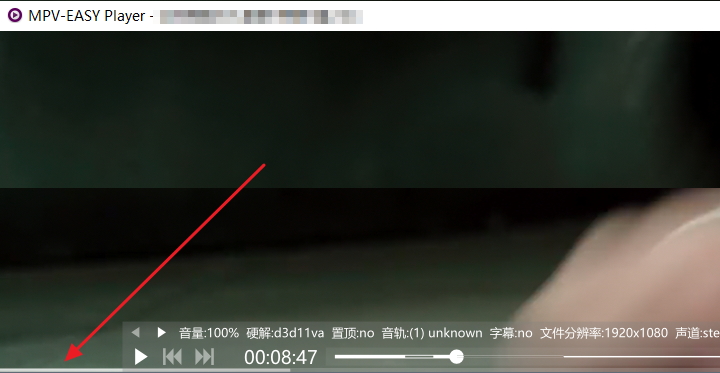
- mpv-easy: An easy-to-use UI implemented with js download
- mpv-fsr: mpv player FSR shader download
- mpv-kscreen-doctor: Like the xrandr script automatically sets the display refresh rate to the one best suitable for the video played, works for KDE Plasma Wayland sessions. download
- mpv-menu: mpv player menu script download
- mpv-omniGlass: Touchpad gestures for mpv. download
- mpv-pausesnap: An MPV Lua script that automatically takes screenshots when you pause videos. download
- mpv-remote: mpv player remote script download
- mpv-rpc: Discord Rich Presence integration. Also displays cover art from MusicBrainz archive. download
- mpv-slash-search: Simple and lightweight script that allows you to search for a file in the playlist and jump to the first match. download
- mpv-Subtitle-Definition: Instant, on-screen definitions for difficult or obscure words found in subtitles. download
- mpv-v8v7: mpv-v8v7 test download
- mpv.net: mpv.net is a media player for Windows with a modern GUI. download
- mpv2anki alyssabedard: (Different script with Windows, macOS and Linux support) A simple script to assist your language learning journey in any language by automatically capturing multimedia content from mpv to Anki. download
- mpv2anki SenneH: A simple way to add notes to Anki with Audio, screenshots and/or subtitles, with few dependencies. download
- mpvacious: Add keybindings to create Anki flashcards for (language) learning. download
- mpvc-tui: Command-line and TUI for mpv. download
- mpvclip-mpvival-mpvloop: Run MPV with options for loops and playback start and end times set according to a pattern or intervals of the total duration of a file. download
- mpvDLNA: Browse and watch content hosted on DLNA servers. download
- mpvf: Select youtube-dl format for streaming. download
- mpvif: A wayland VO patch and C plugin which forwards keyboard and mouse input to a headless compositor for playing 2D games with upscaling mpv user shaders. download
- mpvKt: For Android, based on Kotlin. download
- mpvMatroska: mpvMatroska turns mpv into a Matroska player. download
- mpv_segment_length: Displays the length of a segment/range from point A to point B. download
- multi-command-if: Very powerful conditional logic and multiple action engine for your keybindings, without having to write a single line of code! download
- multiloop: Loop over multiple A-B points. download
- multisocket: Creates a numbered socket for each instance of mpv. download
- mvtools-script: vapoursynth-mvtools script. download
- nextfile: Force opens next or previous file in the currently playing files directory. download
- notify-send: A simpler and more recent notifications script for libnotify-compatible (i.e. Unix-like) notifications daemons only. Supports cover art. download
- notify: Now-playing-desktop notifications. download
- oled-screensaver: To prevent burn-ins on OLED TVs, this script fades-in a black screen after 15 seconds when paused in fullscreen. download
- Olivia: Linux cloud music player, based on C++/QT/Web. download
- ontop-only-while-playing: Ontop is only active during video playback. Ontop is automatically disabled during idle, pause and is able to be dynamically disabled without having to restart unlike the previous script. download
- ontop-playback: Disables the ontop property when pausing, and enables it again when unpausing the video, if it was disabled. Change it only when the player is not in fullscreen to prevent screen flickering. download
- ontop-window: Disables the ontop property when in fullscreen, and enables it again when in window mode, if it was disabled. download
- Open Sound Control: Open Sound Control listener. download
- open-anilist-page: Opens the Anilist page that corresponds to the currently playing (anime) file. download
- open-dir: Opens the path of the current file in Windows File Explorer. download
- open-file-dialog: open-file-dialog is a script for mpv that can launch a regular Windows file open dialog from a key binding (default: Ctrl+O.) download
- open-imdb-page: Opens the IMDb page that corresponds to the currently playing media file. download
- open-in-explorer: Shows the currently playing file in Windows File Explorer. download
- open-kinopoisk-page: Opens the kinopoisk page that corresponds to the currently playing media file. download
- orion: Unmaintained cross platform Twitch.tv client, based on C++/QT/QML. download
- osc-framework: OSC framework to help build your custom OSC. download
- osc-modern-f: OSC script forked from mpv-osc-modern. download
- osc-modern: Modern OSC replacement. download
- osc-orange: An osc/ui replacement in dark theme. download
- osc-show-hide: Toggles the on-screen controller with a hotkey. download
- osc-simple: An OSC/UI replacement of white theme. download
- osc-style: Change the mpv OSC to a more beautiful and practical look, which is the osc theme feature, a variety of styles to choose from,this is a tutorial and a preview. download
- oscc: Dark-themed OSC. download
- osd-bar: Always show osd progress bar, with the more beautiful color matching in the configuration file, you can make the osd progress bar display the current progress at the bottom of the window beautifully,this is a preview. download
- osd-clock: Periodically shows OSD clock (many configurable options). download
- osm: Configurable on screen menu to run custom commands. download
- pause-indicator-lite: A simple script that displays an indicator on pause, with options to adjust icon, color, height, width, opacity and whether to toggle pause with a keybind or not. download
- pause-indicator: Displays a momentary icon that flashes in the middle of the screen, similar to YouTube. download
- pause-when-minimize: Pauses the player video when minimizing, and unpauses it when brought up again. download
- pdf: View PDFs in mpv using ImageMagick. (for Linux, MacOS) download
- peerflix-hook: Stream magnet links in mpv with peerflix. download
- permanent-pause-indicator: Displays a permanent indicator in the middle of the screen while mpv is paused. Preview download
- persist-properties: Keep selected property values (like volume) between player sessions. download
- pickshader: Provides a ^R-esque interface for easily setting/appending to --glsl-shaders (this does not install shaders for you). download
- pitchcontrol: Adjusts audio pitch in half-tone steps. download
- Plaincast: Unmaintained Linux server that acts like a lightweight/headless Chromecast that only includes YouTube, based on Golang. download
- play-with-mpv: Chrome extension for playing URLs in mpv, based on JavaScript/Python/Web. download
- play-with: A web browser extension that can open a video stream on a web page with an external player. download
- playlist-kdialog: Use KDE's KDialog or GTK's zenity to show current playlist or select playlist entry. download
- playlist-manager: Create and manage playlists. download
- playlist-navigator: OSD display features easy navigation with scrolling and search to select files to play or remove from playlist. download
- playlist-view: Display and navigate the playlist in a grid view of thumbnails. download
- playlistnoplayback: If you enable the save play history and progress function, this lua script can solve the problem of automatically jumping to the previous playback progress when playing the next file when playing the playlist, that is, let the playlist always play the next file from the beginning every time. the limitations of this script, please see the comments section in the content. download
- playphrase: Search and play phrases from movies and audiobooks. download
- plex-mpv-shim: Cast media from Plex Mobile and Web apps to MPV, based on Python. download
- plugin-bookmark: Record your playing history for each folder. download
- plugin-myshows: Automatically marks a currently watched episode in MyShows. download
- pointer-event: Mutually exclusive, low latency mouse/touch input event detection. Executes configurable commands on single-click, double-click, long-click and dragging. download
- print-playlist: Cleans the playlist formatting on the terminal. download
- profile-cycle: Cycle between your custom defined profiles while watching the video. download
- progressbar: A minimalistic OSC replacement. It provides a small, unintrusive progress bar that persists at the bottom of the video window. download
- Pure: Get the file path, timestamps, and cropping coordinates for ffmpeg. download
- qtube: Linux YouTube frontend, based on Python/QT. download
- quack: Reduces audio volume temporarily after seeking. download
- quality-menu: Change the streamed video and audio quality (ytdl-format) on the fly. download
- quick-scale: Quickly scale the video player to a target size, with full control over target scale and max scale. Helps you effortlessly resize a video to fit on your desktop, or any other video dimensions you need! download
- radio-title: Automatically fetch current playing title from webradio website when not provided by stream. download
- recent-menu: Recently (history) played menu integrated with uosc. download
- recent: Recently (history) played menu. download
- redshift_toggle: Toggle redshift when loading a video file and when reaching the end of said file. Now also handles pause. download
- reduce_stream_cache: Reduces MPV cache for streams by increasing playback speed. Works with Twitch through Streamlink. download
- reload: When an online video is stuck during buffering or got slow CDN source, restarting often helps. This script provides automatic reloading of videos that didn't have buffering progress for some time, keeping the current time position. It also adds
Ctrl+rkeybinding to reload video manually. download - remember-props: When a property changes, it saves it to restore on next start. Saved values are not file-specific. List of properties to save is configured in
script-opts/remember-props.conffile. download - rename-sub: Rename current subtitle file as the playing video. download
- rename: Rename files on the go directly from within MPV player window without leaving it. download
- repl: A REPL for input commands that is displayed on the video window. download
- restore-subtitles: Saves selected subtitle tracks and visibility state to
saved-subs.jsonfile in config directory and restores them whenever file is loaded. Differs fromwatch-later-saved data in that it saves secondary subtitles too (and uses subtitle file paths instead of ids). download - review: Allows to remove files viewed quickly from within mpv download
- rewindPlaylist: keybind to rewind to the end of the previous playlist entry download
- rikai: Integrated Japanese dictionary and parser to translate by hovering over words. Works on Linux. download
- russian-layout-bindings: As mpv does not support shortcuts independent of the keyboard layout (https://github.com/mpv-player/mpv/issues/351), this script tries to workaround this issue for some limited cases with russian (йцукен) keyboard layout. Upon startup, it takes currently active bindings from
input-bindingsproperty and duplicates them for russian layout. You can adapt the script for your preferred layout, but it won't (of course) work for layouts sharing unicode characters with english. download - save-playlist: This script saves your playlist to the working directory of the mpv process. download
- save-sub-delay: This script saves the sub-delay quantity for each file. When next time the file is opened, sub-delay is automatically restored. download
- scale-win: Restore old "window-scale" behavior, so to make "add window-scale +/-
" keybinds work again when any of the autofit-* options are defined. download - screenshot-mosaic: Create a mosaic/thumbnail image. download
- screenshot-to-clipboard: Takes a screenshot and saves it to the clipboard. download
- screenshotfolder: Place screenshots into folders for each video, along with timestamping them. download
- scroll-list: API to create interactive scrollable lists download
- search-menu: Searchable and configurable menu to quickly find key bindings, commands, properties, audio/subtitle tracks and playlist entries. download
- search-page: Searchable and configurable menu to quickly find key bindings, commands, options and properties. download
- seek-to: Seek to an absolute timestamp specified via keyboard input. download
- segment-linking: Supports Matroska hard segment linking. download
- select: Menu script built into mpv. download
- selectformat: Select the format (quality) of internet videos. download
- selectmenu: Context-menu inspired by
select.luautilising mpv'sinputandconsolescript functionality. download - separator: Copy or move video files you wanna keep. download
- Serkio Tagger: Annotate videos with tags while you watch. download
- show-conf-osd: Display configuration files on the OSD. download
- show-filename: Show the name of the current playing file. download
- show-stream-title: Show OSD stream/channel title when switching the IPTV channels from m3u playlist. download
- simple-loader: (Linux) Browse dirs and files on OSD, and launch them with mpv. download
- SimpleBookmark-1.0: Bookmark with a [ctrl]+[b], then list and access your bookmarks with [b]. Assign your favorites to a keybind then access your favorites with that same keybind. Much more explained in the link above. download
- SimpleHistory-1.0: Powerful history features that logs videos that you opened into a log file along with the time you have reached on each video. Select, filter, and search from your history list, Optional resume by [ctrl]+[r] for all videos you have played. Much more explained in the link above. download
- SimpleUndo-3.2: Simple undo feature. If you accidentally seek/jump to a different time in the video, press undo [ctrl]+[z] to return to your previous time and vice-versa. More details in the link above. download
- skip-silence: Playback mode that automatically skips/speed up silent parts. download
- skipchapters: Automatically skip chapters matching a given list of regular expressions (eg. "OP" or "Opening"). download
- skipsilence: Increase playback speed during quiet parts of the file. download
- skiptofade: Seeks forward until a black screen appears. Built to skip openings. Uses the lavfi blackdetect filter. download
- skiptosilence detuur: Skips to the next silence in the file. download
- skiptosilence dyphire: Skips to the next silence in the file. download
- slicing: Cut uncompressed fragments of the video. download
- slicing_copying: Cut fragments of video in original format. download
- smart-volume: Replay gain alternative. download
- SmartCopyPaste-3.0: Powerful copy paste features. Paste URL or local videos directly to mpv. Copy URL or currently playing video in mpv player then paste to access at a later time. Add videos to playlist simply by pasting. Much more explained in the link above. download
- SmartCopyPaste-II-3.0: Powerful copy paste and clipboard list features using a log file. Select, filter, and search from your clipboard list. Paste URL or local videos directly to mpv. Copy URL or currently playing video in mpv player then paste to access at a later time. Paste to access previously copied times of same video. Much more explained in the link above. download
- SmartSkip: Automatically or manually skip opening, intro, outro, and preview, like never before. Jump to next file, previous file, and save your chapter changes! Much more explained in the link above. download
- socket: Creates one IPC socket per mpv instance. Configurable. Socket name can be modified while playing. download
- Sockets: creates one IPC sockets per mpv instance, instead of one socket for the last started instance. Supports: Linux, MacOS and Windows. download
- Sofalizer: Simulates 7.1 surround sound to your headset. Get the sofa file from here download
- sopcast: Adds support for sop:// urls. download
- sorted-screenshots: Sort screenshots based on the file they're screenshotted from and nested directories. download
- sort_script: Sort directories and files. download
- sosc: An OSC supplement for OSC replacements. Provides the idle message and script messages from the original OSC. download
- speed - adjusted timings: Recalculates osd-msg3 timecodes with speed != 1 download
- speed-transition-Audio: Changes playback speed based on volume thresholds. download
- speed-transition: Increases playback speed if a subtitle will not be displayed soon. Resumes normal speed just before the subtitle shows up. download
- speed: Always show current playback speed on the OSD. download
- sponsorblock: Script to skip sponsored segments of YouTube videos. download
- sponsorblock_minimal: More simple version of the sponsorblock script. download
- spotify: Add current playing title to an user defined Spotify playlist. download
- srt-resegment: Resegment srt by synchronize plain text with whisper's word-level timestamps JSON. download
- stats: Display some statistics about the currently played file on-screen. download
- stopCache: stops the demuxer from downloading more if it is already past --end download
- store-shaders: Store current glsl-shaders config on first run, this config will then be restored by subsequent calls. download
- streamcache: Provides for more network-glitch-robust caching of live streams by adjusting replay speed. download
- streamsave: Save live streams without encoding. download
- Stremio: Cross-platform, based on C++/QT. download
- sub-assrt by dyphire: Download Chinese subtitles from assrt. download
- sub-bilingual: Generate bilingual subtitles. download
- sub-bookmarks: Save current position and subtitles in .txt file. download
- sub-cut: Extract a part of the video as audio or video with subtitles. download
- sub-export: original, outdated download
- sub-fastwhisper: Generate SRT subtitles through voice transcription using faster-whisper. download
- sub-not-forced-not-sdh: Prevents the selection of FORCED and SDH subtitles when you start playing a video. download
- sub-pause: Automatically pause just before the end of each subtitle line. Also allows replaying the currently active line. download
- sub-playback: Add interactive move, i.e. automatically pause at the end of the fragment with option to continue playback or replay it again with or without subtitles. download
- sub-replay: Replay previous sentence. download
- sub-search: Search for phrase in subtitles and skip to it. download
- sub-select: Advanced conditional subtitle track selector. download
- sub-sentences: Generate subtitles with sentences. download
- sub-skip: Automatically skip parts of a video that don't contain any subtitles. Does so by either fast-forwarding or seeking. download
- sub-transition: Speed up playback when no subtitles are visible. download
- sub-voracious: Reading and listening practice. download
- sub: Select subtitle by id via input box (Windows) download
- sub2clipboard: Copy subtitles to clipboard download
- subber: Write subtitles in mpv. download
- subit: Yet another script for downloading subtitles using subliminal. Supports better customization of options, such as easy language selection, authentication for providers that need it, and support for URLs. download
- subs2srs: Automatically add new card in Anki with audio, picture and text. download
- subselect Tk: Download subtitles with a GUI - select the one you want and automatically load them up in mpv. Supports searching for arbitrary names and different subtitle languages. Works on Windows and Linux, possibly macOS. download
- subtitle-lines: List and search subtitle lines of the selected subtitle track. download
- subtitle-search: Script to search for a phrase inside an active
.srtsubtitle. Displays matched lines in OSD list, takessub-delayinto account and allows searching for Unicode text in utf8 subtitle files. download - sub_export: fork, updated. Extract selected subtitles from .mkv file. download
- sview: Displays all loaded shaders in a clean format. It suppresses the default OSD message, allowing the custom list to be viewed by toggling it or when changing shaders. download
- switch-both-audio: Switch between playing one or two audio tracks simultaneously upon file load or with a hotkey. download
- switch-shader: Provides a switch to disable/restore shaders and vf filters. download
- Syncplay: Synchronize playback on mpv/VLC/MPC on many computers and chat with friends. Cross-platform, based on Python. download
- takeSsSequence: Take a sequence of equispaced screenshots. download
- taskbar-buttons: (Windows) Adds thumbbar buttons. download
- Tcl/Tk context-menu: Configurable context-menu based on Tcl/Tk (cross-platform). download
- tethys: OSC replacement with seekbar thumbnail preview. download
- thumbfast: High-performance on-the-fly thumbnailer for mpv. download
- thumbnail_script: Shows preview thumbnails in the seekbar. download
- time: Shows the current time or the time at which playback will end. download
- timer: Allows the user to set a starting time and an ending time and see the time elapsed between those points with millisecond precision. download
- toggle-redshift-on-play kill-restart-version: Toggle redshift when viewing videos with mpv. download
- toggle-redshift-on-play: Toggle redshift when viewing videos with mpv. download
- torrserver-hook: Allows for playback of media from the BitTorrent network using TorrServer. download
- torrserver: Allows streaming torrents using TorrServer. Support magnet links and .torrent files download
- total_playtime: Shows total playtime of current playlist. download
- touch-gestures: Gestures for play/pause, speed, volume, seeking and next/previous playlist-item. download
- track-list: Interractive track-list menu. download
- trackselect: Select tracks based on their title. download
- trakt-scrobble: Connects trakt.tv with mpv and automatically scrobbles movies/shows. download
- trakt: Connects trakt.tv with mpv and automatically scrobbles movies/shows. download
- tree-profiles: Automatically apply profiles to certain directories or files. download
- trim: Trim clips without transcoding. download
- trueautosub: Fork of autosub, automatically downloads subtitles if not present using subliminal. (osx/linux only) download
- tts-subs: Use voice synthesis to read subtitles out-loud. download
- TubiTui: Cross-platform YouTube client based on Rust/TUI. download
- tv-output: TV output handling - activate on mpv playback and deactivate on mpv shutdown. download
- twitch-chat-irc: Show Twitch chat messages as subtitles when watching Twitch LIVE. download
- twitch-chat: Show Twitch chat messages as subtitles when watching Twitch VOD with mpv. download
- txt: Play text files using text-to-speech (TTS). (Works on Linux, MacOS). download
- UndoRedo: Undo and Redo feature for mpv. If you seek/jump to a different time in the video, press undo [ctrl]+[z] to linearly undo the seeks/jumps in the video, and press redo [ctrl]+[y] to linearly return to previous undo positions. More details in the link above. download
- unseen-playlistmaker: Keeps track of your watched files from a directory, and on keypress enters playlist-mode to watch unseen files from that specified directory. download
- uosc: Popular OSC with menu. download
- use-cpu: If the width of the video is greater than 3000 or the height of the video is greater than 2000, it will automatically switch back to using cpu decoding. download
- user-data-loader: Allows the
user-dataproperty to be set at launch using config files and changed using profiles and script-opts during runtime. download - user-input: API to request text user input. download
- video-splice: Create a video out of cuts. download
- videoclip: Create video and audio clips. download
- visualizer: various audio visualization download
- vlc-aspect-ratio: vlc style aspect ratio stretch for mpv download
- vlcaspectratio: Implements a VLC style aspect ratio hotkey 'a' that stretches the video to different aspect ratios. download
- vlccrop: Implements a VLC style crop hotkey 'c' that cycles through crop settings, useful for cropping letter-boxed or pillar-boxed content. download
- vmn: Cross-platform CLI music player, based on C/TUI. download
- volnorm: Client-server setup to provide EBU R.128 volume leveling to MPV, even if files stored on a server and played on multiple machines. (Works on Linux, probably all Unix-like; server in Perl). download
- vo_battery: Choose the VO based on if the laptop is on battery or not. download
- vr-reversal: View 3D side-by-side video as a 2D video, allows you to look around and zoom within the video, logs the head motions to a file for later rendering out to a 2D video with ffmpeg. download
- waifu2x: Take screenshot and convert images with waifu2x. download
- waveform: Displays a waveform of the video in real-time. download
- webm.py: Cross-platform command-line WebM converter, based on Python. download
- webm: WebM converter based on MoonScript. download
- webp-generator: Creates animated webp using mpv hotkeys. (Windows only) download
- webtorrent-hook: Allows streaming torrents using webtorrent (same as mpv-peerflix-hook but using webtorrent instead). Webtorrent-cli can play in mpv with
webtorrent --mpv, but this script allows using torrent identifiers as the file argument to mpv or pasting them into the current playlist using one of the pasting scripts listed here. It also supports additional functionality like automatic file cleanup and the ability to remember the last file played in the torrent. See the readme for more information. See here for a comparison with the other javascript webtorrent plugin. I recommend this plugin over my others (mpv-peerflix-hook and btfs-stream). download - webtorrent-mpv-hook: Adds a hook that allows mpv to stream torrents using webtorrent. download
- when-to-loop: Intelligently decide when mpv should loop, i.e. while shuffling or while playing a short file. download
- whisper-subs: Generates subtitles at runtime with whisper.cpp on Linux. download
- writename: Write the currently playing filename/path to a file, optionally skipping/removing from current playlist and muting. download
- xfce-genmonify: Update a xfce4-panel genmon plugin that is set up with genmonify to display the currently playing media file and elpapsed or remaining time in xfce4-panel. download
- xrandr: Automatically sets the display refresh rate to the one best suitable for the video played download
- xscreensaver: (Linux) Disables XScreensaver while video playback is active, a replacement for heartbeat-cmd. download
- yledl: Watch videos from YLE Areena in mpv using yle-dl download
- Yomichampv: A simple solution for integration with Yomichan - a browser-based japanese dictionay. download
- youtube-chat: Overlays YouTube chat on top of a video using yt-dlp. download
- youtube-download: Download YouTube audio and video with one key press. download
- youtube-queue: Implements the YouTube 'Add to Queue' functionality. Allows adding video urls to the queue from the clipboard, and provides a menu for interacting with the queue. download
- youtube-search: Use zenity and youtube-dl to search YouTube. download
- youtube-upnext: A menu for (auto) playing YouTube's "up next"/recommended videos, that show up on the right side on the website. download
- ytdl-preload: Precache the next entry in your playlist if it is a network source by downloading it to a temp file ahead of time. Updated to download all streams in parallel so you can watch it while it downloads. download
- ytdlautoformat: Automatically adjusts
ytdl-format(yt-dlp) for specified domains. download - ytsub: Load automatic captions from Youtube, can select language interactively or automatically. download
- zenity-open-files: Use GTK's zenity to add files to playlist, subtitles to playing video or open URLs. download
- zones: Handles commands depending on where the mouse pointer is at, mostly for mouse wheel handling. download